
Jebao MDP-2500
Jebao MDP Smart DC Pump User Manual
Model: MDP-2500
1. Introduction
The Jebao MDP Smart DC Pump is an advanced water pump designed for precise flow control in saltwater tank systems, including reactors, sumps, or closed-loop setups. It features a 2.4G Wi-Fi connection for smartphone control via the Jebao App, alongside a manual LCD display controller. Engineered with a wear-resistant ceramic shaft and no copper components, it is suitable for both marine and fresh water environments, ensuring a longer operational life and quiet performance.
Key Features:
- 2.4G Wi-Fi (iOS + Android) and manual LCD display controller for versatile control.
- No exposed copper elements, making it safe for both marine and freshwater applications.
- SINE wave technology for ultra-quiet operation and stable performance.
- IC electronic detection with automatic power-off protection upon no water, and motor protection if the rotor is blocked.
- Efficient power consumption: 23-watt, 110-120V 60Hz.
2. Safety Instructions
Please read all safety instructions carefully before operating the pump to prevent injury or damage. Failure to follow these instructions may result in electric shock, fire, or serious personal injury.
- Always disconnect the power supply before performing any maintenance or cleaning.
- Do not operate the pump if the power cord or plug is damaged.
- Ensure the pump is fully submerged when in operation, unless specifically designed for external use.
- Do not lift the pump by its power cord.
- This pump is designed for indoor use with aquariums only. Do not use it for other purposes.
- Keep the controller and power adapter away from water.
- Ensure a drip loop is formed with the power cord to prevent water from traveling along the cord and reaching the electrical outlet.
3. Package Contents
Verify that all items listed below are included in your package:
- Jebao MDP-2500 DC Return Pump
- Power Adapter
- LCD Display Controller
- PVC Adapters: 1-1/4" Barbed Adapters: 3/4", 1"
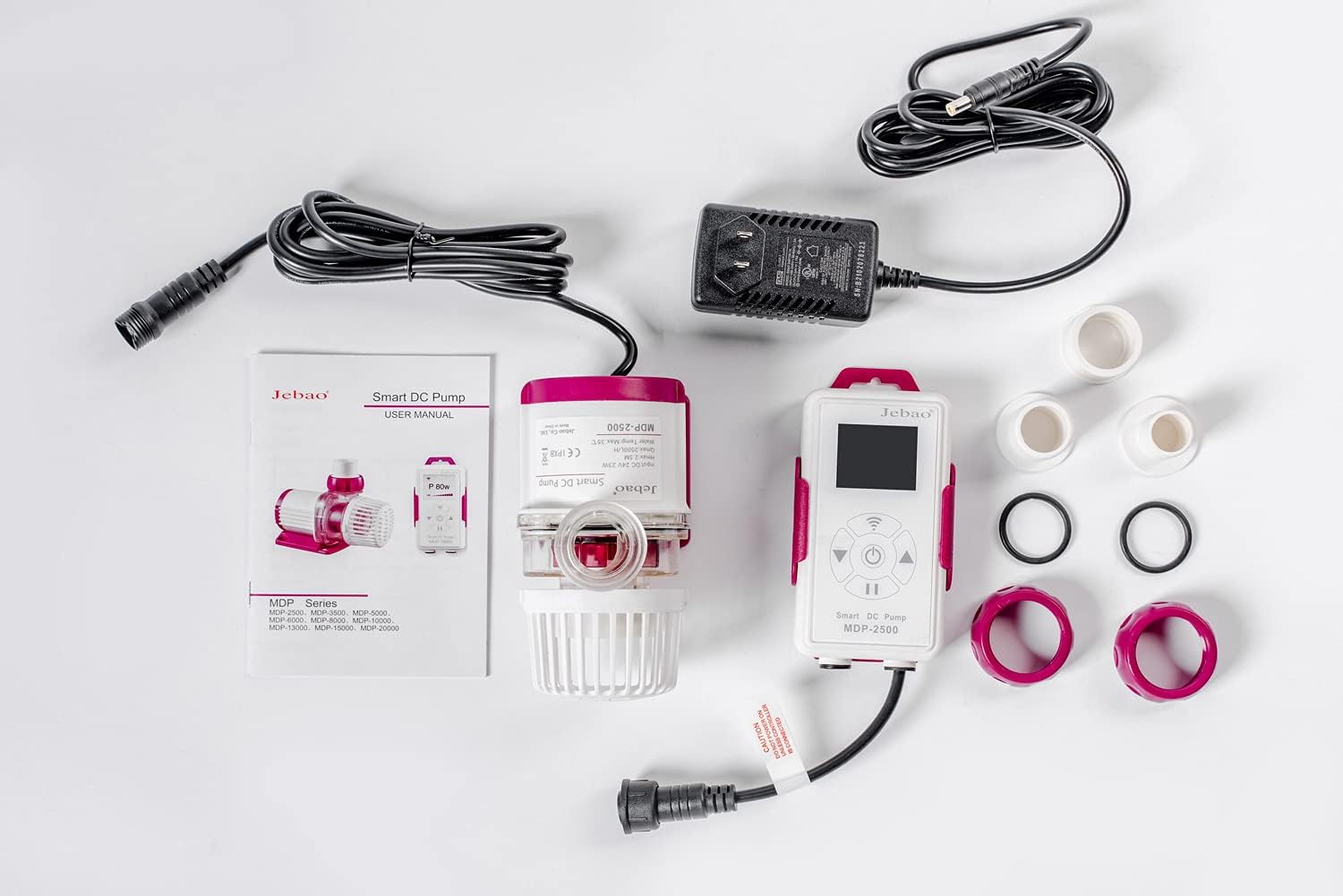
Figure 3.1: Complete package contents of the Jebao MDP-2500 Smart DC Pump.
4. Setup and Installation
Follow these steps to properly set up your Jebao MDP-2500 pump:
- Unpack Components: Carefully remove all items from the packaging and inspect them for any damage.
- Attach Adapters: Select the appropriate PVC adapter (3/4" or 1" barbed, or 1-1/4" threaded) for your plumbing setup and securely attach it to the pump's outlet.
- Position the Pump: Place the pump in your aquarium sump, reactor, or desired location. Ensure it is fully submerged if used internally. The pump is designed for submersible use.
- Connect to Controller: Connect the pump's cable to the designated port on the LCD display controller. Ensure the connection is firm.
- Connect Power Adapter: Plug the power adapter into the controller, then plug the power adapter into a grounded electrical outlet. Do not power on the pump until all connections are secure and the pump is properly positioned in water.
- Initial Power On: Once connected and submerged, power on the unit. The LCD display will illuminate.
Wi-Fi Connection (Optional):
To utilize the smartphone app control, download the Jebao App from your device's app store. Ensure your smartphone is connected to a 2.4 GHz Wi-Fi network, as the pump does not support 5 GHz networks. Follow the in-app instructions to pair your pump with your device. This typically involves putting the controller into pairing mode and entering your Wi-Fi credentials.

Figure 4.1: The Jebao MDP-2500 pump connected to its LCD display controller.

Figure 4.2: Detailed view of the pump unit, highlighting its compact design.
5. Operating Instructions
Manual Control (LCD Display Controller):
The LCD display controller allows direct control over the pump's functions.
- Power On/Off: Press the power button to turn the pump on or off.
- Adjust Flow Rate: Use the up/down arrows to increase or decrease the pump's flow rate. The current power consumption (in watts) or flow percentage may be displayed on the LCD.
- Feed Mode: Activate feed mode by pressing the designated button. This temporarily pauses the pump, allowing for feeding without circulating food particles into the filtration system. The duration of the feed mode can often be adjusted via the app or controller settings.
- Mode Selection: Some controllers may offer different operating modes (e.g., constant flow, wave mode). Refer to the specific controller's interface for mode selection.
Smartphone App Control (Jebao App):
The Jebao App provides comprehensive control and monitoring capabilities.
- Remote Control: Adjust flow rate, turn on/off, and activate feed mode from your smartphone.
- Scheduling: Set custom schedules for pump operation, including varying flow rates throughout the day.
- Monitoring: View real-time pump status and performance data.
- Firmware Updates: The app may allow for over-the-air firmware updates for the pump and controller.
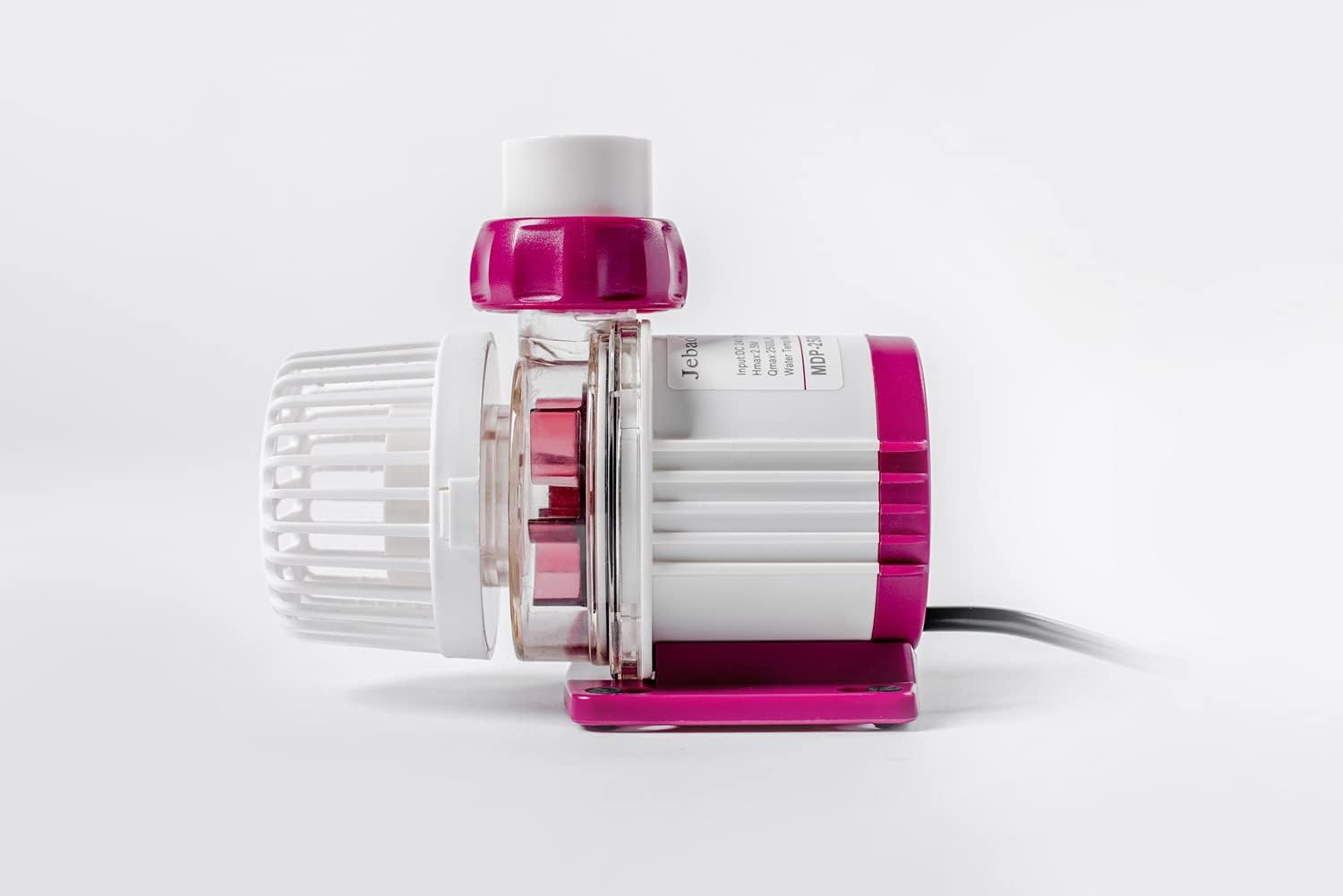
Figure 5.1: Side profile of the MDP-2500 pump.
6. Maintenance
Regular maintenance is crucial for the longevity and optimal performance of your Jebao MDP pump. It is recommended to clean the pump every 3 to 6 months, depending on your aquarium's bioload and water conditions.
- Disconnect Power: Always unplug the pump from the power outlet before beginning any maintenance.
- Remove from System: Carefully remove the pump from your aquarium or sump.
- Disassemble: Disassemble the pump by removing the volute cover and impeller assembly. The ceramic shaft is wear-resistant but should be inspected for any debris or buildup.
- Clean Components: Rinse all pump components (impeller, volute, housing) with clean water. Use a soft brush or cloth to remove any algae, detritus, or calcium buildup. For stubborn deposits, a mild vinegar solution can be used, followed by thorough rinsing.
- Inspect: Check the impeller and ceramic shaft for any signs of wear or damage. Ensure the O-rings are clean and properly seated.
- Reassemble: Reassemble the pump components in reverse order, ensuring all parts fit securely.
- Test: Place the pump back into your system and reconnect the power. Observe its operation to ensure proper function.

Figure 6.1: Bottom view of the pump, showing mounting feet.
7. Troubleshooting
| Problem | Possible Cause | Solution |
|---|---|---|
| Pump not turning on. | No power, loose connection, power adapter failure. | Check power outlet, ensure all cables are securely connected. Test power adapter if possible. |
| Pump runs intermittently or stops. | "No water" protection activated, rotor blocked, air in pump. | Ensure pump is fully submerged. Disconnect power, inspect impeller for blockages, clean if necessary. Gently shake pump to release trapped air. |
| Reduced flow rate. | Impeller dirty/blocked, tubing kinked, calcium buildup. | Perform maintenance cleaning (Section 6). Check tubing for obstructions. |
| Excessive noise/vibration. | Impeller damaged or dirty, air in pump, improper seating. | Clean impeller and pump housing. Ensure pump is securely placed and not vibrating against surfaces. |
| Wi-Fi connection issues. | Incorrect Wi-Fi band (5GHz), incorrect password, router distance. | Ensure your router is broadcasting a 2.4 GHz network and your phone is connected to it during setup. Re-enter Wi-Fi password carefully. Move router closer or use a Wi-Fi extender. |
8. Specifications
| Attribute | Value |
|---|---|
| Model | MDP-2500 |
| Power | 23 watts |
| Voltage | 24 Volts (DC) |
| Max Flow Rate | 660 GPH (11 Gallons Per Minute) |
| Max Head | 8.2 Feet |
| Dimensions (L x W x H) | 5"L x 3"W x 4"H |
| Material | Ceramic (shaft) |
| Connectivity | 2.4G Wi-Fi, LCD Display Controller |
| Suitable For | Marine and Fresh Water |
| Item Weight | 2.8 Pounds |
9. Warranty and Support
Jebao products are manufactured to high-quality standards. For specific warranty information regarding your MDP-2500 pump, please refer to the warranty card included with your product or visit the official Jebao website. In case of any issues or for technical assistance, please contact Jebao customer support.
Extended protection plans may be available for purchase from authorized retailers. Please check with your point of purchase for details on available plans.
Related documentsMDP-2500


Ask a question about this manual
Ask about setup, troubleshooting, compatibility, parts, safety, or missing instructions. Manuals+ will review the question and use this page’s manual context to help answer it.