
Introduction
The Caldwell E-MAX Shadows are minimalist electronic earplugs designed to protect your hearing while maintaining situational awareness. They feature Bluetooth connectivity for audio streaming and dual microphones for directional clarity, making them suitable for shooting, hunting, and range use.

Image: Caldwell E-MAX Shadows earbuds and charging case.
Video: Overview of Caldwell E-MAX Shadows features and use.
Product Overview
Key Features:
- Noise Reduction Rating (NRR): 23 dB for effective hearing protection.
- Bluetooth Connectivity: Seamlessly connect to mobile devices for audio streaming.
- Dual Microphones: Provides directional clarity to identify sound sources.
- Automatic Shut-off: Earbuds automatically power off after 4 hours of inactivity.
- Comfortable Fit: Includes 6 sizes of foam tips for a custom fit and proper noise cancellation.
- Rechargeable Case: Doubles as a charger and storage compartment.
Components:
- Caldwell E-MAX Shadows Earbuds (Left and Right)
- Rechargeable Carrying Case
- USB-C Charging Cable
- Assortment of Foam and Rubber Ear Tips (6 sizes)
- Instruction Manual
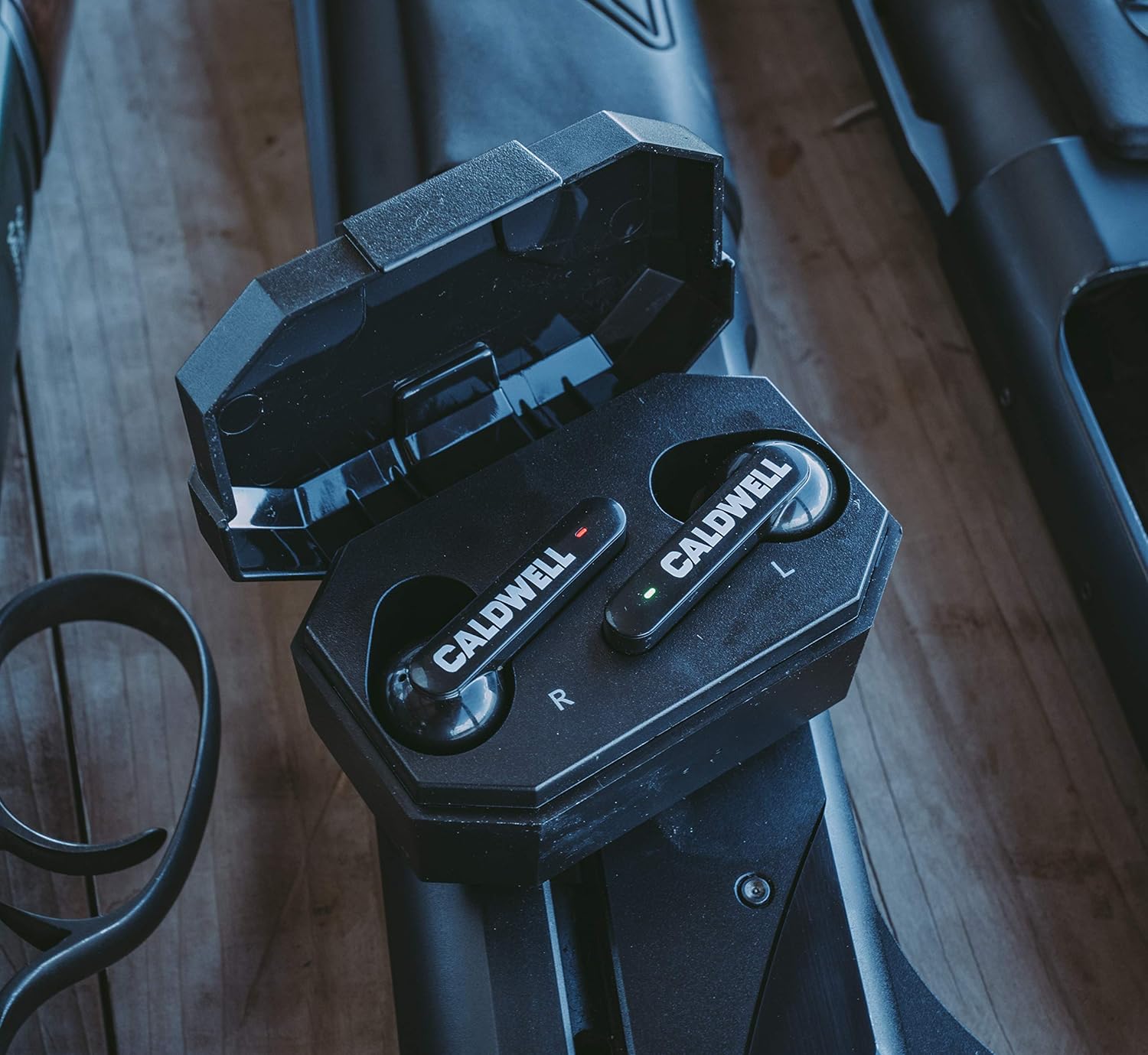
Image: Caldwell E-MAX Shadows earbuds charging in their case.
Setup
1. Charging the Earbuds and Case:
- Place the earbuds into the charging case. Ensure they are correctly seated (Left earbud in 'L' slot, Right earbud in 'R' slot).
- Connect the USB-C charging cable to the port on the back of the charging case and to a power source.
- The LED indicators on the case will show the charging status. A full charge provides approximately 5 hours of runtime for the earbuds. The case provides additional charges.
2. Fitting the Earbuds:
- Select the appropriate foam tip size for your ears. Proper fit is crucial for optimal noise reduction.
- To insert, gently compress the foam tip, then insert the earbud into your ear canal. Hold in place for a few seconds to allow the foam to expand and create a seal.
- Ensure a snug and comfortable fit. If the fit is loose, try a different size foam tip.
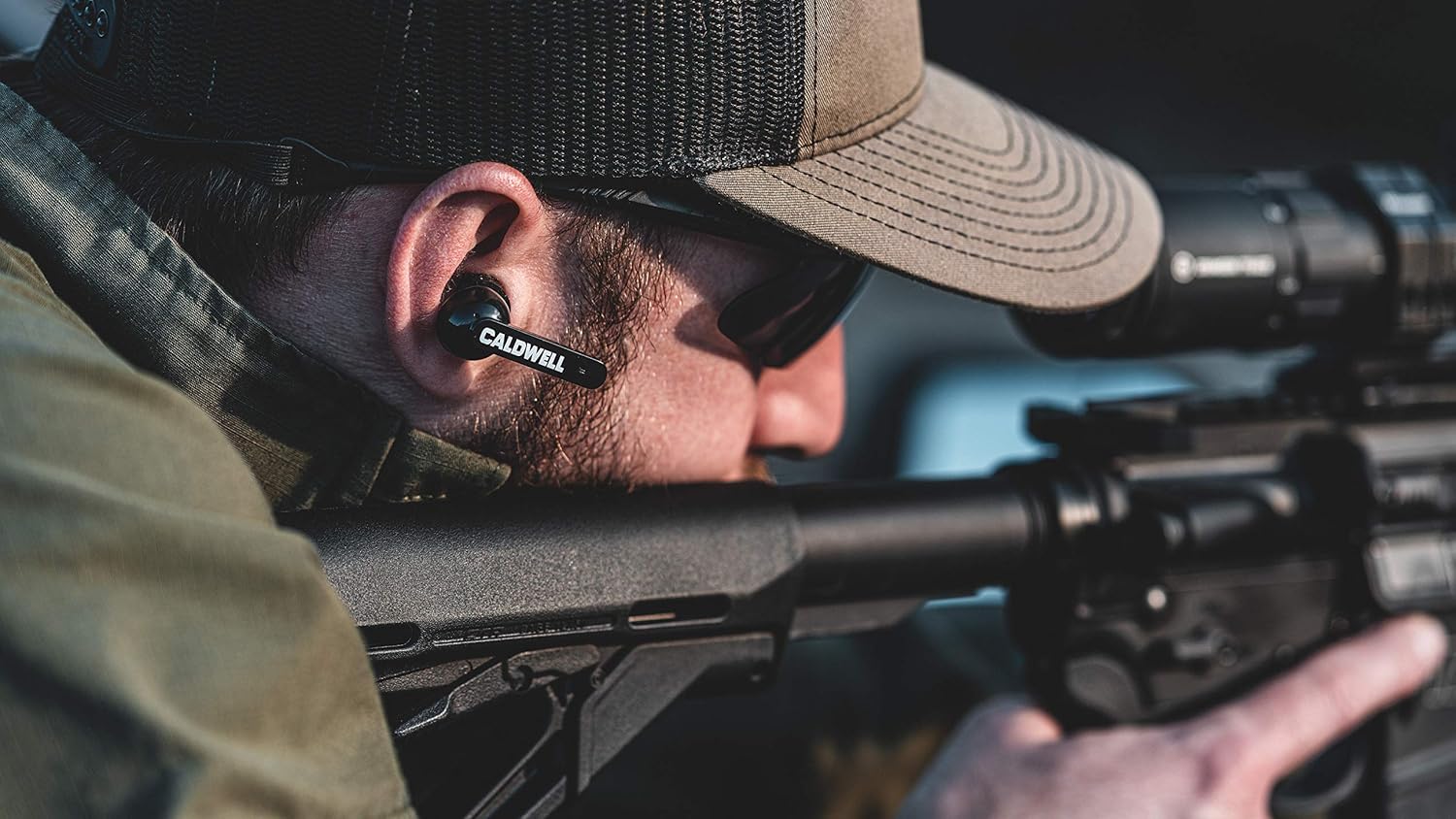
Image: Close-up of a Caldwell E-MAX Shadows earbud properly inserted.
3. Bluetooth Pairing:
- Remove the earbuds from the charging case. They will automatically enter pairing mode.
- On your mobile device, navigate to the Bluetooth settings.
- Select "SHADOWS" from the list of available devices to connect.
- Once connected, you can stream audio or take calls.
Operating Instructions
1. Power On/Off:
- The earbuds power on automatically when removed from the charging case.
- To power off, place the earbuds back into the charging case. They will automatically shut off and begin charging.
- The earbuds feature an automatic shut-off after 4 hours of inactivity to conserve battery.
2. Volume Adjustment:
Volume for both ambient sound and Bluetooth audio can be adjusted directly on the earbuds using the touch controls. Refer to the included instruction manual for specific touch gestures.
Video: Demonstrates adjusting volume on Caldwell Shadows earbuds.
3. Ambient Sound and Directional Clarity:
The dual microphones continuously suppress loud noises to a safe level (23 NRR) while amplifying ambient sounds for situational awareness. This allows for clear communication and identification of sound sources without removing the earbuds.

Image: User wearing Caldwell E-MAX Shadows during shooting practice.
Maintenance
- Cleaning: Regularly wipe the earbuds and charging case with a soft, dry cloth. Do not use harsh chemicals or abrasive materials.
- Ear Tips: Replace foam ear tips periodically or if they show signs of wear to ensure optimal noise reduction and hygiene.
- Storage: Store the earbuds in their charging case when not in use to protect them and keep them charged.
Troubleshooting
Common Issues and Solutions:
- No Power: Ensure earbuds are properly seated in the charging case and the case itself is charged. Check charging cable connection.
- No Sound/Poor Audio Quality: Verify Bluetooth connection. Adjust volume on both the earbuds and your connected device. Ensure ear tips are properly fitted.
- Pairing Issues: If pairing fails, try performing a factory reset.
- Factory Reset: If issues persist, a factory reset may resolve them.
Video: Instructions for performing a factory reset on Caldwell E-MAX Shadows.
Specifications
| Item Package Dimensions L x W x H | 6.3 x 4.09 x 2.44 inches |
| Package Weight | 0.21 Kilograms |
| Item Dimensions L x W x H | 3 x 2 x 1.5 inches |
| Item Weight | 0.46 Pounds |
| Brand Name | Caldwell |
| Model Name | Black |
| Color | Black |
| Material | Blend |
| Manufacturer | Caldwell |
| Model Number | 1102673 |
| Included Components | Hearing Protection, Case |
| Sport Type | Hunting |
Warranty and Support
This product is covered by a 1-Year Warranty provided by Caldwell. For assistance, please contact Caldwell customer service.
For further information or support, visit the official Caldwell website or refer to the contact details provided in your product packaging.