
1. Introduction
Thank you for choosing the ELOMILE DE07015B12U 12V 0.7A 4-Wire Cooling Fan. This fan is designed for efficient air cooling in various electronic and industrial applications. It features a 4-wire connection for power, ground, tachometer feedback, and Pulse Width Modulation (PWM) control, allowing for precise speed regulation.
Please read this manual thoroughly before installation and operation to ensure proper use and longevity of the product.
2. Safety Information
- Ensure the power supply matches the fan's voltage and current requirements (12V DC, 0.7A). Connecting to an incorrect voltage can damage the fan or power source.
- Disconnect power before installation, cleaning, or maintenance.
- Avoid touching the fan blades while the fan is operating.
- Do not obstruct the fan's intake or exhaust, as this can lead to overheating and reduced performance.
- Keep the fan away from water and excessive moisture.
- This product is intended for use by individuals familiar with electronic components and wiring. If unsure, consult a qualified professional.
3. Package Contents
Please check the package for the following items:
- 1 x ELOMILE DE07015B12U 12V 0.7A 4-Wire Cooling Fan
4. Setup and Installation
The DE07015B12U fan measures approximately 70mm x 70mm x 15mm (2.76"L x 0.59"W x 2.76"H) and is designed for easy integration into various systems.
4.1 Mounting
The fan features mounting holes at each corner. Secure the fan using appropriate screws (not included) to your desired location. Ensure the fan is mounted securely to prevent vibration and noise during operation. Pay attention to the airflow direction, usually indicated by an arrow on the fan frame, to ensure proper cooling.
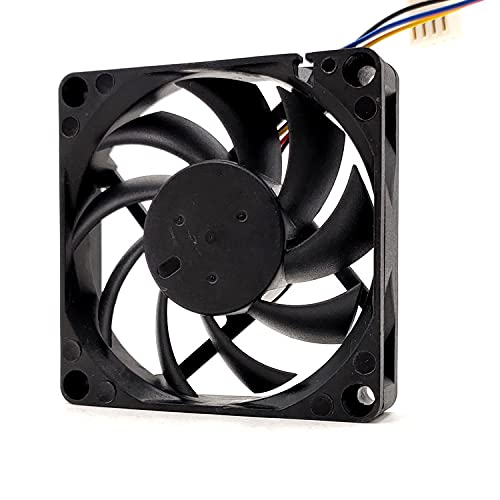
Image: Side view of the ELOMILE DE07015B12U cooling fan, illustrating its compact profile and mounting points.
4.2 Wiring Connection
The fan comes with a 4-wire connector. The standard pinout for a 4-wire fan is as follows:
- Pin 1 (Black): Ground (GND)
- Pin 2 (Yellow/Red): +12V DC Power
- Pin 3 (Green/Blue): Tachometer (RPM feedback)
- Pin 4 (Blue/White): Pulse Width Modulation (PWM) control
Connect the wires to the corresponding pins on your motherboard or fan controller. Ensure correct polarity for power connections to prevent damage.
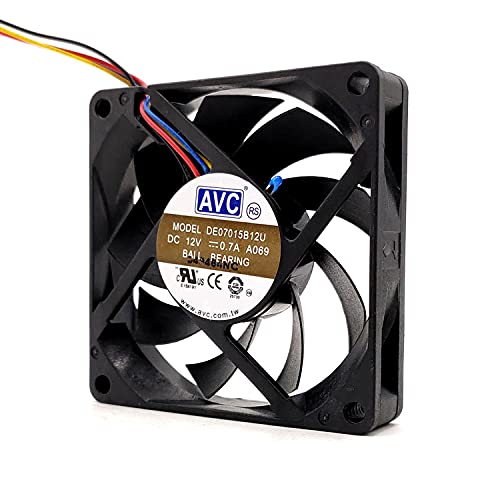
Image: Front view of the ELOMILE DE07015B12U fan, showing the central label with model information and the attached 4-wire cable.
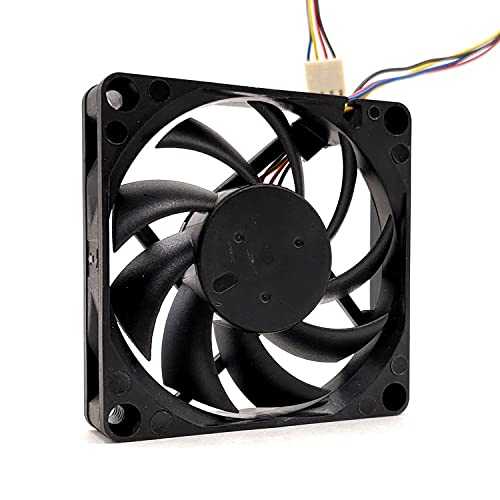
Image: Rear view of the ELOMILE DE07015B12U fan, highlighting the fan blades and the point where the 4-wire cable exits the fan housing.
5. Operating Instructions
Once properly installed and connected, the fan will begin to operate when power is supplied. The 4-wire design allows for advanced control:
- Power (12V DC): Provides the necessary electrical energy for the fan motor.
- Ground: Completes the electrical circuit.
- Tachometer: Outputs a signal proportional to the fan's rotational speed (RPM). This allows monitoring of fan performance.
- PWM (Pulse Width Modulation): Allows an external controller to vary the fan speed by sending a PWM signal. A higher duty cycle typically results in higher fan speed.
Refer to your system's motherboard or fan controller manual for specific instructions on configuring fan speed control and monitoring.
6. Maintenance
Regular maintenance helps ensure optimal performance and extends the lifespan of your cooling fan.
6.1 Cleaning
- Periodically inspect the fan blades and housing for dust accumulation.
- Before cleaning, always disconnect power to the fan.
- Use a soft brush, compressed air, or a damp cloth (lightly moistened with water, not dripping) to remove dust and debris.
- Do not use harsh chemicals or abrasive materials, as these can damage the fan's components.
- Ensure the fan is completely dry before reconnecting power.
6.2 Inspection
- Check the fan blades for any signs of damage or cracks.
- Ensure the mounting screws are tight and the fan is securely in place.
- Inspect the wiring for any fraying, cuts, or loose connections.
7. Troubleshooting
If you encounter issues with your ELOMILE cooling fan, refer to the following troubleshooting steps:
- Fan Not Spinning:
- Check if the fan is properly connected to a 12V DC power source.
- Verify that the power source is active and providing the correct voltage.
- Inspect the wiring for any loose connections or damage.
- Ensure there are no obstructions preventing the blades from rotating.
- Unusual Noise or Vibration:
- Check for any foreign objects caught in the fan blades.
- Ensure the fan is securely mounted and not vibrating against other components.
- Dust buildup can sometimes cause imbalance; clean the fan thoroughly.
- Fan Not Responding to PWM Control:
- Verify the PWM signal wire is correctly connected to the controller.
- Check your system's BIOS or fan control software settings to ensure PWM control is enabled and configured correctly.
If the issue persists after following these steps, please contact customer support.
8. Specifications
| Feature | Specification |
|---|---|
| Model Number | DE07015B12U |
| Brand | ELOMILE |
| Voltage | 12V DC |
| Current | 0.7A |
| Dimensions (L x W x H) | 70mm x 70mm x 15mm (2.76"L x 0.59"W x 2.76"H) |
| Cooling Method | Air |
| Bearing Type | Ball Bearing |
| Connection Type | 4-Wire (Power, Ground, Tachometer, PWM) |
| Material | Copper (internal components) / Plastic (frame) |
9. Warranty and Support
For warranty information or technical support, please refer to the seller's return policy or contact the seller directly through the platform where the product was purchased. Keep your purchase receipt as proof of purchase.
For further assistance, you may also visit the ELOMILE website (if available) or contact their customer service department.