Introduction
The Jebao MLW Smart Wave Maker is designed to create various wave patterns in saltwater and freshwater aquariums, providing an optimal environment for aquatic life. It features a unique control system, wireless operation via a dedicated app, and a low-voltage DC brushless electronic motor for enhanced safety and performance.
What's in the Box
Upon opening the package, you will find the following components:
- Jebao MLW Smart Wave Maker pump unit
- LCD Display Controller
- Power Supply
- Magnetic Base (flat)
- Angled Rubber Mount (for magnetic base)
- User Manual

The product box containing the Smart Wave Maker and its components.

All included components: pump, controller, power supply, magnetic base, and manual.
Product Features
- 2.4G Wi-Fi Control: Compatible with both iOS and Android devices, allowing remote control via the Jebao Aqua App.
- LCD Display Controller: Provides visual feedback and manual control options.
- SINE Wave Technology: Ensures ultra-quiet operation and stable performance.
- No Exposed Copper Element: Safe for use in both marine (saltwater) and freshwater aquariums.
- Super Quiet Motor: Designed for minimal noise during operation.
- Adjustable Flow Rate: Max flow of 792 GPH (3000 L/H) for the MLW-5 model.
Specifications (MLW-5)
| Specification | Detail |
|---|---|
| Model | MLW-5 |
| Voltage | DC 12V |
| Power Consumption | 7.5 Watts |
| Maximum Flow Rate | 3000 L/H (792 GPH) |
| Pump Dimensions (L x Dia.) | 52 x 70 mm (1.5" x 2.25" dia.) |
| Tank Size (cm) | <80 cm |
| Tank Thickness (mm) | <8 mm |
| Material | Stainless Steel, Plastic |
| Power Source | Corded Electric |
| Item Weight | 1.14 pounds |
| Package Dimensions | 5.35 x 5.35 x 3.03 inches |
Setup and Installation
Follow these steps to set up your Jebao MLW Smart Wave Maker:
- Prepare the Pump: Ensure the pump unit is clean and free of debris.
- Attach Magnetic Mount: The wave maker comes with a flat magnetic base. If you need to adjust the angle, you can swap it with the angled rubber mount provided. To do this, separate the two magnets, remove the flat rubber mount from the smaller magnet, and attach the angled rubber mount securely in its place. Reconnect the two magnets. This allows you to adjust the wave maker to your desired angle for optimal water flow in your aquarium.
- Position in Tank: Place the wave maker inside your aquarium, ensuring the magnetic base is securely attached to the outside of the tank glass. Position it to achieve the desired water circulation.
- Connect to Controller: Plug the wave maker's cable into the digital controller.
- Connect Power Supply: Plug the power supply into the controller, and then into a suitable power outlet.
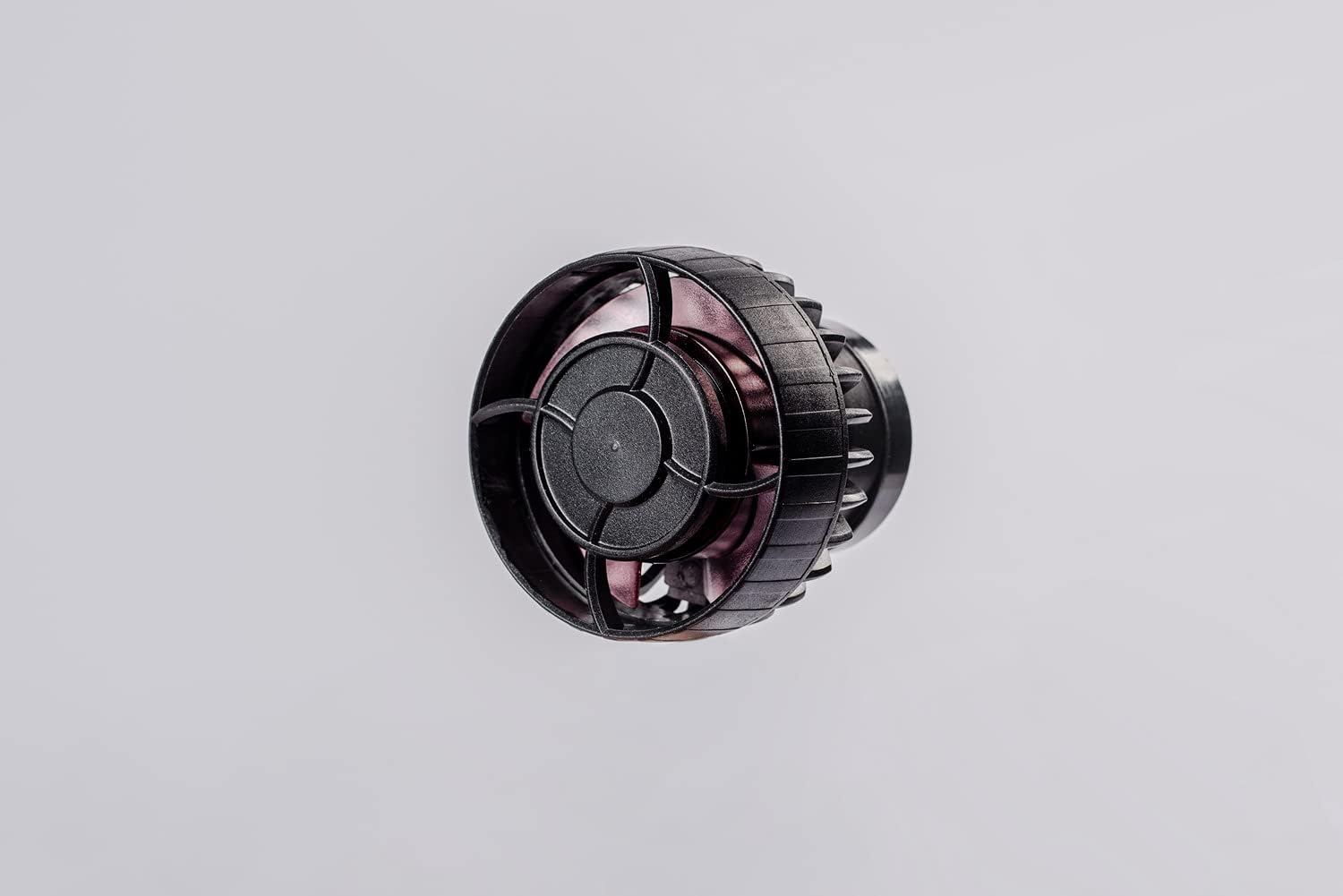
The wave maker pump unit.

The LCD display controller for the wave maker.
Operating Instructions
The Jebao MLW Smart Wave Maker can be operated via its LCD display controller or through the Jebao Aqua App.
Using the LCD Display Controller
- Power On/Off: Press and hold the middle button on the controller to turn the wave maker on or off. The display will show
Related Documents - MLW-5

Jebao Smart Wave Maker User Manual - Setup, Operation, and Troubleshooting
Comprehensive user manual for the Jebao Smart Wave Maker (MCP, MLW, MOW SERIES), covering installation, features, app control via Jebao Aqua, various wave modes, troubleshooting, and maintenance. Learn how to set up and operate your Jebao wave maker for optimal aquarium conditions.
Jebao Jecod DMP Series Smart Wave Maker User Manual
Comprehensive user manual for the Jebao Jecod DMP series Smart Wave Maker, detailing installation, operation, app control, wave modes, troubleshooting, and maintenance for aquarium enthusiasts.
Jebao Cross-Flow Wave Pump User Manual: CP-90, CP-120, CP-150
User manual for Jebao Cross-Flow Wave pumps, models CP-90, CP-120, and CP-150. Includes safety instructions, assembly guidance, controller operation, maintenance, and technical specifications.
Jebao RF-B Series Automatic Feeder User Manual
Comprehensive user manual for the Jebao RF-B Series Automatic Feeder, detailing installation, operation, features, maintenance, and troubleshooting for aquarium fish feeding.
Jebao MDC Series Aquarium Pumps User Manual
User manual for Jebao MDC series aquarium pumps, detailing features, safety instructions, installation, operation, and technical specifications. Includes models MDC-2000 to MDC-10000.
Jebao E Series Wavemaker Pump User Manual
User manual for the Jebao E Series Wavemaker Pump, detailing product features, specifications, installation, operation, maintenance, and troubleshooting.