
1. Introduction
Thank you for purchasing the ZOACHII Bluetooth 5.0 Audio Receiver. This device allows you to wirelessly stream audio from your Bluetooth-enabled devices to car stereos, home audio systems, or wired headphones that have a 3.5mm auxiliary input. It also supports hands-free calling with its built-in microphone. Please read this manual carefully before use to ensure proper operation and to maximize the product's lifespan.
2. Package Contents
Please check the package for the following items:
- ZOACHII Bluetooth 5.0 Audio Receiver (Model CHI005)
- Micro USB Charging Cable
- User Manual

Image: Front view of the ZOACHII Bluetooth Audio Receiver product packaging, showing the device and brand logo.
3. Product Overview
Familiarize yourself with the components of your ZOACHII Bluetooth Audio Receiver.

Image: Diagram illustrating the ZOACHII Bluetooth Audio Receiver with labels for the Multi-Function Button (MFB), Micro USB Charging Port, and Microphone Hole.
- 3.5mm Audio Jack: Connects to your car's AUX input, home stereo, or wired headphones.
- Multi-Function Button (MFB): Used for power on/off, pairing, answering/ending/refusing calls, and playing/pausing music.
- Micro USB Charging Port: For charging the device.
- Microphone Hole: For hands-free calling.
4. Specifications
| Feature | Detail |
|---|---|
| Model | CHI005 |
| Bluetooth Version | 5.0 |
| Connectivity | Bluetooth, 3.5mm Aux |
| Special Features | Built-In Microphone, Hands-Free Calls, Noise Cancellation (CVC6.0) |
| Transmission Range | Up to 50ft (15m) |
| Battery Type | Lithium Metal (included) |
| Charging Time | Approximately 1.5 hours |
| Playback Time | Approximately 4-5 hours |
| Dimensions | 2.05 x 0.47 x 0.47 inches (52 x 12 x 12 mm) |
| Weight | 0.236 ounces (6.7 grams) |
| Material | Metal Housing |
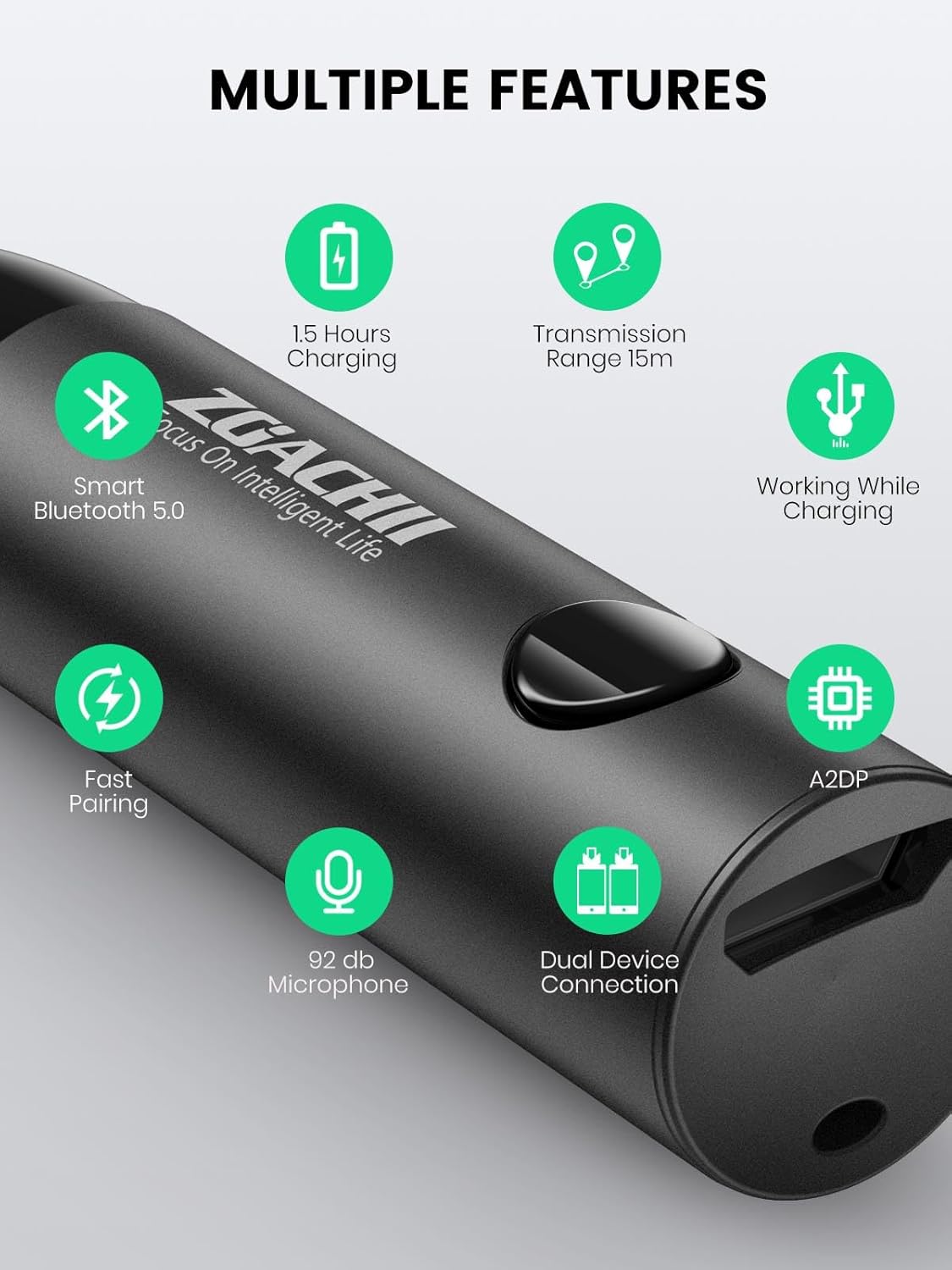
Image: Infographic detailing features such as 1.5 hours charging, 15m transmission range, Bluetooth 5.0, working while charging, fast pairing, 92dB microphone, and dual device connection.
5. Charging the Device
Before first use, fully charge the device. A full charge takes approximately 1.5 hours and provides 4-5 hours of playback time.
- Connect the Micro USB charging cable to the charging port on the receiver.
- Connect the other end of the USB cable to a USB power source (e.g., car charger, computer USB port, or USB wall adapter).
- The indicator light will show charging status (refer to product for specific light behavior).
- Once fully charged, disconnect the charging cable.
The device can be used while charging.

Image: Visual representation of the Bluetooth adapter being charged via Micro USB, highlighting the 1.5-hour charging time and 5 hours of playback.
6. Setup and Pairing
6.1 Power On/Off
- Power On: Press and hold the Multi-Function Button (MFB) for approximately 3 seconds until the indicator light flashes.
- Power Off: Press and hold the MFB for approximately 3 seconds until the indicator light turns off.
6.2 Pairing with a Bluetooth Device
- Ensure the ZOACHII Bluetooth Audio Receiver is charged and powered on. It will automatically enter pairing mode, indicated by a flashing light (e.g., blue and red alternating).
- Enable Bluetooth on your smartphone or other audio device.
- Search for available Bluetooth devices and select "ZOACHII CHI005" (or similar name like "ZOACHII BTR005") from the list.
- Once paired, the indicator light will typically turn solid blue or flash slowly.
- Plug the 3.5mm audio jack of the receiver into the AUX input of your car stereo, home stereo, or wired headphones.

Image: A smartphone screen displaying the Bluetooth settings, with "ZOACHII BTR005" listed as a discoverable device, indicating the pairing process.
6.3 Connecting to Two Devices Simultaneously
The receiver supports connecting to two Bluetooth devices at the same time.
- Pair the first device as described above.
- Disable Bluetooth on the first device. The receiver will re-enter pairing mode.
- Pair the second device with the receiver.
- Enable Bluetooth on the first device again. The receiver should automatically connect to both devices.
- Audio will play from the device that initiates playback. For calls, the receiver will prioritize the incoming call from either connected device.

Image: Illustration depicting two separate smartphones, one receiving a call and the other playing music, both wirelessly connected to a single ZOACHII Bluetooth adapter, demonstrating dual device connectivity.
7. Operating Instructions
7.1 Music Playback
- Play/Pause: Short press the MFB.
- Volume Control: Adjust volume directly on your connected Bluetooth device.
7.2 Hands-Free Calling
- Answer Call: Short press the MFB when an incoming call rings.
- End Call: Short press the MFB during a call.
- Refuse Call: Press and hold the MFB for approximately 2 seconds when an incoming call rings.
- Redial Last Number: Double-press the MFB.

Image: The ZOACHII Bluetooth Audio Receiver plugged into the AUX port of a car's dashboard, illustrating its use for wireless music and hands-free calling in a vehicle.
8. Maintenance
- Keep the device dry. Do not expose it to moisture or liquids.
- Clean the device with a soft, dry cloth. Do not use harsh chemicals or abrasive cleaners.
- Store the device in a cool, dry place when not in use.
- Avoid extreme temperatures.
9. Troubleshooting
| Problem | Solution |
|---|---|
| Device does not power on. | Ensure the device is fully charged. Connect it to a power source using the Micro USB cable. |
| Cannot pair with my device. |
|
| No audio or poor audio quality. |
|
| Hands-free calling not working. |
|
| Battery life is shorter than expected. |
|
10. Safety Information
Please observe the following safety guidelines:
- Keep the device away from heat sources, direct sunlight, and moisture.
- Do not dispose of the battery in fire.
- This device may interfere with other wireless devices.
- Follow all local regulations for battery disposal.
- Do not attempt to disassemble, repair, or modify the device. This will void the warranty and may cause harm.
- Avoid using the device in environments with extreme temperatures or high humidity.
11. Warranty and Support
ZOACHII products are designed and manufactured to the highest quality standards. This product is covered by a limited warranty from the date of purchase. For warranty claims or technical support, please contact your retailer or ZOACHII customer service.
Please retain your proof of purchase for warranty purposes.