
Thecoopidea 4897068016113
thecoopidea BEANS+ True Wireless Earphones User Manual
Model: 4897068016113
Introduction
Thank you for choosing the thecoopidea BEANS+ True Wireless Earphones. This manual provides detailed instructions on how to set up, operate, maintain, and troubleshoot your new earphones. Please read this manual carefully before use to ensure optimal performance and longevity of your device.
The BEANS+ earphones combine advanced audio technology with a unique, customizable design, featuring interchangeable magnetized covers and a comfortable ergonomic fit. Enjoy high-quality sound and seamless connectivity with Bluetooth 5.1.
What's in the Box
- 1 x Thecoopidea BEANS+ True Wireless Earbuds
- 1 x Type-C Charging Cable
- 1 x Portable Charging Case
- 3 x Pairs of Eartips (S, M, L)
- 1 x User Manual
- 2 x Interchangeable Magnetized Covers
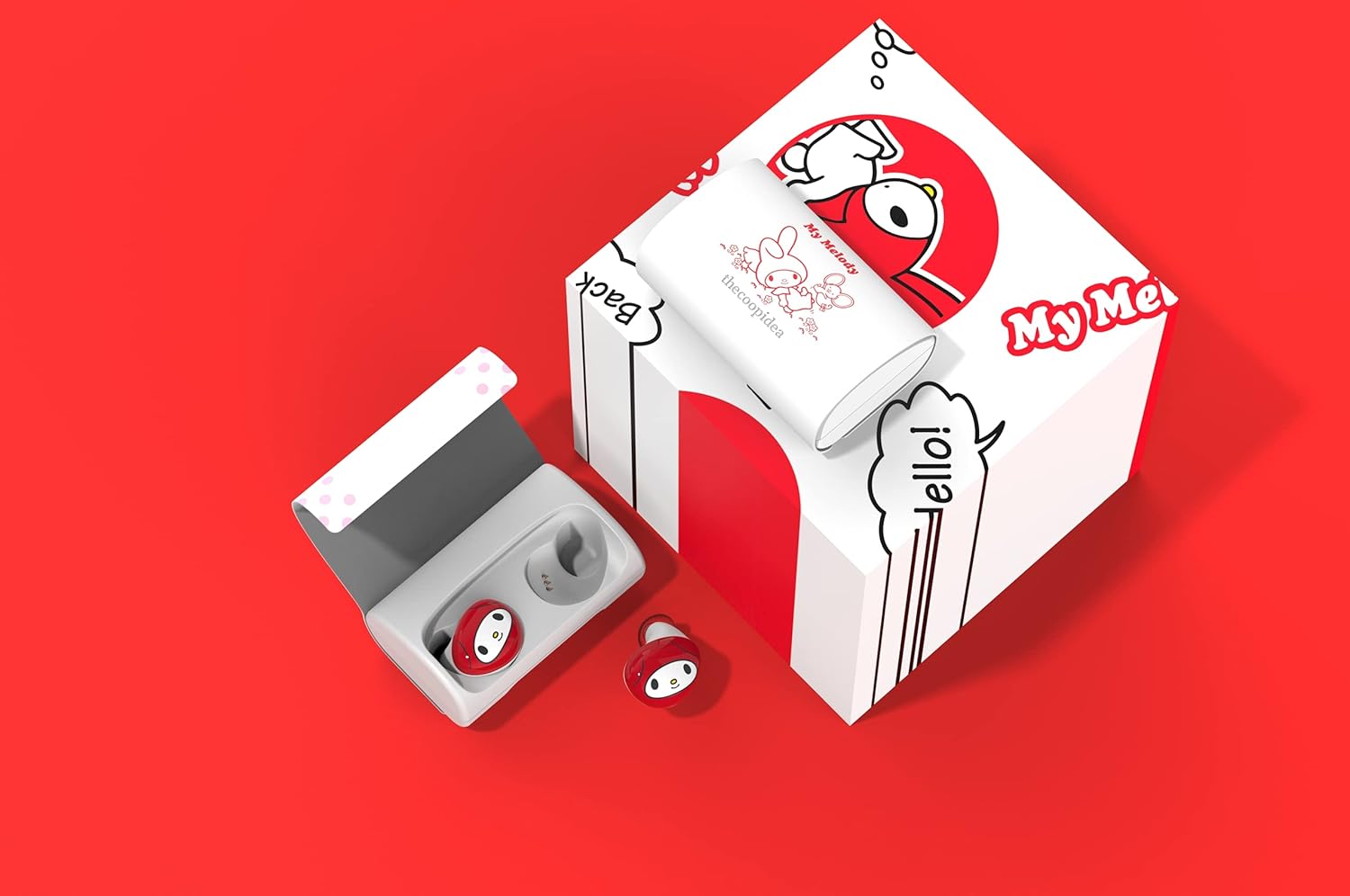
Image showing the product packaging and all included items: the earbuds, charging case, USB-C cable, ear tips, and user manual.
Product Overview
The thecoopidea BEANS+ True Wireless Earphones are designed for comfort, style, and superior audio experience. Key features include:
- Interchangeable Covers: The charging case comes with two interchangeable magnetized covers, allowing you to customize its appearance.
- Auto-Pairing: Earbuds automatically connect and pair when removed from the charging case.
- Voice Control: Seamless integration with Siri and Google Assistant for hands-free commands.
- Bluetooth 5.1: Ensures faster, more stable, and power-efficient connections.
- Ergonomic Design: Provides a comfortable and secure fit, ideal for active use.
- IPX5 Water Resistance: Offers protection against sweat and light rain, enhancing durability.

The My Melody edition of the thecoopidea BEANS+ True Wireless Earphones, showing the earbuds and the charging case with its distinctive design.
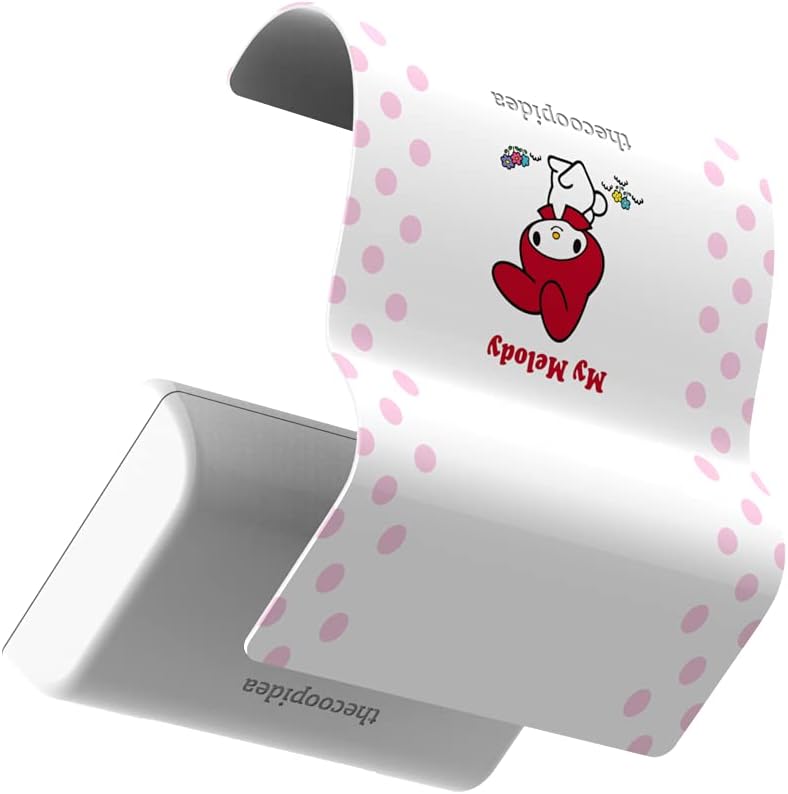
A close-up view illustrating how the magnetized cover of the charging case can be interchanged.

Both design options for the interchangeable covers are displayed, highlighting the customization feature.
Initial Setup
1. Charging the Earbuds and Case
Before first use, fully charge the charging case and earbuds. Use the provided Type-C charging cable and connect it to a USB power source (e.g., computer, wall adapter). The indicator lights on the case will show charging status.
- Place the earbuds into the charging case.
- Connect the Type-C cable to the charging port on the case.
- Allow approximately 1-2 hours for a full charge.
2. Pairing with Your Device
The BEANS+ earbuds feature automatic pairing for convenience.
- Ensure your device's Bluetooth is turned on.
- Remove both earbuds from the charging case. They will automatically power on and enter pairing mode.
- On your device, search for Bluetooth devices and select "thecoopidea BEANS+" from the list.
- Once connected, you will hear a confirmation tone, and the earbuds' indicator lights will change.
- For subsequent uses, the earbuds will automatically connect to the last paired device when removed from the case.
Operating Instructions
Wearing the Earbuds
Select the ear tips that provide the most comfortable and secure fit for optimal sound isolation. Gently insert the earbuds into your ears and rotate them slightly until they feel snug and stable. The ergonomic design ensures they stay in place even during exercise.

A detailed close-up of the My Melody themed earbuds, highlighting their design and form factor.
Touch Controls
The BEANS+ earbuds feature intuitive touch controls for easy management of music playback and calls. Specific touch functions (e.g., single tap, double tap, long press) will control actions such as play/pause, skip track, answer/end call, and activate voice assistant. Refer to the quick start guide included in the packaging for a detailed diagram of touch functions.
Voice Control
Activate your device's voice assistant (Siri or Google Assistant) directly from the earbuds. This allows you to make calls, send messages, check weather, and more, all hands-free.
Making and Receiving Calls
The built-in microphone allows for clear hands-free calling. Use the touch controls to answer, end, or reject calls.
Maintenance and Care
- Cleaning: Regularly clean the earbuds and charging case with a soft, dry, lint-free cloth. Do not use abrasive cleaners or solvents.
- Water Resistance: The earbuds have an IPX5 water-resistant rating, protecting them from sweat and light rain. Do not submerge them in water or expose them to strong jets of water. Dry them thoroughly before placing them back in the charging case.
- Storage: When not in use, store the earbuds in their charging case to protect them and keep them charged.
- Temperature: Avoid exposing the earbuds to extreme temperatures (hot or cold) or high humidity.
Troubleshooting
| Problem | Solution |
|---|---|
| Earbuds not pairing with device. |
|
| No sound from one or both earbuds. |
|
| Charging case not charging. |
|
Product Specifications
| Model Name | BEANS+ |
| Model Number | 4897068016113 |
| Brand | Thecoopidea |
| Connectivity Technology | Wireless (Bluetooth 5.1) |
| Form Factor | In Ear |
| Impedance | 16 Ohm |
| Noise Control | Sound Isolation |
| Water Resistance Rating | IPX5 |
| Microphone | Built-In |
| Control Type | Call Control, Touch Control |
| Battery Type | Lithium Ion (Rechargeable) |
| Playback Time | Up to 7 hours (earbuds), up to 52 hours (with charging case) |
| Product Dimensions | 2.5 x 2.4 x 1.9 cm; 220 g (overall product) |
Warranty and Support
Thecoopidea BEANS+ True Wireless Earphones come with a standard manufacturer's warranty. Please refer to the warranty card included in your packaging for specific terms and conditions, including warranty period and coverage details.
For technical support, troubleshooting assistance, or warranty claims, please contact Thecoopidea customer service through their official website or the contact information provided on your product packaging.
You can also visit the official Thecoopidea website for FAQs and additional support resources.
Related documents4897068016113

Ask a question about this manual
Ask about setup, troubleshooting, compatibility, parts, safety, or missing instructions. Manuals+ will review the question and use this page’s manual context to help answer it.