
Armytek F06801W
Armytek Wizard C2 Pro Nichia Headlamp Instruction Manual
Model: F06801W | Brand: Armytek
Introduction
The Armytek Wizard C2 Pro Nichia is a versatile and powerful headlamp designed for a wide range of applications, from professional work to outdoor activities. It features a high-CRI Nichia LED for excellent color reproduction, a robust and waterproof design, and a convenient magnetic charging system. This manual provides detailed instructions for the proper setup, operation, and maintenance of your new headlamp.

Image: The Armytek Wizard C2 Pro Nichia headlamp, showcasing its compact design and primary light source.
What's Included
Your Armytek Wizard C2 Pro Nichia package includes the following components:
- Flashlight (Headlamp unit)
- Magnetic USB charger
- Headmount (Headband with plastic holder)
- Steel clip
- 2 spare O-rings
- User manual (this document)
- 1 Lithium Ion 18650 battery (3500 mAh)

Image: A visual representation of all items included in the Armytek Wizard C2 Pro Nichia package, including the headlamp, magnetic charger, headmount, steel clip, O-rings, and battery.
Setup
1. Battery Installation
To install the battery, unscrew the tail cap of the flashlight. Insert the included 18650 Lithium-Ion battery with the positive (+) terminal facing towards the head of the flashlight. Screw the tail cap back on securely. The headlamp is designed with full protection against short circuits.
Video: Demonstrates the battery installation process and highlights the use of any 18650 Li-Ion batteries with full protection against short circuit. (Relevant segment: 0:59 - 1:07)
2. Initial Charging
Before first use, fully charge the battery. Connect the magnetic USB charger to the tail cap of the headlamp. The indicator light on the charger will show the charging status. A red light typically indicates charging, while a green light indicates a full charge. The flashlight charges approximately 2 times faster (3 hours 40 minutes) with the new magnetic charger.

Image: The headlamp, battery, and magnetic USB charger, illustrating the charging components.
Operating Instructions
Power On/Off and Mode Selection
The Wizard C2 Pro Nichia features an enlarged side button for softer and more comfortable pressing, allowing for simple one-hand operation. It offers a wide range of modes from 0.1 lumens (Firefly) to 1600 lumens (Turbo).
- To Turn On/Off: Press and hold the side button for approximately 1 second.
- To Cycle Modes: While on, press the button repeatedly to cycle through the available brightness modes (Firefly, Main, Turbo).
- Advanced Modes: Refer to the detailed user manual for advanced mode access and customization, including strobe functions.
Video: Demonstrates the simple one-hand operation and the enlarged side button for comfortable pressing. (Relevant segment: 0:40 - 0:49)
Temperature and Battery Level Indication
The headlamp features a multicolor indicator for temperature, battery level, and operational status. This helps prevent overheating (active real-time temperature control above +58 °C) and informs you about remaining battery life. This indicator can be turned off if desired.
Video: Shows the multicolor temperature, battery level, and state indication, along with the active real-time temperature control feature. (Relevant segment: 1:08 - 1:22)
Features & Benefits
Exceptional Durability
The Wizard C2 Pro Nichia is built to withstand harsh conditions. It is totally protected from rain, dust, and dirt, and can continue to work even at a depth of up to 10 meters (IP68 standard). Its body is made from durable and lightweight aircraft-grade aluminum, and it can withstand falls from up to 10 meters. The tempered anti-reflective glass provides protection against scratches.
Video: Showcases the headlamp's durability, including its ability to withstand falls from 10 meters and operate at 10 meters depth (IP68 standard). It also highlights the robust and water-resistant magnetic connector. (Relevant segment: 1:30 - 1:44)
Superior Light Quality
Equipped with a Nichia LED, this headlamp provides perfect natural color reproduction, close to sunlight, with a high CRI >90 and a color temperature of 4500K. The TIR-lens ensures a convenient wide beam, ideal for various tasks and environments. The maximum LED efficiency achieves 1600 lumens.
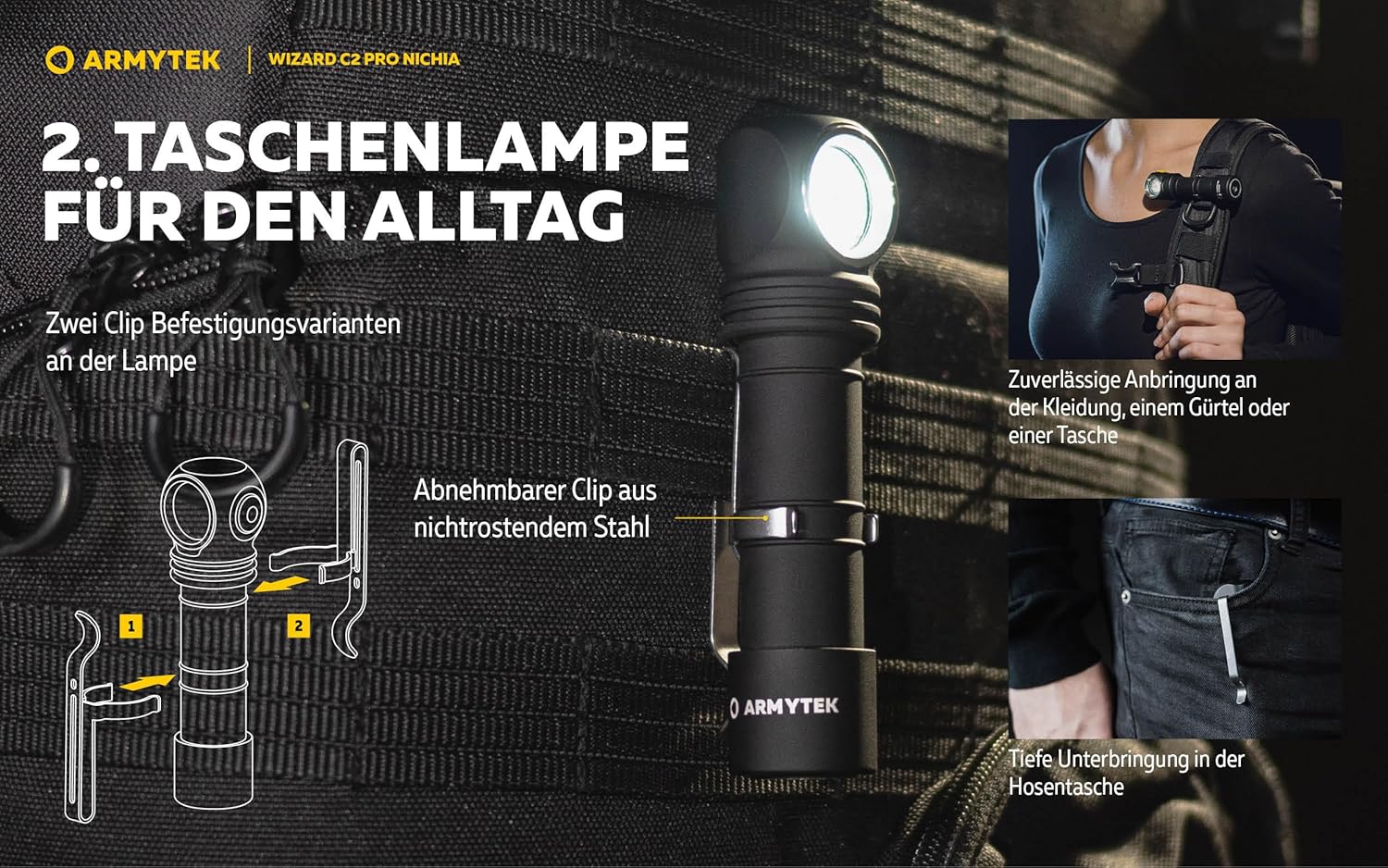
Image: A person working on a car engine, illuminated by the headlamp, demonstrating the natural color reproduction of the Nichia LED.
Multifunctional Design
The Wizard C2 Pro Nichia is a true 3-in-1 multi-flashlight. It can be used as a headlamp for hands-free operation, an everyday carry flashlight with its removable steel clip for fixation on clothes, belt, or bag, and a bicycle light with the included bicycle mount. A powerful magnet in the tail cap allows for attachment to any metal surface.
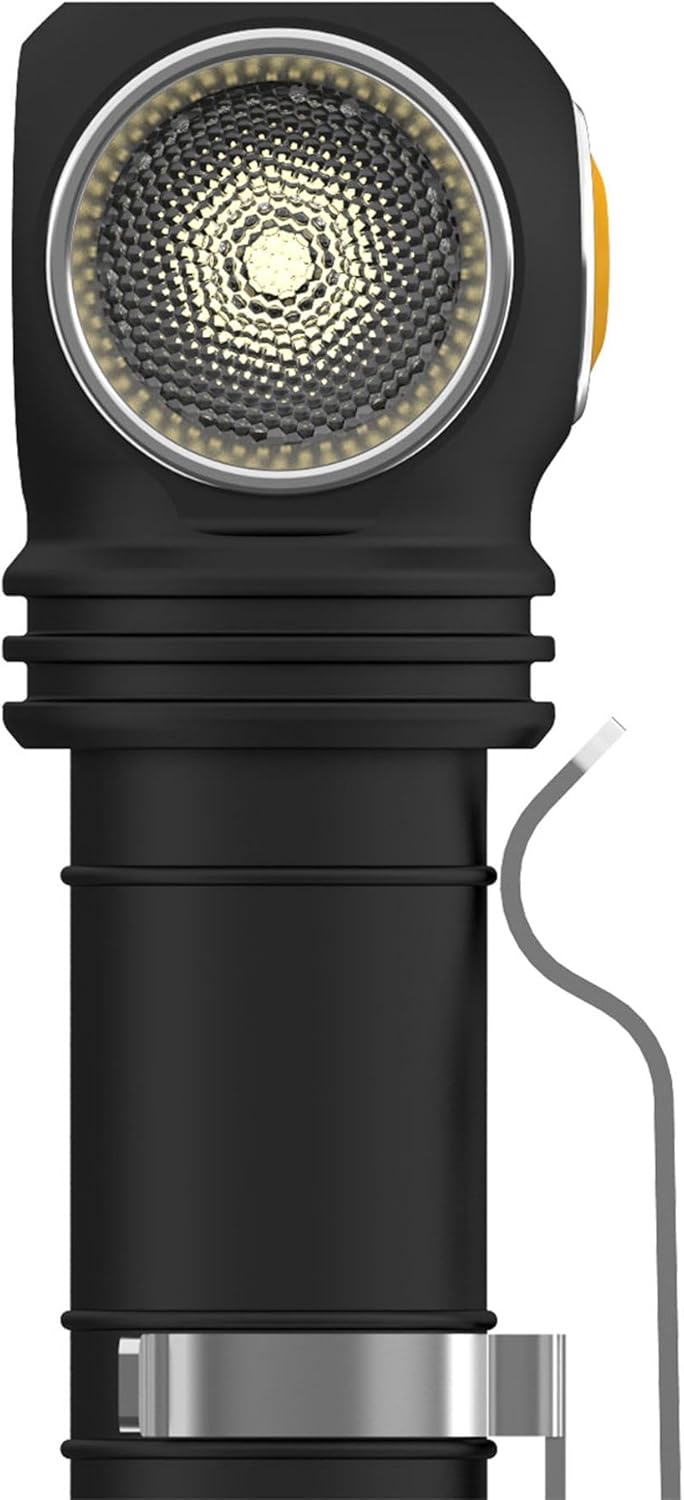
Image: The headlamp mounted on a mannequin head, illustrating its primary use as a headlamp.
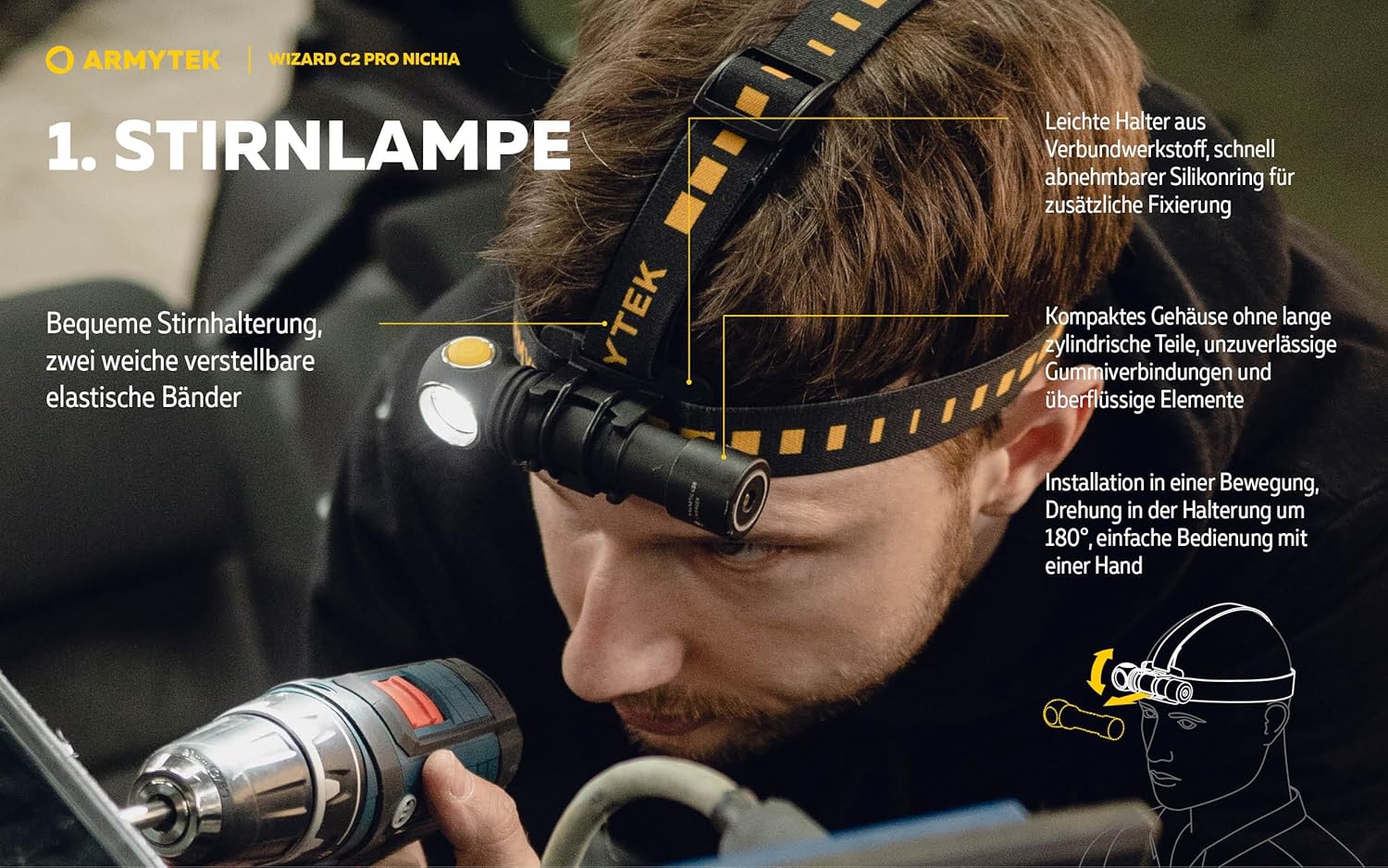
Image: The headlamp with its steel clip, demonstrating its use as an everyday carry flashlight attached to clothing or a bag.

Image: The headlamp mounted on a bicycle handlebar, illustrating its function as a bicycle light.
Maintenance
Regular maintenance ensures the longevity and optimal performance of your Armytek Wizard C2 Pro Nichia headlamp.
- Cleaning: Wipe the headlamp with a soft, damp cloth. Do not use abrasive cleaners or solvents.
- O-rings: Periodically inspect the O-rings for wear and tear. Replace them with the provided spare O-rings if necessary to maintain waterproof integrity. Apply silicone grease to the O-rings to keep them supple.
- Threads: Keep the threads of the tail cap clean and lubricated to ensure smooth operation and proper sealing.
- Battery Care: Store the battery in a cool, dry place when not in use. Avoid fully discharging the battery for extended periods.
Troubleshooting
If you encounter issues with your headlamp, refer to the following common troubleshooting steps:
| Problem | Possible Cause | Solution |
|---|---|---|
| Headlamp does not turn on. | Battery is dead or incorrectly inserted. | Ensure battery is fully charged and inserted with correct polarity. Check tail cap is fully tightened. |
| Light flickers or is dim. | Low battery, loose connections, or dirty contacts. | Recharge battery. Clean battery contacts and threads with a clean cloth. Ensure tail cap is tight. |
| Magnetic charger not working. | Tail cap not loosened, or charger/port is dirty. | Ensure tail cap is unscrewed by 1/4 turn to enable charging. Clean the magnetic contacts on both the charger and the headlamp. |
| Headlamp gets hot. | Operating on high modes for extended periods. | This is normal for high-output lights. The headlamp has active real-time temperature control to prevent overheating. If it becomes too hot to handle, reduce the brightness mode. |
Specifications
| Feature | Value |
|---|---|
| Special Feature | Adjustable Light Modes, Durable, High Power, Long Range, Rechargeable |
| Color | Black |
| Power Source | Battery Powered |
| Light Source Type | LED (Nichia) |
| Material | Aluminum |
| White Brightness | 1600 Lumens |
| Included Components | Battery |
| Light Path Distance | 113 Meters |
| Battery Cell Composition | Lithium Ion |
| Item Weight | 65 Grams (2.29 ounces) |
| Number of Batteries | 1 Lithium Ion batteries required. (included) |
| Water Resistance Level | Waterproof (IP68, works at 10 meters depth) |
| Brightness | 1600 lumen |
| Battery Description | Lithium-Ion 18650 |
| Runtime (Firefly mode) | Up to 6.5 months on a single battery charge |
| Finish Type | Matte (anti-abrasive) |
| Product Dimensions | 1.97 x 1.18 x 7.87 inches |
| Item model number | F06801W |
| Color Temperature | 4500K |
| CRI | >90 |
Warranty & Support
Armytek provides a 10-year no-hassle warranty for the Wizard C2 Pro Nichia headlamp, ensuring long-term reliability and customer satisfaction. For any questions, technical support, or warranty claims, please visit the official Armytek website or contact their customer service.
You can find more information and support at the Armytek Official Store on Amazon.
Related documentsF06801W


Ask a question about this manual
Ask about setup, troubleshooting, compatibility, parts, safety, or missing instructions. Manuals+ will review the question and use this page’s manual context to help answer it.