
1. Introduction and Overview
The Optimate 6 Select is a smart, fully automatic 12V 6A battery charger and maintainer designed to optimize performance and extend the life of various 12V lead-acid batteries, including standard 'wet cell', premium AGM, and deep-cycle batteries. It features advanced technology for precise charging, temperature compensation, and automatic current adjustment based on battery size and condition. The unit is safe for 24/7 use, ensuring your battery remains at its optimal level without risk of overcharging.
This manual provides essential information for the safe and effective use of your Optimate 6 Select charger. Please read it thoroughly before operation.

Figure 1: Optimate 6 Select 12V 6A Battery Charger and Maintainer.
2. What's in the Box
Your Optimate 6 Select package includes the following components:
- Sealed Battery Saving Charger & Maintainer (Optimate 6 Select unit)
- Weatherproof Battery Lead (with adjustable M8 / 5/16" - M10 / 3/8" ringlets)
- Battery Clip Set (custom designed to fit flat, square, and round battery terminals)

Figure 2: Included components of the Optimate 6 Select.
3. Setup and Connection
Follow these steps to safely set up and connect your Optimate 6 Select charger:
- Ensure Compatibility: The Optimate 6 Select is designed for 12V lead-acid batteries, including STD (standard), AGM, GEL, and EFB types. Verify your battery type before proceeding.
- Select Charge Mode: The charger offers two 12V charge modes: 14.4V for standard 'wet cell' batteries and 14.7V for premium AGM or spiral cell AGM batteries. Use the selector switch on the unit to choose the appropriate voltage for your battery. This selection remains in memory even if power is lost.
- Connect to Battery: Attach the red (+) clamp/ringlet to the positive battery terminal and the black (-) clamp/ringlet to the negative battery terminal. Ensure a secure connection.
- Connect to Power: Plug the charger's AC power cord into a suitable wall outlet. The charger will automatically begin its program.

Figure 3: Voltage selection for different battery types.
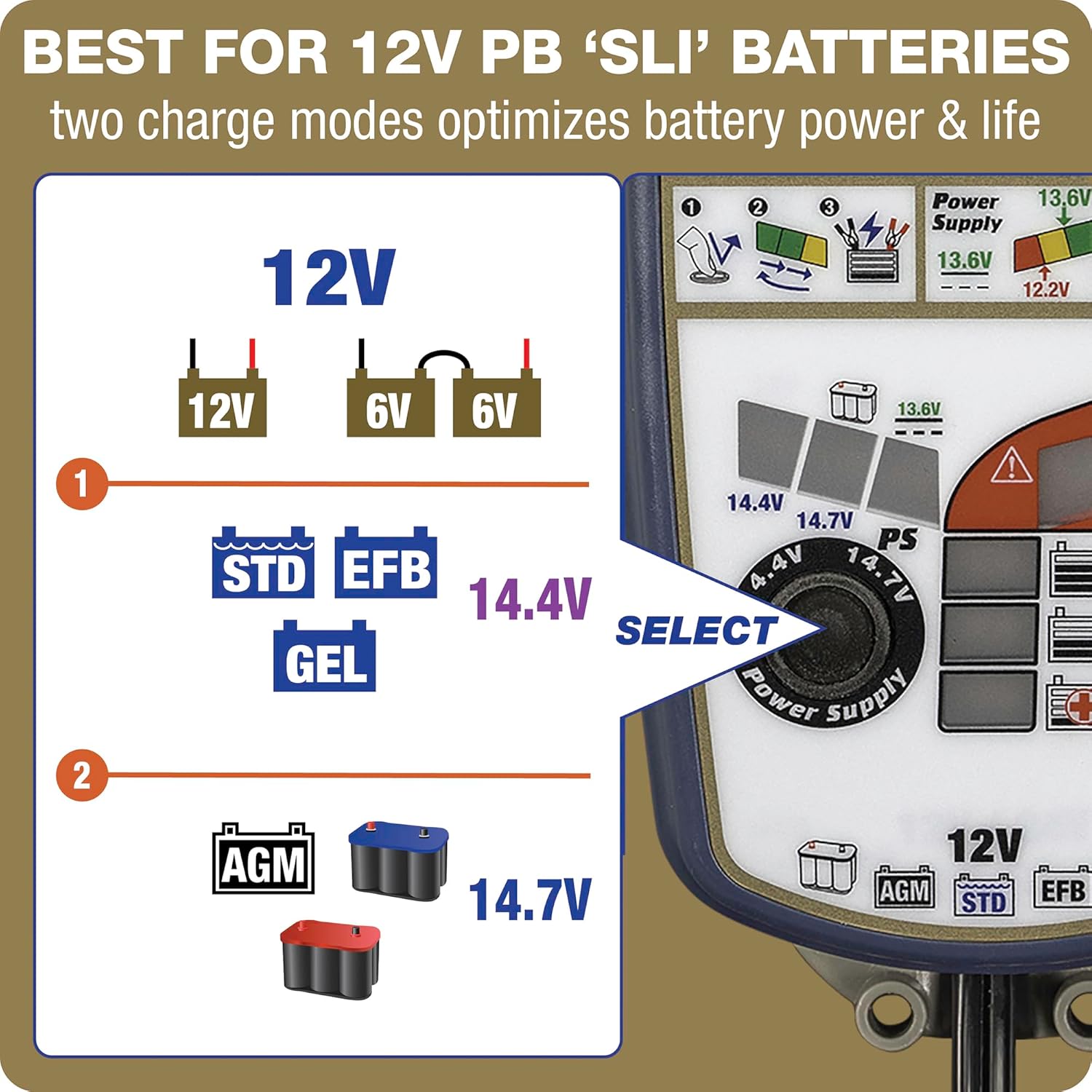
Figure 4: Optimal charge modes for various 12V lead-acid batteries.
4. Operating Modes
The Optimate 6 Select features several intelligent operating modes:
- Ampmatic Charge Control: Automatically adjusts charge current (Amps) according to battery size and condition, ensuring an optimal charge every time. A larger battery receives more current, while a smaller battery receives less.
- Temperature Compensation: The built-in temperature compensation automatically adjusts the charge rate according to ambient temperature. Voltage is reduced when hotter and increased when colder to optimize battery performance.
- POWERSUPPLY Mode (PS): This mode provides a constant power output at 13.6 Volts. It is ideal for keeping the battery charged while performing vehicle tuning, troubleshooting electrical problems, or updating software, preventing battery drain during these processes.

Figure 5: Smart automatic control with Ampmatic and temperature compensation.
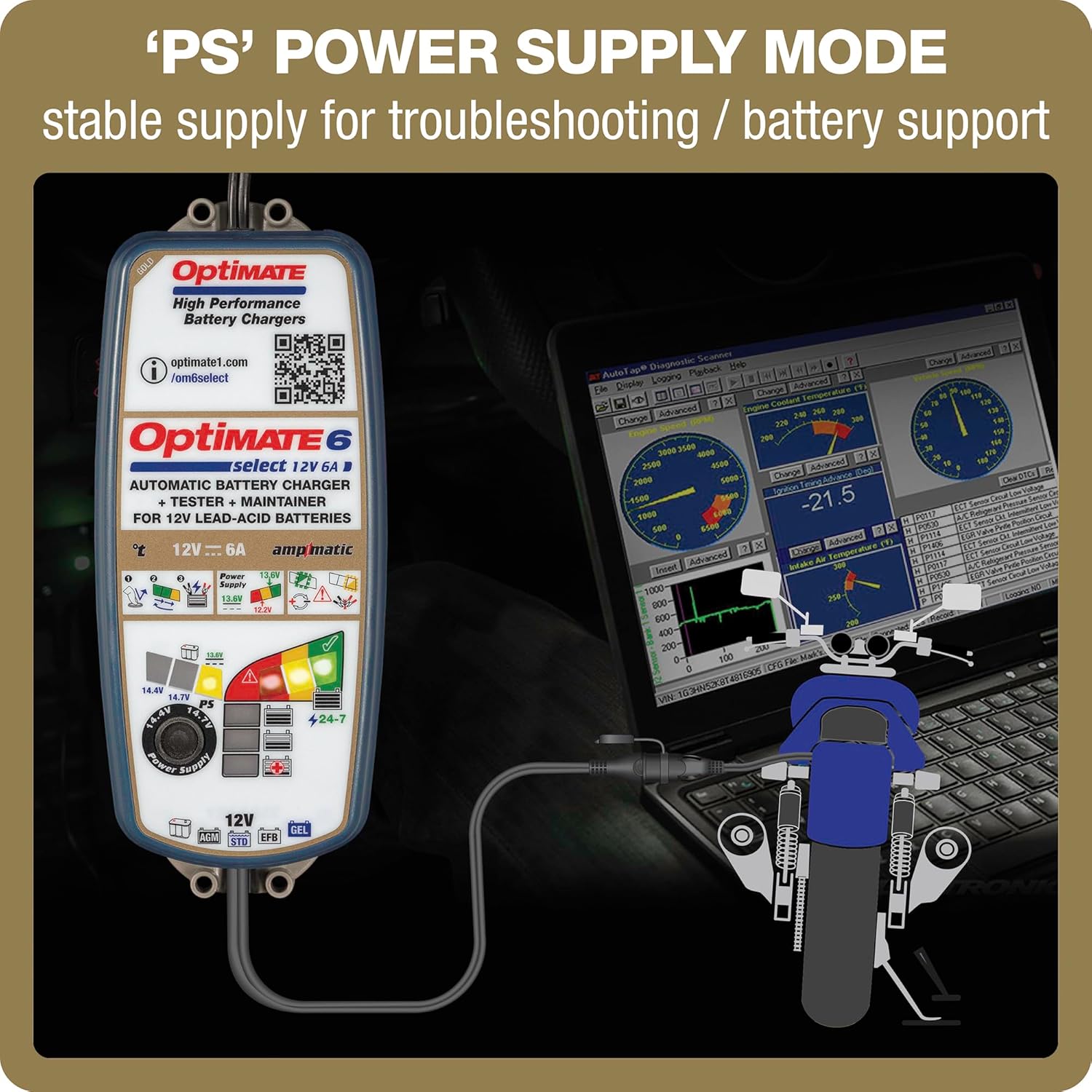
Figure 6: Power Supply mode for stable power during vehicle maintenance. For more information, visit optimate1.com/om6select.
5. Charging Process and Indicators
The LED panel on the Optimate 6 Select indicates the charge progress and battery status:
- Recovery (25% LED): If the battery voltage is between 0.5V and 12.4V at connection, the charger initiates a 'first aid' recovery charge. Deeply discharged or sulfated batteries may require up to two hours for recovery.
- Bulk Charge (50% LED): Once the battery reaches 12.4V or higher, the charger enters the bulk charge phase, delivering the fastest charge current to bring the battery up to approximately 50% capacity.
- Absorption Charge (75% LED): As the battery approaches full charge, the charger transitions to absorption mode, optimizing the charge level and balancing all cells. At 75% charge, the battery should have sufficient power to start most vehicles.
- Full Charge (100% LED): When charging reaches 100%, the Optimate stops charging and performs a battery test.

Figure 7: Automatic charging progress from 0% to 100%.

Figure 8: Recovery of deeply discharged batteries. For more information, visit optimate1.com/om6select.
6. Battery Testing and Maintenance
After reaching full charge, the Optimate 6 Select performs a battery test to assess its ability to retain charge. This is measured in voltage and indicated by the green, yellow, and red LEDs.
- Good State of Health (Green LED): Indicates the battery is holding sufficient voltage (e.g., 12.7V for AGM, 12.5V for standard wet cell).
- Weak or Failing (Yellow/Red LED): If the battery cannot hold sufficient voltage (e.g., 12.0V or below), it may need to be replaced.
24/7 Long Term Maintenance: Once charged, the Optimate's 24/7 long-term maintenance mode keeps the battery at its optimal level. It continuously monitors the battery's charge and, if necessary, delivers a maintenance charge to ensure the battery remains active and ready for use, preventing self-discharge.
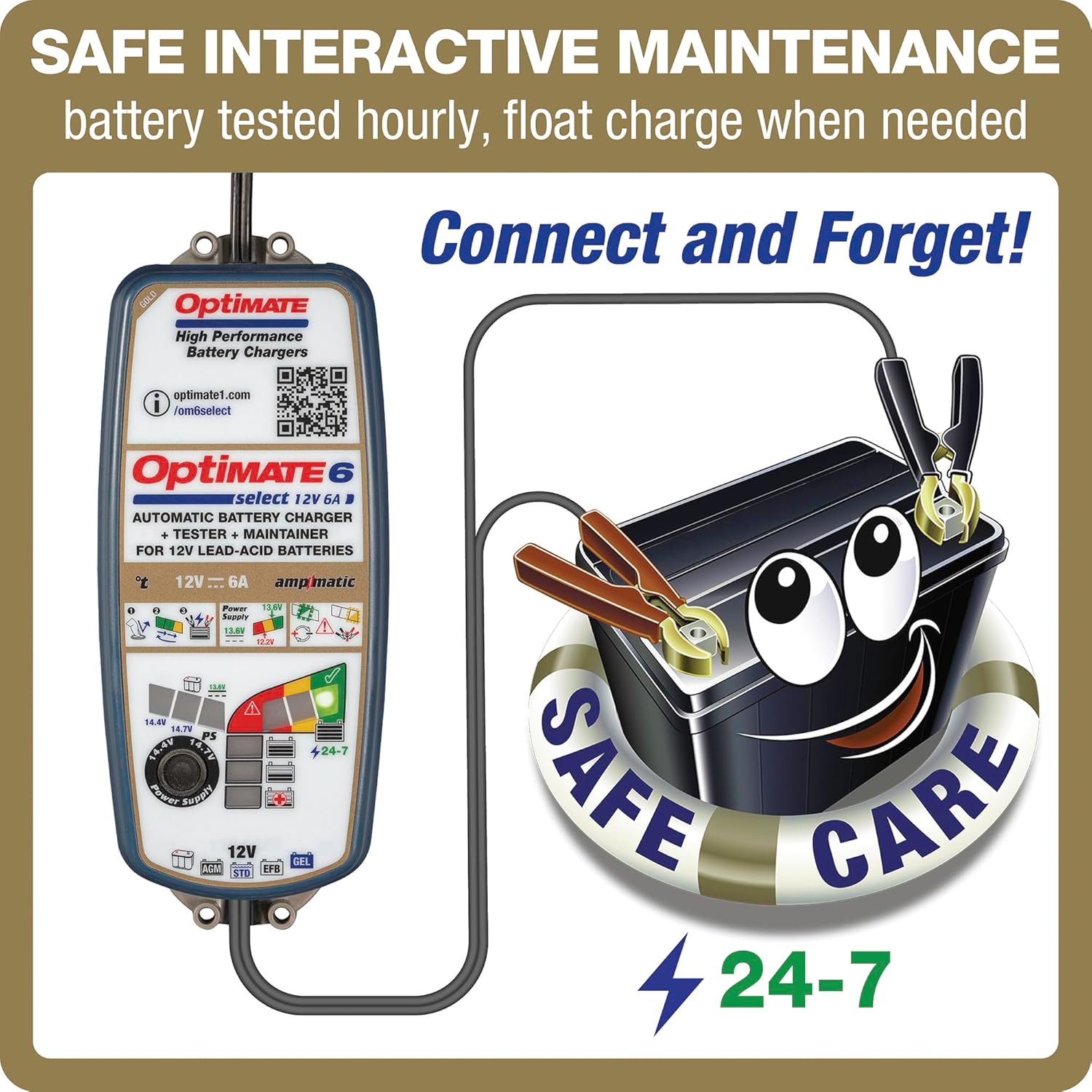
Figure 9: Safe interactive maintenance with 24/7 care. For more information, visit optimate1.com/om6select.
7. Troubleshooting
If the charger indicates a bad test result (red LED), consider the following:
- Battery Condition: The battery may be genuinely faulty and require replacement.
- Parasitic Drain: If the battery is connected to a vehicle or craft, connected circuitry might be causing a parasitic drain, affecting the test result. Try disconnecting the battery from the vehicle and re-testing it directly with the Optimate charger.
- Connection Issues: Ensure all connections (clamps/ringlets to battery terminals, AC plug to outlet) are secure and free of corrosion.
8. Specifications
| Feature | Specification |
|---|---|
| Manufacturer | TecMATE |
| Brand | Tecmate |
| Model | OptiMATE 6 Select |
| Item Model Number | TM-371 |
| Item Weight | 2.61 pounds |
| Product Dimensions | 8.74 x 3.5 x 2.48 inches |
| Output Voltage | 12 Volts |
| Specification Met | CSA, UL, DOE |
| Color | Blue |
9. Warranty and Support
For warranty information and technical support, please refer to the documentation included with your product or visit the official Tecmate website. Keep your proof of purchase for any warranty claims.

