
1. Introduction
This manual provides detailed instructions for the safe and efficient operation of the Elitech EMG-40V Intelligent HVAC Digital Manifold Gauge. Please read this manual thoroughly before using the device to ensure proper functionality and to prevent damage or injury. Keep this manual for future reference.
2. Product Overview
The Elitech EMG-40V is an intelligent digital manifold gauge designed for HVAC/R system analysis. It features a 4-way valve system and an integrated micron gauge transmitter for precise measurements of vacuum, pressure, and temperature. Its intuitive touch screen and data logging capabilities enhance diagnostic efficiency.
2.1 Key Features
- Intuitive Touch Screen Interface
- Detailed Data & Graph Display
- USB Data Export Functionality
- Integrated Leak Detection
- Automatic Temperature Compensation
- Bluetooth APP Connectivity
- Superheating & Subcooling Calculations
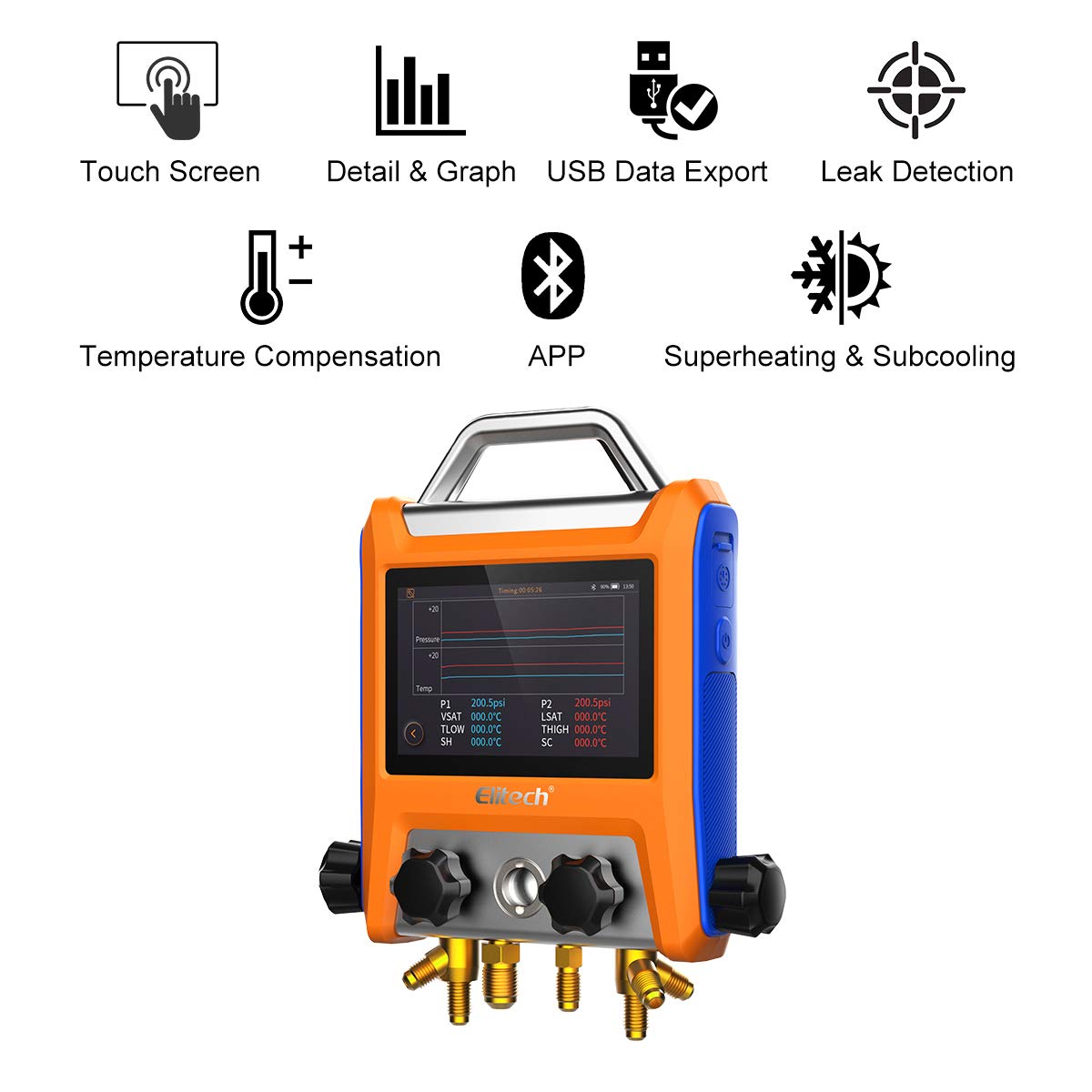
Image: Elitech EMG-40V Digital Manifold Gauge highlighting key features such as touch screen, data export, leak detection, and superheating/subcooling capabilities.
2.2 Components and Device Layout
The Elitech EMG-40V package includes the main manifold gauge unit, various hoses (red, yellow, blue), temperature clamps, a Type-C USB cable, bent joints, a vacuum transmitter, and power adapters. The main unit features a clear display, control valves, and connection ports.

Image: Elitech EMG-40V Digital Manifold Gauge kit, showing the main unit, hoses, temperature clamps, USB cable, bent joints, vacuum transmitter, and power adapters.

Image: Labeled diagram of the Elitech EMG-40V Digital Manifold Gauge, indicating the Power button, High temp interface, Low temp interface, Type-C charging port, Low pressure valve, and High pressure valve.
3. Setup
Before operation, ensure all components are present and in good condition. Connect the appropriate hoses and sensors to the manifold gauge and the HVAC system according to the specific task (e.g., evacuation, charging, pressure testing).
3.1 Initial Connection
- Connect the temperature clamps to the high and low temperature interfaces on the manifold.
- Attach the vacuum transmitter if performing vacuum measurements.
- Connect the appropriate refrigerant hoses to the manifold ports and the HVAC system service ports. Ensure all connections are secure to prevent leaks.

Image: Elitech EMG-40V Digital Manifold Gauge connected to an HVAC system with red, yellow, and blue hoses, ready for operation.
3.2 Powering On
Press and hold the power button to turn on the device. The touch screen will illuminate, displaying the main interface.
4. Operating Instructions
The EMG-40V features a user-friendly touch screen interface for navigating various functions and settings.
4.1 General Operation Overview
Video: This video demonstrates the unboxing, component identification, connection of hoses, basic operation, navigation of the touch screen, refrigerant selection, heat pump mode, vacuum measurement settings, pressure holding test, and various settings adjustments of the Elitech EMG-40V Digital Manifold Gauge.
4.2 Basic View and Parameter Display
The main interface provides a basic view showing real-time temperature, pressure, and saturation temperature for both high and low-pressure sides. This eliminates the need for manual calculations, making superheat and subcooling readings direct and easy.

Image: Elitech EMG-40V Digital Manifold Gauge with a clear display showing pressure and temperature readings, including superheat and subcooling values.
4.3 Refrigerant Selection
From the main screen, you can select the specific refrigerant type required for your application. The device supports a wide range of refrigerants, ensuring accurate readings for various systems.
4.4 Heat Pump Mode
The EMG-40V allows for easy switching between refrigeration mode and heat pump mode. This feature simplifies the application process by eliminating the need to switch between different refrigerant hoses, making operations quicker and more efficient.
4.5 Vacuum Measurement
When performing vacuum measurements, the device displays the actual vacuum value (when less than or equal to 19000 microns), target vacuum, vacuum time, ambient temperature, and water vapor status (TH2O). You can configure parameters like target vacuum value, leak alarm threshold, and working time for reminders during the vacuum process.
4.6 Pressure Holding Test
In the pressure hold page, the screen primarily displays the test duration and pressure changes. You can start or stop the pressure holding test and view results from previous tests. The alarm pressure value can also be set from this interface.
4.7 Settings and Data Management
The settings page allows you to adjust various parameters such as weight units, temperature units, pressure units, and vacuum units. You can also manage data recording intervals and export data via USB or Bluetooth (with compatible wireless scales). The device supports recording up to 100,000 points of data.

Image: Multiple screen displays of the Elitech EMG-40V Digital Manifold Gauge, illustrating various settings for units, data recording, and other operational parameters.
5. Maintenance
To ensure the longevity and accuracy of your Elitech EMG-40V, follow these maintenance guidelines:
- Cleaning: Regularly wipe the device with a soft, damp cloth. Do not use abrasive cleaners or solvents.
- Storage: Store the manifold gauge in its protective carrying case in a dry, cool environment away from direct sunlight and extreme temperatures.
- Battery: The device uses a Lithium Ion battery. Ensure it is charged regularly, especially if not used for extended periods. Avoid complete discharge.
- Calibration: For optimal accuracy, periodic calibration by authorized service personnel is recommended.
6. Troubleshooting
If you encounter issues with your Elitech EMG-40V, refer to the following common troubleshooting steps:
- Device not powering on: Check battery charge. Ensure the power button is pressed and held correctly.
- Inaccurate readings: Verify all connections are secure. Check for leaks in the system. Ensure the correct refrigerant type is selected. Consider professional calibration if issues persist.
- Display issues: Adjust screen brightness in settings. If the screen is unresponsive, try restarting the device.
- Connectivity problems (Bluetooth/USB): Ensure Bluetooth is enabled on both devices. Check USB cable connection. Refer to the app's instructions for specific connectivity steps.
For persistent problems or issues not covered here, please contact Elitech customer support.
7. Specifications
| Feature | Specification |
|---|---|
| Product Dimensions | 18.9 x 4.3 x 16.1 inches |
| Item Model Number | EMG-40V |
| Batteries | 1 Lithium Ion battery (included) |
| Manufacturer | Elitech |
| Material | Glass, Plastic |
| Item Weight | 1.73 Kilograms (3.81 Pounds) |
| UPC | 781454242139 |
8. Warranty and Support
For warranty information and technical support, please refer to the documentation included with your product or visit the official Elitech website. Elitech is committed to providing reliable products and customer service.


