
WPH QW13
WPH QW13 Smartwatch User Manual
Your guide to setting up, operating, and maintaining your QW13 Smartwatch.
1. Product Overview
The WPH QW13 Smartwatch is an ultra-thin, lightweight, and stylish wearable device designed to help you monitor your fitness and stay connected. Featuring a 1.28-inch TFT color display with high sensitivity touch, it offers various functions including heart rate monitoring, blood pressure tracking, sleep analysis, and notification alerts. Its IP67 waterproof rating ensures durability for daily use.

Image: The WPH QW13 Smartwatch in black, showcasing its sleek, round display and comfortable silicone strap.
2. Package Contents
Please verify that all items are present in your package:
- 1 x WPH QW13 Smartwatch
- 1 x Charging Cable
- 1 x User Manual
3. Setup
3.1 Charging the Smartwatch
Before first use, fully charge your smartwatch. Connect the provided charging cable to the charging contacts on the back of the watch and a USB power source. The watch display will indicate charging status.
3.2 App Installation and Pairing
To unlock the full functionality of your QW13 Smartwatch, download and install the "Youth and Health" app on your smartphone. The app is compatible with iOS 10.0 or higher and Android 5.0 or higher.
- Scan the QR code in the manual or search for "Youth and Health" in your phone's app store.
- Install the app and open it.
- Enable Bluetooth on your smartphone.
- In the app, navigate to the device pairing section and select "QW13" from the list of available devices.
- Confirm the pairing request on both your phone and the smartwatch.

Image: The Youth and Health app interface on a smartphone, demonstrating the custom watch face feature.
4. Operating Instructions
4.1 Display Navigation
The QW13 Smartwatch features a high-sensitivity touch screen. Swipe left, right, up, or down to navigate through different menus and functions. Tap to select an option or confirm an action. The side button can be used to return to the home screen or wake the device.

Image: Detailed view of the smartwatch display, highlighting its 2.5D tempered glass and HD color LCD screen.
4.2 Health Monitoring
The smartwatch continuously monitors various health metrics:
- Heart Rate: Equipped with an optical heart rate sensor, the watch records your 24-hour heart rate changes. View real-time data on the watch or detailed graphs in the app.
- Blood Pressure: Provides estimated blood pressure readings. For accurate medical data, consult a healthcare professional.
- Sleep Tracking: Automatically monitors your sleep quality and records data in the app when you fall asleep.

Image: The smartwatch displaying heart rate information, including a graph of heart rate changes over time.

Image: The rear view of the smartwatch, highlighting the integrated optical heart rate sensor.
4.3 Notifications
Once paired with your smartphone, the QW13 Smartwatch can receive notifications for calls, SMS messages, and various app alerts. Ensure notification permissions are enabled in both your phone settings and the "Youth and Health" app.
4.4 Custom Watch Faces
Personalize your smartwatch by choosing from a variety of pre-installed watch faces or creating your own custom watch face using photos from your phone via the "Youth and Health" app.
5. Maintenance
5.1 Cleaning
Regularly clean your smartwatch and strap with a soft, dry cloth. If necessary, use a slightly damp cloth and mild soap, then wipe dry. Avoid harsh chemicals or abrasive materials.
5.2 Waterproofing (IP67)
The QW13 Smartwatch has an IP67 waterproof rating. This means it can protect against daily life particles, dust, sweat, and supports daily hand washing and sports waterproofing. It is not suitable for deep sea diving, saunas, or hot baths. Do not operate buttons underwater.

Image: The smartwatch being splashed with water, illustrating its IP67 waterproof capabilities for daily use.
6. Troubleshooting
- Watch not turning on: Ensure the watch is fully charged. Connect it to the charging cable and a power source for at least 30 minutes.
- Unable to pair with phone: Make sure Bluetooth is enabled on your phone and the watch is within range. Restart both the watch and your phone. Check app permissions.
- Inaccurate health data: Ensure the watch is worn snugly on your wrist, not too tight or too loose. Clean the sensor regularly. Note that health data is for reference only and not for medical diagnosis.
- Notifications not received: Verify that notifications are enabled in the "Youth and Health" app and in your phone's system settings for the app. Ensure the watch is connected via Bluetooth.
7. Specifications
| Feature | Specification |
|---|---|
| Product Model | QW13 |
| Dial Diameter | 43.8mm |
| Thickness | 9.0mm |
| Weight | 42.5g |
| Waterproof Rating | IP67 |
| Wristband Material | Silicone |
| Wristband Range | 14-20cm |
| CPU | HS6620D |
| RAM + ROM | 128KB + 256KB |
| Flash Memory | 32 MB |
| Bluetooth | 4.2 |
| Main Screen | LCD 1.28 inch Round IPS, 240 * 240 |
| TP | COB-capacitive multi-touch |
| Battery Capacity | 150mAh |
| Charging Time | 1.5-2 hours |
| Usage Time | Approximately 5 days |
| Standby Time | Approximately 15 days |
| App System Compatibility | iOS 10.0 or higher, Android 5.0 or higher |
| App Name | Youth and Health |
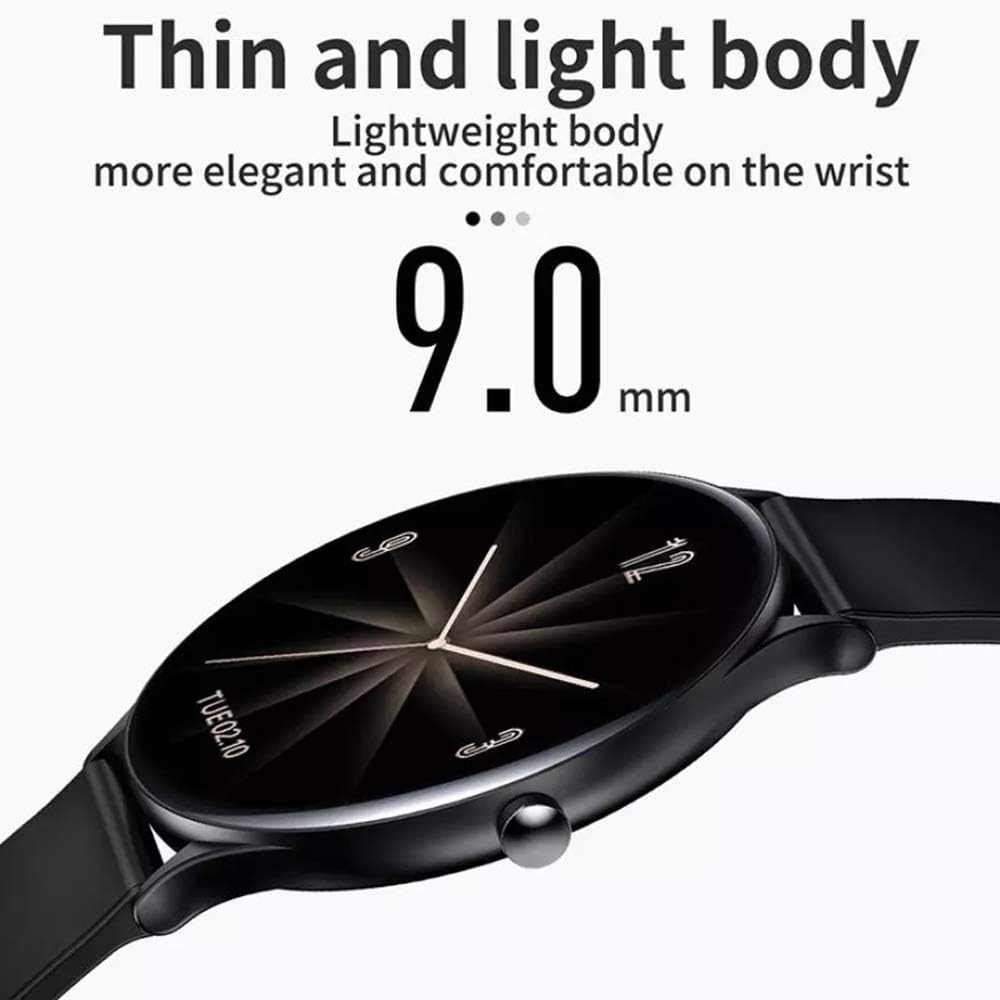
Image: Side profile of the QW13 Smartwatch, illustrating its ultra-thin 9.0mm body.

Image: A display of various QW13 Smartwatch colors, alongside a diagram detailing its 9.0mm thickness and 42mm dial diameter.
8. Warranty and Support
For warranty information and customer support, please refer to the documentation provided at the time of purchase or contact your retailer. Keep your purchase receipt as proof of purchase.
Related documentsQW13


Ask a question about this manual
Ask about setup, troubleshooting, compatibility, parts, safety, or missing instructions. Manuals+ will review the question and use this page’s manual context to help answer it.