
Introduction
The OREI EX-230C HDMI Extender allows for the transmission of HDMI signals over a single Cat6/7 LAN cable. This device supports 4K@30Hz resolution up to 130 feet and Full 1080P signal up to 230 feet. It features Power over Cable (PoC) technology, requiring only one power adapter for both transmitter and receiver units. The extender also includes an HDMI loop-out on the transmitter and one-way IR control for convenient operation of the source device from the display location. It is HDCP 1.4 compliant and supports EDID management, Deep Color, and LPCM 7.1 audio.
Package Contents
Please verify that all items are included in your package:
- 1x HDMI Transmitter (TX) Unit
- 1x HDMI Receiver (RX) Unit
- 1x Power Supply Adapter (DC 12V)
- 1x IR Blaster Cable
- 1x IR Receiver Cable
- 1x Product Manual

Image: Components included in the OREI EX-230C package.
Features
- Extends HDMI signal up to 230 feet (70 meters) for 1080P resolution.
- Extends HDMI signal up to 130 feet (40 meters) for 4K@30Hz resolution.
- Supports Power over Cable (PoC) technology, requiring power only at the transmitter.
- HDMI Loop Out port on the transmitter for a local display.
- One-way IR control allows source device control from the receiver location.
- Supports EDID Copy function (local or remote EDID selection).
- Compatible with HDMI 480i/p, 576i/p, 720p, 1080i/p, 2K@60Hz, and 4K@30Hz.
- Supports audio formats including PCM7.1, Dolby True HD, and DTS HD.
- HDCP 1.4 compliant.
- Compact size with heavy-duty metal enclosure.

Image: Key features including PoC support and extension distances.
Specifications
| Brand | OREI |
| Model Name | EX-230C |
| Connector Type | HDMI |
| Cable Type | HDMI Extender |
| Max Resolution | 4K@30Hz |
| Max Extension Distance (4K@30Hz) | 130 feet (40 meters) with CAT6/7 |
| Max Extension Distance (1080P) | 230 feet (70 meters) with CAT6/7 |
| Ethernet Cable Category | CAT5e/CAT6/CAT7 (Shielded recommended) |
| HDCP Compliance | HDCP 1.4 |
| Audio Formats | PCM7.1, Dolby True HD, DTS HD |
| IR Support | One-way IR (from RX to TX) |
| Power Consumption | 5 Watts |
| Item Weight | 1 Pound |
| Dimensions (approx.) | Length: 3.1", Width: 2.7", Height: 0.6" (per unit) |
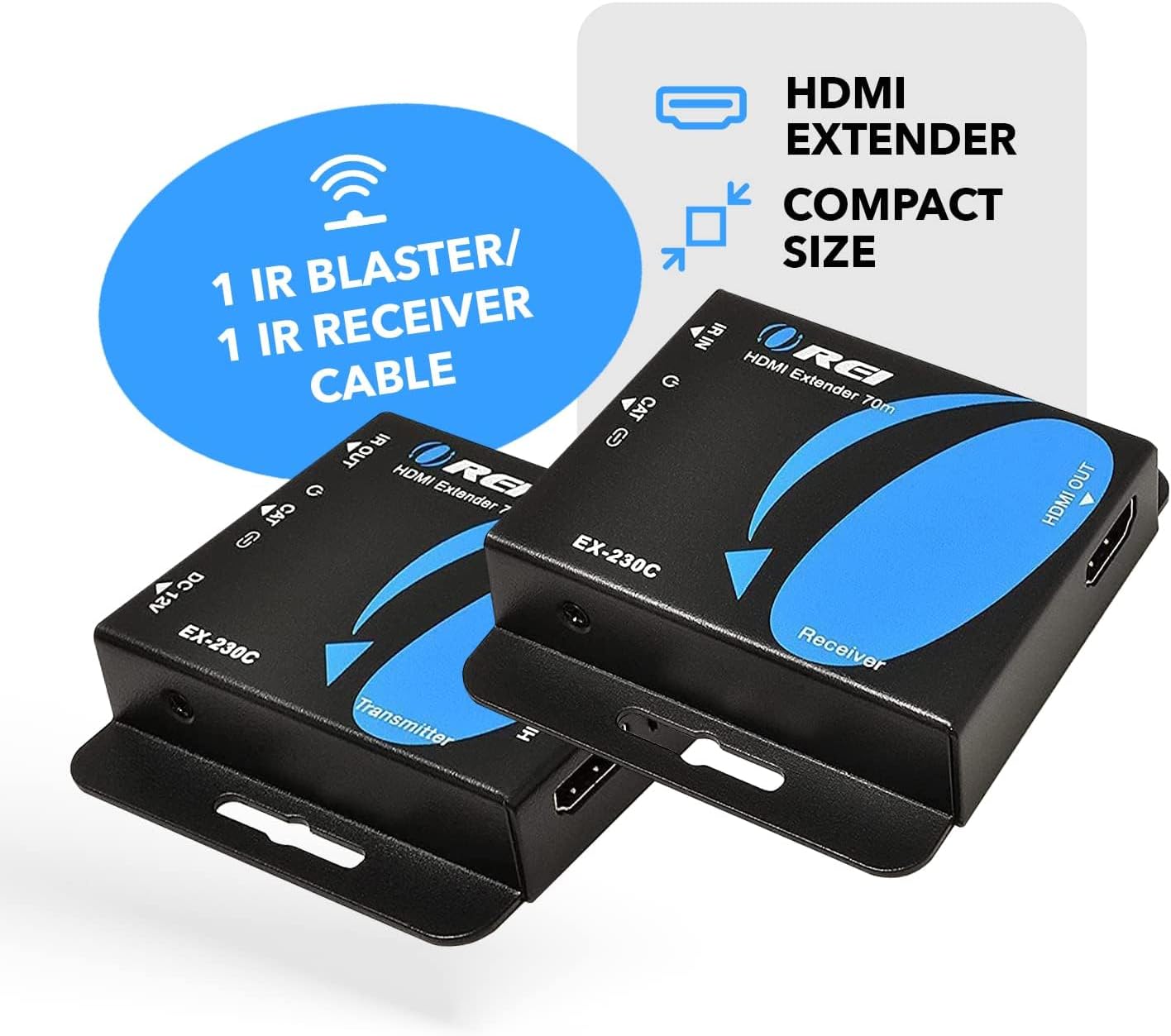
Image: Dimensions and technical specifications of the EX-230C units.
Setup Guide
Follow these steps to set up your OREI EX-230C HDMI Extender:
- Power Off Devices: Ensure all devices (source, display, extender units) are powered off before making connections.
- Connect HDMI Source to Transmitter (TX): Connect your HDMI source device (e.g., Blu-ray player, game console, PC) to the HDMI IN port on the Transmitter unit using a high-quality HDMI cable.
- Connect Local Display (Optional): If you wish to have a local display near your source, connect it to the HDMI OUT (Loop Out) port on the Transmitter unit using an HDMI cable.
- Connect Cat Cable: Connect a single CAT5e/CAT6/CAT7 Ethernet cable (shielded cable recommended for optimal performance) between the CAT OUT port on the Transmitter unit and the CAT IN port on the Receiver unit.
- Connect Display to Receiver (RX): Connect your remote display device (e.g., TV, projector) to the HDMI OUT port on the Receiver unit using a high-quality HDMI cable.
- Connect IR Cables:
- Connect the IR Blaster cable to the IR OUT port on the Transmitter unit and place the IR emitter eye near the IR sensor of your source device.
- Connect the IR Receiver cable to the IR IN port on the Receiver unit and place the IR receiver eye in a location where it can receive signals from your remote control.
- Apply Power: Connect the provided power adapter to the DC 12V port on the Transmitter unit. Due to PoC (Power over Cable) technology, the Receiver unit will be powered automatically through the Ethernet cable.
- Power On Devices: Power on your display devices first, then your HDMI source device.
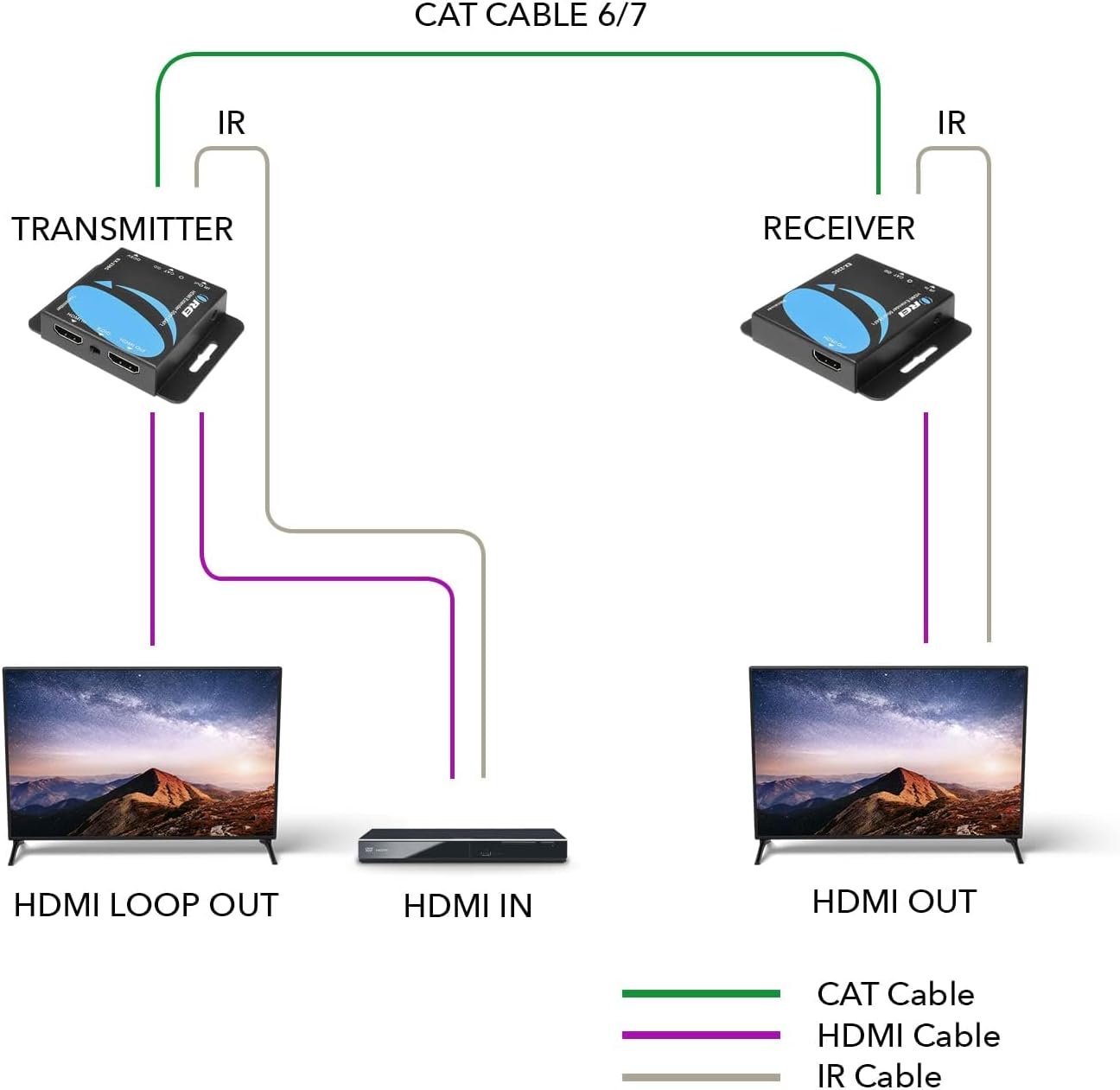
Image: Wiring diagram for connecting the HDMI extender units.

Image: Overview of the transmitter and receiver units with port labels.
Video: A detailed guide on setting up the OREI 4K HDMI Over Ethernet CAT6/CAT7 Extender.
Operating Instructions
EDID Management
The EX-230C supports EDID Copy functionality. This allows the extender to learn the EDID (Extended Display Identification Data) from either the local display connected to the transmitter's loop-out or the remote display connected to the receiver. This ensures optimal compatibility between your source and display devices.
- Local EDID: If the EDID switch is set to TX, the extender will copy the EDID from the display connected to the HDMI Loop Out port on the Transmitter.
- Remote EDID: If the EDID switch is set to RX, the extender will copy the EDID from the display connected to the HDMI OUT port on the Receiver.
It is recommended to set the EDID switch to the desired display's location before powering on the system to ensure proper EDID negotiation.
IR Control
The one-way IR feature enables you to control your HDMI source device (e.g., cable box, DVD player) from the remote display location. Point your source device's remote control at the IR Receiver eye connected to the Receiver unit. The signal will be transmitted back to the IR Blaster connected to the Transmitter unit, which will then relay the command to your source device.
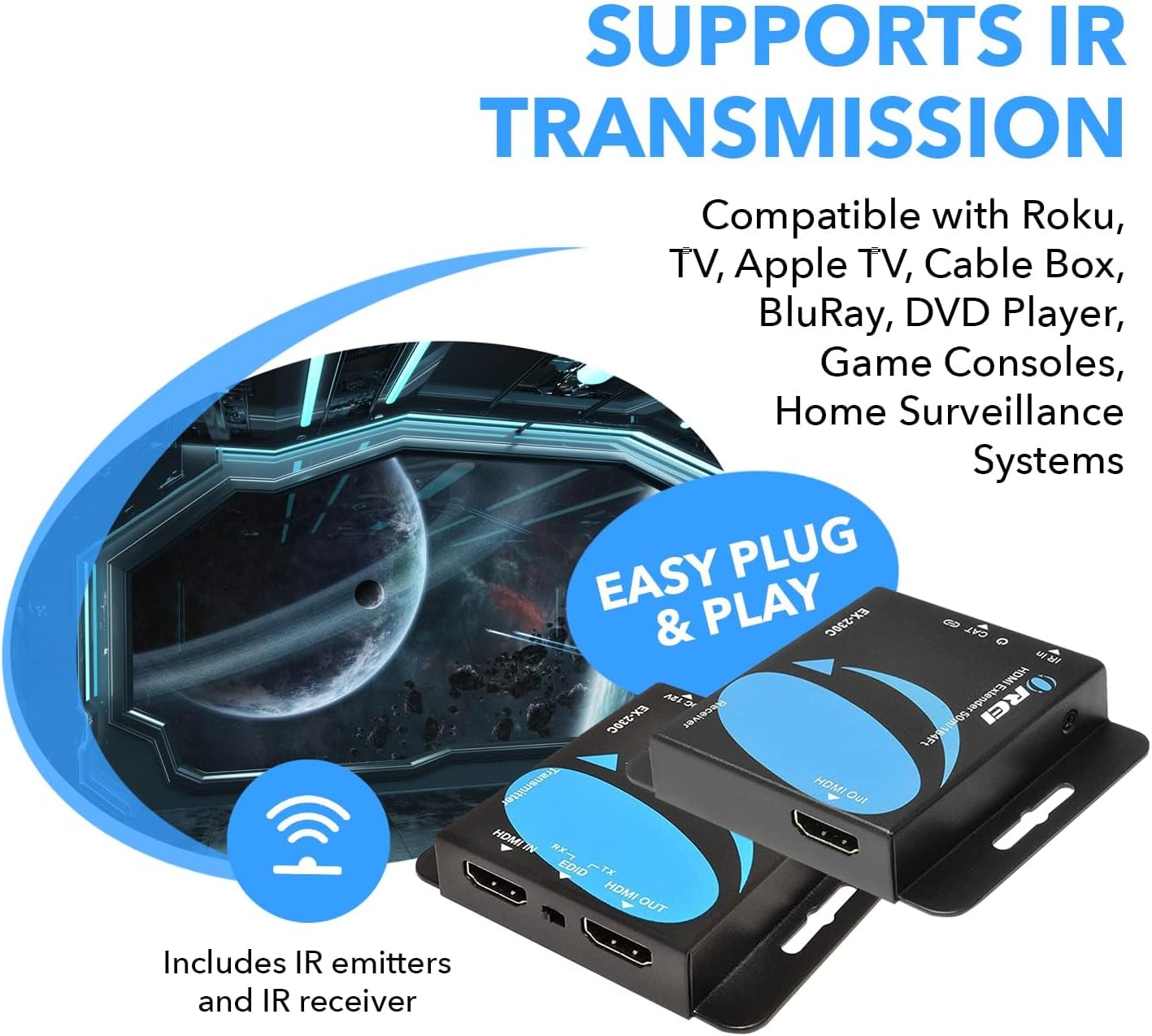
Image: Illustration of IR transmission functionality.
Video: An overview of the EX-230C HDMI Extender, highlighting its features and operation.
Maintenance
To ensure the longevity and optimal performance of your OREI EX-230C HDMI Extender, please follow these maintenance guidelines:
- Cleaning: Use a soft, dry cloth to clean the exterior of the units. Avoid using liquid or aerosol cleaners, as they may damage the device.
- Ventilation: Ensure the units are placed in a well-ventilated area to prevent overheating. Do not block any ventilation openings.
- Cable Management: Keep cables neatly organized and avoid sharp bends or excessive tension, which can damage the cables or ports.
- Environmental Conditions: Operate the device within its specified temperature and humidity ranges. Avoid extreme temperatures, direct sunlight, and high humidity.
- Power Disconnection: If the device will not be used for an extended period, disconnect the power adapter from the electrical outlet.
Troubleshooting
If you encounter issues with your OREI EX-230C HDMI Extender, please refer to the following common problems and solutions:
- No Picture or Intermittent Signal:
- Verify all HDMI and Ethernet cables are securely connected.
- Ensure the power adapter is connected to the Transmitter unit and the power LED is on.
- Try using shorter or higher-quality (shielded CAT6/7) Ethernet and HDMI cables.
- Check if the resolution and refresh rate of your source device are supported by the extender and display.
- Cycle power to all devices (source, extender, display) by unplugging and replugging them.
- Adjust the EDID switch on the Transmitter (TX) unit to either TX or RX position and re-power the system to ensure proper EDID negotiation.
- Picture Quality Issues (Flickering, Distortion, Color Problems):
- Ensure you are using a high-quality CAT6/7 Ethernet cable, preferably shielded.
- Reduce the length of the Ethernet cable if it exceeds the recommended distance for your resolution (130ft for 4K@30Hz, 230ft for 1080P).
- Check for strong electromagnetic interference near the Ethernet cable.
- Test with different HDMI cables.
- IR Control Not Working:
- Ensure the IR Blaster cable is securely plugged into the Transmitter's IR OUT port and its emitter eye is directly facing the IR sensor of the source device.
- Ensure the IR Receiver cable is securely plugged into the Receiver's IR IN port and its receiver eye is positioned to receive signals from your remote control.
- Verify that your remote control has fresh batteries and is functioning correctly.
- Audio Issues (No Audio or Distorted Audio):
- Check HDMI cable connections.
- Ensure your display and source devices are configured for compatible audio output.
- Verify the audio format is supported by the extender (PCM7.1, Dolby True HD, DTS HD).
Warranty & Support
The OREI EX-230C HDMI Extender comes with a 1-Year Manufacturer's Warranty. This warranty covers defects in materials and workmanship under normal use.
For technical support, warranty claims, or any questions regarding your product, please contact OREI customer service:
- Email: info@orei.com
- Manufacturer Contact Information: info@orei.com
- Packer Contact Information: info@fayzelectronics.com , 99250 12671
- Online Support: Visit the OREI Store on Amazon for additional resources and product information.
Please retain your proof of purchase for warranty service.


