
1. Introduction
This manual provides detailed instructions for the installation, operation, and maintenance of your Waykar 50 Pints Dehumidifier, Model PD08E. This appliance is designed to effectively remove excess moisture from indoor environments, improving air quality and comfort in spaces up to 4500 square feet. Please read this manual thoroughly before using the dehumidifier to ensure safe and efficient operation.

Image 1.1: Front view of the Waykar 50 Pints Dehumidifier.

Image 1.2: The Waykar dehumidifier operating in a typical home environment.
2. Safety Instructions
To prevent injury to the user or others and property damage, the following instructions must be followed. Incorrect operation due to ignoring instructions may cause harm or damage.
General Safety
- Always place the dehumidifier on a level, stable surface to prevent tipping.
- Do not operate the unit near flammable gases or combustible materials.
- Keep children and pets away from the unit during operation.
- Ensure the air inlet and outlet are not obstructed. Maintain at least 8 inches (20 cm) clearance from walls or furniture.
- Do not insert objects into the air vents.
- Unplug the unit before cleaning or performing any maintenance.
Electrical Safety
- Use only a grounded electrical outlet with the correct voltage (115V/60Hz).
- Do not use extension cords or adapter plugs.
- Do not operate the unit if the power cord or plug is damaged.
- Never pull the power cord to unplug the unit. Grasp the plug firmly.
- Do not handle the power plug with wet hands.
3. Product Components
Familiarize yourself with the main parts of your Waykar dehumidifier.

Image 3.1: Overview of the dehumidifier showing its dimensions (approximately 8.86"D x 12.6"W x 19.29"H) and key features like Child-Lock, 3 Working Modes, 24H Timer, and Adjustable Wind Speed.

Image 3.2: Detail showing the 360° rotating castors for easy mobility and recessed handles for convenient lifting.
4. Installation and Setup
Unpacking
- Carefully remove the dehumidifier from its packaging.
- Remove all packing materials, including any tape or labels.
- Allow the unit to stand upright for at least 24 hours before plugging it in. This allows the refrigerant to settle.
Placement
- Place the dehumidifier on a firm, level surface that is strong enough to support the unit with a full water tank.
- For optimal performance, ensure there is at least 8 inches (20 cm) of space around the unit for proper airflow.
- Avoid placing the unit in direct sunlight or near heat sources.
- The dehumidifier is suitable for various rooms including living rooms, basements, bedrooms, and dining areas.
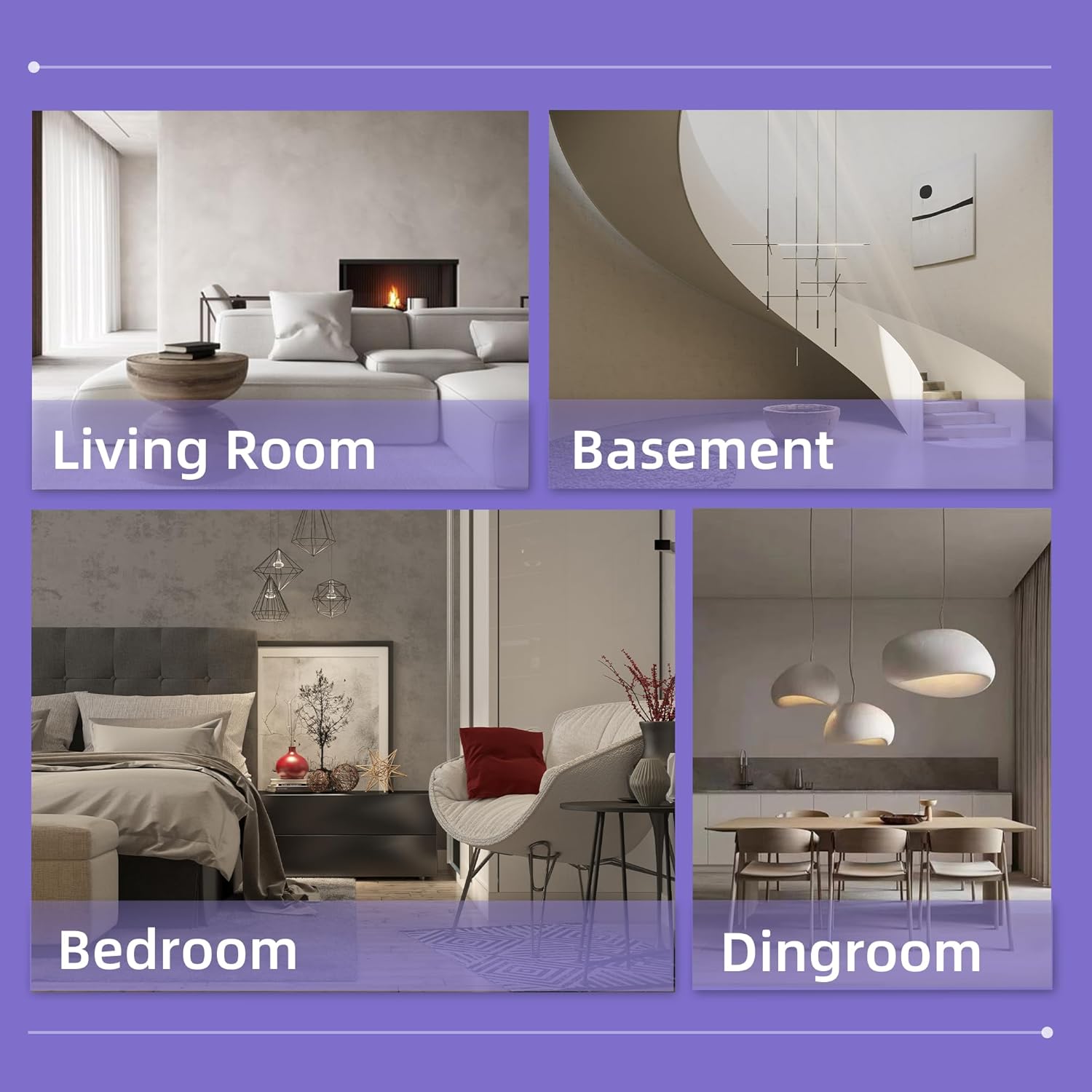
Image 4.1: Recommended placement areas for the dehumidifier within a home.
5. Operating Instructions
Control Panel
The intelligent control panel allows for easy adjustment of settings.

Image 5.1: Detailed view of the control panel, highlighting buttons for Lock, Speed, Timer, Setting, Mode, and Power.
- POWER Button: Press to turn the dehumidifier ON or OFF.
- MODE Button: Cycle through working modes: Dehumidify (DEHU), Dry Clothes (DRY), and Continuous (CONT).
- SETTING Button: Adjust the desired humidity level (30%RH to 80%RH) in Dehumidify mode.
- TIMER Button: Set a 24-hour timer for automatic ON/OFF operation.
- SPEED Button: Select fan speed (High/Low).
- LOCK Button: Activate/deactivate the Child Lock function by pressing and holding for 3 seconds.
Operating Modes
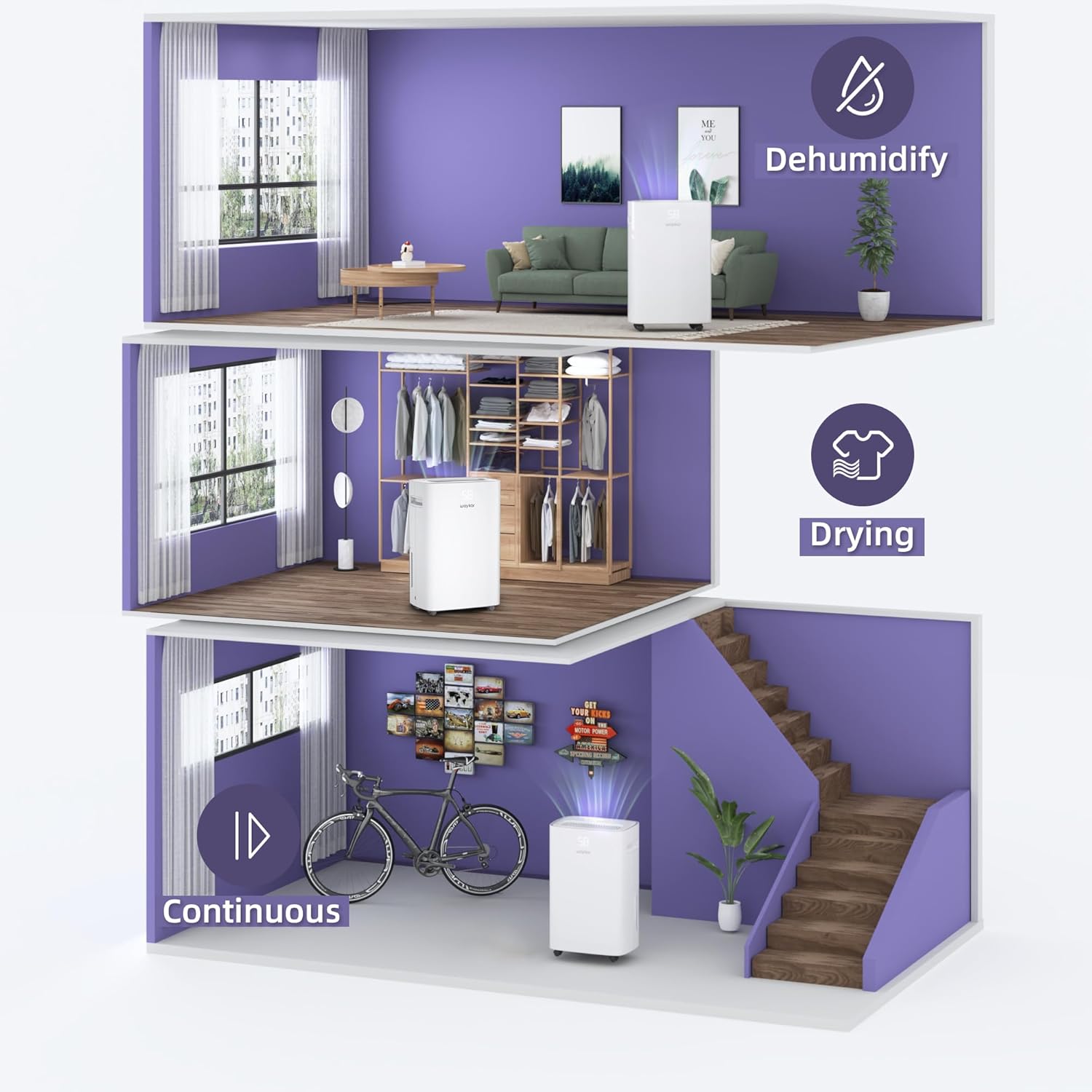
Image 5.2: Visual representation of the dehumidifier's three operational modes and their typical applications.
- Dehumidify Mode (DEHU): The unit will operate to reach and maintain the set humidity level. The fan speed can be adjusted.
- Dry Clothes Mode (DRY): The unit operates continuously at high fan speed to quickly dry clothes. The humidity setting is not active in this mode.
- Continuous Mode (CONT): The unit operates continuously regardless of the humidity level. The fan speed can be adjusted.
Humidity Control
In Dehumidify mode, the unit will automatically sense room humidity and maintain the preset humidity level. The unit will turn off when the desired humidity is reached and restart when the humidity rises above the set level.
Auto-Defrost Function
The dehumidifier is equipped with an auto-defrost function. If frost builds up on the evaporator coils, the unit will automatically enter defrost mode, indicated by a defrost icon on the display. During this time, the compressor will turn off, and the fan will continue to run until the frost melts. Normal dehumidification will resume automatically.
Noise Level

Image 5.3: Comparison of the dehumidifier's operating noise level (48dB) to common sounds.
6. Drainage Options
Your Waykar dehumidifier offers two drainage methods: manual emptying of the water tank or continuous drainage via a hose.
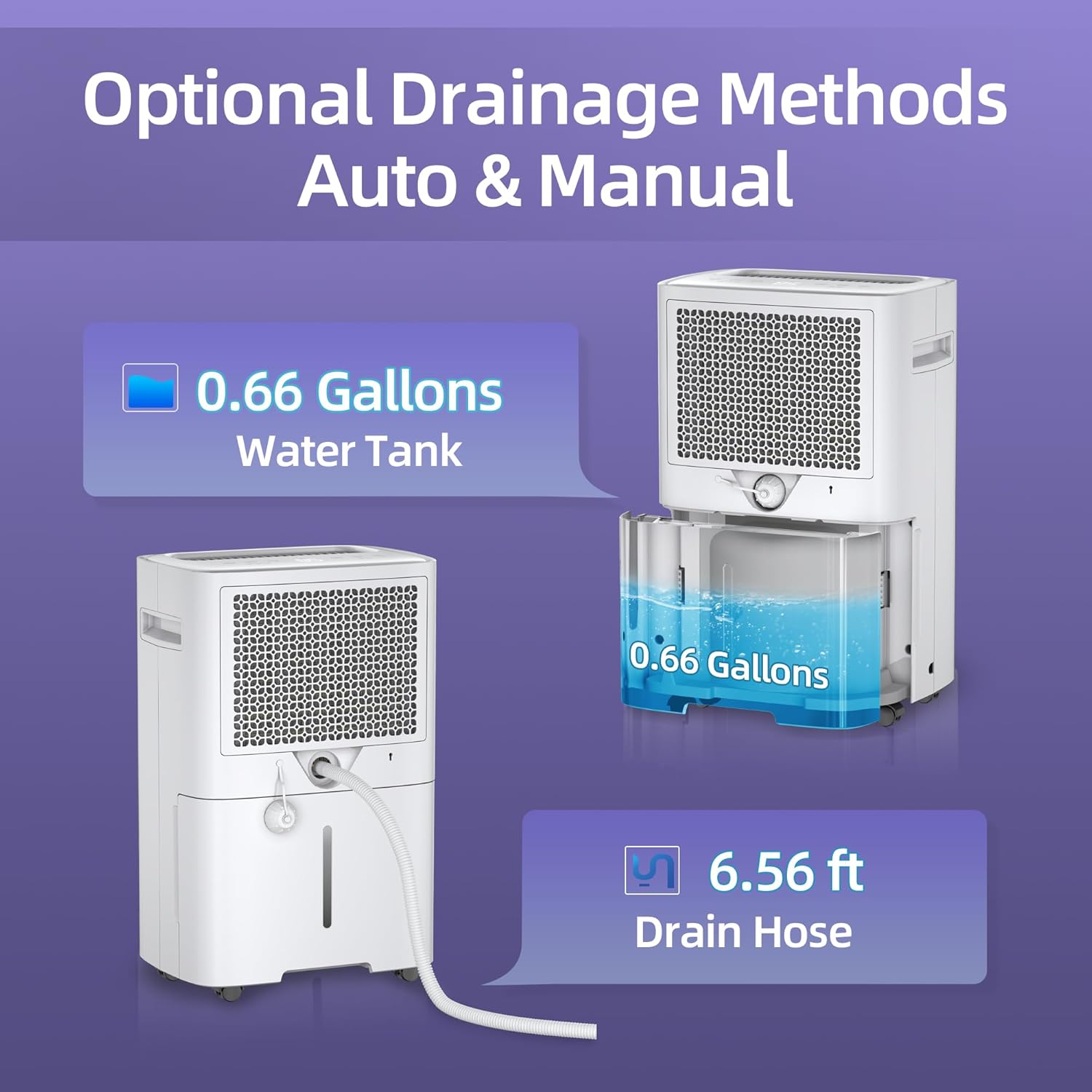
Image 6.1: Illustration of the two available drainage methods for the dehumidifier.
Manual Drainage (Water Tank)
The dehumidifier features a removable water tank with a capacity of 0.66 gallons. When the tank is full, the unit will automatically shut off, and an indicator light will illuminate. Empty the tank and reinsert it to resume operation.

Image 6.2: Steps for removing and reinserting the water collection tank.
Continuous Drainage (Drain Hose)
For continuous operation without needing to empty the water tank, you can attach the included drain hose. This is ideal for basements or areas with a floor drain.
- Locate the continuous drain outlet on the back of the unit.
- Remove the rubber stopper from the drain outlet.
- Connect the provided drain hose (6.56 ft) to the outlet. Ensure a secure connection.
- Direct the other end of the hose to a suitable drain point, ensuring the hose is sloped downwards to allow gravity drainage.

Image 6.3: Instructions for connecting the continuous drain hose.
7. Maintenance
Regular maintenance ensures optimal performance and extends the lifespan of your dehumidifier.
Cleaning the Air Filter
The dehumidifier includes a detachable and washable air filter. A clean filter helps maintain efficiency and air quality.

Image 7.1: The washable air filter, recommended for cleaning every two weeks.
- Turn off the unit and unplug it from the power outlet.
- Remove the air filter from the back of the unit.
- Wash the filter with warm water and a mild detergent. Rinse thoroughly.
- Allow the filter to air dry completely before reinserting it into the unit.
- Clean the filter every two weeks or more frequently depending on usage and air quality.
Cleaning the Water Tank
Periodically clean the water tank to prevent mold and mildew growth.
- Remove the water tank from the unit.
- Wash the tank with warm water and a mild detergent.
- Rinse thoroughly and dry before placing it back into the dehumidifier.
Cleaning the Exterior
Wipe the exterior of the unit with a soft, damp cloth. Do not use harsh chemicals or abrasive cleaners.
Storage
If storing the unit for an extended period:
- Unplug the unit and empty the water tank.
- Clean the air filter and water tank.
- Wrap the power cord and secure it.
- Store the unit upright in a cool, dry place.
8. Troubleshooting
Before contacting customer support, please refer to the following table for common issues and solutions.
| Problem | Possible Cause | Solution |
|---|---|---|
| Dehumidifier does not turn on. | No power; Power cord not plugged in; Water tank full or not properly inserted. | Ensure unit is plugged into a live outlet; Empty and reinsert water tank correctly. |
| Unit is running but not dehumidifying. | Air filter clogged; Room temperature too low; Humidity setting too high. | Clean the air filter; Ensure room temperature is above 41°F (5°C); Lower the humidity setting. |
| Unit is noisy. | Unit not on a level surface; Air filter clogged. | Place unit on a flat, stable surface; Clean the air filter. |
| Water leaks from the unit. | Water tank not properly inserted; Drain hose connection loose or clogged. | Reinsert water tank correctly; Check drain hose for secure connection and obstructions. |
| Frost appears on coils. | Room temperature too low. | This is normal; the unit will automatically defrost. Ensure room temperature is not below 41°F (5°C). |
9. Specifications
| Feature | Specification |
|---|---|
| Model Name | PD08E |
| Dehumidification Capacity | 50 Pints per Day (at 95°F, 90%RH) |
| Coverage Area | Up to 4500 Sq. Ft. |
| Tank Volume | 0.66 Gallons |
| Product Dimensions (D x W x H) | 8.86" x 12.6" x 19.29" |
| Item Weight | 34 Pounds |
| Wattage | 400 watts |
| Operation Mode | Continuous |
| Air Flow Capacity | 50 Cubic Feet Per Minute |
| Upper Temperature Rating | 95 Degrees Fahrenheit |
| Included Components | Dehumidifier, Detachable & Washable Filter, Drain Hose, Power Cord, Removable Water Tank |
| UPC | 792119675087 |
10. Warranty and Customer Support
Waykar stands behind its products with comprehensive support:
- 30-Day Money Back Guarantee: If you are not satisfied with the product, you may return it within 30 days for a full refund.
- 1-Year Warranty: The dehumidifier is covered by a 1-year manufacturer's warranty from the date of purchase.
- 2nd Year Warranty Extension: An extended warranty for a second year may be available. Please refer to the product registration information or contact customer service for details.
- Lifetime Expert Tech Support: Waykar provides lifetime technical support for its products.
For any questions, concerns, or technical assistance, please do not hesitate to contact Waykar customer support. We aim to reply within 24 hours to help resolve any issues.
Contact Information:
- Email: [Insert Customer Support Email Here, if available]
- Website: Waykar Official Store


