
Candy 33802962
Candy CDH 30 Ceramic Hob User Manual
Model: 33802962
Introduction
Thank you for choosing the Candy CDH 30 Ceramic Hob. This compact and efficient appliance is designed to provide reliable cooking performance for small spaces. Featuring two cooking zones, 9 power levels, a timer, and essential safety features, it offers precision and peace of mind in your kitchen. Please read this manual carefully before installation and use to ensure safe and optimal operation.
Safety Information
Your safety and the safety of others are paramount. Please observe the following precautions:
- Ensure the appliance is installed by a qualified technician in accordance with local regulations.
- Do not touch hot surfaces. Always use oven mitts or pot holders.
- Never leave the hob unattended during operation.
- Keep children away from the appliance during use and when it is cooling down. The hob features a child lock for added safety.
- Do not store flammable materials on or near the hob.
- In case of a crack in the ceramic glass, immediately switch off the appliance and disconnect it from the power supply. Contact service.
- Ensure proper ventilation around the appliance.
- This appliance is for domestic use only.
Product Overview
The Candy CDH 30 ceramic hob is designed for efficiency and ease of use. It features a sleek black ceramic glass surface with two distinct cooking zones.

Front view of the Candy CDH 30 Ceramic Hob with cooking zones off.

Front view of the Candy CDH 30 Ceramic Hob with cooking zones active and glowing red.
Key Features:
- Two Cooking Zones: One 140 mm zone and one 180 mm zone, suitable for various pot and pan sizes.
- 9 Power Levels: Precise heat control for diverse cooking needs.
- Integrated Timer: For setting cooking durations.
- Child Lock System: Prevents accidental operation, enhancing safety.

Icon representing the child lock feature.
- Overheating Alerts: Safety mechanism to prevent damage from excessive heat.
- Spill Alert: Notifies you of spills to prevent residue from sticking and simplify cleaning.

Icon representing the spill alert feature.
- Residual Heat Indicator: Warns when the surface is still hot after use.
- Quick-Setup Controls: Intuitive touch controls for easy operation.

Icon representing quick-setup controls, showing a finger touching a control panel.
Setup and Installation
Installation should only be performed by a qualified electrician or authorized service technician. Ensure the power supply matches the specifications of the appliance.
Unpacking:
- Carefully remove the hob from its packaging.
- Inspect the appliance for any signs of damage. Do not install if damaged.
- Keep packaging materials away from children.
Placement:
- The hob is designed for built-in installation. Ensure the countertop opening dimensions are correct.
- Ensure adequate clearance around the hob for ventilation.
- The hob dimensions are 52 x 28.8 x 5.5 cm (Length x Width x Height). The cutout dimensions are approximately 26.8 x 50 cm.

Top view of the Candy CDH 30 Ceramic Hob seamlessly installed in a light-colored kitchen countertop.
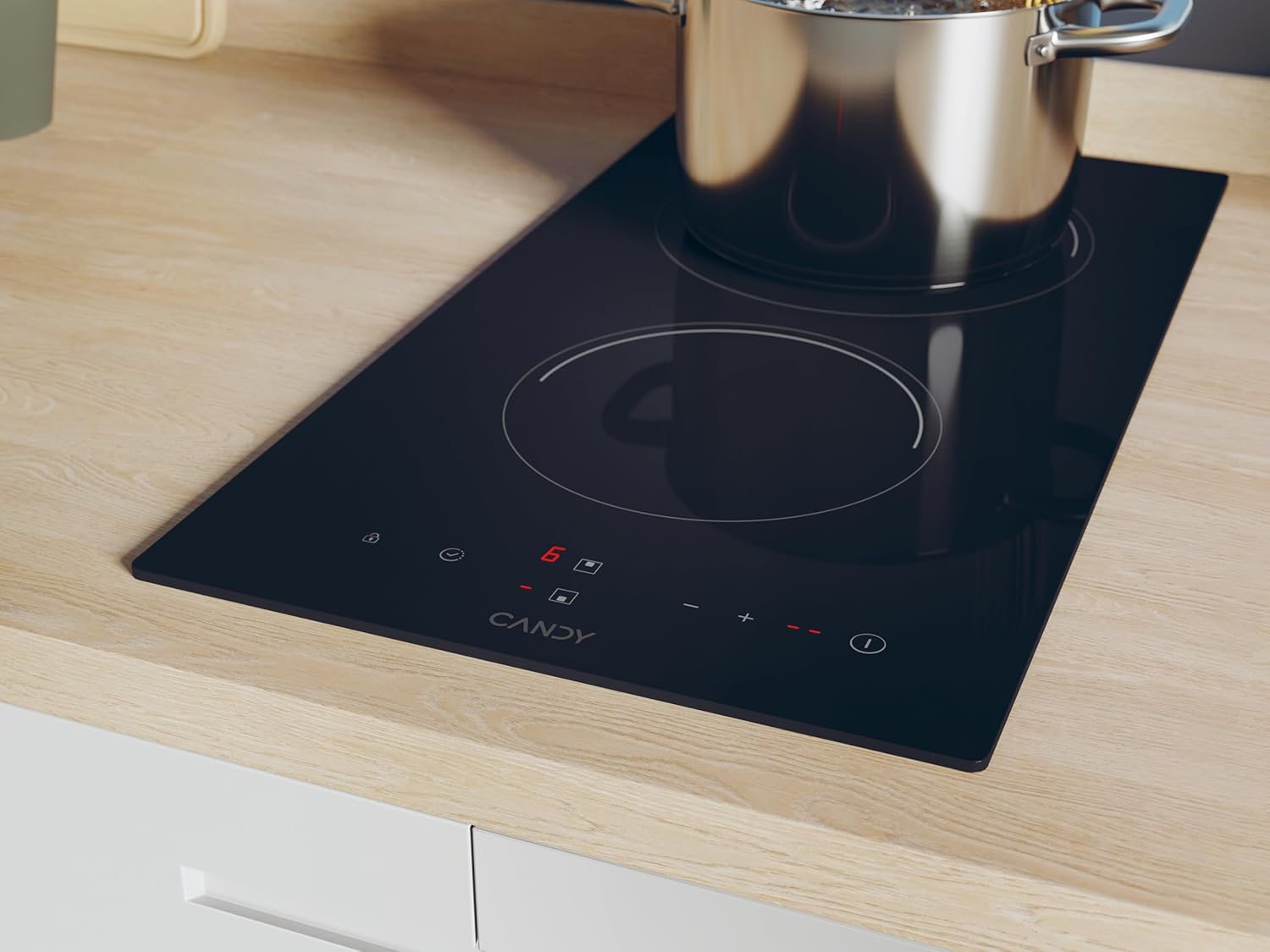
Close-up view of the Candy CDH 30 Ceramic Hob showing a pot on an active, glowing cooking zone.
Electrical Connection:
- Connect the hob to a dedicated electrical circuit with appropriate voltage (230 Volts) and power (2900 Watts).
- Ensure the wiring is correctly grounded.
- Refer to the wiring diagram provided with the appliance for specific connection details.
Operating Instructions
Turning On/Off:
- Press the power button (ⓘ) to turn the hob on. The display will light up.
- To turn off, press and hold the power button until the display turns off.
Selecting a Cooking Zone and Adjusting Power:
- Place a suitable pot or pan on the desired cooking zone.
- Select the cooking zone by touching its corresponding control.
- Use the '+' and '-' buttons to adjust the power level from 1 to 9.

Icon illustrating power level adjustment from minimum to maximum.
Using the Timer:
- With a cooking zone active, press the timer button.
- Use the '+' and '-' buttons to set the desired cooking time.
- The cooking zone will automatically switch off when the timer expires.
Child Lock:
- To activate the child lock, press and hold the lock button (🔒) until the indicator light appears. This prevents accidental changes to settings or turning on the hob.
- To deactivate, press and hold the lock button again until the indicator light disappears.
Residual Heat Indicator:
- After turning off a cooking zone, an 'H' will appear on the display if the surface is still hot. Do not touch the surface until the 'H' disappears.
Maintenance and Cleaning
Regular cleaning and maintenance will ensure the longevity and optimal performance of your hob.
Daily Cleaning:
- Always ensure the hob is cool before cleaning.
- Wipe the ceramic glass surface with a soft cloth and a mild detergent.
- For stubborn stains, use a specialized ceramic hob cleaner.
- Rinse with clean water and dry thoroughly to prevent water spots.
Preventing Damage:
- Avoid dragging pots and pans across the surface to prevent scratches.
- Do not use abrasive cleaners, scouring pads, or harsh chemicals.
- Clean spills immediately, especially sugary liquids, to prevent them from burning onto the surface.
Troubleshooting
Before contacting service, please check the following common issues:
| Problem | Possible Cause | Solution |
|---|---|---|
| Hob does not turn on. | No power supply; Child lock activated. | Check circuit breaker; Deactivate child lock. |
| Cooking zone not heating. | Incorrect pot/pan material; Power level too low. | Ensure cookware is suitable for ceramic hobs; Increase power level. |
| Display shows 'H'. | Residual heat indicator. | This is normal. Wait for the surface to cool down. |
| Hob beeps or shows error code. | Overheating; Spill detected. | Turn off hob, allow to cool; Clean up spill and restart. If error persists, contact service. |
Specifications
| Attribute | Value |
|---|---|
| Brand | Candy |
| Model Number | 33802962 |
| Color | Black |
| Product Dimensions (L x W x H) | 52 x 28.8 x 5.5 cm |
| Item Weight | 5 Kilograms |
| Power | 2900 Watts |
| Voltage | 230 Volts |
| Material | Ceramic Glass |
| Heating Elements | 2 (140 mm and 180 mm zones) |
| Power Levels | 9 |
| Special Features | Timer, Overheat and spill alert, Residual heat indicator, Safety lock |
| Power Source | Electric Cable |
Warranty and Support
For warranty information and customer support, please refer to the warranty card included with your product or visit the official Candy website. Keep your proof of purchase for any warranty claims.
If you experience any issues not covered in the troubleshooting section, please contact Candy customer service for assistance.
Related documents33802962


Ask a question about this manual
Ask about setup, troubleshooting, compatibility, parts, safety, or missing instructions. Manuals+ will review the question and use this page’s manual context to help answer it.