
1. Introduction
This instruction manual provides important information for the safe operation, maintenance, and troubleshooting of your INGCO 20V Cordless Rotary Hammer Drill, model CRHLI1601. Please read this manual thoroughly before using the tool to ensure proper and safe usage. Keep this manual for future reference.
General Safety Warnings
- Always wear appropriate personal protective equipment (PPE) such as safety glasses, hearing protection, and gloves.
- Ensure the work area is well-lit and clear of obstructions.
- Keep children and bystanders away while operating the power tool.
- Do not operate power tools in explosive atmospheres, such as in the presence of flammable liquids, gases, or dust.
- Always disconnect the battery pack before making any adjustments, changing accessories, or storing the tool.
- Use the correct tool for your application. Do not force the tool.
2. Product Overview
The INGCO CRHLI1601 is a powerful 20V cordless rotary hammer drill designed for drilling into various materials including wood, metal, and masonry. Its compact design and cordless operation provide excellent portability and ease of use.
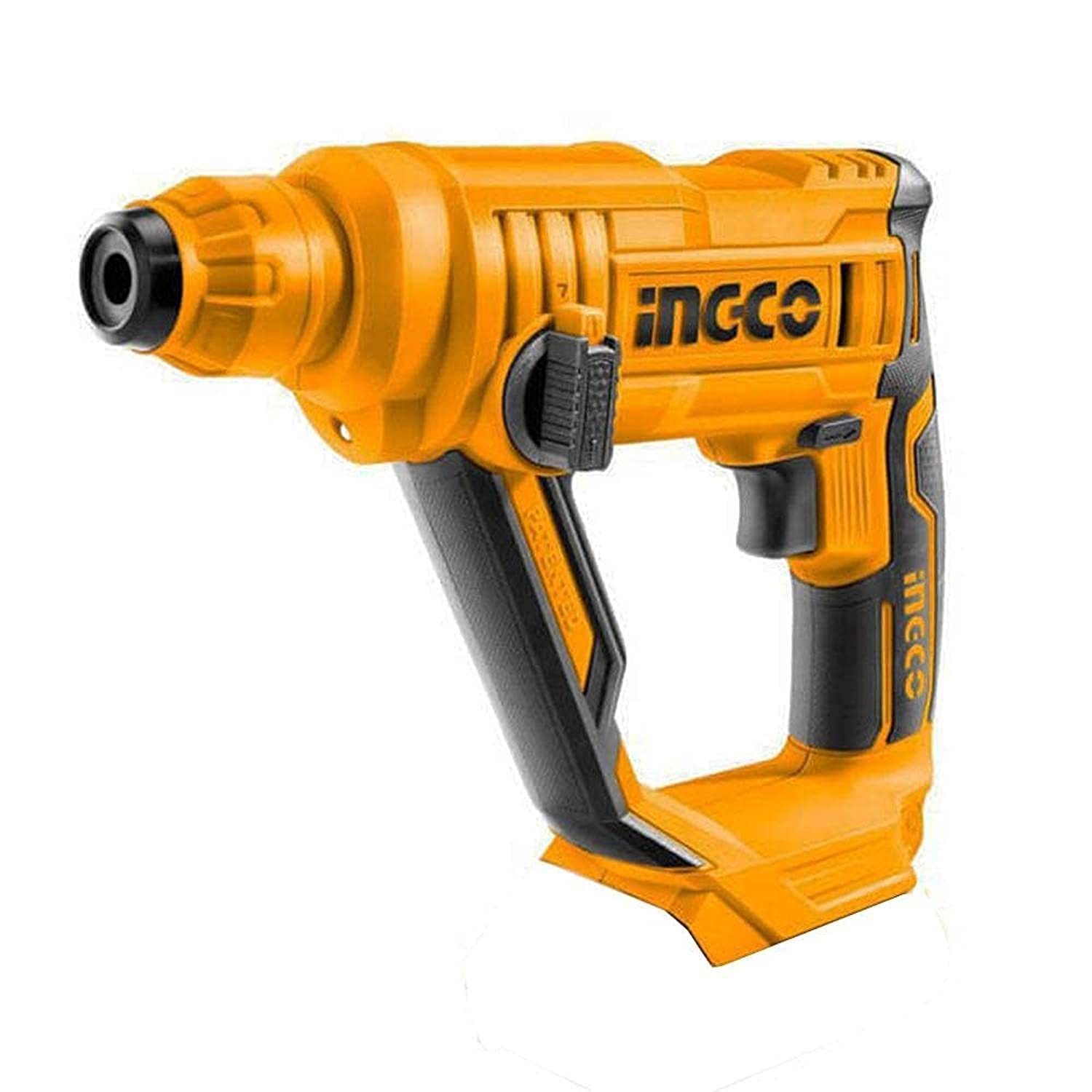
Figure 1: INGCO 20V Cordless Rotary Hammer Drill CRHLI1601. This image shows the main unit of the rotary hammer drill, highlighting its ergonomic design and key components such as the handle, chuck, and battery slot.
Key Features:
- Model: INGCO CRHLI1601
- Power Source: 20V Battery
- Drill Type: Rotary Hammer Drill
- Chuck Type: Keyless Chuck
- Chuck Size: 16 mm
- Speed: 900 RPM
- Reversible Function: Yes
- Cordless: Yes
- Hammer Function: Yes
- Included Components: Drill bits (wood, metal)
3. Setup
3.1 Battery Installation and Charging
- Charging the Battery: Connect the battery charger to a power outlet. Insert the battery pack into the charger. The indicator light on the charger will show the charging status. Ensure the battery is fully charged before first use.
- Installing the Battery: Align the battery pack with the battery slot on the tool. Slide the battery into the slot until it clicks securely into place.
- Removing the Battery: Press the battery release button (if present) and slide the battery pack out of the tool.
3.2 Attaching Drill Bits
- Open the Chuck: Rotate the chuck counter-clockwise to open the jaws.
- Insert the Bit: Insert the desired drill bit into the chuck as far as it will go.
- Tighten the Chuck: Rotate the chuck clockwise to securely tighten the jaws around the drill bit. Ensure the bit is centered and firmly held.
4. Operating Instructions
4.1 Powering On/Off
- To start the tool, press the trigger switch.
- To stop the tool, release the trigger switch.
4.2 Selecting Operating Mode
The INGCO CRHLI1601 features multiple operating modes. Use the mode selector switch (typically located on the side of the tool) to choose between:
- Drill Mode: For drilling into wood, metal, and plastic. The bit rotates without hammering action.
- Hammer Drill Mode: For drilling into masonry, concrete, and brick. The bit rotates and provides a hammering action.
4.3 Forward/Reverse Rotation
The forward/reverse selector switch (usually near the trigger) controls the direction of rotation:
- Push the switch to the left for forward rotation (for drilling and tightening screws).
- Push the switch to the right for reverse rotation (for removing screws or freeing jammed bits).
- Ensure the tool is completely stopped before changing the direction of rotation.
4.4 Drilling Tips
- Mark the drilling spot accurately.
- Apply steady, even pressure. Do not force the drill.
- For deep holes, periodically withdraw the bit to clear debris.
- Use appropriate drill bits for the material being drilled.
5. Maintenance
5.1 Cleaning
- After each use, clean the tool with a soft, damp cloth. Do not use harsh chemicals or abrasive cleaners.
- Keep the ventilation openings clear of dust and debris to prevent overheating.
- Clean the chuck jaws regularly to ensure proper bit gripping.
5.2 Storage
- Store the tool in a dry, secure place, out of reach of children.
- Ensure the battery is removed from the tool before storage.
- Store batteries in a cool, dry place, away from direct sunlight and extreme temperatures.
5.3 Battery Care
- Do not short-circuit the battery terminals.
- Do not expose batteries to water or fire.
- Recycle old batteries according to local regulations.
6. Troubleshooting
| Problem | Possible Cause | Solution |
|---|---|---|
| Tool does not start. | Battery not charged or improperly installed. | Charge the battery. Ensure the battery is securely clicked into place. |
| Reduced power or performance. | Battery charge is low. | Recharge the battery pack. |
| Drill bit not holding securely. | Chuck not tightened properly or jaws are dirty. | Retighten the chuck. Clean chuck jaws. Ensure the bit shank is clean. |
| Excessive vibration or noise. | Damaged drill bit or internal issue. | Replace the drill bit. If the problem persists, contact customer support. |
7. Specifications
| Feature | Detail |
|---|---|
| Model Number | CRHLI1601 |
| Brand | INGCO |
| Power Source | Battery Powered (20V) |
| Drill Type | Rotary Hammer Drill |
| Chuck Type | Keyless |
| Maximum Chuck Size | 16 mm |
| No-load Speed | 900 RPM |
| Reversible Function | Yes |
| Hammer Function | Yes |
| Wood Drilling Capacity | 16 mm |
| Metal Drilling Capacity | 16 mm |
| Materials | Plastic/Composite, Metal |
| Product Dimensions | 10 x 20 x 37 cm |
| Product Weight | 209 grams |
| EAN/GTIN | 6925582129991 |
8. Warranty and Support
For warranty information, please refer to the warranty card included with your product or contact your retailer. INGCO provides support for its products. For technical assistance or service inquiries, please visit the official INGCO website or contact their customer service department.
Keep your purchase receipt as proof of purchase for warranty claims.


