
1. Introduction
Thank you for choosing the TEEROK TR10 2.4GHz RC Stunt Car. This manual provides essential information for the safe operation, setup, and maintenance of your new remote control vehicle. Please read this manual thoroughly before use to ensure proper function and to maximize your enjoyment.

Image 1.1: The TEEROK TR10 RC Stunt Car and remote control, ready for use.
2. Safety Information
To prevent injury or damage, observe the following safety precautions:
- Adult supervision is recommended for children operating this product.
- Do not operate the vehicle near people, pets, or obstacles.
- Avoid operating in wet conditions or on public roads.
- Keep fingers, hair, and loose clothing away from moving parts.
- Do not attempt to modify or disassemble the vehicle or remote control.
- Use only the provided charging cable and rechargeable batteries.
- Dispose of batteries responsibly according to local regulations.
3. Package Contents
Verify that all items are present in the package:
- TEEROK TR10 RC Stunt Car
- 2.4GHz Remote Control
- Rechargeable Lithium-Polymer Batteries (x2)
- USB Charging Cable
- Screwdriver
- Instruction Manual (this document)
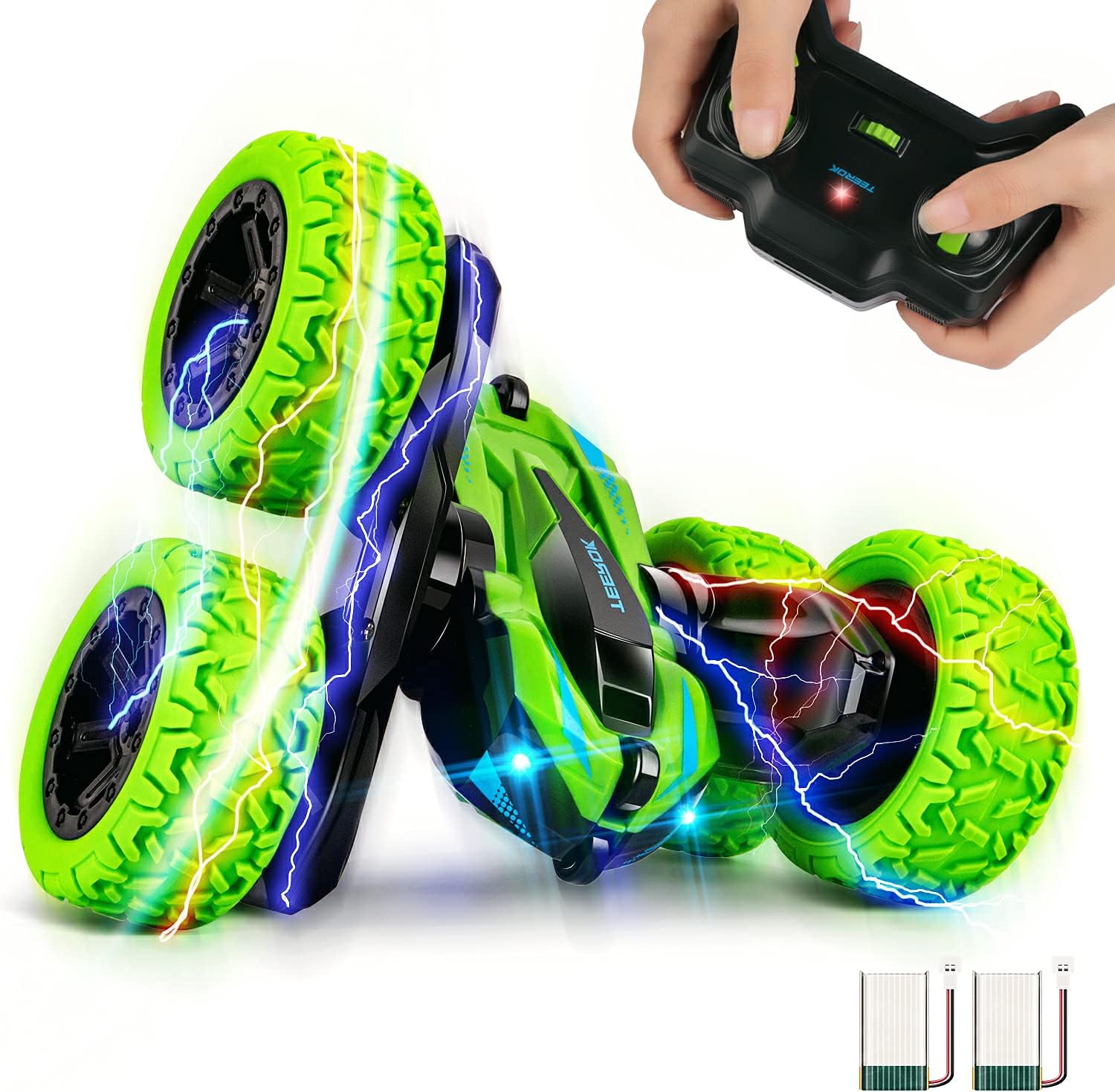
Image 3.1: Contents of the TEEROK TR10 RC Stunt Car package.
4. Setup
4.1. Battery Installation
Car Battery Installation:
- Use the included screwdriver to open the battery compartment on the underside of the car.
- Connect one rechargeable lithium-polymer battery to the car's battery connector.
- Carefully place the battery into the compartment and close the cover, securing it with the screw.
Remote Control Battery Installation:
- Open the battery compartment on the back of the remote control.
- Insert two 1.5V 'AA' batteries (not included) into the compartment, observing correct polarity (+/-).
- Close the battery compartment cover.
4.2. Charging the Car Battery
The TEEROK TR10 comes with two rechargeable batteries to extend playtime. Follow these steps to charge them:
- Connect the rechargeable battery to the USB charging cable.
- Plug the USB charging cable into a standard USB power adapter (e.g., computer USB port, wall charger, power bank).
- The indicator light on the USB cable will illuminate during charging. It will change color or turn off when charging is complete. Refer to the diagram below for indicator status.
- Charging typically takes approximately 60-90 minutes for a full charge.

Image 4.1: USB charging cable and battery indicator status.

Image 4.2: The TEEROK TR10 includes two rechargeable batteries for extended play.
5. Operating Instructions
5.1. Pairing the Remote Control
- Ensure both the car and remote control have fresh or fully charged batteries installed.
- Turn on the car using the power switch located on its underside. The car's LED lights will flash.
- Turn on the remote control using the ON/OFF switch. The remote's indicator light will flash.
- The remote control will automatically pair with the car. Once paired, the car's LED lights and the remote's indicator light will stop flashing and remain solid.
- If pairing fails, turn off both devices and repeat the steps.
5.2. Basic Controls
The 2.4GHz remote control provides precise command over the stunt car:

Image 5.1: Remote control layout and functions.
- Left Joystick: Controls forward and backward movement.
- Right Joystick: Controls turning left and right.
- ON/OFF Switch: Powers the remote control on or off.
- Show Button: Activates automatic stunt demonstrations.
5.3. Stunt Features
The TEEROK TR10 is designed for dynamic stunt performance:
- 360-Degree Rotation: Use the joysticks to perform continuous 360-degree spins.
- Double-Sided Driving: The car can flip over and continue driving on its other side, allowing for uninterrupted play even after collisions or falls.
- LED Lighting: The car features cool flashing LED lights, enhancing visibility and appeal, especially in low-light conditions.

Image 5.2: The car's 360-degree rotation feature.

Image 5.3: Double-sided running and 180-degree rolling drive.
5.4. Terrain Adaptability
The TEEROK TR10 is designed for versatile off-road performance:
- Its robust design and durable wheels allow it to operate on various surfaces including grass, sand, and asphalt.
- The flexible wheels provide excellent grip and shock absorption.

Image 5.4: The car's ability to adapt to different terrains.

Image 5.5: The car navigating challenging surfaces.

Image 5.6: Flexible and durable wheels for various terrains.
6. Maintenance
- Cleaning: Wipe the car with a soft, dry cloth after each use to remove dirt and dust. Do not use water or chemical cleaners.
- Battery Care: Always remove batteries from the car and remote control when not in use. Store batteries in a cool, dry place. Recharge batteries fully before storage if they will not be used for an extended period.
- Storage: Store the car and remote control in a dry environment, away from direct sunlight and extreme temperatures.
7. Troubleshooting
| Problem | Possible Cause | Solution |
|---|---|---|
| Car does not turn on. | Battery is not charged or incorrectly installed. | Ensure battery is fully charged and correctly connected. Check car's power switch. |
| Remote control does not respond. | Remote control batteries are low or incorrectly installed. | Replace remote control batteries, ensuring correct polarity. Check remote's power switch. |
| Car and remote do not pair. | Pairing sequence not followed correctly. | Turn off both devices, then turn on the car first, followed by the remote control. Ensure they are within range. |
| Short play time. | Battery not fully charged or old battery. | Ensure battery is fully charged. Use the second included battery. Consider replacing old batteries. |
| Car moves slowly or erratically. | Low battery in car or remote. Obstruction in wheels. | Charge car battery or replace remote batteries. Check wheels for debris. |
8. Specifications
- Brand: TEEROK
- Model: TR10
- Control Frequency: 2.4 GHz
- Dimensions (L x W x H): Approximately 12 x 12 x 23 cm
- Item Weight: Approximately 207 grams
- Material: Plastic
- Car Battery Type: Lithium-Polymer (Rechargeable)
- Remote Control Battery Type: 2 x 1.5V 'AA' batteries (not included)
- Recommended Age: Child (Specific age range may vary, adult supervision advised)
9. Warranty and Support
TEEROK products are manufactured to high-quality standards. For any questions, technical support, or warranty inquiries, please contact your retailer or the TEEROK customer service team through the contact information provided with your purchase. Please retain your proof of purchase for warranty claims.