
Hysure 1400ml
Hysure 1400ml Portable Electric Dehumidifier User Manual
Introduction
Welcome to your new Hysure 1400ml Portable Electric Dehumidifier. This manual provides important information for the safe and efficient operation of your appliance. Please read it thoroughly before use and retain it for future reference.
This dehumidifier is designed to effectively remove excess moisture from small spaces, contributing to a more comfortable and healthier environment by reducing humidity-related issues.

Image: The dehumidifier helps mitigate issues like musty odors, dust mites, water condensation, wet walls, and allergic reactions by reducing humidity.
Safety Instructions
To ensure safe operation, please adhere to the following safety guidelines:
- Read all instructions before using the appliance.
- Do not operate the dehumidifier if the power cord or plug is damaged.
- Ensure the appliance is placed on a stable, level surface.
- Do not block air inlets or outlets. Maintain at least 10 cm (4 inches) clearance around the unit for proper airflow.
- Do not immerse the unit, power cord, or plug in water or other liquids.
- This appliance is for indoor household use only.
- The optimal operating temperature range for this dehumidifier is 15°C to 40°C (59°F to 104°F). It will not function effectively below 5°C (41°F).
- Unplug the dehumidifier before cleaning or performing any maintenance.
- Keep out of reach of children.
Package Contents
Carefully unpack your dehumidifier and check that all items are present and in good condition:
- Hysure 1400ml Dehumidifier Unit
- Power Adapter
- Water Tank Lid
- User Manual

Image: Contents of the Hysure 1400ml Dehumidifier package, including the main unit, power adapter, and user manual.
Product Overview
The Hysure 1400ml Portable Electric Dehumidifier is designed to efficiently remove moisture from small spaces. It operates quietly and features a visible water tank with LED lighting.

Image: Internal structure of the dehumidifier, illustrating air flow for moisture removal.
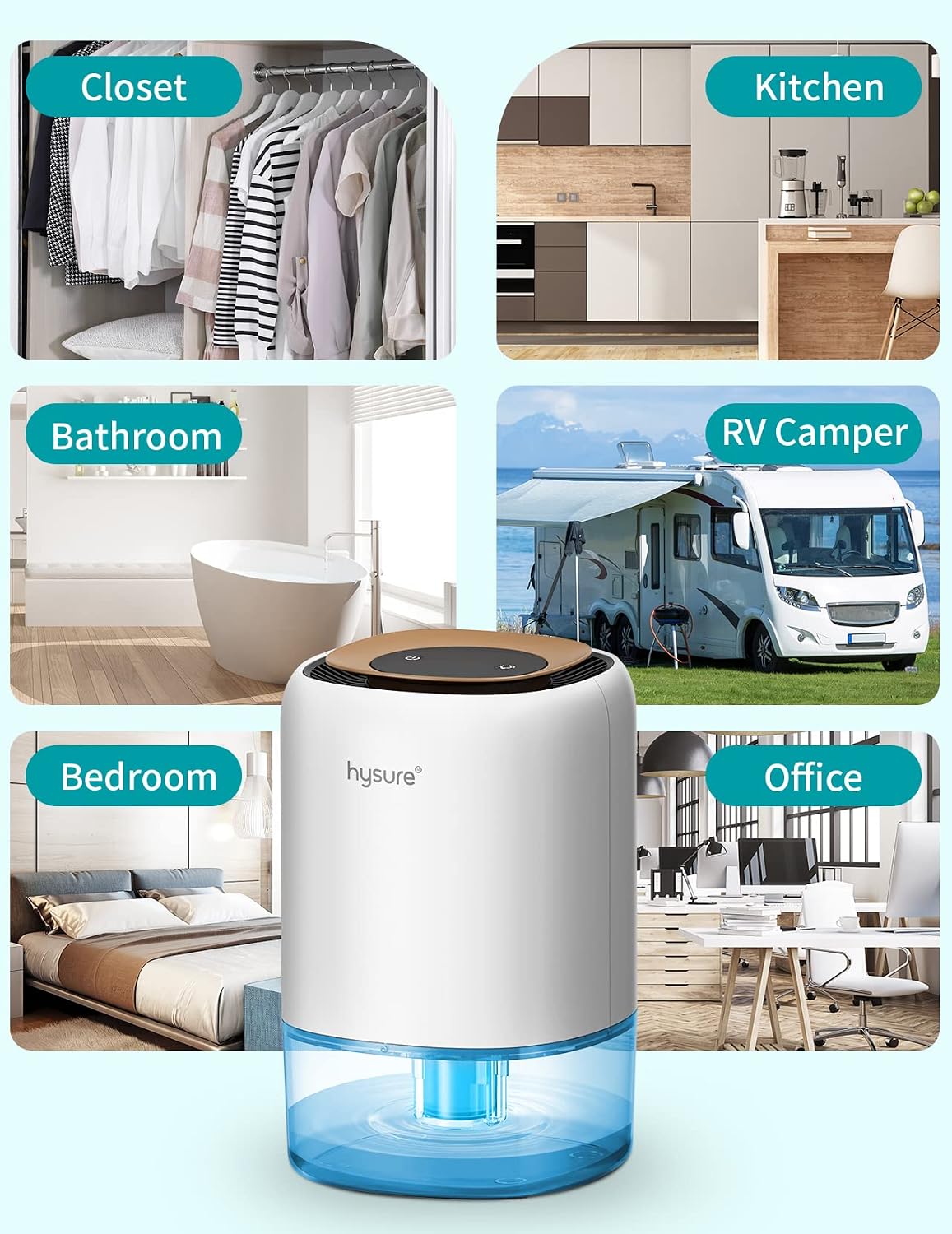
Image: The Hysure dehumidifier is suitable for various small spaces such as closets, kitchens, bathrooms, RV campers, bedrooms, and offices.
Setup
Follow these steps to set up your dehumidifier:
- Place the dehumidifier on a flat, stable surface in the desired location. Ensure there is at least 10 cm (4 inches) of space around the unit for proper airflow.
- Connect the power adapter to the dehumidifier's power input port.
- Plug the power adapter into a suitable electrical outlet.

Image: The dehumidifier positioned on a surface, ready for operation.
Operating Instructions
Power On/Off
Press the power button located on the top of the unit to turn the dehumidifier on or off.
LED Night Light Function
The dehumidifier features 7 colorful LED lights. When the unit is powered on, the lights will cycle through the available colors automatically.
To turn off the lights separately, press the light button on the top panel. Press again to cycle through colors or turn them back on.

Image: The dehumidifier displaying its colorful night light feature, which can be turned off independently.
Automatic Shut-Off and Indicator
The dehumidifier is equipped with an automatic shut-off function. When the 1400ml water tank is full, the unit will automatically turn off, and a yellow light will flash to indicate that the tank needs to be emptied.

Image: The dehumidifier with a flashing yellow light, signaling the water tank is full and the unit has automatically shut off.
Maintenance
Emptying the Water Tank
To empty the collected water from the tank:
- Turn off the dehumidifier and unplug it from the power outlet.
- Gently lift the main body of the dehumidifier from the water tank.
- Open the water tank cover.
- Carefully pour out the collected water.
- Replace the water tank cover and reattach the main body to the tank, ensuring it is securely seated.
- Plug the dehumidifier back in and turn it on.

Image: Step-by-step guide for emptying the 1400ml water tank.
Cleaning
Wipe the exterior of the dehumidifier with a soft, damp cloth. Do not use abrasive cleaners or solvents.
Periodically clean the air inlet and outlet grilles to ensure optimal airflow. Use a soft brush or vacuum cleaner to remove dust.
Troubleshooting
If you encounter any issues with your dehumidifier, please refer to the table below for common problems and solutions:
| Problem | Possible Cause | Solution |
|---|---|---|
| Dehumidifier does not turn on. | Not plugged in; Power outage; Water tank full. | Ensure power cord is securely plugged in; Check power supply; Empty water tank. |
| No water collected. | Low ambient humidity; Room temperature too low; Air inlets/outlets blocked. | Ensure humidity is above 60% RH; Operate in temperatures between 15-40°C; Clear any obstructions. |
| Unit is noisy. | Unit not on a level surface; Obstruction in fan. | Place on a flat, stable surface; Check for and remove any obstructions. |
Specifications
Detailed specifications for the Hysure 1400ml Portable Electric Dehumidifier:
| Feature | Detail |
|---|---|
| Brand | Hysure |
| Model Name | 1400ml |
| Color | White |
| Dimensions (L x W x H) | 15 x 15 x 24 cm (5.9 x 5.9 x 9.4 inches) |
| Weight | 1.39 kg (3.06 lbs) |
| Water Tank Capacity | 1400 Milliliters |
| Dehumidification Capacity | Up to 350 ml/day (at 30°C, 80% RH) |
| Power | 36 Watts |
| Material | High-strength solid ABS |
| Noise Level | 30 Decibels |
| Special Features | Automatic Shut-off, 7-Color LED Lights |
| Recommended Use | Domestic (Bathroom, Closet, RV, Bedroom, Office) |
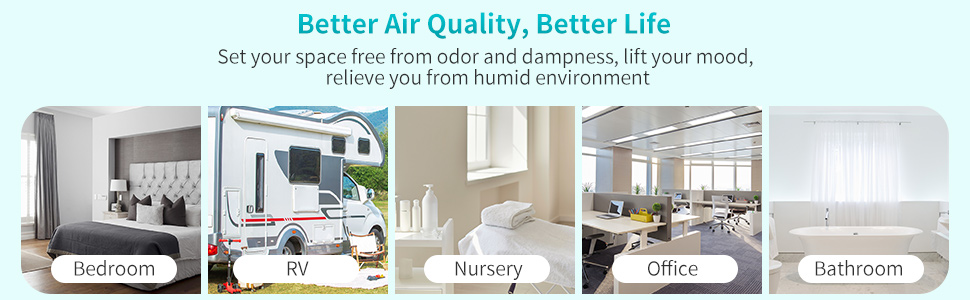
Image: Overview of key features and specifications of the Hysure dehumidifier.

Image: Dimensions of the Hysure 1400ml dehumidifier.
Warranty and Support
Information regarding warranty coverage and customer support is typically provided with your purchase documentation. Please refer to the warranty card or contact the retailer for specific details.
For further assistance or inquiries, please contact Hysure customer service through the contact information provided with your product or on the official Hysure website.
Ask a question about this manual
Ask about setup, troubleshooting, compatibility, parts, safety, or missing instructions. Manuals+ will review the question and use this page’s manual context to help answer it.