
1. Introduction
Thank you for purchasing the Lasika Digital Sports Watch. This manual provides detailed instructions for setting up, operating, and maintaining your watch. Please read this manual carefully to ensure proper use and to maximize the lifespan of your product.
This watch features a digital display for time, date, and day, along with an alarm, stopwatch, and backlight function. It is designed for daily use and sports activities, but please note it is not water resistant.
2. Product Overview
Familiarize yourself with the watch's buttons and display.
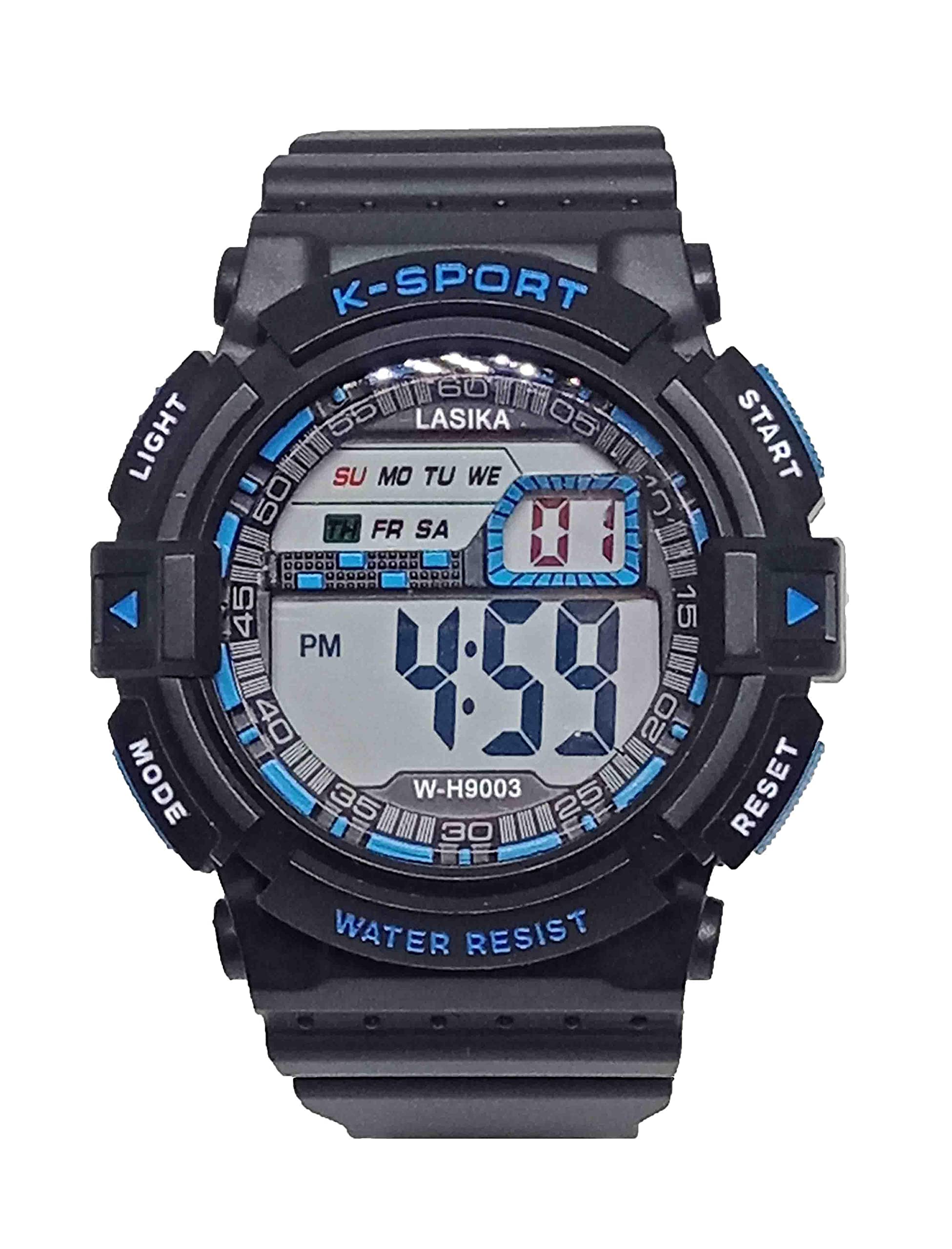
Image 1: Front view of the Lasika Digital Sports Watch. The watch features a black case and strap with blue accents around the digital display. Buttons are labeled "LIGHT", "MODE", "START", and "RESET". The display shows time, day, and date.
- LIGHT Button: Activates the backlight.
- MODE Button: Cycles through different modes (Time, Alarm, Stopwatch).
- START Button: Used to start/stop stopwatch, adjust settings.
- RESET Button: Used to reset stopwatch, adjust settings.
3. Setup Instructions
3.1 Setting Time and Date
- From the normal time display, press the MODE button three times to enter time setting mode. The seconds will flash.
- Press the RESET button to select the hour, minute, month, date, or day of the week. The selected item will flash.
- Press the START button to adjust the flashing number.
- Once all settings are correct, press the MODE button to return to normal time display.
3.2 Setting the Alarm
- From the normal time display, press the MODE button twice to enter alarm setting mode. The hour will flash.
- Press the RESET button to select the hour or minute.
- Press the START button to adjust the flashing number.
- Press the MODE button to confirm and exit alarm setting mode.
- To turn the alarm ON/OFF, press the START button while in alarm mode. An alarm icon will appear/disappear on the display.
4. Operating Instructions
4.1 Using the Stopwatch
- From the normal time display, press the MODE button once to enter stopwatch mode.
- Press the START button to begin timing.
- Press the START button again to pause timing.
- Press the RESET button to clear the stopwatch to zero.
- Press the MODE button to return to normal time display.
4.2 Activating the Backlight
Press the LIGHT button at any time to illuminate the display for a few seconds.
5. Maintenance
- Cleaning: Wipe the watch with a soft, dry cloth. For stubborn dirt, use a slightly damp cloth and then dry thoroughly. Avoid harsh chemicals or abrasive cleaners.
- Water Exposure: This watch is not water resistant. Avoid contact with water, including rain, showers, swimming, or submersion. Exposure to water can damage the internal components.
- Temperature: Avoid exposing the watch to extreme temperatures (hot or cold) or sudden temperature changes, as this can affect accuracy and battery life.
- Impact: Protect the watch from strong impacts or drops.
- Battery Replacement: When the display becomes dim or functions irregularly, the battery may need replacement. This should be done by a qualified technician to avoid damaging the watch.

Image 2: Back view of the Lasika Digital Sports Watch, showing the stainless steel case back. This area typically houses the battery compartment.
6. Troubleshooting
| Problem | Possible Cause | Solution |
|---|---|---|
| Display is blank or dim. | Low battery. | Replace the battery. |
| Time is incorrect. | Time not set correctly or accidental button press. | Refer to Section 3.1 "Setting Time and Date" to reset the time. |
| Alarm does not sound. | Alarm is turned off or set incorrectly. | Refer to Section 3.2 "Setting the Alarm" to ensure the alarm is set and activated. |
| Watch stops working after contact with water. | Water damage (watch is not water resistant). | Discontinue use. Water damage is typically irreversible. |
7. Specifications
- Brand: Lasika
- Model: 2724984272632.0
- Display Type: Digital
- Movement: Quartz
- Power Source: Battery operated
- Case Material: Stainless Steel
- Band Material: Rubber and Synthetic Leather
- Clasp Type: Buckle (Hidden push-button clasp)
- Case Diameter: 40 mm
- Band Width: 4 cm
- Band Length: 15 cm
- Water Resistance Level: Not Water Resistant
- Features: Time, Date, Day, Alarm, Stopwatch, Backlight
8. Warranty and Support
For warranty information or technical support, please refer to the documentation provided at the time of purchase or contact your retailer. Keep your purchase receipt as proof of purchase.
Please note that damage caused by improper use, accidents, or unauthorized repairs may void your warranty. As specified, this watch is not water resistant; water damage is not covered under warranty.