
Introduction
Thank you for choosing the ENONEO RFID Blocking Leather Crossbody Phone Bag with Wallet. This manual provides essential information for the proper setup, operation, and maintenance of your new bag. Please read these instructions carefully to ensure optimal use and longevity of your product.
Product Features
This versatile bag is designed for convenience and security, featuring:
- RFID Blocking: Protects your credit cards and ID from unauthorized scanning.
- Multiple Compartments: Includes a dedicated phone pocket, 12 card slots, cash pockets, and a zippered coin pocket.
- Durable Material: Crafted from high-quality leather with an oil wax coating for enhanced wear resistance and a premium feel.
- Versatile Carrying: Comes with an adjustable shoulder strap and a detachable wrist strap.

Image: Detailed view of the bag highlighting the shoulder strap, metal zipper, magnetic button closure, and decorative leaf design.
Setup
- Unpacking: Carefully remove the bag from its packaging. Inspect for any signs of damage.
- Attaching Straps: Decide on your preferred carrying method. Attach the adjustable shoulder strap for crossbody or shoulder wear, or the wrist strap for a clutch style. Both straps attach via metal clasps.
- Initial Organization: Before first use, organize your essentials. Place your phone in the dedicated front pocket, cards in the card slots, and cash/coins in the zippered wallet section.
Operating Instructions
1. Using the Phone Compartment
- The front pocket is designed to hold your mobile phone. Lift the magnetic flap to open.
- Insert your phone. This compartment is compatible with devices up to 7.2 inches.
- Close the flap, ensuring the magnetic button secures properly.

Image: Demonstrating phone placement in the dedicated compartment, showing compatible dimensions.
2. Accessing the Wallet Section
- The main section of the bag functions as a wallet. Unzip the main zipper to open.
- Inside, you will find 12 card slots for your credit cards, ID, and loyalty cards.
- There are also dedicated pockets for banknotes and a zippered coin pocket for loose change.

Image: Internal view of the wallet section, illustrating card slots, cash compartments, and the coin pocket, along with the RFID blocking feature.
3. RFID Blocking Feature
- The entire wallet section is lined with RFID blocking material.
- This feature helps prevent unauthorized scanning of your credit cards, debit cards, ID cards, and driver's license, protecting your personal data.
4. Carrying Options
- Crossbody/Shoulder Bag: Use the adjustable shoulder strap for hands-free carrying. Adjust the strap length for comfort.
- Wristlet/Clutch: Attach the wrist strap for a compact, easy-to-carry option.
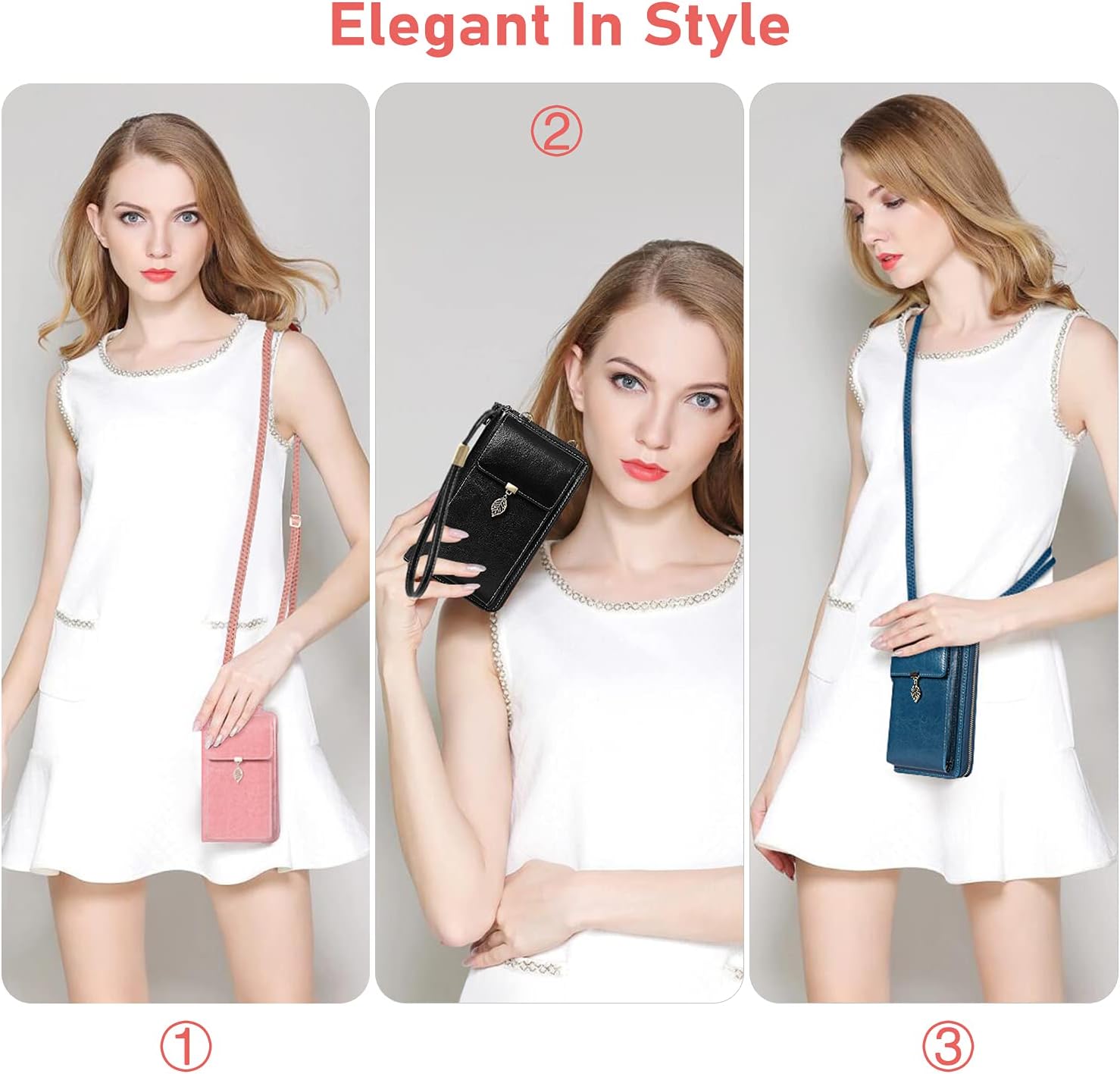
Image: Examples of wearing the bag as a crossbody, clutch, and shoulder bag.
Maintenance
Proper care will extend the life and maintain the appearance of your leather bag:
- Cleaning: Gently wipe the leather surface with a soft, slightly damp cloth to remove dust and dirt. Avoid abrasive cleaners.
- Conditioning: Periodically apply a high-quality leather waterproofing and nourishing product. This helps maintain the leather's suppleness and protects it from moisture.
- Storage: Store the bag in a cool, dry place away from direct sunlight and extreme temperatures. Keep it away from sharp objects, excessive oil, and harsh chemicals to prevent damage.
- Avoid Moisture: While the oil wax coating offers some protection, avoid prolonged exposure to heavy rain or submerging the bag in water.
Troubleshooting
- Phone Does Not Fit: Ensure your phone's dimensions are within the maximum compatible size of 7.2 inches. Remove any bulky phone cases if necessary, as these can add significant size.
- Zipper Stiffness: If the main zipper becomes stiff or difficult to operate, apply a small amount of zipper lubricant or wax to the zipper teeth. Open and close the zipper several times to distribute the lubricant.
- Magnetic Flap Not Closing Securely: Check for any obstructions between the flap and the main body of the bag. Ensure the flap is properly aligned with the magnetic button for a secure closure.
Specifications
| Feature | Detail |
|---|---|
| Model Number | L82 |
| Dimensions (L x W x H) | 4.5 x 11.5 x 4.5 cm |
| Weight | 450 grams |
| Material | Outer: Leather, Inner: Leather, Lining: Faux Leather |
| Color | Rose |
| Maximum Compatible Device Size | 7.2 inches |
| Number of Compartments | 6 |
| Number of Card Pockets | 12 |
| Number of Pockets (general) | 1 (Coin Pocket) |
| Strap Length (Adjustable Shoulder) | 63 cm |
| Strap Length (Wrist) | 25 cm |
| Closure Type | Magnetic Flap (phone pocket), Zipper (wallet) |
| Special Features | RFID Blocking |

Image: Detailed dimensions of the bag and its straps.
Warranty and Support
For any questions, concerns, or support regarding your ENONEO RFID Blocking Leather Crossbody Phone Bag, please contact ENONEO customer service. Refer to your purchase documentation for specific warranty details and contact information.