
Introduction
Thank you for choosing the Cellularline CORE True Wireless Bluetooth Earphones. These earphones are designed to provide a seamless audio experience with advanced features such as a charging case with an LED display, touch controls, and automatic pairing. This manual will guide you through the setup, operation, and maintenance of your new earphones.
What's in the Box
- Cellularline CORE True Wireless Bluetooth Earphones (Left and Right)
- Charging Case with LED Display
- USB-C Charging Cable
- User Manual
Product Overview
The Cellularline CORE earphones feature a compact design and a charging case with an integrated LED display to show the remaining battery percentage. They offer up to 16 hours of total play time with the charging case.

Image: Cellularline CORE True Wireless Bluetooth Earphones and Charging Case. The earphones are white and sit in an open white charging case.

Image: A close-up of the Cellularline CORE charging case with an LED display showing '100', indicating full battery. The earphones are inside the case.
The LED display on the charging case provides real-time battery status, ensuring you are always aware of the remaining charge.
Setup
1. Charging the Earphones and Case
- Place both earphones into the charging case. Ensure they are correctly seated in their respective slots.
- Connect the provided USB-C cable to the charging port on the case and plug the other end into a USB power adapter (not included) or a computer's USB port.
- The LED display on the charging case will show the current battery percentage during charging. A full charge typically takes approximately 4 hours for the case and earphones.
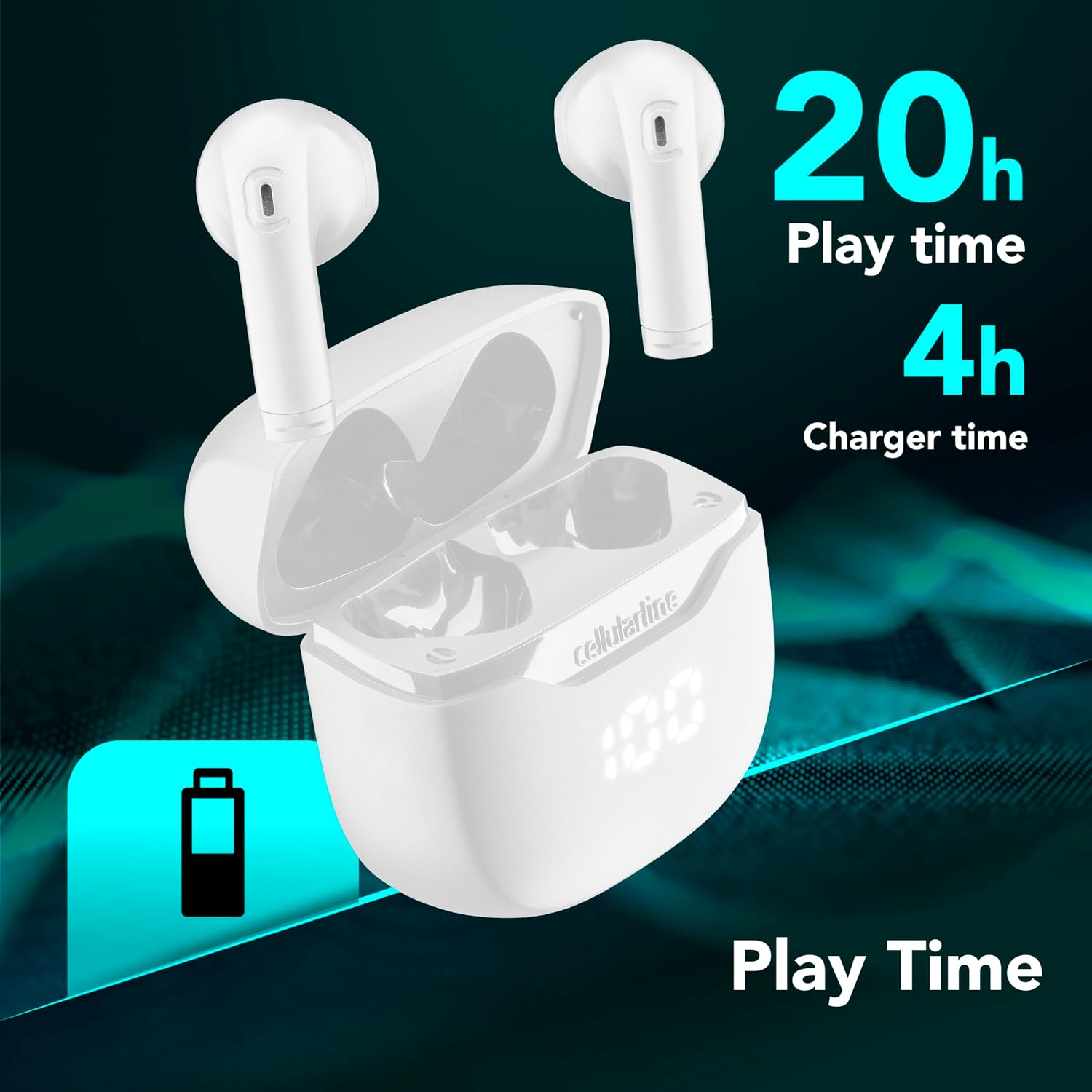
Image: The Cellularline CORE earphones and charging case, highlighting 20 hours of total play time and 4 hours of charging time for the case.
2. Initial Pairing (Autopairing)
- Ensure the earphones are charged.
- Open the charging case. The earphones will automatically power on and enter pairing mode.
- On your smartphone or Bluetooth-enabled device, go to the Bluetooth settings.
- Search for available devices and select "Cellularline CORE" from the list.
- Once connected, you will hear an audible confirmation, and the earphones are ready for use.

Image: Cellularline CORE earphones and charging case next to a smartphone displaying a music application, with a Bluetooth icon indicating successful pairing.
The Autopairing function ensures that once paired, the earphones will automatically connect to your last paired device when removed from the case.
Operating Instructions
Touch Controls
The Cellularline CORE earphones feature intuitive touch controls on each earbud for managing calls, music, and voice assistant functions.
| Function | Action |
|---|---|
| Play/Pause Music | Single tap on either earbud |
| Next Track | Double tap on the right earbud |
| Previous Track | Double tap on the left earbud |
| Answer/End Call | Single tap on either earbud |
| Reject Call | Press and hold either earbud for 2 seconds |
| Activate Voice Assistant | Triple tap on either earbud |
| Volume Up | Press and hold the right earbud |
| Volume Down | Press and hold the left earbud |
Double Master Function
The Double Master function allows you to use either the left or right earbud independently for calls. Simply remove one earbud from the case, and it will automatically connect. You can answer calls by tapping the active earbud.
Maintenance
Cleaning
- Regularly clean the earphones and charging case with a soft, dry, lint-free cloth.
- Do not use abrasive cleaners, solvents, or aerosol sprays.
- Ensure charging contacts on both the earphones and the case are clean and free of debris to maintain proper charging.
Storage
- When not in use, store the earphones in their charging case to protect them and keep them charged.
- Store the device in a cool, dry place, away from extreme temperatures and direct sunlight.

Image: A hand placing the compact Cellularline CORE charging case into the pocket of a pair of jeans, demonstrating its portable size.
Troubleshooting
| Problem | Possible Solution |
|---|---|
| Earphones do not turn on. | Ensure the earphones and charging case are fully charged. Place earphones in the case and close it, then open it again. |
| Earphones do not pair with device. | Make sure Bluetooth is enabled on your device. Forget the device in your Bluetooth settings and try pairing again. Ensure earphones are in pairing mode (LED indicator blinking). |
| Only one earphone is working. | Place both earphones back into the charging case, close the lid, wait a few seconds, then open it again. This should re-sync them. If the issue persists, try resetting the earphones (refer to manufacturer's website for specific reset instructions if not in manual). |
| Low volume or poor sound quality. | Adjust the volume on both your device and the earphones. Ensure the earphones are clean and properly seated in your ears. Check for any obstructions in the earbud speakers. |
| Charging case LED display is not working. | Ensure the charging cable is securely connected and the power source is active. If the issue persists, contact customer support. |
Specifications
- Model Name: BTCORETWSW
- Brand: cellularline
- Color: White
- Ear Placement: In-ear
- Form Factor: In-ear
- Connectivity Technology: Wireless
- Wireless Technology: Bluetooth
- Bluetooth Version: 5.0
- Impedance: 16 Ohm
- Noise Control: Sound Isolation
- Frequency Response: 20 Hz - 20,000 Hz
- Sensitivity: 100 dB
- Control Type: Touch
- Driver Type: Dynamic Driver
- Material: Plastic
- Average Battery Life: 16 Hours (with charging case)
- Water Resistance Level: Waterproof (Note: Refer to product packaging for specific IP rating if available)
- Features: True Wireless Technology, Automatic Pairing, Touch Controls, LED Display
- Compatible Devices: Bluetooth-enabled devices
- Country of Origin: China
Warranty Information
The Cellularline CORE True Wireless Bluetooth Earphones come with a 2-year manufacturer's warranty from the date of purchase. This warranty covers defects in materials and workmanship under normal use. It does not cover damage caused by misuse, accidents, unauthorized modifications, or normal wear and tear.
Please retain your proof of purchase for warranty claims. For detailed warranty terms and conditions, please visit the official Cellularline website or contact customer support.
Support
For further assistance, technical support, or warranty inquiries, please contact Cellularline customer service through their official website:
Website: www.cellularline.com
You may also find FAQs and additional support resources on their website.


