
1. Product Overview
The Amig Sliding Door Handle, Model 3040, is designed for use with passage, swing, or sliding doors. Constructed from aluminum, this handle offers resistance to rust and corrosion, ensuring durability and a long service life. Its rectangular design and ergonomic grip provide both a modern aesthetic and comfortable use. This handle is suitable for both interior and exterior applications.

Figure 1: Front view of the Amig White Aluminum Sliding Door Handle.
2. Key Features
- Durable Construction: Made from aluminum, providing resistance to rust and corrosion.
- Modern Design: Features a straight-line design and square plate for a contemporary look.
- Ergonomic Grip: Designed for comfortable and secure handling.
- Versatile Application: Compatible with various interior and exterior doors, including sliding and swing types.
- Dimensions: Measures 198 x 25 x 40 mm.
3. Specifications
| Specification | Detail |
|---|---|
| Brand | Amig |
| Model Number | 3040 |
| Material | Aluminum |
| Color | White |
| Product Dimensions (L x W) | 198 x 40 mm (7.8"L x 1.57"W) |
| Item Depth | 40 mm |
| Item Weight | 0.14 Kilograms (4.9 ounces) |
| Lock Type | No lock |
| Hand Orientation | Ambidextrous |
4. Installation Instructions
This section provides step-by-step instructions for installing your Amig Sliding Door Handle. Ensure you have the necessary tools before beginning.
4.1 Tools Required
- Screwdriver (appropriate for your chosen screws)
- Mounting screws (not included with the handle)
- Measuring tape or ruler
- Pencil or marker
4.2 Step-by-Step Installation
- Prepare the Door Surface: Ensure the door surface where the handle will be mounted is clean, dry, and free of debris.
- Position the Handle: Place the handle on the desired location on your door. Use a measuring tape to ensure it is level and at a comfortable height.
- Mark Mounting Points: Using a pencil or marker, carefully mark the positions for the mounting screws through the pre-drilled holes on the handle's base plate.
- Drill Pilot Holes (Optional but Recommended): For wood doors, it is recommended to drill small pilot holes at the marked points to prevent wood splitting and ensure easier screw insertion. Ensure the drill bit size is smaller than the screw diameter.
- Attach the Handle: Align the handle with the marked or drilled holes. Insert your chosen mounting screws into the holes and tighten them with a screwdriver. Do not overtighten, as this can damage the handle or the door surface.
- Test the Installation: Once secured, gently pull and push the handle to ensure it is firmly attached and functions correctly.
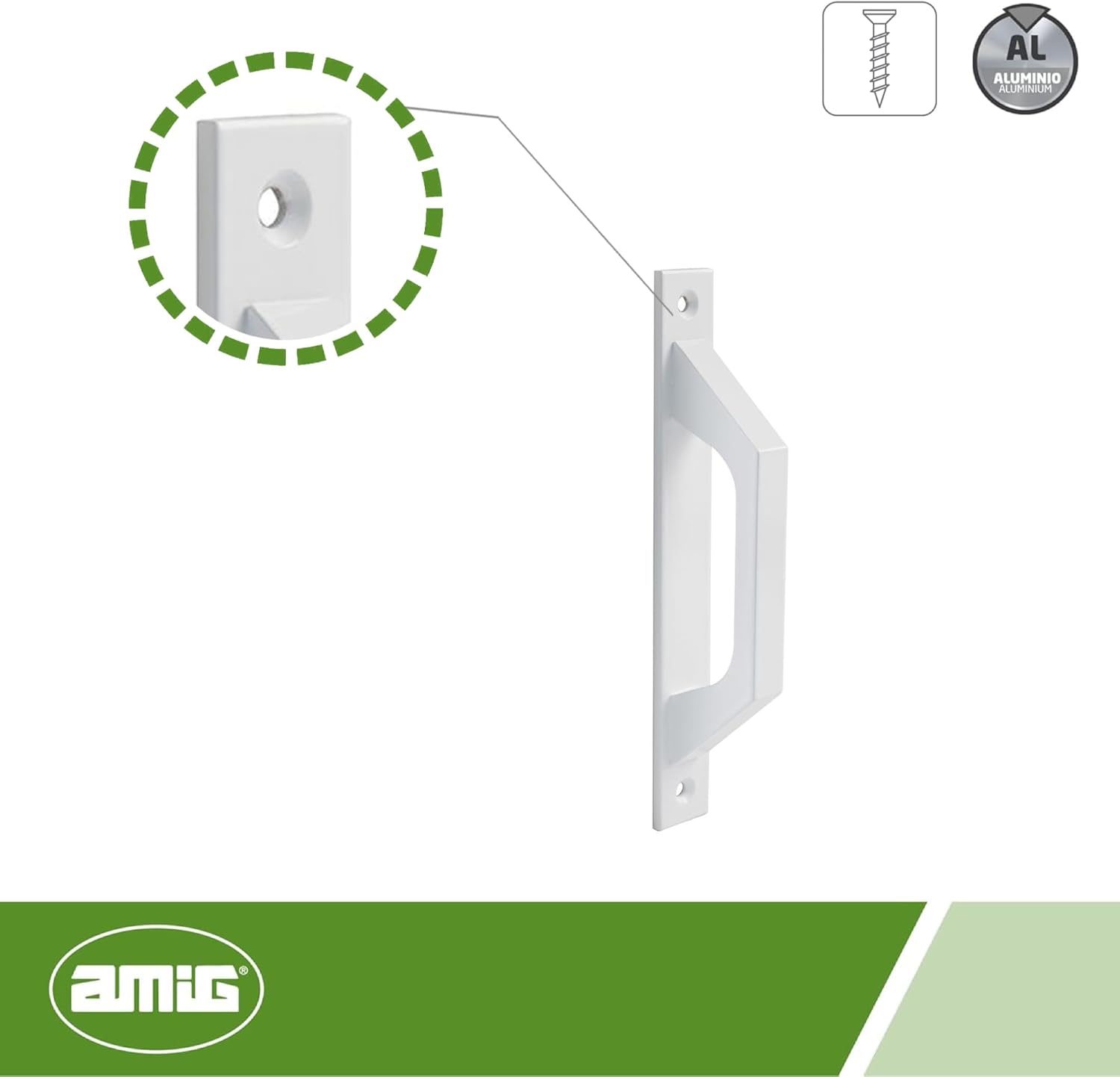
Figure 2: Technical diagram showing handle dimensions and screw hole locations.

Figure 3: Example of the handle installed on a sliding door.
5. Operation
The Amig Sliding Door Handle is designed for simple and direct operation. To open or close your door, grasp the handle firmly and apply the necessary force to move the door along its track or swing it open/closed. The ergonomic design ensures a comfortable grip during use.
6. Maintenance
To maintain the appearance and functionality of your Amig Sliding Door Handle, follow these simple guidelines:
- Cleaning: Wipe the handle regularly with a soft, damp cloth. For stubborn dirt, a mild soap solution can be used. Avoid abrasive cleaners, harsh chemicals, or scouring pads, as these can damage the finish.
- Inspection: Periodically check the mounting screws to ensure they remain tight. If any screws become loose, gently tighten them to prevent wobbling or detachment.
- Avoid Impact: Protect the handle from strong impacts or heavy loads, which could cause structural damage or deformities.
7. Troubleshooting
If you encounter any issues with your Amig Sliding Door Handle, refer to the following common problems and solutions:
- Handle Feels Loose:
Solution: Check the mounting screws. If they are loose, tighten them carefully with a screwdriver. Avoid overtightening. - Difficulty Moving Door:
Solution: This issue is typically related to the door's track or rollers, not the handle itself. Inspect the door track for obstructions or damage, and ensure rollers are clean and functioning. - Scratches or Finish Damage:
Solution: Minor scratches may be touched up with appropriate paint if desired. To prevent future damage, avoid contact with sharp objects or abrasive materials.
8. Warranty and Support
Amig products are manufactured to high-quality standards. For information regarding product warranty, please refer to the terms and conditions provided at the point of purchase or visit the official Amig website. For technical support or further assistance, please contact Amig customer service through their official channels.