
1. Safety Instructions
Please read these safety instructions carefully before installing or using the appliance. Keep this manual for future reference.
- Electrical Safety: Ensure the power supply matches the rating label. Do not use extension cords. Disconnect power before cleaning or maintenance.
- Installation: Install the range hood according to the provided diagrams and ensure adequate ventilation. Maintain a safe distance between the hob and the hood.
- Operation: Do not flambé under the range hood. Ensure proper ventilation when operating gas appliances simultaneously.
- Cleaning & Maintenance: Clean grease filters regularly to prevent fire hazards. Do not use abrasive cleaners.
- Children: This appliance is not intended for use by persons (including children) with reduced physical, sensory or mental capabilities, or lack of experience and knowledge, unless they have been given supervision or instruction.
2. Product Overview
The Klarstein Island Range Hood is designed to efficiently remove smoke, odors, and grease from your kitchen. It features a powerful motor, multiple speed settings, LED lighting, and smart app control for convenient operation.

Figure 2.1: Front view of the Klarstein Island Range Hood.
Key Features:
- Powerful Airflow: Up to 595 m³/h to effectively clear kitchen air.
- Multiple Power Levels: 3 adjustable fan speeds for different cooking needs.
- LED Lighting: Integrated LED lights illuminate your cooking area.
- Timer Function: Automatic shut-off timer for convenience.
- Smart App Control: Manage settings via the Klarstein app on Android and iOS devices.
- Effective Filtration: Includes aluminum grease filters and active carbon filters for recirculation mode.

Figure 2.2: Overview of key features including airflow, speed settings, LED lighting, and smart control.
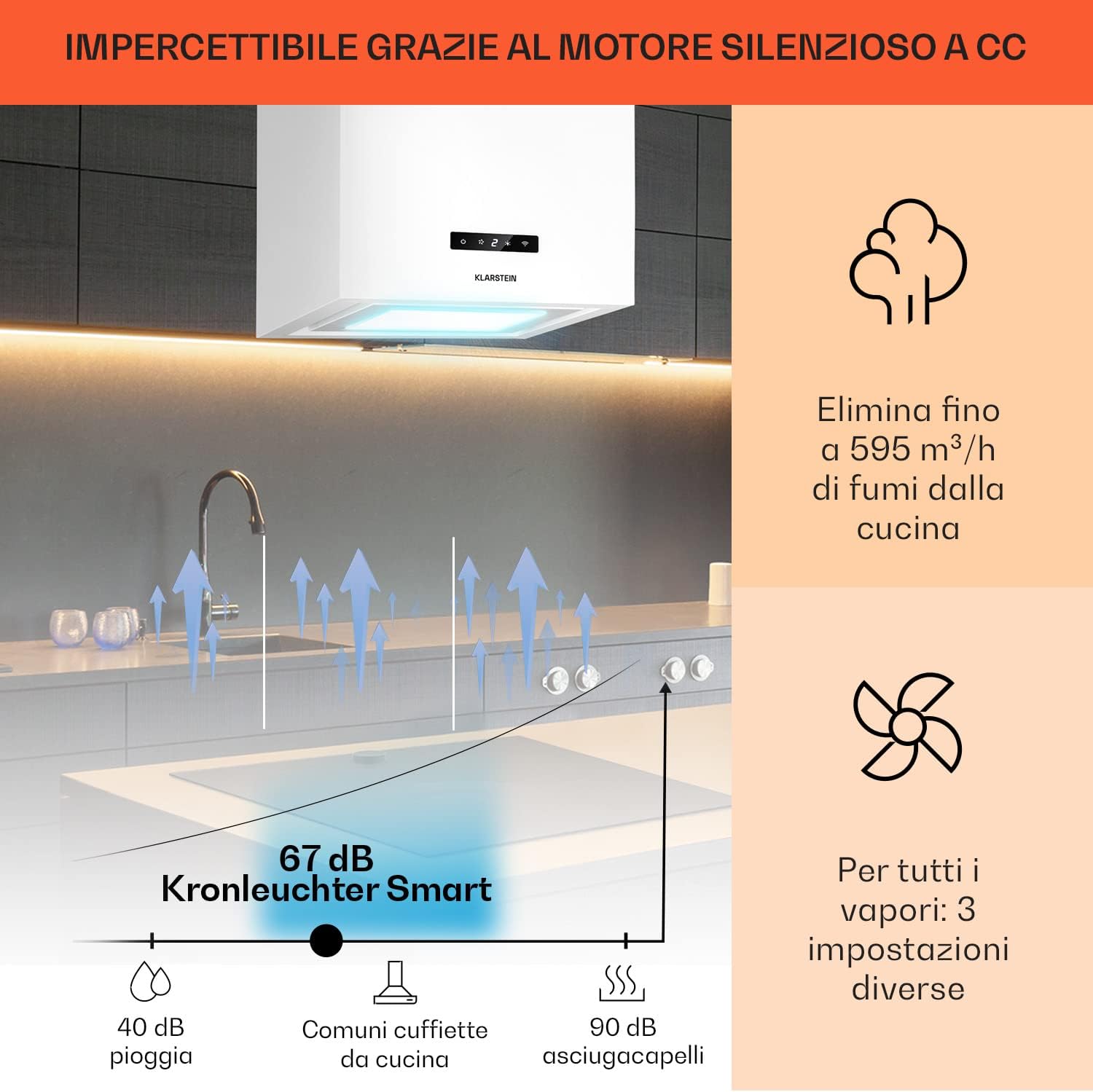
Figure 2.3: Illustration of the hood's quiet operation and powerful extraction capacity.
3. Installation
The Klarstein Island Range Hood is designed for ceiling mounting above a cooking island. All necessary accessories for installation are included.
3.1. Mounting the Hood
- Carefully unpack the range hood and all components.
- Determine the optimal mounting position on the ceiling, ensuring it is centered above your cooking area and maintains the recommended distance from the hob.
- Secure the ceiling mounting plate using appropriate fasteners for your ceiling type.
- Attach the suspension cables and the main body of the hood to the mounting plate, adjusting the height as needed.
- Connect the electrical wiring according to local regulations and the wiring diagram in the full manual.
- Install the exhaust ducting (if using extraction mode) or the active carbon filters (if using recirculation mode).

Figure 3.1: Installation diagram showing dimensions (40 cm width, 44.5 cm height, 40 cm depth) and filter components.
The hood dimensions are approximately 40 cm (width) x 44.5 cm (height) x 40 cm (depth).
4. Smart App Setup & Connection
Control your Klarstein Island Range Hood conveniently from your smartphone using the Klarstein app. Follow these steps to connect your device:
4.1. Download the Klarstein App
Search for "Klarstein" in the Google Play Store (for Android) or Apple App Store (for iOS) and download the official Klarstein app.
Video 4.1: Guide to downloading the Klarstein app and connecting your device. This video demonstrates the step-by-step process of setting up the smart app control, including account creation, device selection, and Wi-Fi connection.
4.2. Account Creation and Device Selection
- Open the Klarstein app and create a new account or log in with your existing credentials.
- Navigate to the "Add Device" section within the app.
- Select your specific Klarstein Island Range Hood model from the list of available devices.
4.3. Connecting to Wi-Fi
- Ensure your Wi-Fi network is operating on the 2.4 GHz frequency band. The app supports only 2.4 GHz Wi-Fi.
- Put your range hood into pairing mode. This is typically done by pressing and holding the Wi-Fi button on the control panel for 5 seconds until the Wi-Fi LED indicator flashes rapidly (twice per second).
- Follow the on-screen instructions in the app to enter your Wi-Fi password and complete the connection process.
- For optimal connection, position your Wi-Fi router, smartphone, and the range hood as close as possible during the setup.
5. Operation
Your Klarstein Island Range Hood can be operated via its touch control panel or through the Klarstein smart app.
5.1. Touch Control Panel

Figure 5.1: Close-up of the touch control panel and LED lighting options.
- Power Button: Press to turn the hood on or off.
- Fan Speed: Use the speed buttons to cycle through 3 power levels (low, medium, high) to adjust extraction power.
- Light Button: Press to turn the LED lighting on or off. Some models may offer adjustable light colors or intensity.
- Timer Button: Activate the automatic shut-off timer. Press repeatedly to select the desired duration.
- Wi-Fi Button: Used for initiating the smart app connection process (refer to Section 4.3).
5.2. Smart App Control
Once connected to the Klarstein app, you can control all functions of your range hood remotely:
- On/Off: Power the hood on or off.
- Fan Speed Adjustment: Select from the 3 available fan speeds.
- Lighting Control: Turn lights on/off and adjust settings if applicable.
- Timer Settings: Set or modify the automatic shut-off timer.
- Scheduling: Program the hood to operate at specific times.
6. Maintenance
Regular maintenance ensures optimal performance and longevity of your range hood.
6.1. Cleaning the Exterior
- Wipe the stainless steel surfaces with a soft cloth and a mild, non-abrasive cleaning agent.
- Do not use harsh chemicals, abrasive pads, or steel wool, as these can damage the finish.
- Ensure the hood is switched off and disconnected from power before cleaning.
6.2. Cleaning and Replacing Grease Filters
The aluminum grease filters should be cleaned regularly (e.g., monthly, depending on usage) to maintain extraction efficiency and prevent grease buildup.
- Remove the grease filters by releasing their latches.
- The filters can be washed by hand with hot soapy water or placed in a dishwasher.
- Allow filters to dry completely before re-installing them.

Figure 6.1: Illustration of the multi-layer aluminum filter, which is easy to clean.
6.3. Replacing Active Carbon Filters (Recirculation Mode)
If your hood is operating in recirculation mode, the active carbon filters remove odors from the air. These filters cannot be cleaned and must be replaced approximately once a year, or more frequently depending on usage.
- Remove the grease filters to access the active carbon filters.
- Twist or unclip the old carbon filters and replace them with new ones.
- Ensure the new filters are securely in place before re-installing the grease filters.
7. Troubleshooting
If you encounter issues with your range hood, refer to the following common problems and solutions:
| Problem | Possible Cause | Solution |
|---|---|---|
| Hood does not turn on. | No power supply; power cord disconnected; fuse blown. | Check power connection; ensure power cord is securely plugged in; check household fuse/circuit breaker. |
| Low suction power. | Grease filters are dirty; active carbon filters are saturated; fan speed too low; obstruction in ducting. | Clean grease filters; replace active carbon filters; increase fan speed; check for and remove any obstructions. |
| Unusual noise during operation. | Loose components; fan impeller damaged; improper installation. | Check for and tighten any loose parts; contact customer support if fan is damaged; verify installation. |
| Smart app connection issues. | Incorrect Wi-Fi password; 5 GHz Wi-Fi network used; device not in pairing mode; router too far. | Re-enter Wi-Fi password; ensure 2.4 GHz Wi-Fi is used; put device in pairing mode; move router closer during setup. |
If the problem persists after attempting these solutions, please contact Klarstein customer support.
8. Specifications
| Feature | Detail |
|---|---|
| Brand | KLARSTEIN |
| Model Dimensions (LxHxP) | 40 x 44.5 x 40 cm |
| Color | White |
| Special Features | LED Lighting, Timer, Smart App Control |
| Airflow Capacity | 595 m³/h |
| Power Levels | 3 |
| Filter Type | Aluminum Grease Filters, Active Carbon Filters (for recirculation) |
9. Warranty and Support
Your Klarstein Island Range Hood comes with a manufacturer's warranty. Please refer to the warranty card included with your product for specific terms and conditions.
For technical support, spare parts, or warranty claims, please contact Klarstein customer service. Contact details can typically be found on the Klarstein website or in your purchase documentation.
