
1. Introduction
Thank you for choosing the UGREEN 100W USB C Charger. This advanced charger utilizes GaN (Gallium Nitride) technology to deliver high-speed, efficient, and safe charging for a wide range of devices. Its compact design and dual USB-C ports make it an ideal solution for powering your laptops, tablets, smartphones, and more, whether at home or on the go. This manual provides essential information for setup, operation, maintenance, and troubleshooting to ensure optimal performance and longevity of your device.
2. Key Features
- 100W Max Output: Delivers up to 100W of power from a single USB-C port, capable of fast-charging demanding devices like the 16-inch MacBook Pro.
- GaN Technology: Utilizes advanced GaN technology for a smaller, more efficient, and cooler-running charger compared to traditional silicon-based chargers.
- Dual USB-C Ports: Equipped with two USB-C ports for simultaneous charging of two devices with intelligent power distribution.
- Power-X System: Features UGREEN's Power-X system for smart charging, which optimizes charging speed based on battery level to protect your device's battery health.
- Wide Compatibility: Supports multiple fast-charging protocols including PD, QC, PPS, AFC, 5V2.4A, and BC1.2, ensuring compatibility with a broad range of USB-C devices.
- Foldable Plug: Designed with a foldable plug for enhanced portability and convenience.
3. Product Overview

The UGREEN 100W USB C Charger, showcasing its compact design with a foldable plug and two USB-C output ports.

Demonstration of single-port 100W max output, charging a 14-inch MacBook Pro from 0-50% in 30 minutes.

Illustration of simultaneous charging for two devices, such as a laptop and a tablet, using both USB-C ports.

Highlighting 45W Super Fast Charging capability for devices like the Samsung Galaxy S22 Ultra, reaching 66% in 30 minutes.

Visual representation of GaN technology benefits: improved heat dissipation, greater power efficiency, and compact size.

A comprehensive compatibility chart illustrating the charger's ability to power various devices at different wattage levels.

Explanation of the smart charging feature, which extends battery life by adjusting current flow based on charge level.
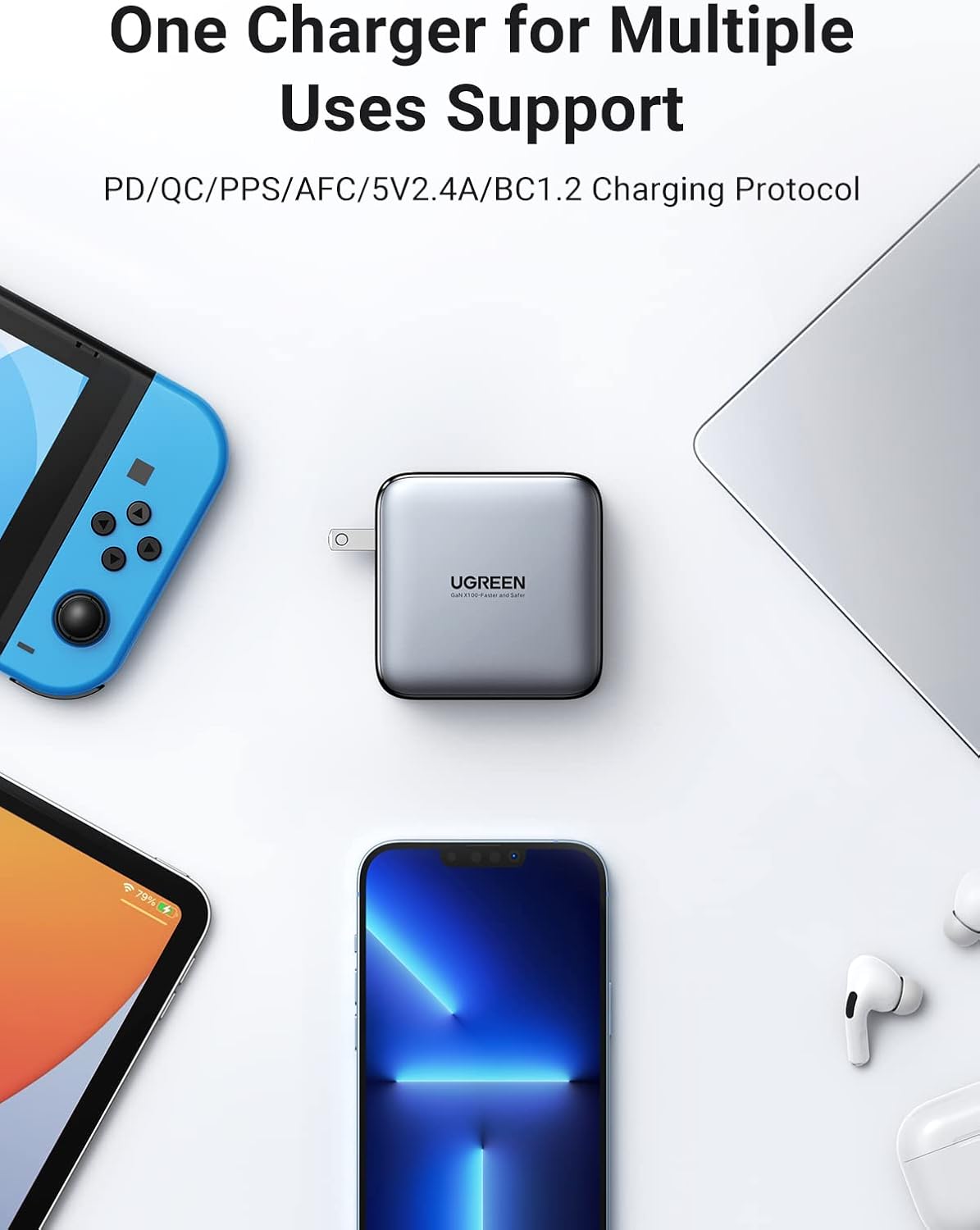
The charger's versatility in supporting multiple charging protocols for a wide array of devices.

The compact and foldable design makes the charger highly portable for travel and daily use.
Official Product Video
This video provides an overview of the UGREEN 100W 2-Port USB C Charger, demonstrating its features and compact size. It highlights the dual USB-C ports and overall design.
4. Setup
4.1 Unboxing
Upon opening the package, ensure all components are present:
- UGREEN 100W USB C Charger (Model CD254)
- USB-C cable (13 Inches)
4.2 Initial Connection
- Unfold the AC prongs from the charger body.
- Plug the charger into a standard wall outlet.
- Connect one end of a compatible USB-C cable (preferably the included UGREEN USB-C cable) to one of the USB-C output ports on the charger.
- Connect the other end of the USB-C cable to your device (laptop, tablet, smartphone, etc.).
- The device should begin charging automatically.
5. Operating Instructions
5.1 Single Device Charging
When charging a single device, the charger can deliver its maximum power output of up to 100W from either USB-C port. This is ideal for quickly charging power-hungry devices like laptops.
5.2 Dual Device Charging
When two devices are connected simultaneously, the charger intelligently distributes power between the two USB-C ports to ensure optimal charging for both. For example, it might provide 65W to one device and 30W to another, or adjust based on the devices' power requirements and battery levels.
5.3 Power-X System (Smart Charging)
The integrated Power-X system dynamically adjusts the charging current. When your device's battery is low, it will charge at a higher speed. As the battery approaches full capacity, the system automatically switches to a trickle charge mode, providing a lower current to protect the battery from overcharging and extend its lifespan.
6. Maintenance and Care
- Cleaning: Disconnect the charger from the power outlet and all devices before cleaning. Use a soft, dry cloth to wipe the surface. Do not use liquid cleaners or aerosols.
- Storage: Store the charger in a cool, dry place away from direct sunlight and extreme temperatures. Fold the prongs for compact storage.
- Safety: Avoid dropping, impacting, or disassembling the charger. Do not expose it to water or high humidity. Ensure proper ventilation during use.
- Cable Care: Always pull from the plug, not the cable, when disconnecting. Avoid bending or crimping cables excessively.
7. Troubleshooting
| Issue | Possible Cause | Solution |
|---|---|---|
| Device not charging | Loose connection; incompatible cable; faulty outlet; device issue. | Ensure all connections are secure. Try a different USB-C cable. Test the charger in another outlet. Verify your device is functioning correctly. |
| Slow charging | Cable not supporting high wattage; multiple devices connected; device not supporting fast charge protocol. | Use a high-quality USB-C cable rated for 100W. If charging two devices, power is distributed; try charging one device at a time for maximum speed. Check if your device supports PD/QC/PPS. |
| Charger feels warm | Normal operation during high power output; poor ventilation. | It is normal for the charger to become warm during operation, especially under heavy load. Ensure it is placed in a well-ventilated area and not covered. If it becomes excessively hot or emits smoke, discontinue use immediately. |
| Foldable prongs are loose | Wear and tear over time. | This can happen with prolonged use. Ensure the charger is securely plugged into the wall outlet. If it consistently falls out, consider replacing the charger for safety. |
8. Specifications
| Feature | Detail |
|---|---|
| Model Number | CD254 |
| Product Dimensions | 2.7 x 2.7 x 1.3 inches |
| Item Weight | 8.1 ounces |
| Input Voltage | 240 Volts |
| Connectivity Technology | USB |
| Connector Type | USB Type C |
| Compatible Devices | Tablet, Laptop, Cell phone, Headphone, Smart Watch, Switch, Steam Deck |
| Special Feature | 2* USB-C Port, 100W Fast Charging, Retractable Plug |
| Included Components | USB-C cable |
| Cable Length | 13 Inches |
| Color | Black and Grey |
9. Warranty and Support
UGREEN products are designed and manufactured to the highest quality standards. For warranty information, technical support, or any inquiries regarding your UGREEN 100W USB C Charger, please contact UGREEN customer service directly through their official website or the retailer where you purchased the product. Please have your model number (CD254) and purchase details ready for faster assistance.


