
Introduction
Thank you for choosing the Adesso Xtream P600 Bluetooth Active Noise Cancellation Headphones. These headphones are designed to provide high-quality audio with the convenience of Bluetooth connectivity and effective active noise cancellation. This manual will guide you through the setup, operation, and maintenance of your new headphones to ensure optimal performance and longevity.
Package Contents
Please check the package contents to ensure all items are present:
- Adesso Xtream P600 Bluetooth Stereo Headphones with Built-in Microphone
- Charging Cable (USB-A to Micro-USB)
- 3.5mm AUX Cable
- Quick User Guide

Image: Retail box of the Adesso Xtream P600 headphones, showing the headphones and branding.
Product Overview
The Adesso Xtream P600 headphones feature a comfortable over-ear design with soft earcups and an adjustable headband. They are equipped with intuitive control buttons for easy management of audio and calls. The foldable design enhances portability.

Image: Front view of the Adesso Xtream P600 headphones, showcasing the over-ear design and earcups.
Key Features:
- Active Noise Cancellation (ANC): Reduces ambient noise for an immersive listening experience.
- Built-in Microphone: Omnidirectional microphone with noise-cancelling technology for clear calls.
- Bluetooth 5.0 Connectivity: Stable wireless connection for various devices.
- Foldable Design: For easy storage and portability.
- 3.5mm AUX Connector: Allows wired connection to devices without Bluetooth.
- Multi-Platform Compatibility: Works with smartphones, PCs, notebooks, and gaming consoles.

Image: Close-up of the Adesso Xtream P600 headphones showing the adjustable headband mechanism.

Image: The Adesso Xtream P600 headphones in a folded position, demonstrating their portable design.
Video: An overview of the Adesso Xtream P600 Bluetooth ANC Headphones, highlighting key features and components.
Setup
1. Charging the Headphones
Before first use, fully charge your headphones.
- Connect the small end of the included USB charging cable to the charging port on the headphones.
- Connect the larger end of the USB cable to a USB power adapter (not included) or a computer's USB port.
- The LED indicator will illuminate during charging and turn off or change color when fully charged.
A full charge typically takes approximately 2-3 hours.
2. Bluetooth Pairing
To connect your headphones to a Bluetooth-enabled device:
- Ensure the headphones are fully charged and powered off.
- Press and hold the Power button for approximately 5-7 seconds until the LED indicator flashes blue and red alternately, indicating pairing mode.
- On your device (smartphone, PC, etc.), enable Bluetooth and search for available devices.
- Select "Adesso Xtream P600" from the list of found devices.
- Once paired, the LED indicator will flash blue slowly, and you will hear an audible confirmation.
The headphones will automatically attempt to reconnect to the last paired device when powered on.
Operating Instructions
Power On/Off
- Power On: Press and hold the Power button for 3 seconds. The LED indicator will flash blue.
- Power Off: Press and hold the Power button for 3 seconds. The LED indicator will turn off.
Music Playback
- Play/Pause: Press the Multi-function button once.
- Next Track: Press and hold the Volume Up (+) button.
- Previous Track: Press and hold the Volume Down (-) button.
- Volume Up: Short press the Volume Up (+) button.
- Volume Down: Short press the Volume Down (-) button.

Image: Close-up of the control buttons on the Adesso Xtream P600 headphones, indicating volume and playback controls.
Call Management
- Answer/End Call: Press the Multi-function button once.
- Reject Call: Press and hold the Multi-function button for 2 seconds.
- Redial Last Number: Double-press the Multi-function button.
Active Noise Cancellation (ANC)
The ANC feature helps reduce ambient noise, providing a more focused listening experience.
- Turn ANC On/Off: Press the dedicated ANC button (usually indicated by "ANC" or a similar icon). The ANC indicator light will illuminate when active.

Image: The Adesso Xtream P600 headphones with a visual representation of active noise cancellation technology.
AUX Mode (Wired Connection)
Use the included 3.5mm AUX cable to connect the headphones to devices without Bluetooth or when the battery is depleted.
- Plug one end of the 3.5mm AUX cable into the audio input jack on the headphones.
- Plug the other end into the 3.5mm audio output jack of your device.
- In AUX mode, Bluetooth functions and some control buttons may be disabled. Audio is controlled directly from your connected device.
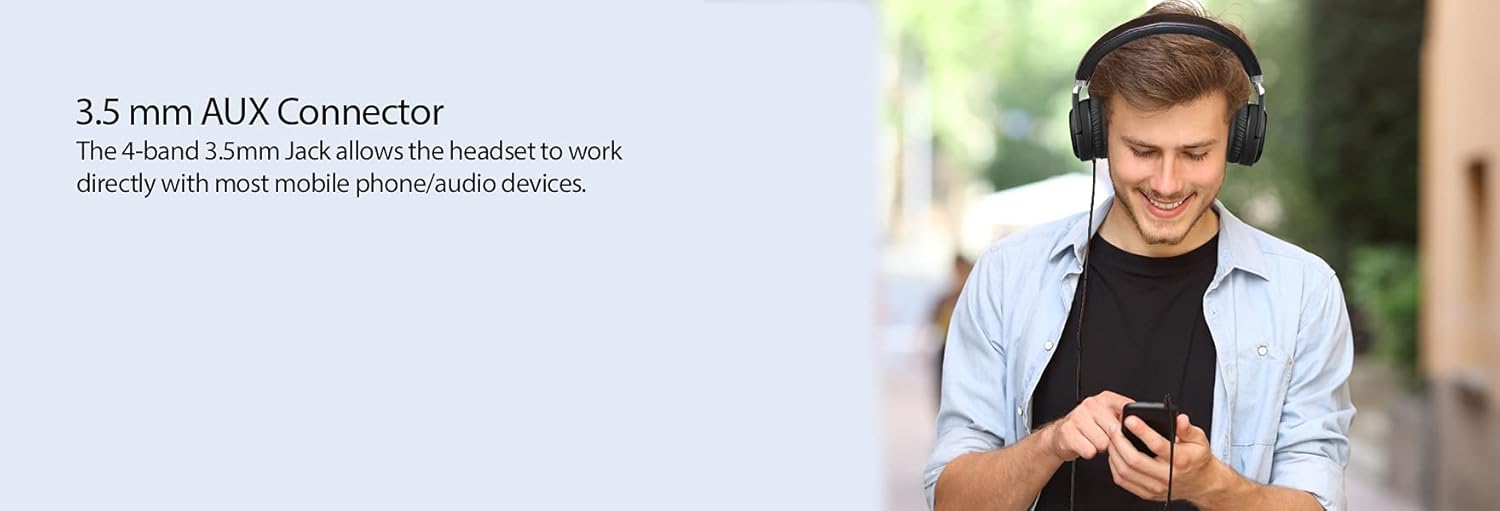
Image: A person using the Adesso Xtream P600 headphones connected via the 3.5mm AUX cable to a smartphone.
Maintenance
- Clean the headphones regularly with a soft, dry cloth.
- Do not use abrasive cleaners or solvents.
- Avoid exposing the headphones to extreme temperatures, humidity, or direct sunlight.
- Store the headphones in a cool, dry place when not in use, preferably in their folded state to save space.
Troubleshooting
| Problem | Possible Solution |
|---|---|
| Headphones do not power on. | Ensure the headphones are fully charged. Connect to a power source and try again. |
| Cannot pair with a Bluetooth device. |
|
| No sound or low volume. |
|
| Active Noise Cancellation (ANC) not working. | Ensure the ANC feature is turned on using its dedicated button. Check battery level. |
Specifications
| Feature | Detail |
|---|---|
| Model Name | Xtream P600 |
| Connectivity Technology | Bluetooth 5.0 |
| Noise Control | Active Noise Cancellation |
| Headphones Jack | 3.5 mm Jack |
| Frequency Response | Up to 20000 Hz |
| Microphone | Built-in, Omnidirectional with Noise Cancellation |
| Control Type | Volume Control, Button |
| Ear Placement | Over Ear |
| Form Factor | Over Ear |
| Special Feature | Foldable |
| Item Weight | 8 ounces (approx. 0.5 lbs) |
| Product Dimensions | 6 x 6.5 x 3.5 inches |
| Material | Plastic |
| Batteries | 1 Lithium Polymer battery (included) |
| Compatible Devices | Cellphones, smartphones, computers, smart TV, gaming consoles (PlayStation, Xbox, Nintendo) |
Warranty and Support
For warranty information and technical support, please refer to the warranty card included in your package or visit the official Adesso website.
If you encounter any issues not covered in this manual, please contact Adesso customer support for assistance.


