
MARK ADLER Manager 2.0
MARK ADLER Manager 2.0 Office Chair Instruction Manual
Model: Manager 2.0
1. Introduction
Thank you for choosing the MARK ADLER Manager 2.0 Office Chair. This manual provides essential information for the safe assembly, operation, and maintenance of your new office chair. Please read these instructions carefully before use and retain them for future reference.
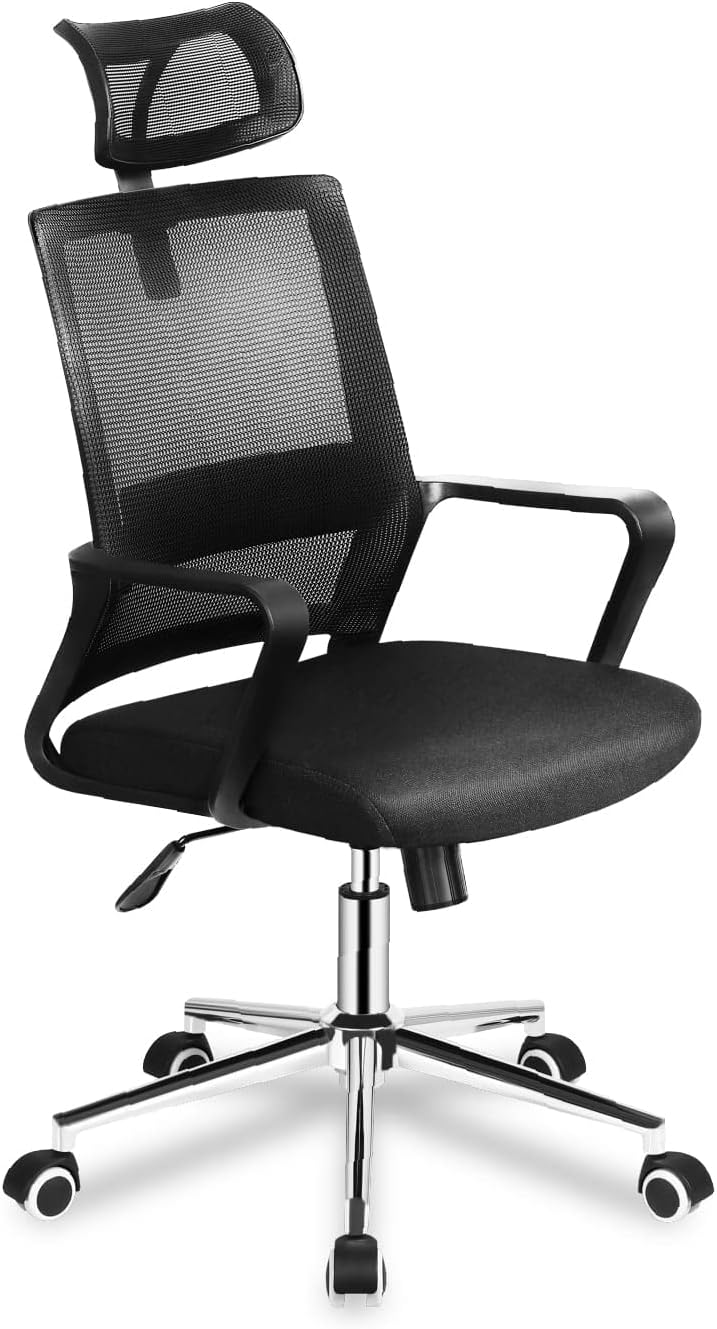
Image 1.1: The MARK ADLER Manager 2.0 Office Chair in black, showcasing its mesh backrest, padded seat, and adjustable features.
2. Safety Information
To ensure safe operation and prevent injury or damage, please observe the following safety guidelines:
- Always assemble the chair according to the instructions provided.
- Do not stand on the chair.
- Do not use the chair if any parts are missing or damaged.
- Keep children away from the chair during assembly. Small parts may pose a choking hazard.
- Ensure all screws and bolts are tightened securely before use. Re-tighten periodically.
- Do not exceed the maximum weight capacity (consult product packaging if available).
- Use the chair on a level surface.
3. Package Contents
Before assembly, verify that all components are present and undamaged. If any parts are missing or damaged, contact customer support.
Typical components include:
- Backrest with headrest
- Seat cushion
- Armrests (2)
- Gas lift cylinder
- Star base
- Caster wheels (5)
- Mechanism (tilt/height control)
- Hardware (screws, washers, Allen key)
4. Assembly Instructions
Follow these steps to assemble your MARK ADLER Manager 2.0 Office Chair. It is recommended to assemble the chair on a soft, clean surface to prevent scratches.
- Attach Casters to Base: Insert the five caster wheels into the holes at the end of each leg of the star base until they click securely into place.
- Insert Gas Lift: Place the gas lift cylinder into the center hole of the star base.
- Attach Mechanism to Seat: Align the mechanism with the pre-drilled holes on the underside of the seat cushion. Ensure the front of the mechanism faces the front of the seat. Secure with screws.
- Attach Armrests to Seat: Attach the armrests to the sides of the seat cushion using the provided screws. Do not overtighten initially.
- Attach Backrest to Seat/Armrests: Connect the backrest to the seat and/or armrests using the designated screws. Once all connections are made, tighten all screws securely.
- Connect Seat Assembly to Gas Lift: Carefully place the assembled seat onto the gas lift cylinder, ensuring it is centered and stable.
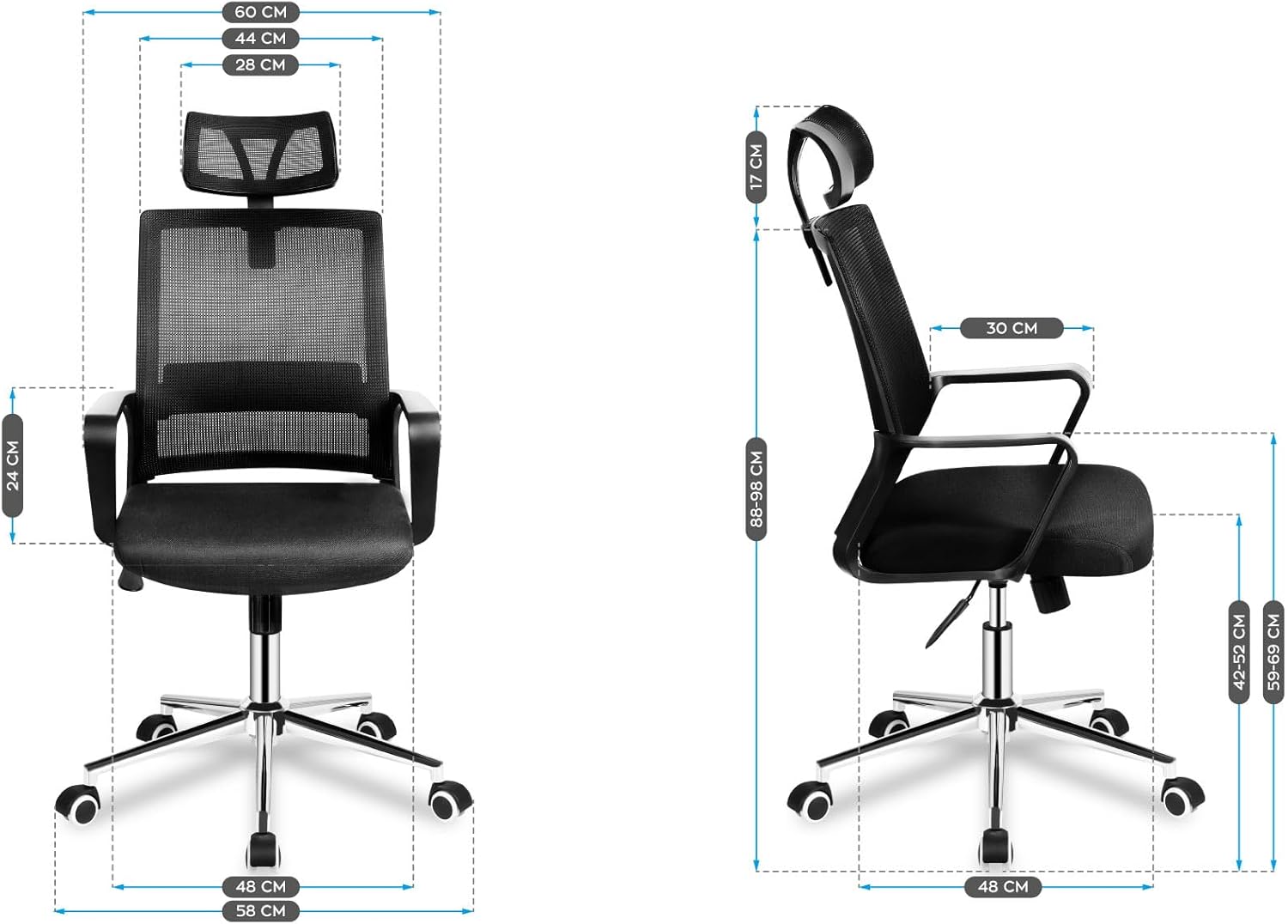
Image 4.1: Front and side view diagrams illustrating the dimensions of the assembled chair, including height, width, and depth measurements.
5. Operating Instructions
Your MARK ADLER Manager 2.0 Office Chair features several adjustable components designed for ergonomic comfort.
5.1. Seat Height Adjustment
To adjust the seat height, locate the lever on the right side beneath the seat. While seated, pull the lever up to lower the seat. To raise the seat, stand up slightly and pull the lever up. Release the lever at the desired height.
5.2. Tilt Mechanism and Lock
The chair features a TILT PLUS mechanism. To recline the backrest, pull the lever on the left side (or the same lever as height, depending on model) outwards. Lean back to the desired angle. To lock the recline position, push the lever inwards. To unlock and return to an upright position, pull the lever outwards again and lean forward slightly.
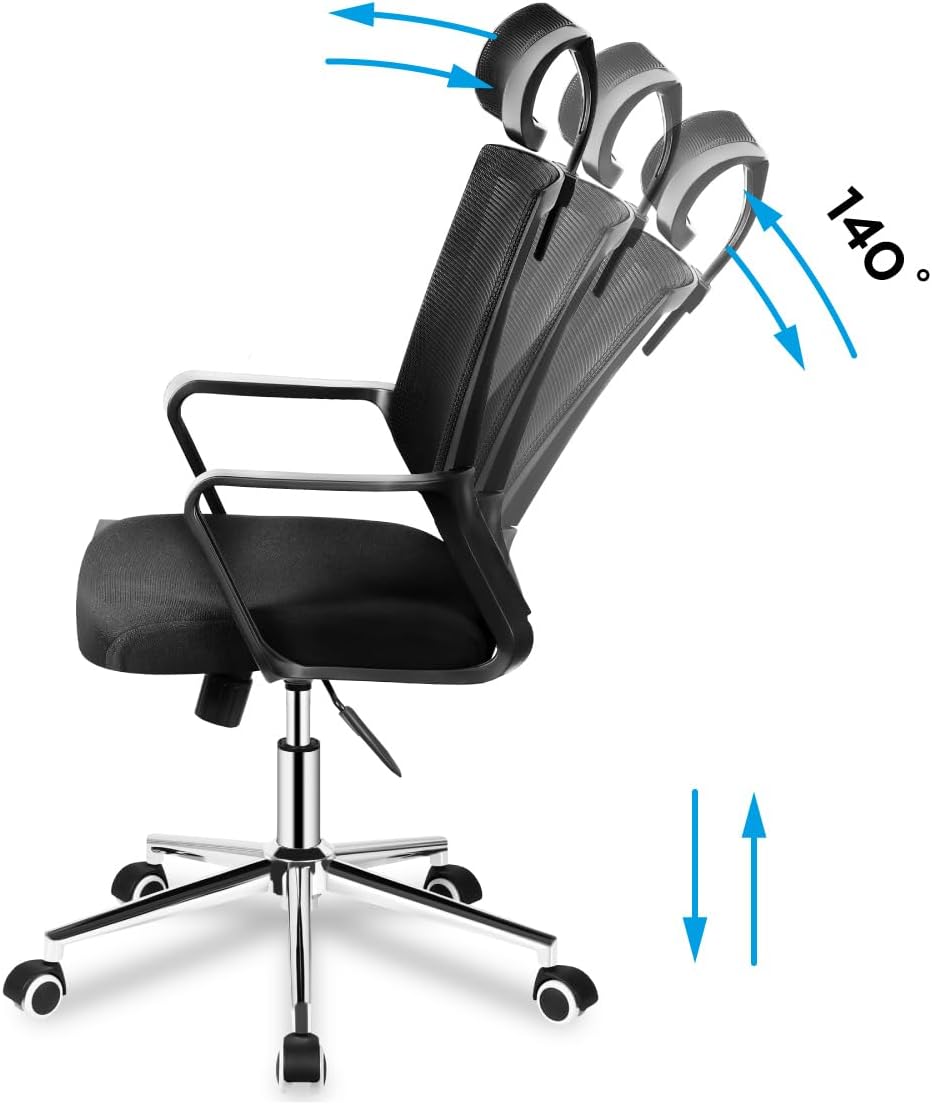
Image 5.1: Illustration demonstrating the chair's recline function up to 140 degrees and vertical height adjustment.
5.3. Headrest Adjustment
The headrest can be adjusted vertically to support your neck and head. Gently push or pull the headrest up or down to find your optimal position.

Image 5.2: Detail showing the vertical adjustment capability of the mesh headrest, indicated by up and down arrows.
5.4. Lumbar Support Adjustment
The chair features adjustable lumbar support to provide comfort to your lower back. Locate the lumbar support mechanism on the backrest and adjust it vertically to align with the natural curve of your spine.

Image 5.3: Detail illustrating the vertical adjustment of the lumbar support system on the chair's mesh backrest.
5.5. Armrests
The armrests are designed for comfort and support. While not explicitly stated as adjustable in the product details, they are ergonomically shaped.

Image 5.4: A close-up view of the chair's fixed, ergonomically shaped armrest.
5.6. Caster Wheels
The chair is equipped with durable caster wheels for smooth movement across various floor surfaces.
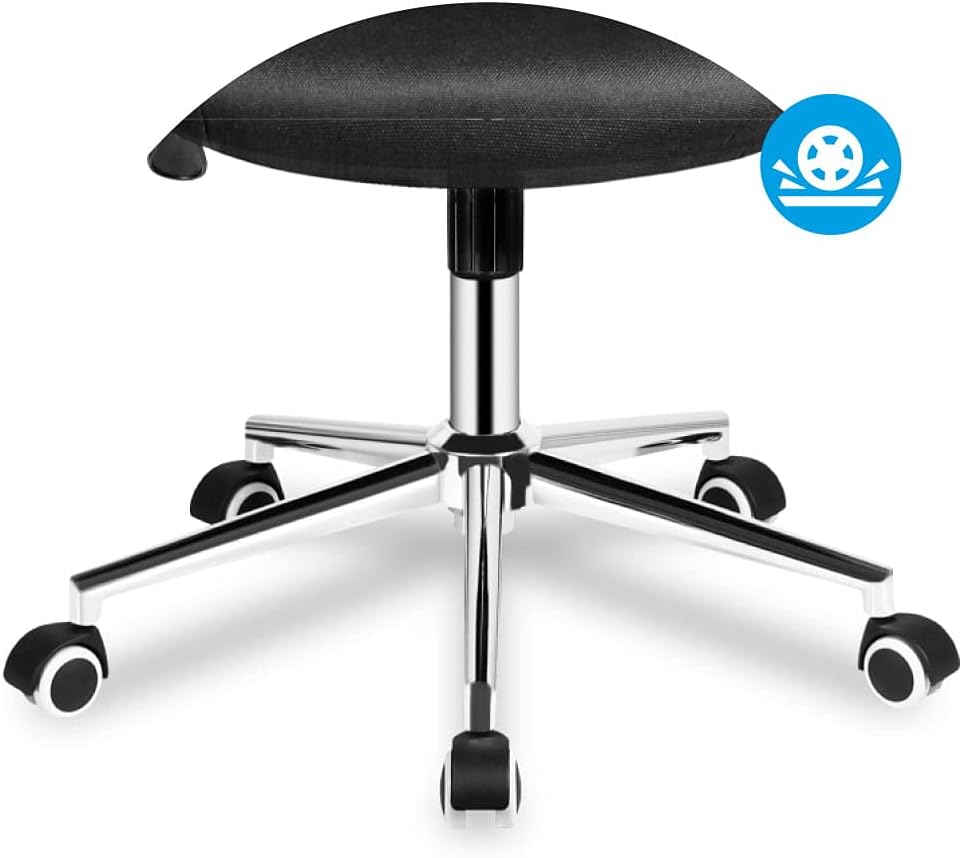
Image 5.5: Detail of the chair's five-star base with smooth-rolling caster wheels.
6. Maintenance
Regular maintenance will prolong the life and appearance of your office chair.
- Cleaning: Clean the chair with a damp cloth. Avoid harsh chemicals or abrasive cleaners that may damage the material.
- Inspection: Periodically check all screws and bolts to ensure they are tight. Re-tighten as necessary.
- Moving: When moving the chair, lift it rather than dragging it to prevent damage to the base or floor.
7. Troubleshooting
If you encounter issues with your chair, refer to the following common problems and solutions:
| Problem | Possible Cause | Solution |
|---|---|---|
| Chair wobbles or is unstable. | Loose screws or uneven assembly. | Check and tighten all assembly screws. Ensure the chair is on a level surface. |
| Seat height adjustment not working. | Gas lift cylinder not properly installed or damaged. | Ensure the gas lift is fully inserted into the base and mechanism. If still not working, the gas lift may need replacement. |
| Backrest does not recline or lock. | Tilt mechanism is locked or damaged. | Ensure the tilt lock lever is disengaged. Check for any obstructions in the mechanism. |
| Caster wheels not rolling smoothly. | Debris in wheels or damaged casters. | Clean any hair or debris from the wheels. Replace damaged casters if necessary. |
8. Specifications
| Feature | Detail |
|---|---|
| Brand | MARK ADLER |
| Model | Manager 2.0 (MA-Manager 2.1) |
| Color | Black |
| Material | Nylon (Mesh backrest, Foam seat) |
| Frame Material | Metal |
| Product Dimensions (L x W x H) | 48P x 58l x 115H centimeters (Note: Other specifications list 15 x 127 x 77 cm, likely package dimensions) |
| Item Weight | 10.3 Kilograms |
| Special Features | Armrest, Ergonomic, Rolling, Adjustable Headrest, Adjustable Lumbar Support, Tilt Plus Mechanism |
| Care Instructions | Clean with a damp cloth |
9. Warranty and Support
Specific warranty information is not provided in the product details. For warranty claims or technical support, please contact the retailer or MARK ADLER customer service directly. Keep your purchase receipt as proof of purchase.
For further assistance, please refer to the contact information provided with your purchase or visit the official MARK ADLER website.
Related documentsManager 2.0


Ask a question about this manual
Ask about setup, troubleshooting, compatibility, parts, safety, or missing instructions. Manuals+ will review the question and use this page’s manual context to help answer it.