
Introduction
Thank you for choosing the Lamshaw Magnetic USB Charging Cable. This cable is specifically designed to provide efficient and safe charging for your compatible smartwatch models, including Letsfit EW1, ID207, TOZO S2, and AOKESI 1.69'' Smart Watches. This manual provides essential information on how to use, maintain, and troubleshoot your charging cable to ensure optimal performance and longevity.
Product Overview
The Lamshaw Magnetic USB Charging Cable features a magnetic charging interface for easy and secure connection to your smartwatch, and a standard USB-A connector for power input. It is built with durable materials for reliable performance.

Image: Two Lamshaw magnetic USB charging cables, showing both the magnetic charging end and the USB-A connector.
Key Features:
- Magnetic Charging: Ensures a secure and stable connection to your smartwatch.
- Built-in Protection IC: Features short-circuit, overvoltage, and overcurrent protection for safe charging.
- Durable Design: Constructed with flexible PVC cable and ABS+PC materials for longevity.
- Portable: Compact and easy to carry for charging on the go.
- Wide Compatibility: Designed for Letsfit EW1 / ID207 Smartwatch / Fitniv IW1 / TOZO S2 / AOKESI 1.69'' Smartwatch.

Image: Close-up of the USB connector and magnetic charging head, highlighting the durable and flexible cable and gold-plated pogo pins for stable conduction.
Setup
Setting up your Lamshaw Magnetic USB Charging Cable is straightforward. Follow these steps to begin charging your smartwatch.
- Unpack the Cable: Carefully remove the charging cable from its packaging.
- Connect to Power Source: Insert the USB-A end of the charging cable into a compatible USB power source. This can be a wall charger (5V/1A recommended), a computer's USB port, or a power bank.
- Connect to Smartwatch: Align the magnetic charging head with the charging contacts on the back of your smartwatch. The magnets will automatically snap the charger into place. Ensure the connection is firm and the charging icon appears on your smartwatch screen.
Video: Demonstrates the method of connecting the magnetic smartwatch charger to a smartwatch. The video shows the unboxing of the cable, connecting the USB end to a power source (laptop), and then magnetically attaching the charging head to the back of a smartwatch, showing the charging indicator on the watch screen.

Image: Visual guide illustrating correct and incorrect magnetic charging connections. It shows that if the magnets repel, the device will not charge, and how to correctly align the magnetic head for proper charging.
Operating Instructions
Once connected, your smartwatch will begin charging. The charging process typically takes approximately 2.5 hours for a full charge with a 1A output current.

Image: An illustration showing a smartwatch being charged, with a clock icon indicating 2.5 hours for a full charge with 1A output current.
Compatible Power Sources:
- Computer USB Port
- Laptop USB Port
- Power Bank
- USB Wall Charger (5V/1A recommended)
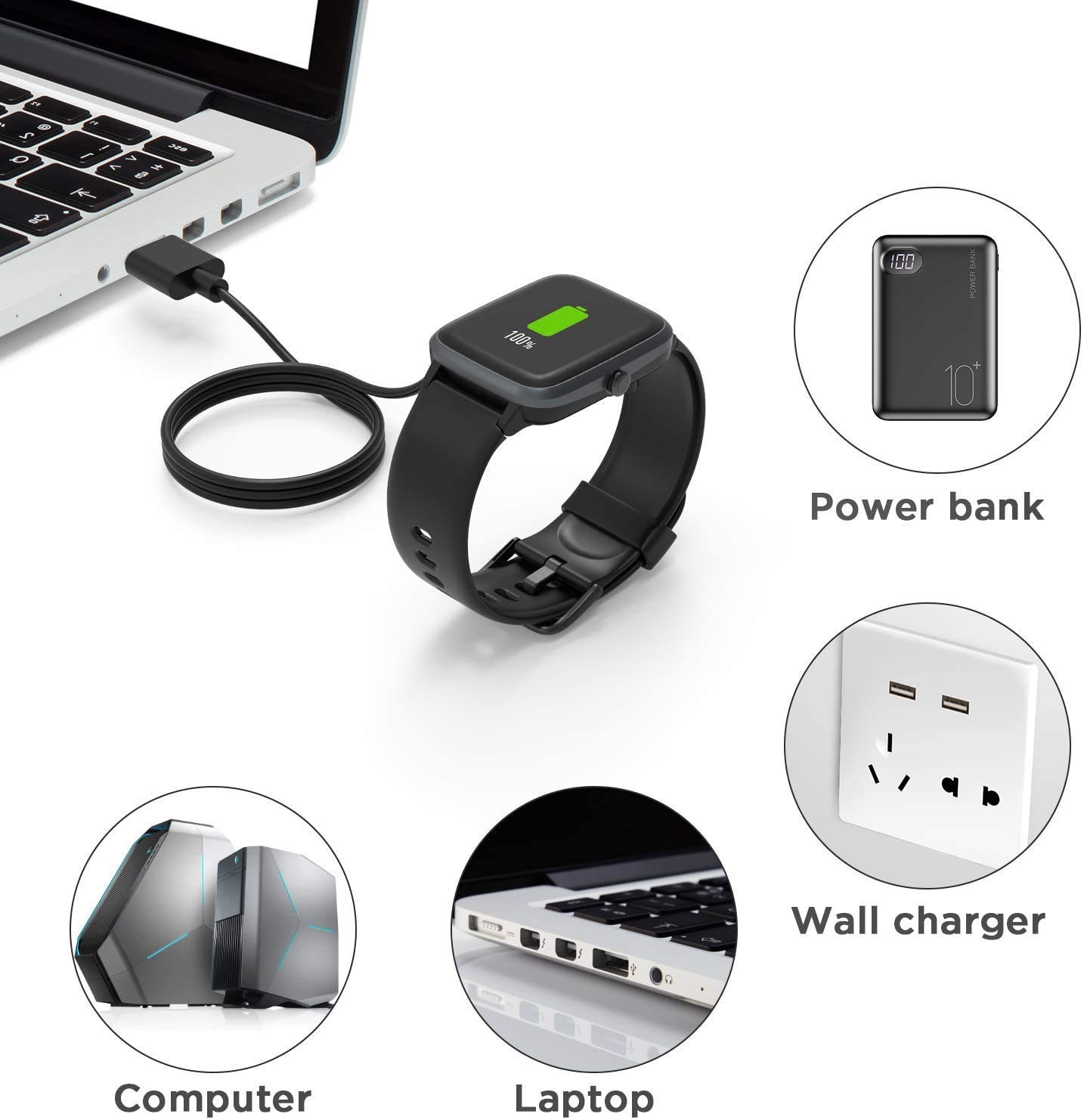
Image: A smartwatch connected to a laptop via the charging cable, surrounded by icons representing other compatible charging sources: a power bank, a wall charger, and a desktop computer.
Safety Features
Your Lamshaw charging cable is equipped with advanced safety features to protect your device and ensure a secure charging experience:
- Short-circuit Protection IC: Automatically cuts off the circuit in case of a short-circuit.
- Overvoltage Protection: Prevents damage from excessive voltage.
- Overcurrent Protection: Safeguards against too much current flow.
- Over-Charging Protection: Protects the battery from being overcharged.
- High Temperature Protection: Monitors and prevents overheating during charging.

Image: A smartwatch charging, with four shield icons representing Over-Current Protection, Over-Voltage Protection, Over-Charging Protection, and High Temperature Protection.
Maintenance
To ensure the longevity and optimal performance of your charging cable, follow these maintenance guidelines:
- Keep the magnetic contacts clean and free from dust or debris. Use a soft, dry cloth to wipe them if necessary.
- Avoid bending or twisting the cable excessively, especially near the connectors, to prevent internal wire damage.
- Store the cable in a cool, dry place when not in use.
- Do not expose the cable to extreme temperatures or direct sunlight for prolonged periods.
- Avoid using the cable if it shows any signs of damage, such as frayed wires or exposed conductors.

Image: An illustration of the charging cable undergoing a bending test, indicating its durability with "20000+ TIMES" bending resistance.
Troubleshooting
If you encounter issues with your charging cable, refer to the following common problems and solutions:
| Problem | Possible Cause | Solution |
|---|---|---|
| Smartwatch not charging. |
|
|
| Slow charging. |
|
|
| Cable gets warm during charging. |
|
|
Specifications
| Feature | Detail |
|---|---|
| Model Number | EW1 |
| Brand | Lamshaw |
| Connectivity Technology | USB |
| Connector Type | Micro USB (magnetic head), USB-A |
| Compatible Devices | Letsfit EW1, ID207, Fitniv IW1, TOZO S2, AOKESI 1.69'' Smartwatches |
| Special Feature | Magnetic connection, Built-in Short-circuit protection IC |
| Wattage | 2.5 watts |
| Cable Length | Approximately 3.3 feet / 1 meter |
| Package Quantity | 2 cables (Black) |

Image: A detailed view of the charging cable highlighting its components: Pure Copper Probe for rapid and stable conduction, ABS+PC for durability, and Flexible PVC Cable for easy storage, with a length of 3.3 feet / 1 meter.
Warranty and Support
For warranty information or technical support, please refer to the product packaging or contact Lamshaw customer service directly. Keep your purchase receipt as proof of purchase.
For further assistance, you may visit the Lamshaw brand store on Amazon.