
RI RESIONE RESIONE-1
Contents

RESIONE F69 Flexible 3D Printer Resin
Instruction Manual
1. Introduction
The RESIONE F69 Flexible 3D Printer Resin is a 405nm UV-curing photopolymer designed for DLP, LCD, and MSLA printers. It offers unique rubber-like properties, making it ideal for applications requiring flexibility, tear resistance, and folding resistance. This manual provides essential information for safe and effective use of the F69 resin.

Figure 1: RESIONE F69 Flexible 3D Printer Resin and a sample print.
2. Safety Precautions
Always prioritize safety when handling 3D printer resins. F69 resin, like other photopolymers, requires careful handling to prevent exposure and ensure a safe working environment.
- Ventilation: Work in a well-ventilated area to minimize inhalation of fumes. Consider using an air purifier or working near an open window.
- Personal Protective Equipment (PPE): Always wear chemical-resistant gloves (nitrile or neoprene) and safety glasses to protect skin and eyes from direct contact. A respirator is recommended for prolonged exposure.
- Skin Contact: In case of skin contact, wash immediately with plenty of soap and water. Do not use solvents.
- Eye Contact: In case of eye contact, flush thoroughly with water for at least 15 minutes and seek immediate medical attention.
- Ingestion: Do not ingest. If swallowed, do not induce vomiting. Seek immediate medical attention.
- Storage: Store resin in a cool, dark, and dry place, away from direct sunlight and heat sources. Keep the bottle tightly sealed when not in use.
- Disposal: Dispose of uncured resin and contaminated materials according to local regulations. Cured resin can typically be disposed of as regular plastic waste.

Figure 2: General safety guidelines for resin handling.
3. Setup
Proper setup is crucial for successful prints with RESIONE F69 Flexible Resin.
- Printer Compatibility: RESIONE F69 is compatible with 405nm UV-curing DLP, LCD, and MSLA 3D printers.
- Temperature: The recommended printing temperature is between 25-32°C (77-89.6°F), with an optimum range of 28-32°C (82.4-89.6°F). Below 25°C, the resin's viscosity increases, which can reduce print success rates, especially for large-area prints.
- Shake Well: Before each use, shake the resin bottle thoroughly for at least 1 minute to ensure all components are well mixed.
- Pouring Resin: Carefully pour the desired amount of resin into your printer's resin vat. Avoid overfilling.

Figure 3: Preparing the resin for printing.
4. Operating the Printer with F69 Resin
Follow these guidelines for optimal printing results with RESIONE F69 Flexible Resin:
- Print Settings: RESIONE provides detailed print settings for most mainstream 3D printers. It is highly recommended to download and use these settings from the official website or the product page.
- Support Settings: Flexible resins often require specific support structures. If prints fail, adjust support settings (e.g., increase contact diameter, density) as per RESIONE instructions.
- Exposure Time: Ensure adequate exposure time for each layer. Printers with mono screens may experience light decay, requiring slight adjustments to normal exposure times.
- Post-Curing: For F69 prints with a thickness of more than 3mm, both the front and back sides need to be post-cured for more than 30 minutes when using a 40W UV intensity post-curing box. Fully post-cured prints are stronger, have a dry surface, and are less likely to be scratched.
- Flexibility and Detail: F69 resin produces prints with fine details and rubber-like flexibility, tear resistance, and folding resistance.
- Toughening Agent: F69 resin can be mixed with tough resins (e.g., K/M58/M68/G217) to increase the toughness and durability of printed parts, preventing long-term brittleness.

Figure 4: Accessing and applying recommended print settings.

Figure 5: Examples of fine details achievable with F69 resin.

Figure 6: F69 resin can be used as a toughening agent.
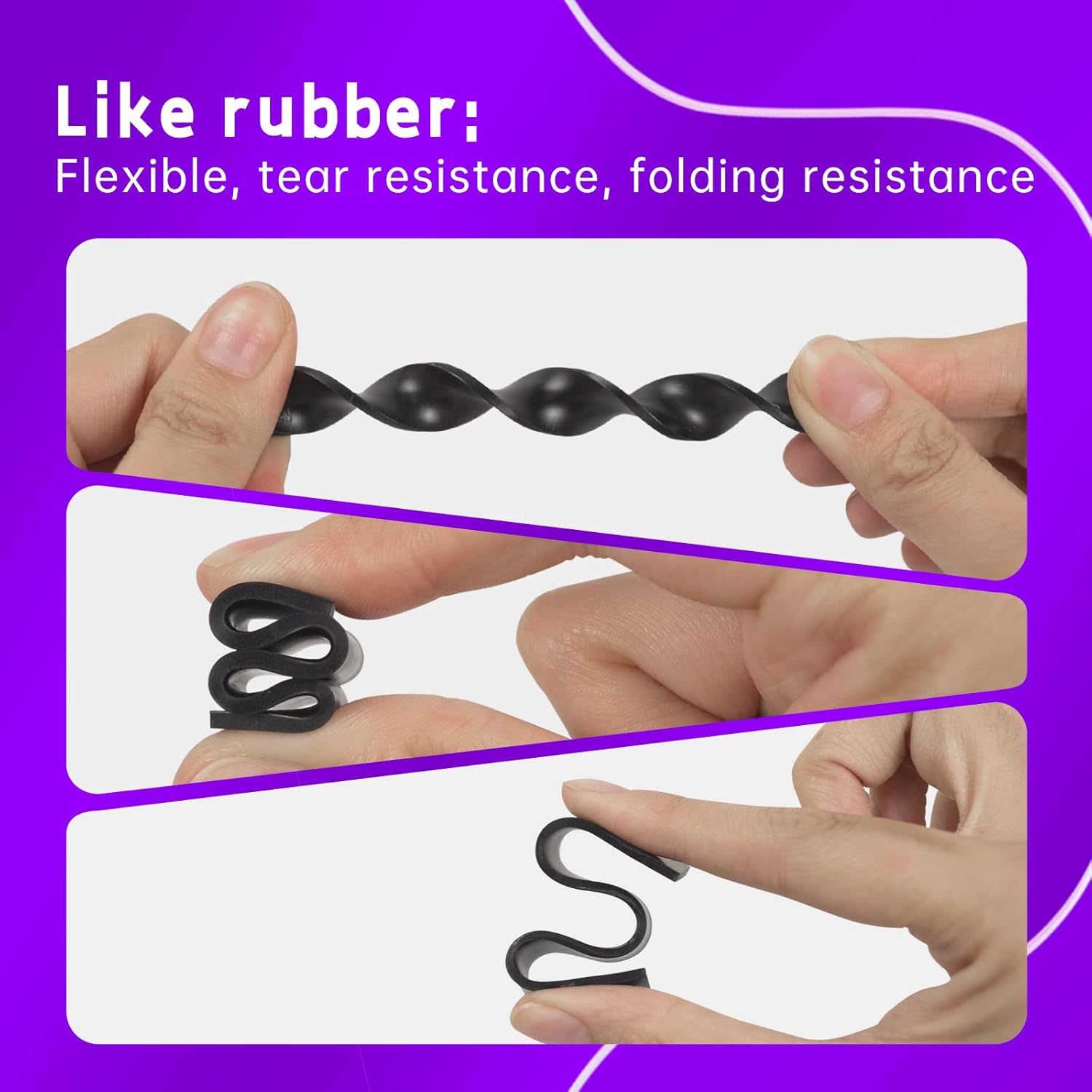
Figure 7: F69 resin exhibits excellent flexibility and resistance to tearing.
Figure 8: Wide range of applications for F69 flexible resin.
Video Demonstration: F69 Flexible Resin Properties
Video 1: This video demonstrates the flexibility, rebound, and tear resistance of RESIONE F69 resin compared to F80 elastic resin, showcasing its suitability for various flexible applications like watchbands and tire models.
5. Maintenance
Proper maintenance ensures the longevity of your prints and resin.
- Cleaning Prints: After printing, clean excess uncured resin from your prints using Isopropyl Alcohol (IPA). Ensure thorough cleaning, as uncured resin can remain sticky.
- Resin Storage: Store unused resin in its original opaque bottle, tightly sealed, in a cool, dark, and dry place away from direct UV light. This prevents premature curing and degradation.
- Resin Vat Cleaning: Regularly clean your resin vat and FEP film to prevent cured resin particles from interfering with future prints.
6. Troubleshooting
Common issues and their solutions when using RESIONE F69 Flexible Resin:
- Failed Prints/Poor Adhesion:
- Ensure the build plate is perfectly leveled.
- Verify print settings match RESIONE's recommendations for your specific printer.
- Increase bottom layer exposure time and normal layer exposure time if prints are not adhering or are too soft.
- Check ambient temperature; if below 25°C, warm the resin or increase exposure times.
- Adjust support settings: use heavier supports, increase contact diameter, and ensure adequate support density for flexible parts.
- Prints Remain Sticky After Curing:
- Ensure prints are thoroughly cleaned with IPA before post-curing.
- Increase post-curing time, especially for thicker parts (e.g., >30 minutes for >3mm thickness).
- Ensure your UV curing light is sufficient (e.g., 40W UV intensity).
- Strong Fumes:
- Ensure adequate ventilation in your printing area.
- Consider using a carbon filter or moving the printer to a dedicated, well-ventilated space.
- Deformation During Printing (for flexible parts):
- RESIONE F69 is designed to minimize deformation, but ensure print speeds (especially lift and retract) are appropriate for flexible resins, which may be slower than rigid resins.

Figure 9: Key tips for using F69 resin effectively.
7. Specifications
Product Details:
| Brand | RI RESIONE |
| Model Number | RESIONE-1 (F69-1kg) |
| Material | Resin |
| Color | Black |
| Item Weight | 1 Kilograms (2.2 Pounds) |
| Package Dimensions | 10 x 4.09 x 4.06 inches |
| UPC | 744119503310 |
| Date First Available | May 26, 2021 |
Mechanical Properties (Approximate Values):
| Shore Hardness | 60-75A |
| Tear Strength | 47.2KN/m |
| Tensile Strength | 7.9MPa |
| Elastic Modulus | 2.0MPa |
| Elongation at Break | 255.1% |
| Viscosity (25°C) | 1250mPa.s |

Figure 10: Detailed mechanical properties of RESIONE F69 Flexible Resin.
8. Warranty and Support
For detailed product information, troubleshooting, and support, please refer to the official resources:
- Official User Guide: A comprehensive user guide in PDF format is available for download. Download User Guide (PDF)
- Manufacturer Support: For any specific questions, technical assistance, or warranty inquiries, please contact RESIONE directly through their official channels or the seller on the platform where the product was purchased.
- Return Policy: This product typically comes with a 30-day return policy for refund or replacement, subject to the retailer's terms and conditions.
Documents and downloads
Ask a question about this manual
Ask about setup, troubleshooting, compatibility, parts, safety, or missing instructions. Manuals+ will review the question and use this page’s manual context to help answer it.