1. Introduction
The Dell S2722DGM is a 27-inch curved gaming monitor designed to provide an immersive visual experience. It features a QHD (2560 x 1440) resolution, a 1500R curvature, and a high refresh rate for smooth gameplay and clear visuals.
Key features include:
- 165Hz Refresh Rate: Ensures fluid motion and faster reaction times.
- 1ms MPRT / 2ms Gray to Gray Response Time: Minimizes motion blur for crisp images.
- 1500R Curved QHD Display: Enhances field of vision and reduces distortion, glare, and reflection.
- Gaming Console VRR Support: Compatible with Variable Refresh Rate technologies for tear-free gaming.
- Adjustable Stand: Offers height and tilt adjustments for ergonomic viewing.
2. What's in the Box
Verify that all components are present in the packaging:
- Monitor
- Stand riser and base
- DisplayPort to DisplayPort cable (ver 1.2) (1.8m)
- Power cable
- HDMI cable
- Quick setup guide
- Safety/Environmental/Regulatory Information
3. Setup
3.1 Monitor Assembly
Attach the stand riser to the monitor panel, then secure the base to the riser. Ensure all connections are firm.
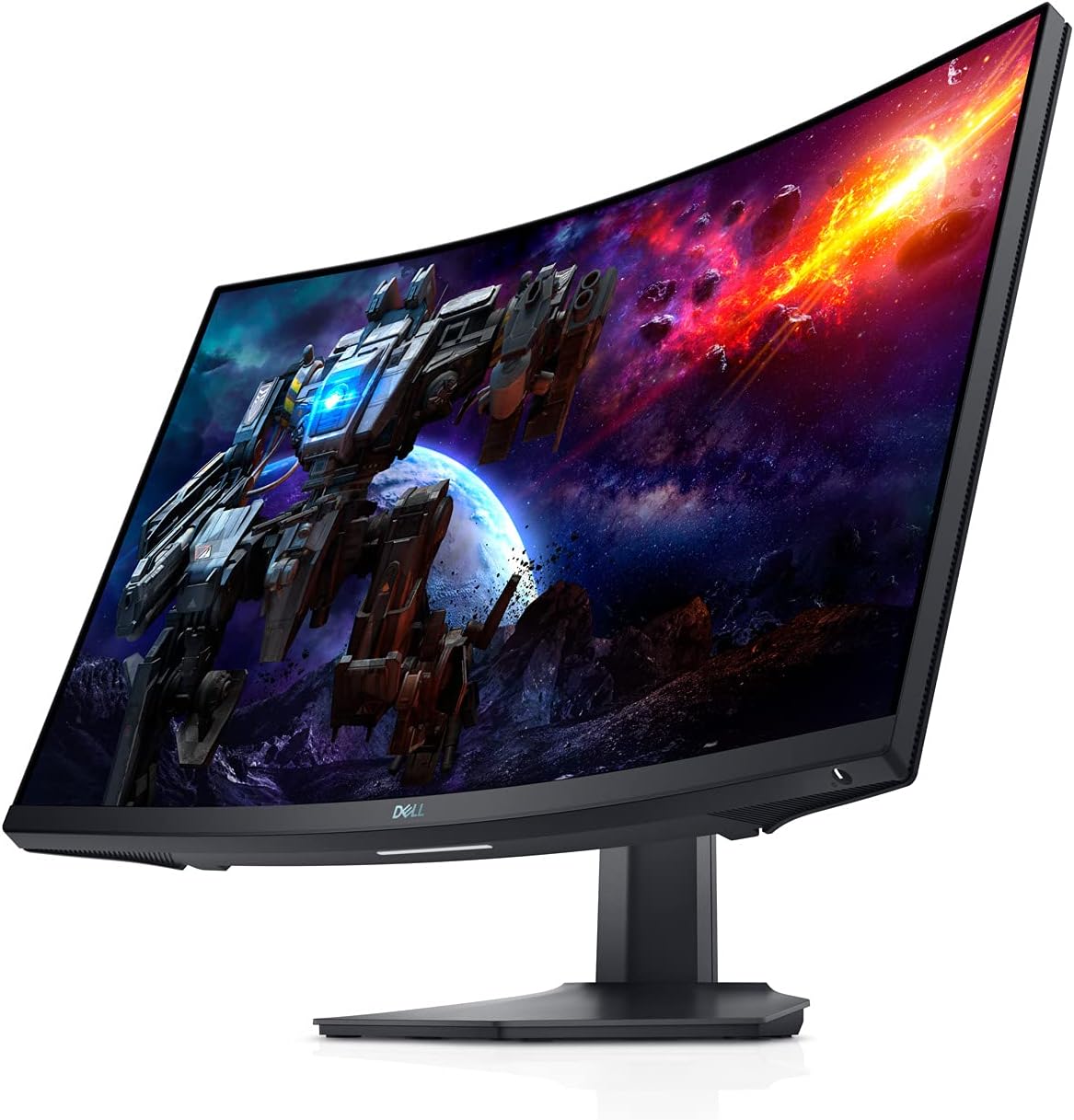
Figure 3.1: Front view of the Dell S2722DGM Curved Gaming Monitor with stand.

Figure 3.2: Monitor dimensions, showing the curved screen and stand.
3.2 Connecting the Monitor
Connect the power cable to the monitor and a power outlet. Use either the provided DisplayPort or HDMI cable to connect the monitor to your computer or gaming console. The monitor features multiple input ports for versatile connectivity.
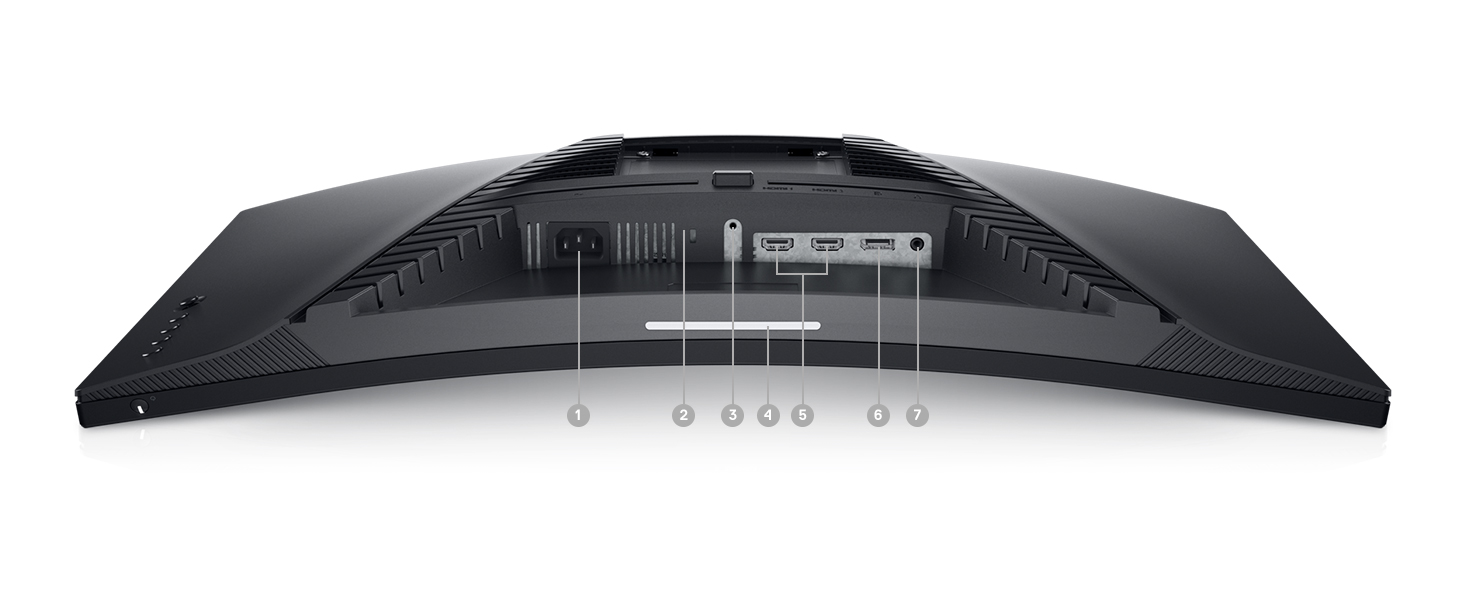
Figure 3.3: Rear view of the monitor, highlighting the power input, DisplayPort, HDMI ports, and audio output.
The monitor includes:
- Power connector
- 2x HDMI ports
- 1x DisplayPort
- Audio line-out port
4. Operating the Monitor
4.1 Power On/Off
The power button is located on the bottom right side of the monitor. Press it to turn the monitor on or off.
4.2 On-Screen Display (OSD) Controls
The OSD menu allows you to adjust various monitor settings such as brightness, contrast, color, input source, and gaming features. The control buttons are located on the back right side of the monitor. Use these buttons to navigate the menu and make selections.

Figure 4.1: Side view of the monitor, showing the OSD control buttons for menu navigation.
4.3 Adjusting the Stand
The monitor stand supports height and tilt adjustments. Gently adjust the monitor to your preferred viewing angle and height for optimal comfort.
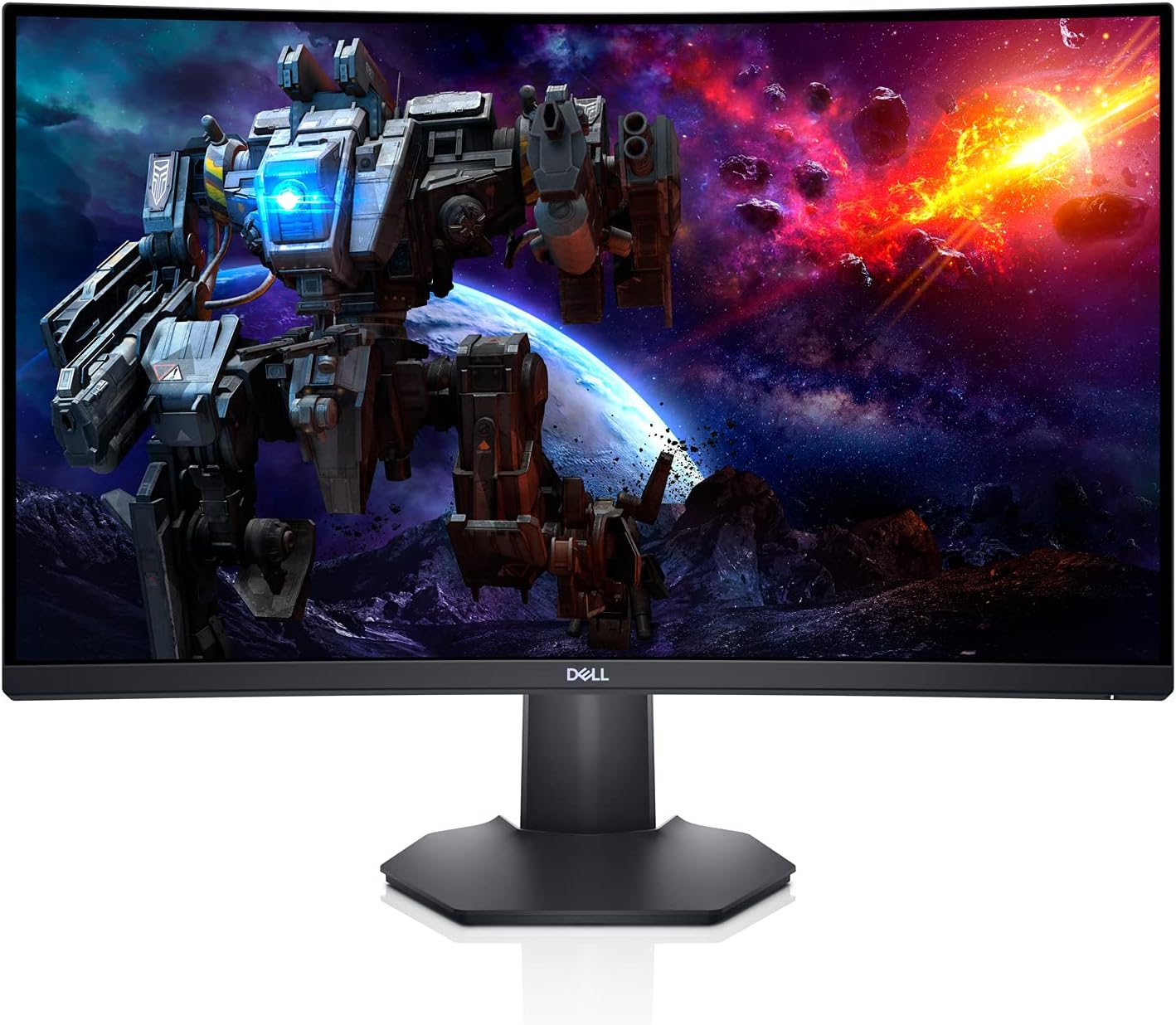
Figure 4.2: Side profile of the monitor, illustrating the adjustable stand.
5. Features
- Immersive Curved Display: The 1500R curved screen with a 3-sided narrow border enhances your field of vision, providing a more engaging experience for gaming and media consumption.
- High Refresh Rate & Fast Response Time: Experience smooth, tear-free visuals with a 165Hz refresh rate and a rapid 1ms MPRT (Moving Picture Response Time) or 2ms Gray to Gray response time, crucial for fast-paced games.
- QHD Resolution: The 2560 x 1440 resolution offers 77% more screen content compared to Full HD, providing sharper details and more workspace.
- AMD FreeSync Premium: This technology synchronizes the monitor's refresh rate with your GPU, eliminating screen tearing and stuttering for a fluid gaming experience.
- Ambient Downlight: A subtle downlight feature provides ambient lighting during low-light gaming sessions, adding to the aesthetic and reducing eye strain.
- Enhanced Heat Dissipation: Uniquely designed vents located at the back of the monitor help maintain optimal operating temperatures during extended use.
Video 5.1: Official Dell S2722DGM Gaming Monitor overview, showcasing key features like refresh rate, response time, and curved display.
Video 5.2: Product feature video demonstrating the monitor's design and visual capabilities.
6. Specifications
| Feature | Specification |
|---|---|
| Standing screen display size | 27 Inches |
| Screen Resolution | 2560x1440 (QHD Wide 1440p) |
| Max Screen Resolution | 2560 x 1440 Pixels |
| Refresh Rate | 165Hz (DisplayPort) |
| Response Time | 1ms MPRT / 2ms Gray to Gray |
| Aspect Ratio | 16:9 |
| Screen Surface Description | Matte |
| Connectivity | HDMI, DisplayPort |
| Item Weight | 5.76 pounds |
| Product Dimensions (LxWxH) | 23.95 x 3.79 x 14.34 inches |
| Color | Black |
7. Maintenance
To ensure the longevity and optimal performance of your Dell S2722DGM monitor, follow these maintenance guidelines:
- Cleaning the Screen: Gently wipe the screen with a soft, lint-free cloth. For stubborn smudges, lightly dampen the cloth with water or a non-ammonia, non-alcohol based glass cleaner. Avoid spraying liquid directly onto the screen.
- Cleaning the Casing: Use a soft, dry cloth to clean the monitor casing. Avoid abrasive cleaners or solvents.
- Ventilation: Ensure the monitor's ventilation openings are clear and unobstructed to prevent overheating.
- Power Management: Turn off the monitor when not in use for extended periods to save energy and prolong its lifespan.
8. Troubleshooting
If you encounter issues with your monitor, refer to the following common troubleshooting steps:
- No Power:
- Check if the power cable is securely connected to both the monitor and the power outlet.
- Ensure the power outlet is functional by plugging in another device.
- Press the power button on the monitor.
- No Signal:
- Verify that the video cable (HDMI or DisplayPort) is securely connected to both the monitor and your computer/console.
- Ensure the correct input source is selected on the monitor's OSD menu.
- Try a different video cable or port if available.
- Display Issues (e.g., flickering, distorted image):
- Check the video cable for damage.
- Adjust the resolution and refresh rate settings on your computer/console to match the monitor's specifications.
- Perform a factory reset through the OSD menu.
- No Audio (if using monitor's audio output):
- Ensure external speakers or headphones are properly connected to the monitor's audio line-out port.
- Check the audio settings on your computer/console and the monitor's OSD menu.
For more detailed troubleshooting, refer to the comprehensive user manual available on the Dell support website.
9. Warranty and Support
The Dell S2722DGM Curved Gaming Monitor comes with a standard limited hardware warranty. For specific warranty terms and conditions, please refer to the 'Safety/Environmental/Regulatory Information' document included in your product packaging or visit the official Dell support website.
For technical assistance, driver downloads, and additional support resources, please visit www.dell.com/support and search for your model (S2722DGM).


