
1. Product Overview
The GeekShare Controller Travel Case is designed to provide robust protection and convenient portability for your gaming controllers. Crafted from high-quality EVA material, this hard-shell case safeguards your controller from drops, bumps, splashes, scratches, and dust. Its interior features a soft velvet lining and Velcro straps to secure your device, preventing movement and potential damage during transit. A mesh pocket is included for storing small accessories like cables or earphones.
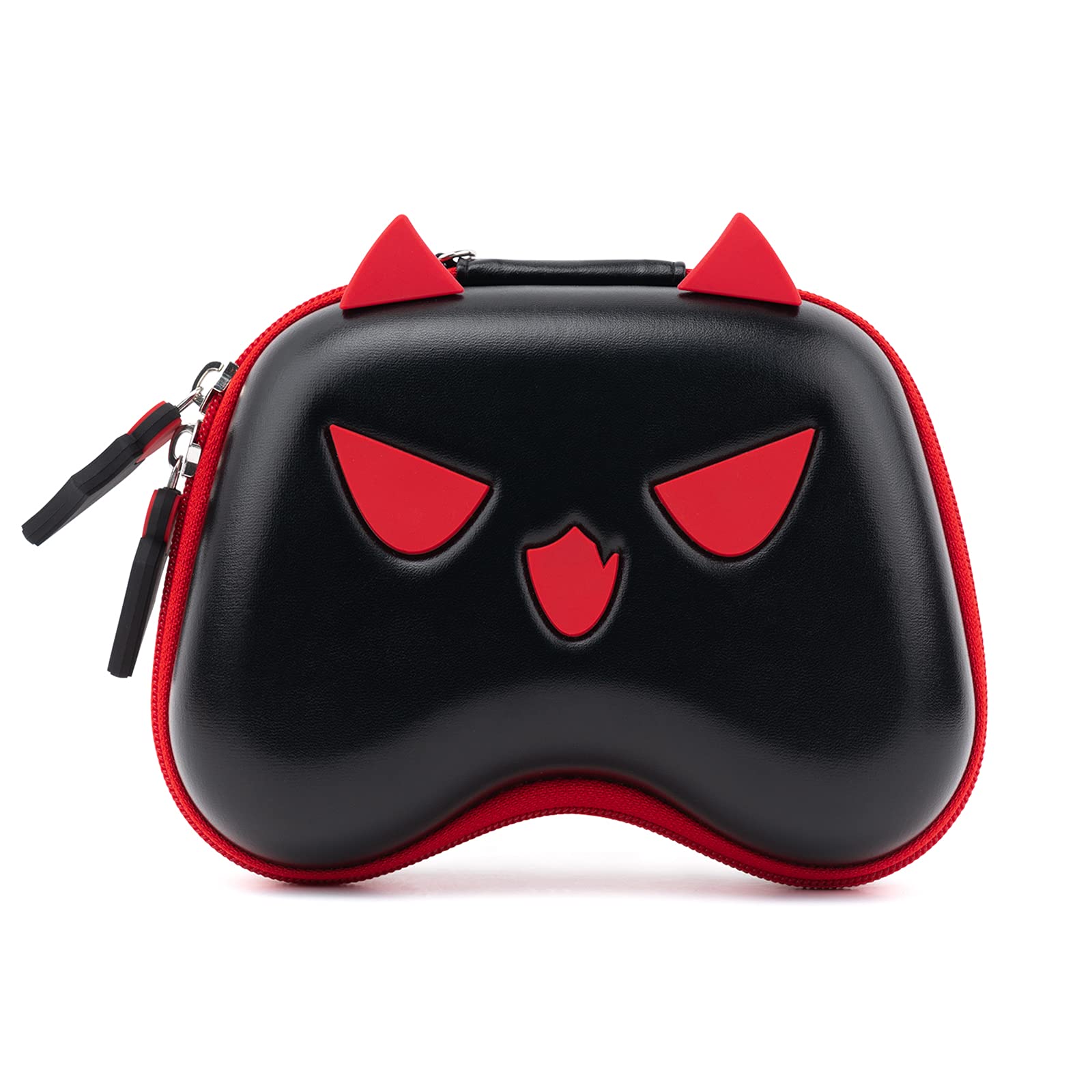
Image: Front view of the GeekShare Cute Devil Controller Travel Case, showcasing its distinctive design.
2. Compatibility
This travel case is designed for broad compatibility with various popular gaming controllers, ensuring a snug and secure fit for your device.
- PlayStation 5 (PS5) Controller
- PlayStation 4 (PS4) Controller
- Nintendo Switch Pro Controller
- Xbox Series X/S Controller

Image: Visual representation of the case's compatibility with PlayStation 5, Nintendo Switch Pro, Xbox Series X, and PlayStation 4 controllers.
3. Usage Instructions
3.1 Inserting Your Controller
- Open the case using the customized zippers.
- Carefully place your compatible controller into the main compartment. Ensure the joysticks and buttons are not pressed against the case walls.
- Secure the controller using the internal Velcro straps to prevent movement during travel.
- Close the case by zipping it completely.
3.2 Storing Accessories
The case includes a mesh storage bag located on the inside lid. This is suitable for small accessories such as charging cables, earphones, or small USB dongles. Avoid overfilling to prevent pressure on the controller.
3.3 Carrying the Case
The case is equipped with a hand strap for easy and secure carrying. Attach the strap to the designated loop on the case for convenient portability.

Image: A hand demonstrating how to carry the controller case using its integrated hand strap.

Image: The interior of the case, highlighting the mesh pocket for accessories and the Velcro straps designed to secure the controller.
Video: A demonstration of opening the GeekShare Little Devil PS5 Gaming Controller Case, placing a controller inside, and securing it before zipping the case closed.
4. Care and Maintenance
To ensure the longevity and appearance of your GeekShare Controller Travel Case, follow these care guidelines:
- Cleaning: Wipe the exterior with a soft, damp cloth. For stubborn stains, use a mild soap solution and then wipe clean with a damp cloth. Avoid harsh chemicals or abrasive cleaners.
- Drying: Allow the case to air dry completely before closing or storing. Do not expose to direct sunlight or high heat.
- Storage: Store the case in a cool, dry place when not in use.
- Zipper Care: Periodically check the zippers for any debris. If they become stiff, a small amount of zipper lubricant can be applied.
5. Troubleshooting
If you encounter any issues with your controller travel case, consider the following:
- Controller Does Not Fit: Ensure your controller is one of the compatible models listed in Section 2. Do not force the controller into the case.
- Zipper Stuck: Do not force the zipper. Gently try to move it back and forth. Check for any fabric or foreign objects caught in the teeth.
- Case Deformed: The EVA material is designed to be rigid. If minor deformation occurs due to external pressure, it may return to its original shape over time. Avoid placing excessively heavy objects on the case.
- Internal Straps Not Holding: Ensure the Velcro straps are properly aligned and pressed firmly together. Over time, Velcro may lose some effectiveness; ensure it is clean and free of lint.
6. Product Specifications
| Feature | Detail |
|---|---|
| Brand Name | GeekShare |
| Model | Controller Travel Case - Cute Devil |
| Compatible Devices | PlayStation 5, PlayStation 4, Switch Pro, Xbox Series X/S |
| Material Type | Ethylene Vinyl Acetate (EVA) |
| Closure Type | Zipper |
| Number of Compartments | 2 (Main compartment, Mesh pocket) |
| Strap Type | Velcro (internal), Hand Strap (external) |
| Item Dimensions (L x W x H) | 7.3" x 5.5" x 3" |
| Weight | 0.4 lb |
7. Warranty and Support
For warranty information, product support, or any inquiries not covered in this manual, please contact GeekShare customer service directly. Refer to the product packaging or the official GeekShare website for contact details.
Please retain your proof of purchase for any warranty claims.