
Introduction
The Spigen Glas.tR EZ Fit is a premium tempered glass screen protector designed specifically for the iPhone 13 Mini. It offers robust protection against scratches and impacts with its 9H hardness rating. The innovative EZ Fit installation tray ensures a perfect, bubble-free application every time. This manual provides detailed instructions for installation, usage, and maintenance to help you maximize the lifespan and performance of your screen protector.
Setup and Installation
Proper installation is crucial for optimal performance. Follow these steps carefully for a perfect, bubble-free application.
- Preparation: Ensure your iPhone 13 Mini screen is completely clean and free of dust, smudges, and fingerprints. Use a microfiber cloth and screen cleaner if necessary. Work in a dust-free environment.
- Identify Components: Your kit includes the tempered glass screen protector, an EZ Fit installation tray, and cleaning accessories.

This diagram illustrates the key components of your Spigen Glas.tR EZ Fit screen protector kit, including the EZ Fit Tray for precise alignment, the alignment film, and the tempered glass screen protector.
- Check Compatibility: This screen protector is exclusively designed for the iPhone 13 Mini.

Ensure your device is an iPhone 13 Mini for proper fitment. This screen protector is specifically designed for the iPhone 13 Mini and is not compatible with other models like the iPhone 12 Mini, iPhone 13, or iPhone 13 Pro.
- Install the Screen Protector:
- Step 1: Prepare the Tray. Carefully peel off the protective film from the EZ Fit installation tray.

Hands peeling a protective film from the Spigen EZ Fit installation tray.
- Step 2: Position the Tray. Gently place the EZ Fit Tray over your clean iPhone 13 Mini screen. The tray will automatically align the screen protector for a perfect fit.

Spigen EZ Fit installation tray being lowered onto an iPhone 13 Mini screen.
- Step 3: Apply Pressure. Press firmly along the center of the tray to initiate the adhesive process. Wait for approximately 30 seconds to allow the adhesive to spread evenly across the screen.

Finger pressing down on the center of the Spigen EZ Fit tray to apply the screen protector.
- Step 4: Remove the Tray. Carefully lift and remove the EZ Fit Tray from your iPhone. The screen protector should now be perfectly aligned and applied.

Spigen EZ Fit installation tray being lifted off the iPhone after screen protector application.
Operating
Once installed, the Spigen Glas.tR EZ Fit screen protector integrates seamlessly with your iPhone 13 Mini, providing enhanced protection without compromising functionality.
- Touch Sensitivity: The ultra-thin design ensures quick and undisturbed touch response, maintaining the original sensitivity of your device's screen.

Hand interacting with an iPhone 13 Mini screen protected by Spigen Glas.tR EZ Fit, demonstrating quick touch response.
- Crystal Clarity: Enjoy the original display quality of your iPhone 13 Mini with crystal clarity. The screen protector is designed to be transparent, ensuring no visual blemishes or distortion.

iPhone 13 Mini screen displaying a clear image through the Spigen Glas.tR EZ Fit screen protector, highlighting crystal clarity.
- Case Compatibility: The screen protector is engineered to be case-friendly, ensuring a perfect fit with all Spigen cases and most third-party cases without lifting or interference.

iPhone 13 Mini with Spigen screen protector shown with various Spigen cases, demonstrating case compatibility.
- Full Coverage: The precise full-cover fitment protects the entire active screen area of your iPhone 13 Mini.
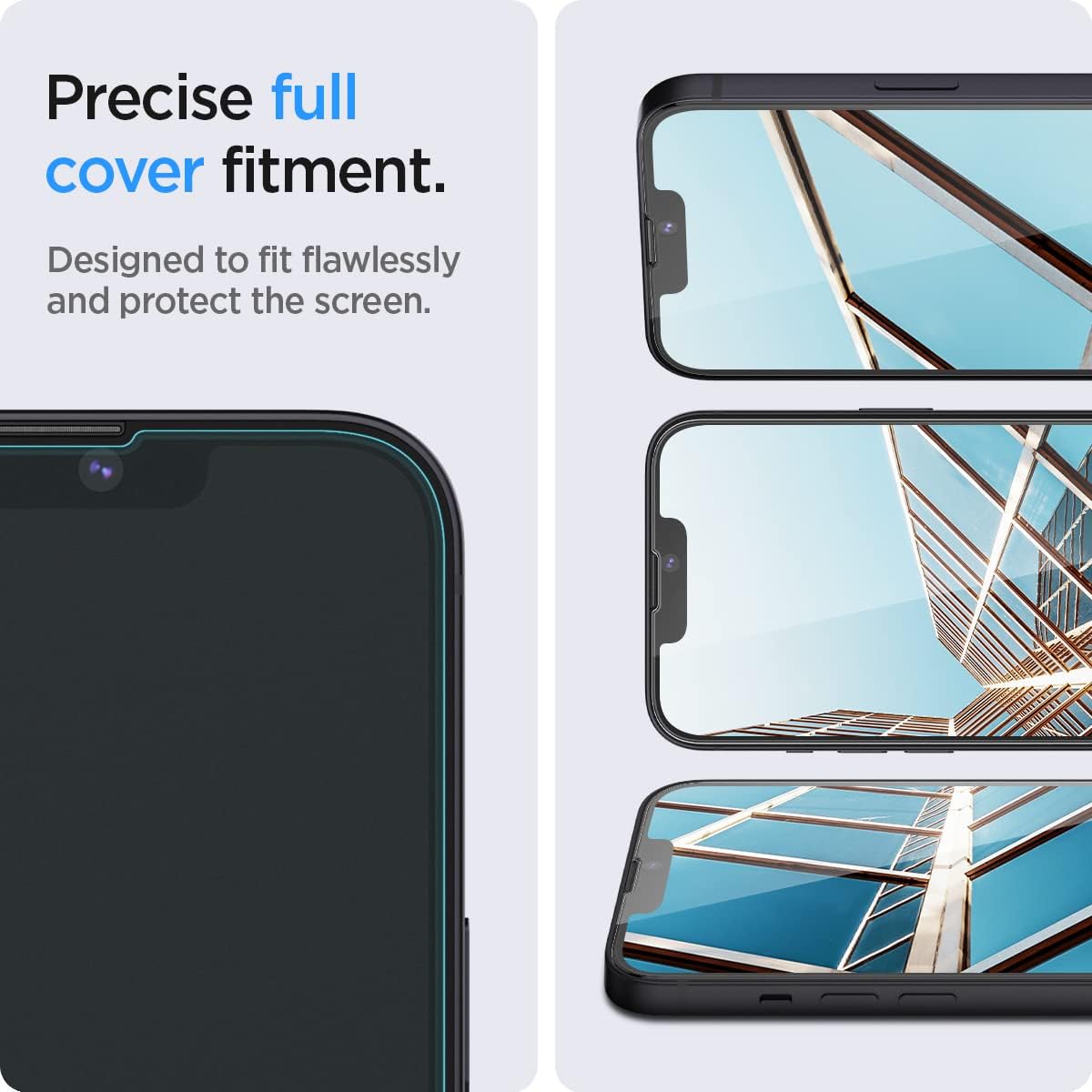
Close-up view of the Spigen screen protector providing precise full coverage on an iPhone 13 Mini screen.
Maintenance
To maintain the clarity and effectiveness of your Spigen Glas.tR EZ Fit screen protector, follow these simple maintenance guidelines:
- Cleaning: The screen protector features an oleophobic coating that resists fingerprints and smudges. For cleaning, gently wipe the screen with a soft, lint-free microfiber cloth. For stubborn smudges, slightly dampen the cloth with water or a screen-safe cleaner.
- Avoid Harsh Chemicals: Do not use abrasive cleaners, alcohol, or ammonia-based solutions, as these can damage the oleophobic coating and the screen protector itself.
- Protection Layers: The multi-layered design provides durable protection.

The screen protector features a multi-layered design for enhanced protection, including an AG Coating, 9H Tempered Glass, an Anti-scattering Film, and a Silicone Resin layer.
Troubleshooting
While the EZ Fit installation system is designed for ease, minor issues can sometimes occur. Here are solutions to common problems:
- Bubbles After Installation: Small bubbles are common immediately after installation. Most will disappear naturally within 24-48 hours as the adhesive settles. To expedite the process, gently push larger bubbles towards the nearest edge using a microfiber cloth or a soft card (like a credit card).
- Dust Under the Protector: If you notice dust particles under the screen protector, it indicates the screen was not perfectly clean before installation. While difficult to fix without removing and potentially damaging the protector, you may try gently lifting a corner with a dust removal sticker to extract the dust, then re-applying. This is not always successful and may introduce new issues.
- Misalignment: The EZ Fit tray is designed to prevent misalignment. If the protector is misaligned, it may be due to incorrect placement of the phone in the tray or not following the steps precisely. Re-installation is generally not recommended as it can compromise the adhesive.
Specifications
| Feature | Detail |
|---|---|
| Brand | Spigen |
| Model Number | AGL03397 |
| Compatible Devices | iPhone 13 Mini (Apple iPhone 13 mini) |
| Material | Tempered Glass |
| Hardness | 9H |
| Special Features | Scratch Resistant, Oleophobic Coating |
| Dimensions (L x W x H) | 12.79 x 6.06 x 0.05 cm |
| Weight | 17.01 grams |
| Number of Units | 2 Total |
| Screen Size | 5.4 Inches |
| Clarity | 0.99 |
Warranty and Support
Spigen products are designed for quality and durability. For specific warranty information or technical support, please refer to the official Spigen website or contact their customer service directly. Keep your purchase receipt as proof of purchase.