Product Overview
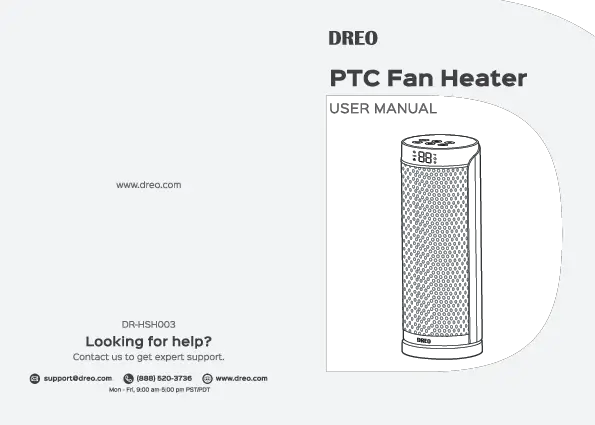
The Dreo 1500W PTC Ceramic Space Heater is designed to provide efficient and safe heating for various indoor spaces. Its compact tower design, advanced safety features, and user-friendly controls make it an ideal solution for supplemental heating.

Figure 1: Dreo Space Heater with remote control and illustrative warm air.
Key Features:
- ETL-Certified Safety: Built-in smart tip-over protection, overheat protection, 12-hour timer, 24-hour automatic power off without interaction, V0 flame retardant 2-prong plug, and sturdy 6ft long flat power cord.
- Fast Indoor Ceramic Heating: Powerful 1500W PTC ceramic heating allows for rapid heat-up in seconds, suitable for warming up spaces up to 200 sq.ft.
- Quiet Operation: Operates at 40dB, utilizing oblique airflow technology to reduce wind noise by 12% compared to traditional heaters.
- Uniform Heating: Features 70° wide-angle oscillation with a durable trackball system, boosting heating coverage by 20% for even heat distribution.
- Energy Efficiency: Smart ECO mode adjusts power (900W/1500W) based on ambient temperature to maintain desired comfort and optimize energy consumption.
- Usage Comfort: Touchscreen controls on top and a remote control with up to 26 feet range. Compact 16-inch design with a hidden handle for portability.
Setup
Before initial use, ensure the heater is placed on a firm, level surface. Unpack all components and remove any protective packaging. Ensure the power cord is not damaged.
- Place the heater upright on a stable, flat surface, away from walls, furniture, and curtains to ensure proper airflow.
- Ensure the power cord is fully extended and not obstructed.
- Safety Reminder: Plug the heater directly into a 120V wall outlet. Do not use with an extension cord or power strip.

Figure 2: Safety features of the Dreo Space Heater, including flame retardant materials and tip-over protection.
Operating Instructions
The Dreo Space Heater can be operated using the touchscreen controls on the top panel or the included remote control.
Control Panel & Remote:
- Power Button: Press to turn the heater ON or OFF.
- Mode Button (M): Cycles through heating modes: High (1500W), Low (900W), and ECO mode.
- Temperature Adjustment (+/-): Adjusts the desired temperature from 41°F to 95°F in 1-degree increments.
- Oscillation Button: Activates or deactivates the 70° wide-angle oscillation feature.
- Timer Button: Sets the auto-off timer from 1 to 12 hours.
- Mute Button (on remote only): Mutes the audible beeps from the unit.

Figure 3: Top control panel of the Dreo Space Heater with digital temperature display.
Modes of Operation:
- High Heat (1500W): Provides maximum heating power for quick warmth.
- Low Heat (900W): Offers a lower heat output for sustained warmth or smaller spaces.
- ECO Mode: Automatically adjusts between 900W and 1500W to maintain your set temperature, optimizing energy consumption.

Figure 4: Energy usage comparison highlighting the efficiency of Dreo's ECO mode.
Oscillation Feature:
The 70° wide-angle oscillation ensures heat is distributed evenly across the room, preventing hot or cold spots. This feature can be activated or deactivated at any time during operation.

Figure 5: Illustration of the 70-degree oscillation feature for enhanced heating coverage.
Official Product Videos:
Video 1: Highly recommend the Dreo space heater! This video demonstrates the heater's quick heating capabilities and user-friendly controls.
Safety Features
The Dreo Space Heater is equipped with multiple safety mechanisms to ensure safe operation:
- Tip-Over Protection: Automatically shuts off the heater if it is accidentally knocked over.
- Overheat Protection: The heater will automatically turn off if it detects an internal temperature that is too high, preventing overheating.
- V0 Flame-Retardant Materials: Constructed with high-quality, flame-retardant materials for enhanced safety.
- 12-Hour Timer & 24-Hour Auto-Off: Allows users to set a specific operating duration or automatically powers off after 24 hours of continuous operation without interaction.

Figure 6: The heater's automatic shut-off feature when tipped over.
Maintenance
Regular maintenance ensures optimal performance and longevity of your Dreo Space Heater:
- Always unplug the heater and allow it to cool completely before cleaning.
- Use a soft, damp cloth to wipe the exterior surfaces. Do not use abrasive cleaners or solvents.
- Ensure no water or other liquids enter the interior of the heater.
- Store the heater in a cool, dry place when not in use, preferably in its original packaging.
Troubleshooting
If you encounter issues with your Dreo Space Heater, refer to the following common solutions:
| Problem | Possible Cause | Solution |
|---|---|---|
| Heater does not turn on. | Not plugged in, power outlet issue, tip-over switch activated, or overheat protection engaged. | Ensure securely plugged into a working outlet. Check if the heater is on a flat surface. Allow to cool down if it overheated. |
| No heat output. | Incorrect mode selected, temperature setting too low, or fan mode active. | Select a heating mode (High/Low/ECO). Increase the target temperature. Ensure fan-only mode is not selected. |
| Heater makes unusual noise. | Obstruction in fan, or unit not on a stable surface. | Unplug and check for obstructions. Place on a firm, level surface. |
If issues persist, please contact Dreo Customer Support.
Specifications
- Brand: Dreo
- Model Number: DR-HSH003
- Color: Black
- Form Factor: Tower
- Indoor/Outdoor Usage: Indoor
- Product Dimensions: 5.9"D x 5.89"W x 15.79"H
- Heating Coverage: 200 sq.ft.
- Burner Type: PTC Ceramic
- Fuel Type: Electric
- Voltage: 120 Volts
- Amperage: 12.5 Amps
- Cable Length: 6 Feet / 1.8 m
- Min Temperature Setting: 41 Degrees Fahrenheit
- Max Temperature Setting: 95 Degrees Fahrenheit
- Item Weight: 4.63 pounds
- UPC: 860006539566
Warranty & Support
Dreo products typically come with a standard warranty. For detailed warranty information and to register your product, please refer to the official user manual or contact Dreo Customer Support.
- Official User Manual (PDF): Download Here
- Dreo Support Center: Visit www.dreo.com for FAQs, troubleshooting, and contact options.