
Introduction
This manual provides detailed instructions for the installation, operation, and maintenance of the YOOREAL Digital AC/DC 5-277V Hour Meter. This device is designed to accurately track the operating hours of various equipment, facilitating timely maintenance and service scheduling.
The hour meter features a wide voltage compatibility (AC/DC 5V to 277V), resettable partial timers (TMR1/TMR2), and a durable, waterproof design.

Image: The YOOREAL Digital AC/DC 5-277V Hour Meter displaying "0.0 HOURS". This image illustrates the meter's primary function of tracking operational time.
Safety Information
Please read and understand all safety instructions before installing or operating the hour meter. Failure to follow these instructions may result in electric shock, fire, or damage to the product or connected equipment.
- Ensure the power supply is disconnected before installation or maintenance.
- Verify the voltage compatibility of your equipment with the hour meter (AC/DC 5V to 277V).
- Do not expose the device to extreme temperatures or corrosive environments beyond its specified operating conditions.
- Installation should be performed by qualified personnel if you are unsure about electrical connections.
Product Overview
The YOOREAL Digital Hour Meter is designed for reliable performance in various applications. Key features include:
- Wide Voltage Range: Compatible with AC/DC 5V to 277V power supplies.
- Total Hours Tracking: Records run time up to 99,999.9 hours.
- Resettable Partial Timers (TMR1/TMR2): Two independent timers for tracking specific operational periods, useful for maintenance scheduling.
- Initial Hours Setup: Allows programming of initial hours for replacement units.
- Non-Polarized Connection: Simplifies wiring as positive and negative poles are non-distinctive.
- Snap-in Design: Easy installation into standard panel cut-outs.
- Water and Shock Resistance: IP68 waterproof rating and 100% epoxy resin sealing protect against moisture and impact.
- Built-in Battery: CR2050 battery retains data when power is off.

Image: Front view of the YOOREAL Digital Hour Meter, showcasing its compact design and LCD display.

Image: A detailed graphic highlighting the HM03PAD V-mount LCD Hour Counter, emphasizing its AC/DC 277V compatibility, easy installation, and IP65 waterproof rating with epoxy resin sealing.
Specifications
| Feature | Specification |
|---|---|
| Brand | YOOREAL |
| Model | HM03PAD |
| Working Voltage Range | AC/DC 5V to 277V |
| Timing Range | 0-99,999.9 Hours |
| Timing Accuracy | 0.1/1 Hour |
| Waterproof Rating | IP68 |
| Material | Polycarbonate (PC) |
| Item Dimensions (L x W x H) | 1.77 x 1.18 x 1.18 inches (45 x 30 x 30 mm) |
| Panel Cut-out Size | Approx. 1.48 x 0.96 inches (37.5 x 24.5 mm) |
| Item Weight | 33 Grams |
| Internal Battery | CR2050 (for data retention) |

Image: Technical drawing illustrating the dimensions of the hour meter and a display of included accessories: user manual, two insert springs, and two insert spring sheaths.
Setup and Installation
Follow these steps for proper installation of your YOOREAL Digital Hour Meter:
- Prepare Panel Cut-out: Create a rectangular opening in your panel with dimensions of approximately 1.48 x 0.96 inches (37.5 x 24.5 mm).
- Insert Meter: Gently push the hour meter into the prepared cut-out. The snap-in design will secure it in place.
- Wiring: Connect the hour meter to your equipment's power supply. The positive and negative poles of the meter are non-distinctive, allowing for easy and smooth connection. Ensure the voltage is within the AC/DC 5V to 277V range.
- Initial Hours Setup (Optional): If replacing an old hour meter, you can program the initial hours. This feature allows you to set the meter to match the previous equipment's run time. This can typically be done within the first hour of operation or through a specific button sequence (refer to the included user manual for exact steps).

Image: A two-step diagram showing the snap-in installation of the hour meter into a panel, along with the required panel cut-out dimensions (37.5mm x 24.5mm).

Image: A wiring diagram demonstrating the non-polarized connection of the hour meter to a battery, indicating that positive and negative terminals can be connected without specific orientation.
Operating Instructions
The hour meter automatically tracks the total operating hours of the connected equipment when power is supplied. It also features two resettable partial timers.
- Total Hours (TOT): The main display shows the total accumulated operating hours, up to 99,999.9 hours. This value is non-resettable to ensure accurate lifetime tracking.
- Partial Timers (TMR1/TMR2): The meter includes two independent resettable timers. These can be used to track specific intervals, such as hours between oil changes or other routine maintenance tasks.
Resetting Partial Timers:
To reset TMR1 or TMR2, locate the small button on the front of the meter (usually labeled "HOURS" or similar). Press and hold this button for approximately 3-5 seconds while the desired partial timer (TMR1 or TMR2) is displayed. The timer will reset to 0.0.

Image: Two separate displays of the hour meter, one showing "TMR1 105.6 HOURS" and the other "TMR2 120.6 HOURS", illustrating the resettable partial timer function.
Maintenance
The YOOREAL Digital Hour Meter is designed for durability and low maintenance. Its IP68 waterproof rating and epoxy resin sealing protect internal components.
- Cleaning: Wipe the display and casing with a soft, damp cloth. Avoid using harsh chemicals or abrasive cleaners.
- Environmental Protection: While waterproof, avoid prolonged submersion or exposure to high-pressure water jets.
- Battery: The built-in CR2050 battery is primarily for data retention during power outages. It is not user-replaceable under normal circumstances.
- Scheduled Maintenance: Utilize the TMR1 and TMR2 functions to schedule and track routine maintenance for your equipment at recommended intervals.
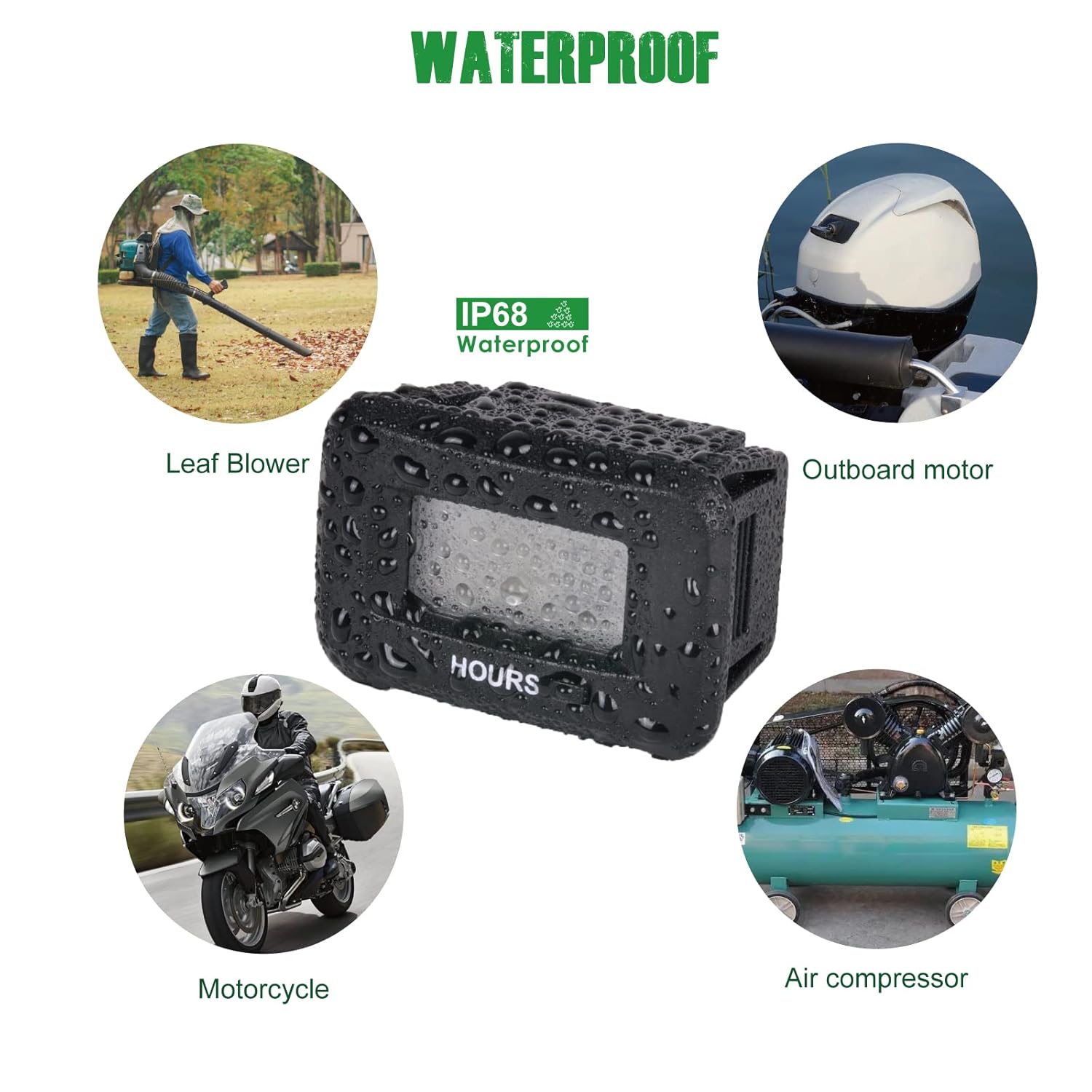
Image: A central image of the waterproof hour meter with water droplets, surrounded by four smaller images depicting its application on a leaf blower, outboard motor, motorcycle, and air compressor, highlighting its versatility and IP68 waterproof feature.
Troubleshooting
If you encounter issues with your hour meter, consider the following:
- Display Not Working:
- Check all wiring connections to ensure they are secure.
- Verify that the power supply voltage is within the specified 5V to 277V range.
- Ensure the equipment is powered on and operating.
- Incorrect Hour Reading:
- Confirm that the meter was properly reset or initialized if it's a new installation.
- The total hour reading (TOT) is non-resettable. Only TMR1 and TMR2 can be reset.
- Meter Not Tracking Hours:
- Ensure the meter is receiving continuous power when the equipment is running.
- Check for any loose connections or damage to the wiring.
If problems persist, please contact YOOREAL customer support for assistance.
Warranty and Support
YOOREAL provides comprehensive after-sales support for its products.
- Warranty: This product comes with a 2-year after-sales service warranty. During this period, YOOREAL offers free replacement service for any quality problems with the product.
- Technical Support: A dedicated technical group is available to assist with any product-related inquiries or issues.
- Customer Service: For any problems or concerns, please contact YOOREAL customer service via the Amazon Platform or directly through the YOOREAL store. The YOOREAL Care Team is committed to providing prompt and professional online services.
Even if the standard Amazon return window has closed, YOOREAL is committed to resolving your issues within the 2-year warranty period.

Image: A wide banner image representing the YOOREAL brand, often used in their brand story or promotional materials.