Introduction
Thank you for choosing the Mr Beams MB391-BRN Wireless Motion-Activated Outdoor LED Spotlight. This product is designed to provide bright, motion-activated illumination for enhanced safety and security around your property. Please read this manual thoroughly before installation and operation to ensure proper use and optimal performance.
Safety Information
- Do not mix old and new batteries.
- Do not mix alkaline, standard (carbon-zinc), or rechargeable (nickel-cadmium) batteries.
- Dispose of used batteries properly according to local regulations.
- Ensure the battery compartment is sealed correctly to maintain weather resistance.
- Do not stare directly into the LED light source.
- Install the spotlight in a location where it is protected from direct impact.
Package Contents
Verify that all items are present in the package:
- 1 x Mr Beams MB391-BRN Wireless Motion-Activated Outdoor LED Spotlight
- Mounting Hardware (screws and anchors)
- User Manual
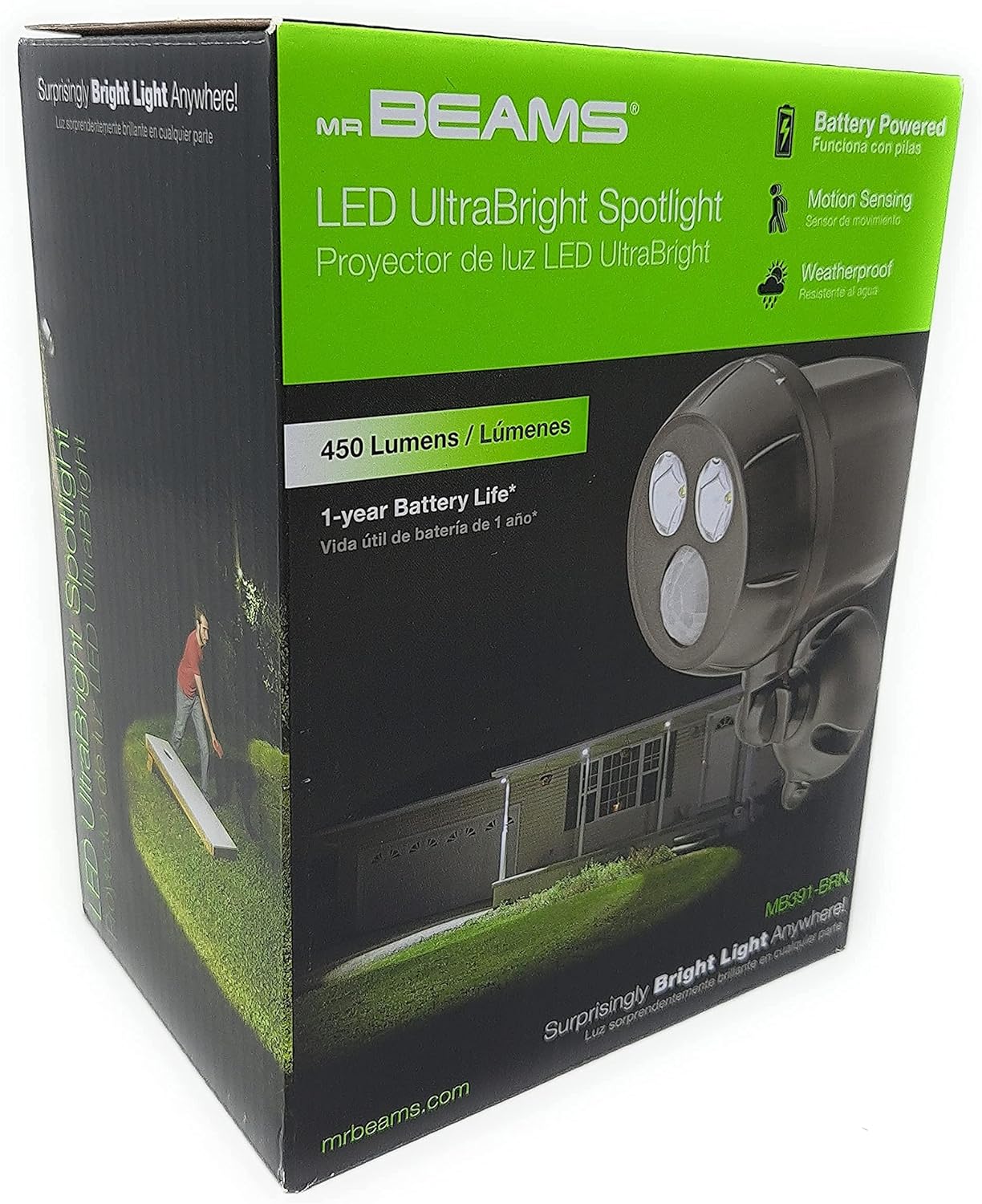
Image: Front view of the Mr Beams MB391-BRN spotlight product packaging, showing the spotlight and key features.
Product Overview
The Mr Beams MB391-BRN spotlight features a durable, weather-resistant design with a powerful LED light and an integrated motion sensor.

Image: Close-up view of the Mr Beams MB391-BRN spotlight, highlighting the LED lights and motion sensor on the front face.
Key components include:
- LED Lights: Provide 450 lumens of bright illumination.
- Motion Sensor: Detects movement up to 30 feet away.
- Dusk-to-Dawn Sensor: Ensures the light only activates in low-light conditions.
- Adjustable Fixture: Allows for optimal light coverage.
- Battery Compartment: Houses 4 D-cell batteries (not included).
Setup
1. Battery Installation
- Twist the front cover of the spotlight counter-clockwise to open the battery compartment.
- Insert 4 new D-cell batteries (not included), ensuring correct polarity (+/-).
- Replace the front cover by aligning the marks and twisting clockwise until securely sealed.
2. Mounting the Spotlight
The spotlight can be easily installed on various surfaces such as walls, fences, or eaves. Select a location that provides the desired light coverage and motion detection range.
- Position the mounting base against the desired surface.
- Mark the screw holes using a pencil.
- Drill pilot holes if necessary (for wood) or insert wall anchors (for masonry/drywall).
- Secure the mounting base with the provided screws.
- Attach the spotlight to the mounted base and adjust the angle for optimal light direction.

Image: A Mr Beams spotlight illuminating a backyard area at night, demonstrating potential placement and light coverage.
Operating Instructions
- Automatic Activation: The spotlight will automatically turn on when motion is detected within its 30-foot range and ambient light levels are low (dusk-to-dawn sensor).
- Automatic Shut-off: The light will turn off approximately 20 seconds after motion ceases.
- Light Coverage: The 450-lumen LED provides illumination for up to 675 square feet.
- Weatherproof Design: The unit is designed for outdoor use and is resistant to weather conditions.
Maintenance
- Battery Replacement: Replace all 4 D-cell batteries when the light output diminishes or the unit stops functioning. Average battery life is 1 year with 8 activations per night.
- Cleaning: Wipe the motion sensor and LED lens periodically with a soft, damp cloth to ensure optimal performance. Do not use abrasive cleaners.
- LED Durability: The integrated LED is designed to last for 30,000 hours and does not require replacement.
Troubleshooting
| Problem | Possible Cause | Solution |
|---|---|---|
| Light does not turn on. |
|
|
| Light stays on continuously or cycles rapidly. |
|
|
| Light is dim. |
|
|
Specifications
| Model Number | MB391-BRN |
| Light Output | 450 Lumens |
| Light Coverage | Up to 675 sq ft |
| Motion Sensor Range | Up to 30 ft (9.1 m) |
| Auto Shut-off Time | 20 seconds (after no motion) |
| Power Source | 4 x D-cell batteries (not included) |
| Battery Life | Approximately 1 year (based on 8 activations/night) |
| Light Source Type | LED (30,000 hours lifespan) |
| Indoor/Outdoor Use | Outdoor |
| Color | Brown |
| Material | Plastic |
| Product Dimensions | 10.8 x 10.8 x 19.05 cm; 376 g |
| Manufacturer | Wireless Environment, LLC |
Warranty
This product is covered by the manufacturer's 1-year limited warranty. For details regarding warranty claims, please refer to the official Mr Beams website or contact customer support.
Support
For further assistance, technical support, or to view additional product information, please visit the official Mr Beams website: www.mrbeams.com.
You may also find information regarding patents at www.mrbeams.com/patents.


