
Introduction
Welcome to your new Blooma Solar Post Light Frame. This manual provides essential information for the safe and efficient use of your solar light. Please read these instructions carefully before installation and retain them for future reference.
Important Safety Information
- Ensure the product is installed in a location that receives direct sunlight for optimal charging.
- Do not attempt to open or modify the battery compartment or the light unit.
- Keep away from open flames and extreme temperatures.
- This product is rated IP44, meaning it is protected against solid objects over 1mm and splashing water from any direction. It is not suitable for submersion.
- Dispose of batteries responsibly according to local regulations.
Package Contents
Before installation, verify that all components are present:
- 1 x Blooma Solar Post Light Frame
- 1 x Rechargeable Li-ion Battery (7.4V 2000mAh 18650) (pre-installed)
- Fixings (screws, wall plugs)
- Instruction Manual (this document)
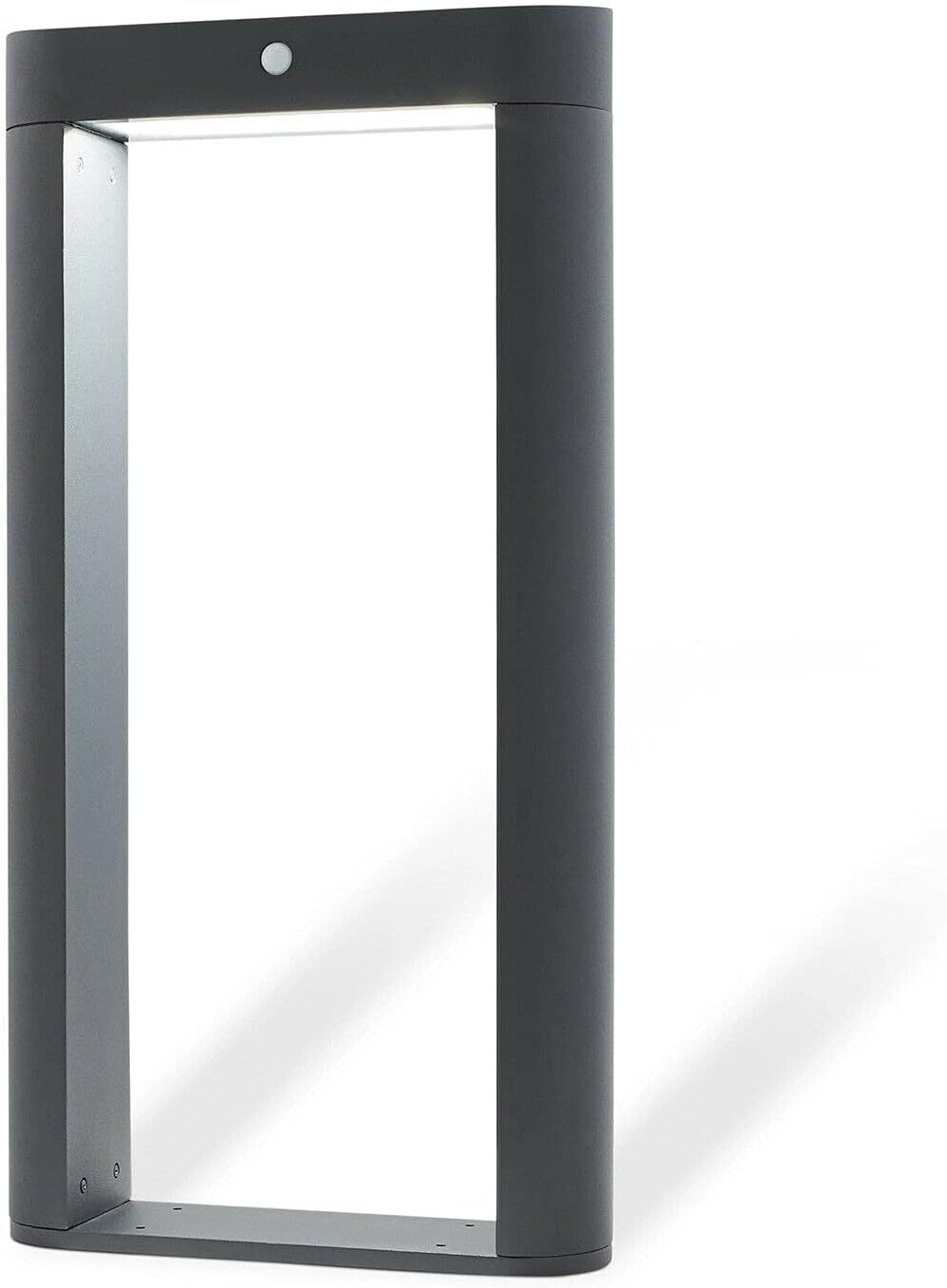
Image: The Blooma Solar Post Light Frame, showcasing its charcoal matt finish and integrated solar panel.
Specifications
| Feature | Detail |
|---|---|
| Brand | Blooma |
| Model Number | 3663602895350 |
| Material | Metal & Glass |
| Colour | Charcoal |
| Finish | Matt |
| Light Type | Integrated LED |
| Light Colour | Cool White |
| Luminous Flux (Steady) | 30 lumen |
| Luminous Flux (PIR) | 500 lumen |
| IP Rating | IP44 |
| Battery | 1 x 7.4V 2000mAh Li-ion 18650 |
| PIR Detection Angle | 90 degrees |
| PIR Detection Distance | Up to 8 metres |
| PIR Light Duration | 60 seconds |
| Dimensions (H x W x D) | 67cm x 34cm x 10cm |

Image: Diagram illustrating the dimensions of the solar post light: Height 67cm, Width 34cm, Depth 10cm.
Setup and Installation
- Unpacking: Carefully remove all components from the packaging. Inspect for any damage.
- Location Selection: Choose an outdoor location that receives a minimum of 6-8 hours of direct sunlight daily for optimal battery charging. Avoid areas under eaves, trees, or other obstructions that may block sunlight.
- Mounting:
- Position the light frame on a flat, stable surface where it will be installed.
- Mark the positions for drilling through the pre-drilled holes in the base of the light frame.
- Drill holes using an appropriate drill bit for your surface (e.g., concrete, wood).
- Insert wall plugs (if necessary for masonry) and secure the light frame using the provided screws. Ensure it is firmly attached.
- Initial Charge: Allow the solar light to charge for at least 24-48 hours in direct sunlight before its first use. This ensures the battery reaches full capacity.

Image: Close-up view of the top section of the solar post light, highlighting the integrated solar panel and the PIR motion sensor.
Operating Instructions
The Blooma Solar Post Light Frame features dual light purpose technology and operates automatically.
- Automatic Operation: The light is designed to turn on automatically at dusk and turn off at dawn.
- Steady Function (Dusk-to-Dawn):
- At dusk, the light will emit a cool white accent light at 30 lumens.
- This steady light can operate for up to 6 hours, depending on the amount of sunlight received during the day.
- PIR Function (Motion Activated):
- When motion is detected within a 90-degree angle and up to 8 metres distance after dark, the light will activate to a brighter 500 lumens.
- The brighter light will remain on for approximately 60 seconds.
- After 60 seconds, if no further motion is detected, the light will return to the 30-lumen steady function or turn off if the steady function duration has expired.
- The PIR function can activate up to 30 times per night, depending on battery charge.

Image: The Blooma Solar Post Light Frame installed in an outdoor environment, demonstrating its aesthetic appeal.
Maintenance
- Cleaning: Regularly wipe the solar panel and light surface with a soft, damp cloth to remove dust, dirt, or debris. A clean solar panel ensures efficient charging. Do not use abrasive cleaners or solvents.
- Battery Replacement: The integrated Li-ion battery is designed for long-term use. If the light performance significantly diminishes over time, the battery may need replacement. This should only be performed by a qualified technician or by contacting customer support.
- Winter Care: During winter months or periods of prolonged low sunlight, the light's performance may be reduced. Ensure the solar panel remains clear of snow and ice.
Troubleshooting
| Problem | Possible Cause | Solution |
|---|---|---|
| Light does not turn on at night. | Insufficient sunlight for charging. Solar panel is dirty or obstructed. Battery is not fully charged or has reached end of life. Light sensor is detecting ambient light. | Relocate the light to an area with more direct sunlight. Clean the solar panel. Allow 2-3 days of full sunlight charging. If problem persists, battery may need replacement (contact support). Ensure no other light sources are interfering with the solar light's sensor. |
| Light stays on for a short duration or is dim. | Insufficient battery charge. Cold weather affecting battery performance. | Ensure the light receives maximum direct sunlight for several days. Battery performance can be reduced in very cold temperatures; this is normal. |
| PIR sensor not detecting motion. | Obstruction in detection path. Sensor is dirty. Motion is outside detection range/angle. | Clear any objects blocking the sensor's view. Gently clean the PIR sensor lens. Ensure motion occurs within 8 metres and 90-degree angle. |
Warranty Information
Blooma products are manufactured to high-quality standards. For specific warranty details, please refer to the warranty card included with your purchase or visit the official Blooma website. Please retain your proof of purchase for any warranty claims.
Customer Support
If you encounter any issues not covered in this manual or require further assistance, please contact Blooma customer support.
Website: www.blooma.com (Example link, actual link may vary)
Email: support@blooma.com (Example email, actual email may vary)