1. Introduction
This manual provides detailed instructions for the operation and maintenance of your Fuzion Digital Pocket Scale, Model FU-200. Designed for high precision, this scale offers accurate measurements for various small items. Please read this manual thoroughly before use to ensure proper functionality and longevity of your device.

Figure 1: Fuzion Digital Pocket Scale with accessories.
2. Setup
2.1 Battery Installation
- Open the battery compartment cover located on the underside of the scale.
- Insert the two AAA batteries (included) according to the polarity indicators (+/-).
- Close the battery compartment cover securely.
2.2 Initial Placement
Place the scale on a flat, stable, and vibration-free surface. Ensure it is away from strong electromagnetic fields or extreme temperature changes for optimal performance.
3. Operating Instructions
3.1 Power On/Off
- Press the “ON/OFF” button to turn the scale on.
- Press and hold the “ON/OFF” button for a few seconds to turn the scale off.
3.2 Unit Conversion
The scale supports 6 different units of measurement. Press the “MODE” button to cycle through the available units: g (grams), oz (ounces), gn (grains), ozt (troy ounces), dwt (pennyweights), and ct (carats).

Figure 2: Displaying the 6 unit conversion options.
3.3 Tare Function
The Tare function allows you to subtract the weight of a container, providing only the net weight of the contents.
- Place an empty container on the weighing platform.
- Press the “TARE” button. The display will reset to zero.
- Add items into the container; the display will show the net weight of the items.

Figure 3: Visual guide for the Tare function.
3.4 Calibration Function
Regular calibration ensures the accuracy of your scale. A 50g calibration weight is included.
- Turn the scale on and wait for the display to show “0.00”.
- Press and hold the “MODE” button until the display shows “CAL” then flashes “50.00”.
- Place the 50g calibration weight on the center of the platform.
- The display will show “PASS” and then return to normal weighing mode, indicating successful calibration.

Figure 4: Visual guide for the Calibration function.
3.5 Weighing Items
Place the item(s) gently on the center of the stainless steel weighing platform. The weight will be displayed on the LCD screen.
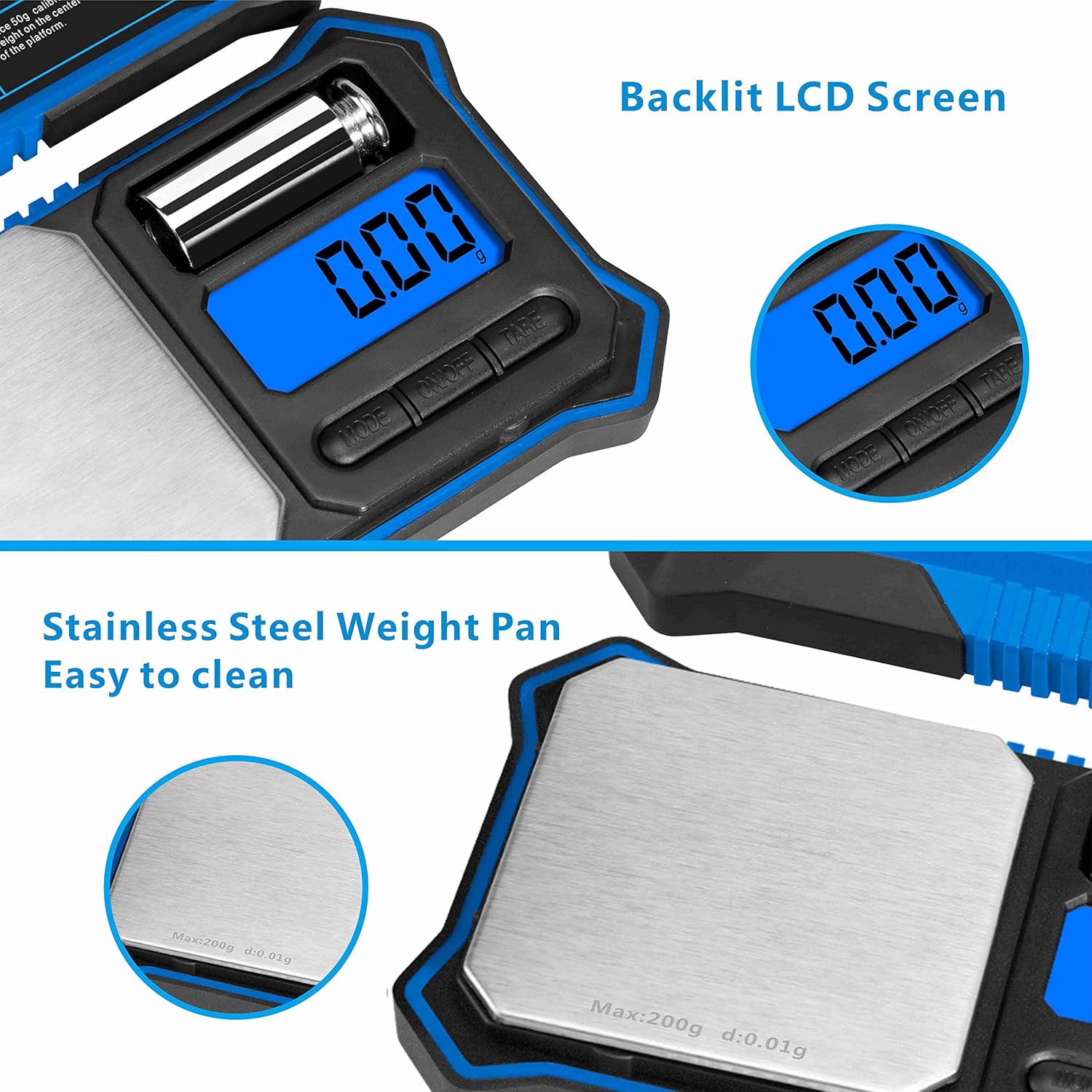
Figure 5: Backlit LCD screen and stainless steel weighing pan.
Video 1: Demonstration of the Fuzion Digital Pocket Scale's weighing capabilities for various items, including coffee beans, jewelry, and coins. This video also shows unit conversion and tare function.
4. Features
- High Accuracy: Built with a high precision sensor system, offering a maximum capacity of 200g and readabilities of 0.01g.
- Tare & Calibration Function: Easily subtract container weight and re-calibrate with the included 50g weight.
- 6 Different Units: Quickly convert between g, oz, gn, ozt, dwt, and ct.
- Convenient Features: LCD backlit display for easy reading in all light conditions. Smooth, easy-to-clean surface.
- Thoughtful Design: High-quality ABS shell, compact and strong. Separated magnetic cover protects the weighing surface and can serve as a container. Silicone edging on four sides provides anti-slip and damage protection.
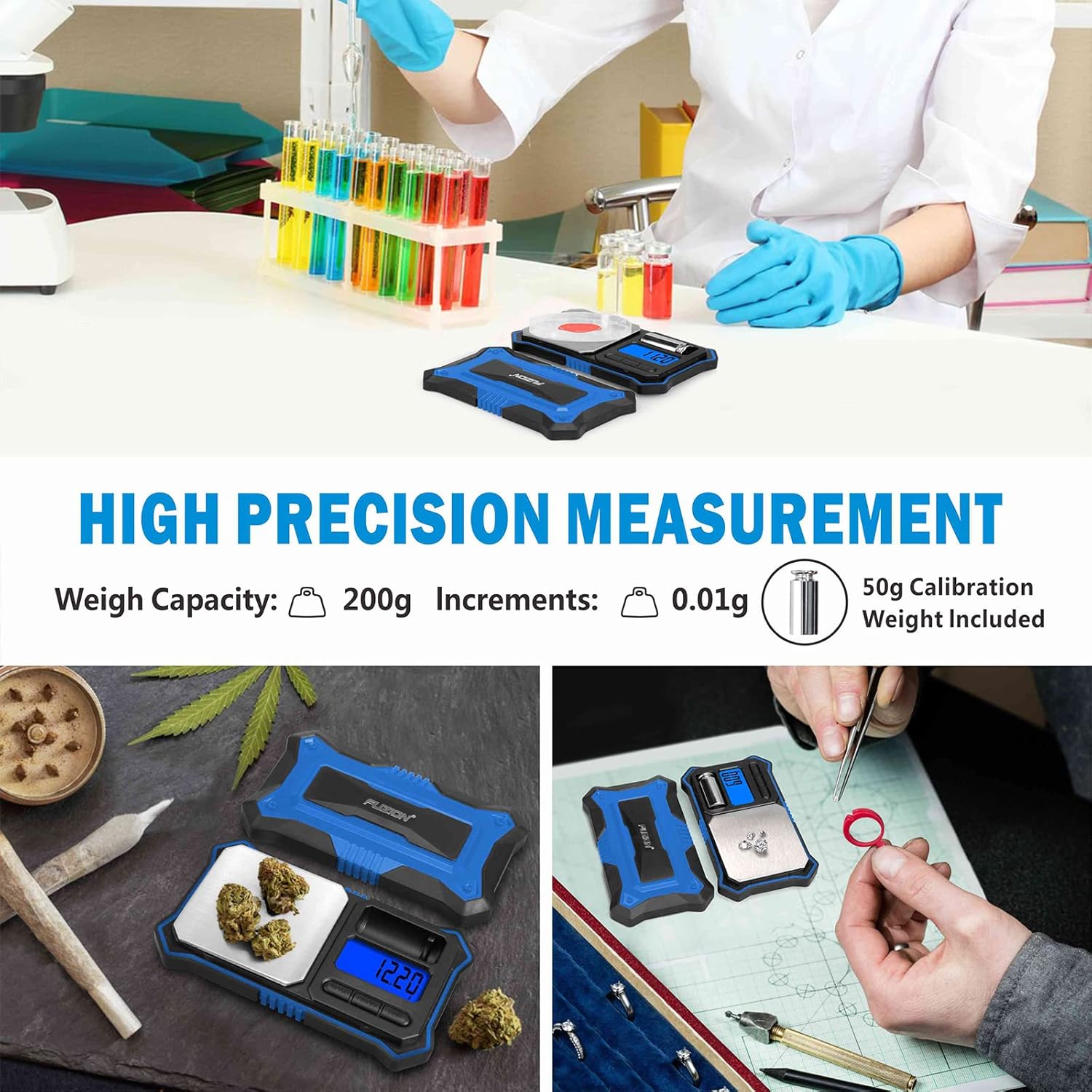
Figure 6: High precision measurement and wide range of applications.
5. Specifications
| Feature | Detail |
|---|---|
| Product Dimensions | 5.5 x 3.3 x 0.9 inches; 7.05 ounces |
| Item Model Number | FU-200 |
| Batteries | 2 AAA batteries required (included) |
| Manufacturer | Fuzion |
| Recommended Uses | Jewellery, Coins, Medicine, Gemstones, Food, Powder, Gold |
| Special Features | Calibration Function, Tare Function, LCD Backlit Screen, 6 Measurement Units, Detachable Lid |
| Display Type | LCD |
6. What's in the Box
- Fuzion Digital Pocket Scale
- 50g Calibration Weight
- 2 x AAA Batteries
- Carrying Pouch (color may vary)

Figure 7: Package contents.
7. Maintenance
- Clean the weighing platform with a soft, damp cloth. Do not use abrasive cleaners.
- Avoid exposing the scale to extreme temperatures or humidity.
- Store the scale in a dry, safe place when not in use, preferably in its protective pouch.
- Remove batteries if the scale will not be used for an extended period to prevent leakage.
8. Troubleshooting
- Inaccurate Readings: Ensure the scale is on a flat, stable surface. Re-calibrate the scale using the 50g weight. Check battery level.
- Display Not Turning On: Check if batteries are inserted correctly and have sufficient charge. Replace batteries if necessary.
- Fluctuating Readings: Ensure no air currents (e.g., from fans or open windows) are affecting the scale. Avoid placing the scale near vibrating equipment.
9. Warranty & Support
For any questions, technical support, or warranty claims, please contact Fuzion customer service. Refer to the product packaging or the official Fuzion website for contact details.
Video 2: A seller-provided video demonstrating the features and usage of a digital pocket scale, including calibration, unit conversion, and tare function. This video is from UNI Direct.
Video 3: A seller-provided video showcasing the Digital Pocket Gram Scale (PK300-BLK) with 300g x 0.01g accuracy, demonstrating its various functions and applications. This video is from Gepusai.
Video 4: A seller-provided video demonstrating the GRAM PRES Digital Pocket Gram Scale (JS-010) with 500g x 0.01g capacity, highlighting its precision and ease of use. This video is from Gepusai.


