
Radiant RAS10302
Radiant Smartwatch RAS10302 User Manual
Model: RAS10302
1. Introduction
Welcome to your new Radiant Smartwatch RAS10302. This manual provides essential information for setting up, operating, and maintaining your device. Please read these instructions carefully before using your smartwatch to ensure optimal performance and longevity.
The Radiant Smartwatch RAS10302 is a versatile wearable device featuring Bluetooth connectivity, integrated GPS, a digital display, and calendar functions, designed for adult users.
2. Setup
2.1 Unboxing
Carefully remove the smartwatch and all included accessories from the packaging. Verify that all components are present.

Image: The Radiant Smartwatch RAS10302 retail box, containing the smartwatch and accessories.
2.2 Initial Charging
Before first use, fully charge your smartwatch. Connect the charging cable to the watch and a compatible USB power source. The watch uses a Lithium-ion battery. A full charge typically takes approximately 2 hours.
2.3 App Installation and Pairing
- Download the Companion App: Search for the official Radiant Smartwatch companion app on your smartphone's app store (iOS or Android).
- Enable Bluetooth: Ensure Bluetooth is enabled on your smartphone.
- Open the App: Launch the installed app and follow the on-screen instructions to create an account or log in.
- Pair Device: Within the app, select "Add Device" or "Pair Smartwatch" and choose "RAS10302" from the list of available devices. Confirm the pairing request on both your phone and the smartwatch if prompted.
The smartwatch will automatically sync time and date with your smartphone upon successful pairing.
3. Operating Instructions
3.1 Basic Navigation
The Radiant Smartwatch RAS10302 features a digital display with touch input. Swipe left, right, up, or down to navigate through menus and functions. Tap to select an option.
3.2 Customizing Watch Faces
You can change the appearance of your watch face directly from the smartwatch or through the companion app. Long-press the current watch face to access customization options, or browse available faces in the app.

Image: Examples of customizable digital watch faces available on the Radiant Smartwatch RAS10302.
3.3 Key Features
- Calendar: Access your schedule and appointments directly from the smartwatch.
- GPS: The integrated GPS allows for location tracking and activity route mapping. Ensure you are in an open area for accurate GPS data.
- Notifications: Receive alerts for calls, messages, and app notifications from your paired smartphone. Manage notification settings via the companion app.
- Activity Tracking: Monitor steps, distance, and calories burned.
- Heart Rate Monitoring: The smartwatch can track your heart rate throughout the day.

Image: Two individuals wearing Radiant Smartwatches, demonstrating the device's unisex design and comfortable fit.
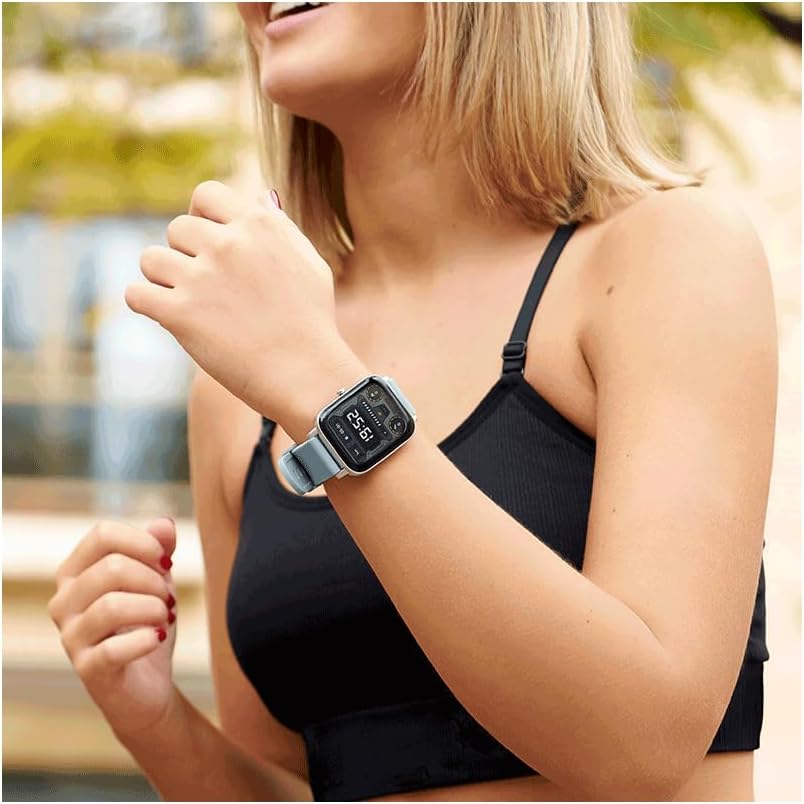
Image: A close-up of a woman's wrist wearing the Radiant Smartwatch, highlighting the watch face and strap.
4. Maintenance
4.1 Cleaning
Regularly clean your smartwatch to prevent dirt buildup. Use a soft, dry, lint-free cloth to wipe the screen and casing. For the silicone band, a slightly damp cloth can be used, followed by drying. Avoid using abrasive cleaners, solvents, or harsh chemicals, as these can damage the device.
4.2 Water Resistance
The Radiant Smartwatch RAS10302 has an IP20 rating. This means it is protected against solid objects larger than 12.5mm, but it offers no protection against water. Do not submerge the smartwatch in water, expose it to heavy rain, or wear it while swimming or showering. Water damage is not covered under warranty.
4.3 Battery Care
To maximize battery life and performance, avoid exposing the smartwatch to extreme temperatures (hot or cold). Store the device in a cool, dry place when not in use. If storing for an extended period, ensure the battery has a partial charge (around 50%).
5. Troubleshooting
5.1 Smartwatch Not Turning On
- Ensure the battery is fully charged. Connect the smartwatch to its charger and allow it to charge for at least 30 minutes before attempting to power it on again.
- Press and hold the power button for 10-15 seconds to perform a forced restart.
5.2 Cannot Pair with Smartphone
- Verify that Bluetooth is enabled on both your smartwatch and smartphone.
- Ensure the Radiant companion app is installed and updated to the latest version on your smartphone.
- Restart both your smartwatch and smartphone, then attempt the pairing process again.
- Make sure the smartwatch is within the Bluetooth range of your smartphone (typically up to 10 meters).
- If previously paired, try "forgetting" the device in your phone's Bluetooth settings and then re-pairing.
5.3 Inaccurate GPS Data
- For optimal GPS performance, ensure you are in an open outdoor area with a clear view of the sky.
- Avoid using GPS in areas with tall buildings, dense foliage, or indoors, as these can obstruct satellite signals.
6. Specifications
| Model Number: | RAS10302 |
| Brand: | Radiant |
| Display Size: | 36 Millimeters |
| Display Type: | Digital |
| Resolution: | 240 x 240 pixels |
| Connectivity: | Bluetooth |
| Operating System: | AsteroidOS |
| Battery Type: | 1 Lithium-ion (Silver Oxide composition) |
| GPS: | Integrated GPS |
| Water Resistance Rating: | IP20 (No water protection) |
| Band Material: | Silicone |
| Case Material: | Resin |
| Color: | Black |
| Target Audience: | Adult (Unisex) |
7. Warranty and Support
For detailed warranty information, please refer to the documentation provided with your purchase or visit the official Radiant website. Warranty terms may vary by region and retailer.
If you encounter issues not covered in the troubleshooting section, please contact Radiant customer support or your retailer for assistance. Contact information can typically be found on the manufacturer's official website.
Related documentsRAS10302


Ask a question about this manual
Ask about setup, troubleshooting, compatibility, parts, safety, or missing instructions. Manuals+ will review the question and use this page’s manual context to help answer it.