
1. Introduction
Thank you for purchasing the Fuzion TU-X Digital Pocket Scale. This precision instrument is designed for accurate weighing of small items up to 200 grams with a readability of 0.01 grams. Its compact and durable design makes it suitable for various applications, including personal hobbies, measuring food, jewelry, herbs, and powders. Please read this manual carefully before use to ensure proper operation and longevity of your scale.
2. Product Features
- High Precision: 200g maximum capacity with 0.01g readability.
- Multiple Weighing Units: Supports 6 units: grams (g), ounces (oz), grains (gn), carats (ct), pennyweights (dwt), and troy ounces (ozt).
- Tare Function: Allows you to subtract the weight of a container for net weight measurement.
- Backlit LCD Display: Provides clear readings in various lighting conditions.
- Compact & Portable: Unique X-star shape lid and durable material for protection and easy transport.
- Stainless Steel Platform: Easy to clean and durable weighing surface.
3. Setup
3.1 Battery Installation
The Fuzion TU-X scale requires 2 AAA batteries (included). To install or replace batteries:
- Open the battery compartment cover located on the underside of the scale.
- Insert the 2 AAA batteries, ensuring correct polarity (+/-).
- Close the battery compartment cover securely.

Figure 1: Battery installation for the Fuzion TU-X Digital Pocket Scale.
4. Operation
4.1 Basic Weighing
- Place the scale on a flat, stable surface.
- Press the ON/OFF key to turn the scale on. Wait until "0.00" or "0.000" is displayed.
- Gently place the item(s) to be weighed on the center of the weighing platform.
- The LCD display will show the weight.

Figure 2: Basic weighing of items on the scale.
4.2 Tare Function
The Tare function allows you to weigh items in a container by subtracting the container's weight.
- Place the empty container on the weighing platform.
- Press the TARE key. The display will reset to "0.00" or "0.000".
- Add the item(s) to be weighed into the container. The display will show the net weight of the item(s).

Figure 3: Steps for using the Tare function.
4.3 Unit Conversion
To change the weighing unit:
- With the scale on and displaying a weight, press the MODE key.
- Each press will cycle through the available units: g, oz, gn, ct, dwt, ozt.
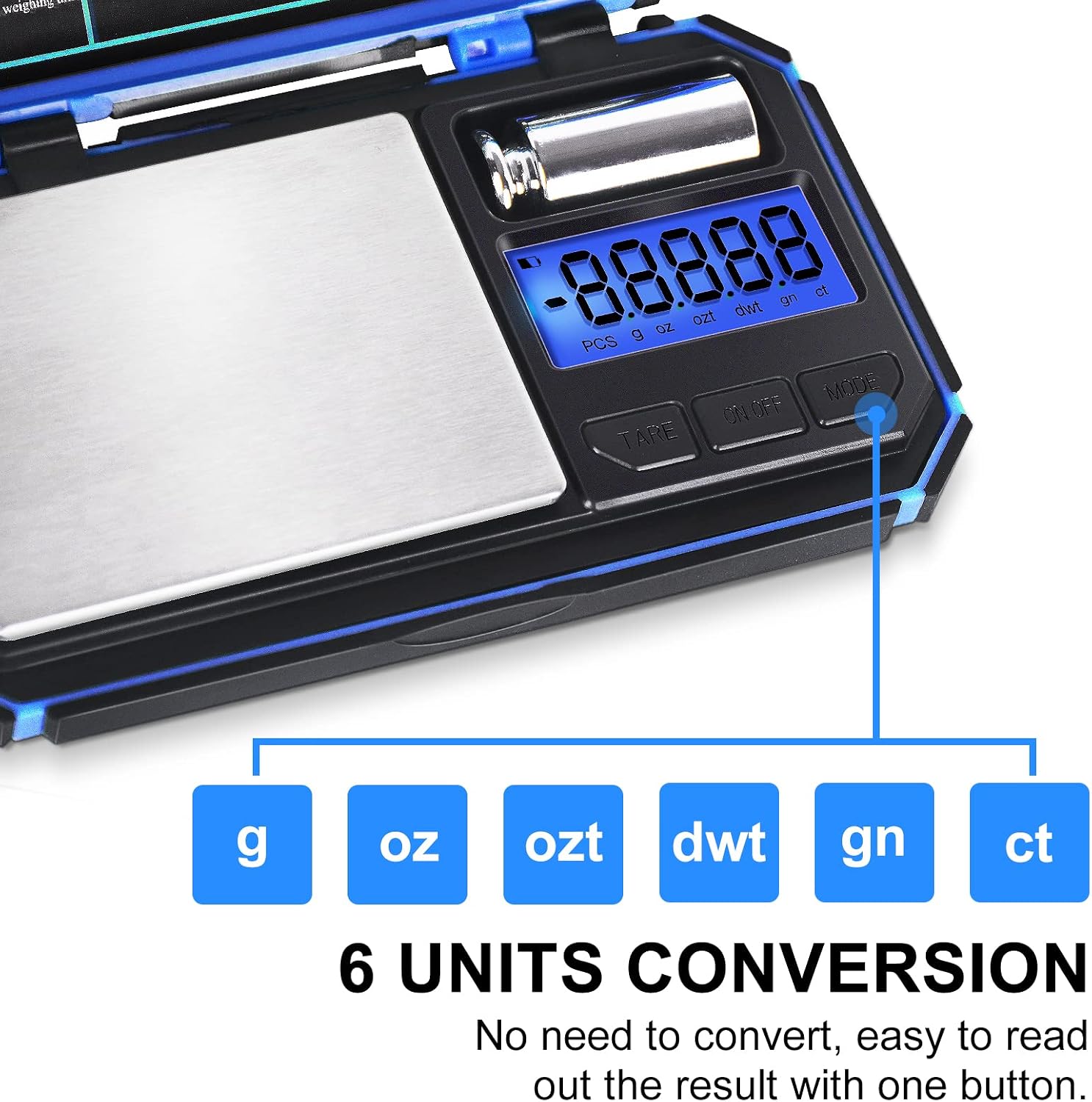
Figure 4: Available weighing units and unit conversion.
Video 1: Demonstration of unit conversion and weighing various items on a digital pocket scale.
5. Calibration
Calibration ensures the accuracy of your scale. It is recommended to calibrate the scale periodically or if you suspect inaccurate readings.
- Turn the scale on and wait until "0.00" or "0.000" is displayed.
- Press and hold the MODE key until the display shows "CAL". Then release the button.
- Press the MODE key again. The display will flash the required calibration weight (e.g., "50.00").
- Place the required calibration weight (50g, included) gently on the center of the weighing platform.
- The LCD display will show "PASS" and return to normal weighing mode. Calibration is complete.

Figure 5: Step-by-step guide for calibrating the scale.
6. Maintenance
- Cleaning: Wipe the scale with a slightly damp cloth. Do not use abrasive cleaners or immerse the scale in water.
- Storage: Store the scale in a clean, dry environment. Avoid extreme temperatures and humidity. The protective X-star lid helps prevent damage.
- Handling: Handle the scale gently. Avoid dropping it or subjecting it to strong impacts, as this can affect accuracy.
7. Troubleshooting
- Inaccurate Readings: Ensure the scale is on a flat, stable surface. Recalibrate the scale if necessary. Check for any obstructions on the weighing platform.
- Display Errors: If the display shows "EEEE" or "O-Ld", the scale is overloaded. Remove items immediately to prevent damage. If the display shows "Lo", batteries are low and need replacement.
- Scale Not Turning On: Check if batteries are installed correctly and have sufficient charge. Replace batteries if needed.
8. Specifications
| Feature | Detail |
|---|---|
| Brand | Fuzion |
| Model Number | TU-200-BL |
| Weight Limit | 200 Grams |
| Readout Accuracy | 0.01 Grams |
| Display Type | LCD (Backlit) |
| Weighing Units | g, oz, gn, ct, dwt, ozt |
| Item Weight | 7.1 ounces (0.44 Pounds) |
| Product Dimensions | 5.5 x 3.34 x 1 inches |
| Batteries | 2 AAA batteries (included) |
9. Warranty and Support
Fuzion is dedicated to 100% customer satisfaction. This product comes with a 1-year warranty. We offer lifetime support to our customers. Our service team is always glad to help with any questions or concerns you may have regarding your Fuzion TU-X Digital Pocket Scale.
For support, please refer to the contact information provided with your purchase or visit the official Fuzion website.