
Introduction
Thank you for choosing the GANPE LED Bathroom Mirror. This mirror is designed to enhance your bathroom experience with its advanced features, including wave sensor control, integrated Bluetooth speaker, adjustable lighting, and anti-fog functionality. This manual provides essential information for safe installation, operation, and maintenance of your new mirror. Please read it thoroughly before use and retain it for future reference.
Safety Information
Please observe the following safety precautions to prevent injury or damage to the product:
- Ensure the power supply is disconnected before installation or maintenance.
- Installation should be performed by a qualified electrician in accordance with local wiring regulations.
- Do not expose the mirror to excessive moisture or direct water spray beyond its IP44 rating.
- Avoid using abrasive cleaners or sharp objects on the mirror surface.
- Keep children away from the mirror during installation and ensure they do not tamper with controls.
- The mirror is designed for indoor use only.
No specific safety warnings beyond general electrical and mirror handling precautions were found in the product data.
Package Contents
Verify that all components are present before beginning installation:
- GANPE LED Bathroom Mirror (1 unit)
- Installation Board
- Wall Mounting Hardware (screws, anchors)
- User Manual
Setup and Installation
The GANPE LED Bathroom Mirror can be installed either horizontally or vertically. Follow these steps for proper installation:
- Preparation: Choose a suitable location on your bathroom wall. Ensure the wall can support the mirror's weight (approximately 9 kg). Mark the desired position for the mirror, considering electrical connections.
- Mounting the Installation Board: Use the provided installation board as a template. Mark the drilling points on the wall. Drill holes and insert wall anchors. Secure the installation board to the wall using the provided screws.
- Electrical Connection: Ensure the main power supply is OFF. Connect the mirror's electrical wires to your household wiring according to local electrical codes. If unsure, consult a qualified electrician.
- Mounting the Mirror: Carefully lift the mirror and align its mounting brackets with the installation board. Gently lower the mirror until it is securely seated on the board.

Figure 1: Marking the wall for installation.

Figure 2: Example of a mounted mirror in a bathroom setting.

Figure 3: The mirror supports both horizontal and vertical mounting orientations.
Operating Instructions
Your GANPE LED Bathroom Mirror features intuitive controls for lighting, anti-fog, and Bluetooth audio.
1. Wave Sensor Control
The mirror is equipped with a patented hand wave induction sensor for touch-free operation of lighting functions.
- Turn On/Off: Wave your hand once in front of the sensor to turn the lights on or off.
- Adjust Color Temperature: Wave your hand up and down in front of the sensor to cycle through the three color temperatures: 3000K (Warm Light), 4000K (Natural Light), and 6500K (White Light).
- Adjust Brightness (Dimming): Wave your hand back and forth in front of the sensor to dim or brighten the light from 10% to 100%.
The mirror includes a memory function that retains your last brightness and color temperature settings when turned off and on again.

Figure 4: Wave sensor gestures for lighting adjustment.

Figure 5: Touch-free control using the wave sensor.
2. Bluetooth Speaker
The integrated Bluetooth speaker allows you to stream audio from your devices.
- Pairing: Turn on the mirror's power. Activate Bluetooth on your smartphone or tablet. Search for available Bluetooth devices and select the mirror (usually named 'GANPE Mirror' or similar). Enter the pairing PIN: 6685 if prompted.
- Audio Playback: Once paired, you can play music or other audio through the mirror's 360-degree surround sound speakers.

Figure 6: Connecting to the Bluetooth speaker.
3. Anti-Fog Function
The mirror features an anti-fog function to maintain a clear reflection in steamy environments.
- Activation: The anti-fog function is typically activated by a separate touch button on the mirror surface. Press the button to turn the defogger on or off.

Figure 7: Anti-fog feature in action.
Maintenance
Proper maintenance ensures the longevity and performance of your GANPE LED Bathroom Mirror.
- Cleaning the Mirror Surface: Use a soft, lint-free cloth and a non-abrasive glass cleaner. Spray the cleaner onto the cloth, not directly onto the mirror, to avoid liquid seeping into the electrical components.
- Cleaning the Frame: Wipe the copper frame with a soft, damp cloth. Avoid harsh chemicals that may damage the finish.
- Electrical Components: Do not attempt to clean or service the internal electrical components. Refer to a qualified technician for any electrical issues.
- Regular Inspection: Periodically check the mounting hardware to ensure the mirror remains securely attached to the wall.

Figure 8: Cleaning the mirror surface.
Troubleshooting
If you encounter issues with your mirror, refer to the following common problems and solutions:
| Problem | Possible Cause | Solution |
|---|---|---|
| Lights do not turn on. | No power supply; loose connection; faulty sensor. | Check power connection and circuit breaker. Ensure wiring is secure. Try waving hand closer to the sensor. |
| Bluetooth speaker not connecting. | Bluetooth not enabled on device; incorrect PIN; mirror not in pairing mode. | Ensure Bluetooth is on your device. Re-enter PIN '6685'. Restart mirror and device. |
| Anti-fog function not working. | Anti-fog feature not activated; electrical issue. | Press the anti-fog button to activate. Check power supply. |
| Light brightness or color temperature not changing. | Incorrect hand gesture; sensor obstruction. | Ensure correct hand gestures (up/down for color, back/forth for brightness). Clear any obstructions near the sensor. |
If the problem persists after trying these solutions, please contact GANPE customer support.
Specifications
| Feature | Specification |
|---|---|
| Brand | GANPE |
| Model | 71.1L x 50.8W cm |
| Dimensions | 71.1L x 50.8W centimeters |
| Weight | 9 Kilograms |
| Shape | Rectangular |
| Frame Material | Copper |
| Mounting Type | Wall Mount (Horizontal or Vertical) |
| Lighting | LED, Dimmable, 3 Color Temperatures (3000K, 4000K, 6500K) |
| Control Method | Wave Sensor Induction |
| Special Features | Anti-fog, Bluetooth Speaker, Memory Function, High CRI (95+) |
| Waterproof Rating | IP44 |
| Certifications | ETL, CE (Control Number: 5000126) |
| UPC | 754168947706 |
| Country of Origin | China |
Warranty and Support
GANPE offers a one-year product warranty for this LED Bathroom Mirror. Additionally, three years of free replacement parts are provided. For any questions, technical assistance, or warranty claims, please contact GANPE customer support via email. Our 24/7 email assistant is available to help with all product-related inquiries.
For returns, a 30-day free return policy is applicable from the date of purchase.


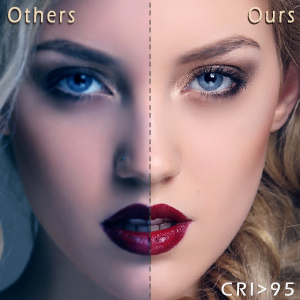
Figure 9: GANPE customer support and warranty information.
