
Introduction
This manual provides comprehensive instructions for the Davitu Touch MSC-802M Remote Control. Please read this manual carefully before use to ensure proper operation, maximize the product's lifespan, and prevent damage.
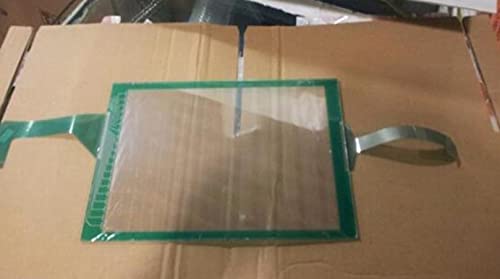
Image: The Davitu Touch MSC-802M Remote Control, a compact device designed for universal wired control.
Setup
Initial Setup
The Davitu Touch MSC-802M is designed for wired control, offering a reliable connection to your universal device.
Connecting the Device
- Identify the control port on your universal device that is compatible with wired remote controls.
- Connect the appropriate wire from the MSC-802M remote control to the device's control port. Ensure the connection is secure and fully inserted.
- Verify that the device powers on and responds to initial commands from the remote control.
For specific wiring diagrams or port identification, refer to the instruction manual of the device you intend to control.
Operating Instructions
Basic Operation
The MSC-802M functions as a universal remote control, operating on a single channel to send commands to a connected device.
Sending Commands
- Press the desired function button on the remote control.
- The remote will transmit the corresponding command through its wired connection to the connected device.
- Ensure the remote control remains properly connected to the device for commands to be received and executed.
Maintenance
Care and Cleaning
To ensure the longevity and proper function of your Davitu Touch MSC-802M Remote Control, follow these guidelines:
- Keep the remote control dry. Moisture can damage internal electronic components.
- Clean the surface with a soft, dry cloth. Do not use abrasive cleaners, solvents, or harsh chemicals, as these can damage the finish or internal parts.
- Avoid dropping the remote control or subjecting it to strong impacts, which can cause internal or external damage.
- Store the remote control in a cool, dry place when not in use for extended periods.
Troubleshooting
Common Issues
If you encounter problems with your remote control, refer to the following troubleshooting steps:
Remote Control Not Responding
- Check Connection: Ensure the wired connection between the remote control and the device is secure and correctly inserted into the designated port. A loose connection can prevent commands from being transmitted.
- Device Power: Verify that the device you are trying to control is powered on and functioning correctly independently of the remote control.
- Device Compatibility: Confirm that the remote control is compatible with the specific functions and model of your device.
Intermittent Functionality
- Inspect Wiring: Carefully check the control wire for any signs of damage, such as cuts, kinks, or fraying. A damaged wire can cause intermittent signals or complete failure.
- Environmental Factors: Ensure the remote control is not exposed to extreme temperatures or high humidity, which can affect its performance.
If problems persist after attempting these steps, please refer to the support section for further assistance.
Specifications
Product Specifications
| Feature | Detail |
|---|---|
| Brand | DAVITU |
| Model Number | MSC-802M |
| Manufacturer Part Number | DVT-7237900909E453BB748E6E0AAA6C5469 |
| Use | Universal |
| Wireless Communication | Wire Control |
| Channel | 1 |
| Maximum Range | 10 Meters |
| Origin | DE (Germany) |
| Certification | NONE |
Warranty Information
Product Warranty
This Davitu Touch MSC-802M Remote Control comes with a 1-year warranty from the date of purchase.
The warranty covers defects in materials and workmanship under normal use. It does not cover damage caused by misuse, accidents, unauthorized modifications, improper installation, or natural wear and tear.
Please retain your proof of purchase, such as a receipt or invoice, as it will be required for any warranty claims.
Support
Customer Support
For technical assistance, troubleshooting not covered in this manual, or warranty inquiries, please contact your retailer or the manufacturer directly.
Note: Specific contact details may vary by region or retailer. Refer to your purchase documentation or the product packaging for the most accurate support information.
You may also visit the official DAVITU website for potential support resources and frequently asked questions.