
Introduction
This manual provides detailed instructions for the safe and proper installation, operation, and maintenance of your ELIVED YD1007 Tilting TV Wall Mount and YD3003 Full Motion TV Wall Mount. Please read all instructions carefully before beginning installation to ensure optimal performance and safety.
Safety Information
- Weight Capacity: Do not exceed the maximum weight capacity for each mount. YD1007 supports up to 120 lbs. YD3003 supports up to 100 lbs.
- TV Size: Ensure your TV's screen size is within the recommended range for the specific mount. YD1007 for 37-75 inch TVs. YD3003 for 37-82 inch TVs.
- VESA Compatibility: Verify your TV's VESA pattern matches the mount's supported range.
- Wall Type: This mount is designed for installation into wood studs or solid concrete walls. DO NOT install into drywall alone. Concrete anchors will be provided upon request.
- Professional Installation: If you are unsure about the installation process, consult a qualified professional.
- Component Check: Before installation, ensure all parts are present and undamaged. Do not use damaged components.
Package Contents
Your package includes a complete hardware mounting kit. Please verify all components are present before proceeding with installation. Refer to the included hardware list for specific screw sizes and quantities.
Specifications
| Feature | YD1007 Tilting Mount | YD3003 Full Motion Mount |
|---|---|---|
| Compatible TV Sizes | 37" - 75" | 37" - 82" |
| Max Load Capacity | 120 lbs (54.4 kg) | 100 lbs (45.4 kg) |
| VESA Compatibility | 75x75mm to 600x400mm | 150x100mm to 600x400mm |
| Wall Stud Spacing | 16" / 18" / 24" | 16" |
| Tilt Angle | +10° / -15° | +5° / -13° |
| Swivel Angle | N/A | +/- 45° |
| Extension/Retraction | N/A | 2.46" to 15.7" |
| Material | Alloy Steel | |
VESA Pattern Details
The VESA (Video Electronics Standards Association) pattern refers to the distance between the four mounting holes on the back of your television. Measure the horizontal and vertical distance in millimeters to determine your TV's VESA pattern.

Image: YD1007 VESA Patterns. This image illustrates the available VESA patterns for the YD1007 mount, ranging from 75x75mm to 600x400mm. The maximum horizontal distance is 600mm and maximum vertical distance is 400mm.

Image: YD3003 VESA Patterns. This image illustrates the available VESA patterns for the YD3003 mount, ranging from 150x100mm to 600x400mm. The maximum horizontal distance is 600mm and maximum vertical distance is 400mm.
Installation Guide
Before You Begin
- Gather all necessary tools (e.g., drill, stud finder, level, screwdriver, wrench).
- Confirm your TV's weight and VESA pattern are compatible with your ELIVED mount.
- Determine the desired mounting height for your TV.
Wall Type Considerations
- Wood Stud Walls: Locate the center of the wood studs using a stud finder. Mark the drilling locations.
- Solid Concrete Walls: Use a hammer drill and concrete anchors (available upon request). Mark the drilling locations.
- Warning: Do not install into drywall alone. Ensure the mounting surface can safely support the combined weight of the mount and your TV.
Step-by-Step Installation (General)
The following steps provide a general overview. Refer to the detailed diagram in your package for precise instructions and hardware identification.
- Attach TV Brackets: Secure the vertical TV brackets to the back of your television using the appropriate screws, washers, and spacers from the hardware kit. Ensure they are centered and level.
- Mark Wall Plate Position: Hold the wall plate against the wall at your desired height and use a level to ensure it is perfectly horizontal. Mark the drilling holes.
- Drill Pilot Holes: Drill pilot holes at the marked locations. For wood studs, use a smaller drill bit. For concrete, use a hammer drill and insert concrete anchors.
- Mount Wall Plate: Secure the wall plate to the wall using the provided lag bolts and washers. Tighten firmly.
- Hang TV: Carefully lift the TV with the attached brackets and hook them onto the wall plate.
- Secure TV: Engage the safety locks or screws on the bottom of the TV brackets to prevent accidental dislodging.
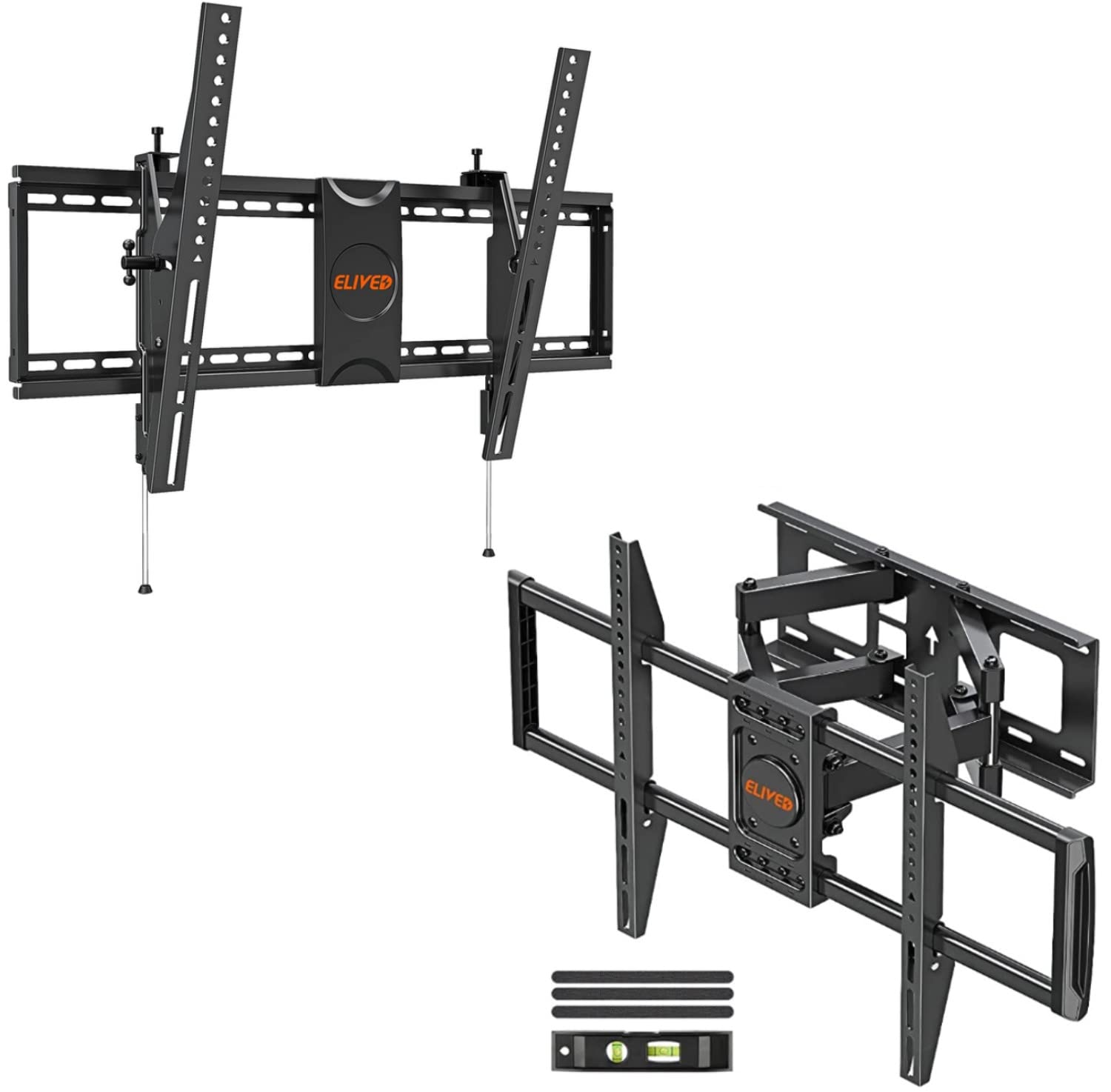
Image: 6-Arm Sturdy Construction. This image highlights the robust design of the mount, including details on level adjustment, security lock mechanisms, and tilt adjustment points, ensuring a secure installation.

Image: YD1007 Leveling Adjustment. This image demonstrates how to perform leveling adjustments on the YD1007 mount after installation, allowing for fine-tuning of the TV's horizontal position.
Operation and Adjustments
YD1007 Tilting Mount Adjustments
- Tilt Adjustment: The YD1007 allows for a tilt range of +10° up and -15° down. Loosen the tilt adjustment knobs on the side of the TV brackets, adjust the TV to your desired angle, and then re-tighten the knobs to secure the position. This helps reduce glare and optimize viewing.
- Level Adjustment: Post-installation, you can make minor horizontal leveling adjustments to ensure your TV is perfectly straight. Refer to the specific mechanism on your mount for this adjustment.
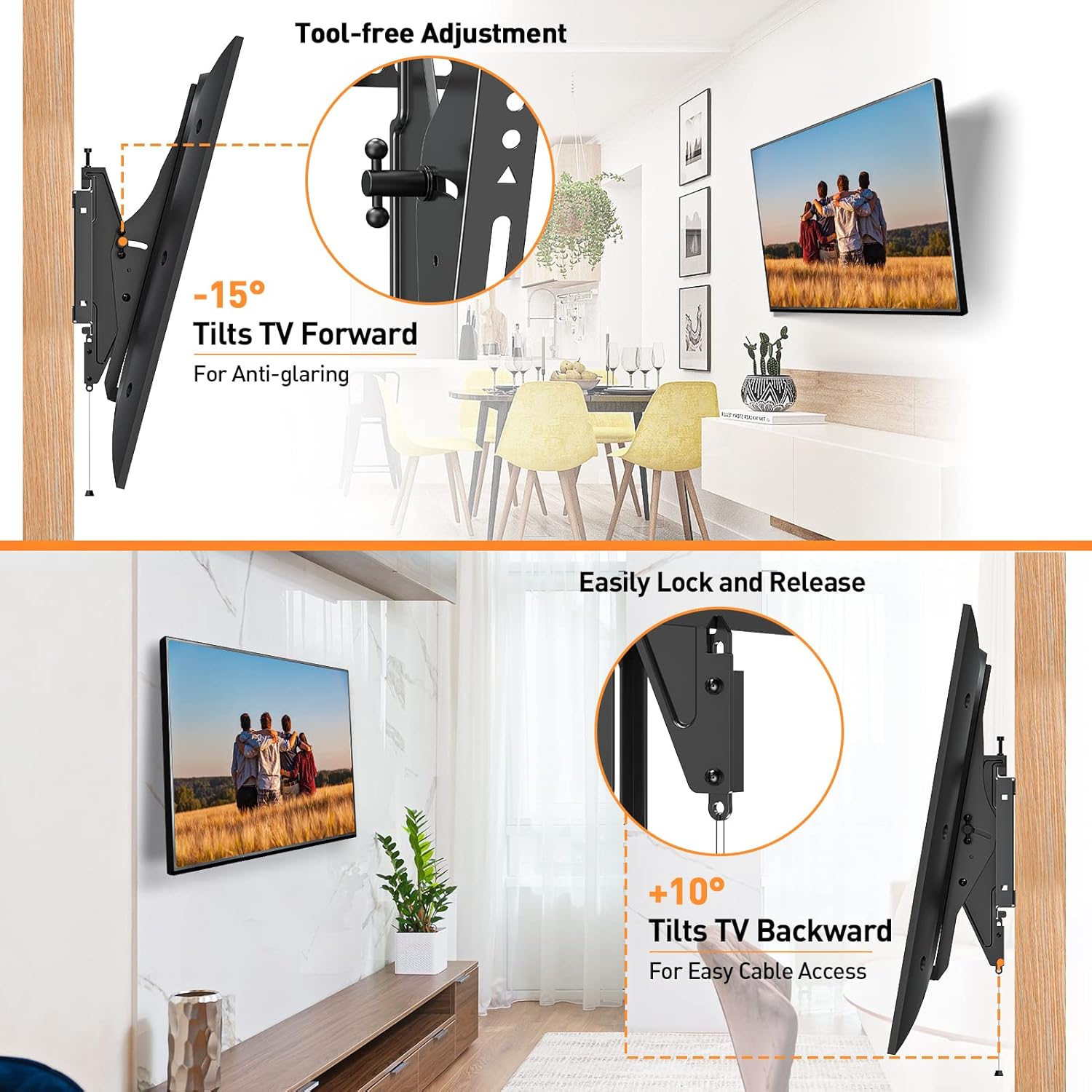
Image: YD1007 Tilt Adjustment. This image illustrates the tool-free tilt adjustment mechanism, allowing the TV to tilt forward by -15° for anti-glare and backward by +10° for easy cable access.
YD3003 Full Motion Mount Adjustments
- Swivel: The YD3003 mount can swivel +/- 45° left or right. Gently push or pull the TV to achieve your desired viewing angle.
- Tilt: Adjust the tilt angle from +5° backward to -13° forward to reduce screen glare or achieve a comfortable viewing position. Loosen the tilt knobs, adjust, and re-tighten.
- Extension & Retraction: Extend the TV up to 15.7 inches from the wall or retract it back to 2.46 inches for maximum flexibility and space-saving.
- Level Adjustment: Minor leveling adjustments (±3°) can be made after installation to ensure the TV is perfectly horizontal.

Image: YD3003 Optimal Viewing Angles. This image demonstrates the extension (2.46" to 15.7") and swivel (±45°) capabilities of the YD3003 mount, allowing for versatile viewing positions.

Image: YD3003 Leveling and Tilt. This image shows the leveling adjustment (±3°) after installation and the tilt range (-13°/+5°) to reduce glare for the YD3003 mount.
Maintenance
- Periodically check all screws and bolts to ensure they remain tight and secure.
- Clean the mount with a soft, dry cloth. Avoid abrasive cleaners or solvents.
- Ensure no cables are pinched or stressed by the mount's movement.
Troubleshooting
- TV is not level: Use the post-installation leveling adjustment feature (if available on your model) or re-check the wall plate installation for levelness.
- Mount feels loose: Immediately remove the TV and re-tighten all mounting bolts. Ensure the wall type is appropriate and anchors are correctly installed.
- Difficulty adjusting: Check for any obstructions or if adjustment knobs/screws are too tight. Loosen slightly, adjust, then re-tighten.
Warranty and Support
ELIVED TV wall mounts come with 10-year product support. Our professional customer service team is available to assist with any pre-purchase questions or installation inquiries. Please contact us if you require assistance or have any concerns.
For further support, visit the ELIVED Store on Amazon.


