Introduction
This manual provides detailed instructions for the safe installation, operation, and maintenance of your Enbrighten LED Bistro String Lights with UltraPro Wi-Fi Plug. Please read all instructions carefully before use and retain this manual for future reference.
Safety Information
- WARNING: Risk of electric shock. Do not use with extension cords unless the plug can be fully inserted.
- Ensure the product is installed in accordance with all local and national electrical codes.
- Do not submerge the Wi-Fi plug or string lights in water.
- Always unplug the unit from the power source before performing any maintenance or installation.
- This product is rated for indoor and outdoor use. Ensure all connections are secure and weather-resistant.
- Only connect to a 2.4GHz Wi-Fi network. This device is not compatible with 5GHz networks.
Package Contents
- 1 x Enbrighten LED Bistro String Lights (24ft, 12 bulbs)
- 1 x UltraPro Wi-Fi Smart Plug (2-Grounded Outlet)
- Instruction Manual (this document)
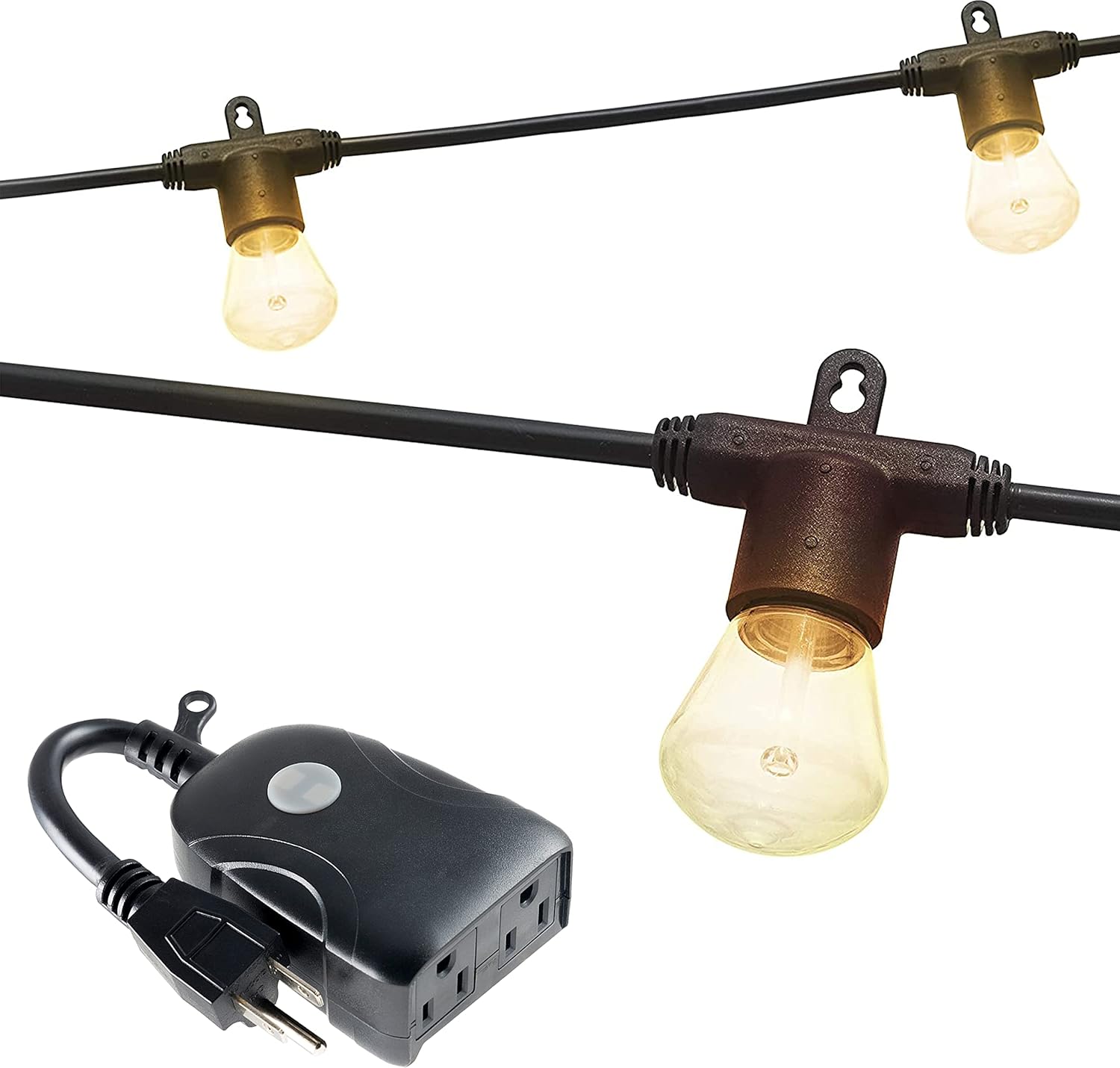
Image: Enbrighten LED Bistro String Lights and UltraPro Wi-Fi Plug. This image displays the 24-foot string of LED bistro lights with 12 bulbs and the accompanying UltraPro Wi-Fi smart plug, which features two grounded outlets.
Setup
1. Physical Installation of String Lights
- Unpack: Carefully remove the string lights and Wi-Fi plug from the packaging.
- Placement: Determine the desired location for your string lights. They are suitable for indoor and outdoor use.
- Mounting: The lights feature flexible mounting options. They can be mounted on a flat surface or hung from above. Mounting hardware is not included. Ensure the mounting method is secure and can support the weight of the lights.
- Linking Multiple Strands: These lights are linkable up to 750 feet. If linking multiple sets, connect the end-to-end connectors before plugging into power.
- Plug In: Once securely installed, plug the string lights into the UltraPro Wi-Fi Smart Plug.

Image: Enbrighten Bistro Lights Features. This image highlights key features such as flexible mounting options, weather resistance, the ability to link multiple strands, shatter-resistant polycarbonate bulbs, and the energy-efficient LED design.

Image: Installed Enbrighten Bistro Lights on a Deck. This photograph shows the string lights elegantly installed along a wooden deck railing, illuminating the outdoor space.

Image: Close-up of Enbrighten Bistro Light Bulbs. This image provides a detailed view of the individual LED bistro bulbs, highlighting their design and warm white glow when illuminated.
2. UltraPro Wi-Fi Plug Setup
- Plug In: Insert the UltraPro Wi-Fi Smart Plug into a grounded 120V AC outlet. For outdoor use, ensure the outlet is weather-protected.
- Download App: Download the free UltraPro app from the Apple App Store or Google Play.
- Create Account: Open the UltraPro app and follow the on-screen instructions to create an account.
- Pair Device:
- In the app, select "Add Device" or the "+" icon.
- Follow the app's instructions to put the Wi-Fi plug into pairing mode. The indicator LED will flash blue.
- Connect to your 2.4GHz Wi-Fi network. Note: This device does not support 5GHz networks.
- Once paired, the indicator LED will show a solid blue light.

Image: UltraPro Wi-Fi Smart Plug Features. This image provides a detailed view of the UltraPro Wi-Fi smart plug, highlighting its mounting bracket, indicator LEDs (solid blue for smart switch powered, flashing blue for Wi-Fi setup mode, status red for connected device ON/OFF), manual/program button, and two grounded Wi-Fi outlets. It also notes the requirement for a 2.4GHz Wi-Fi network.
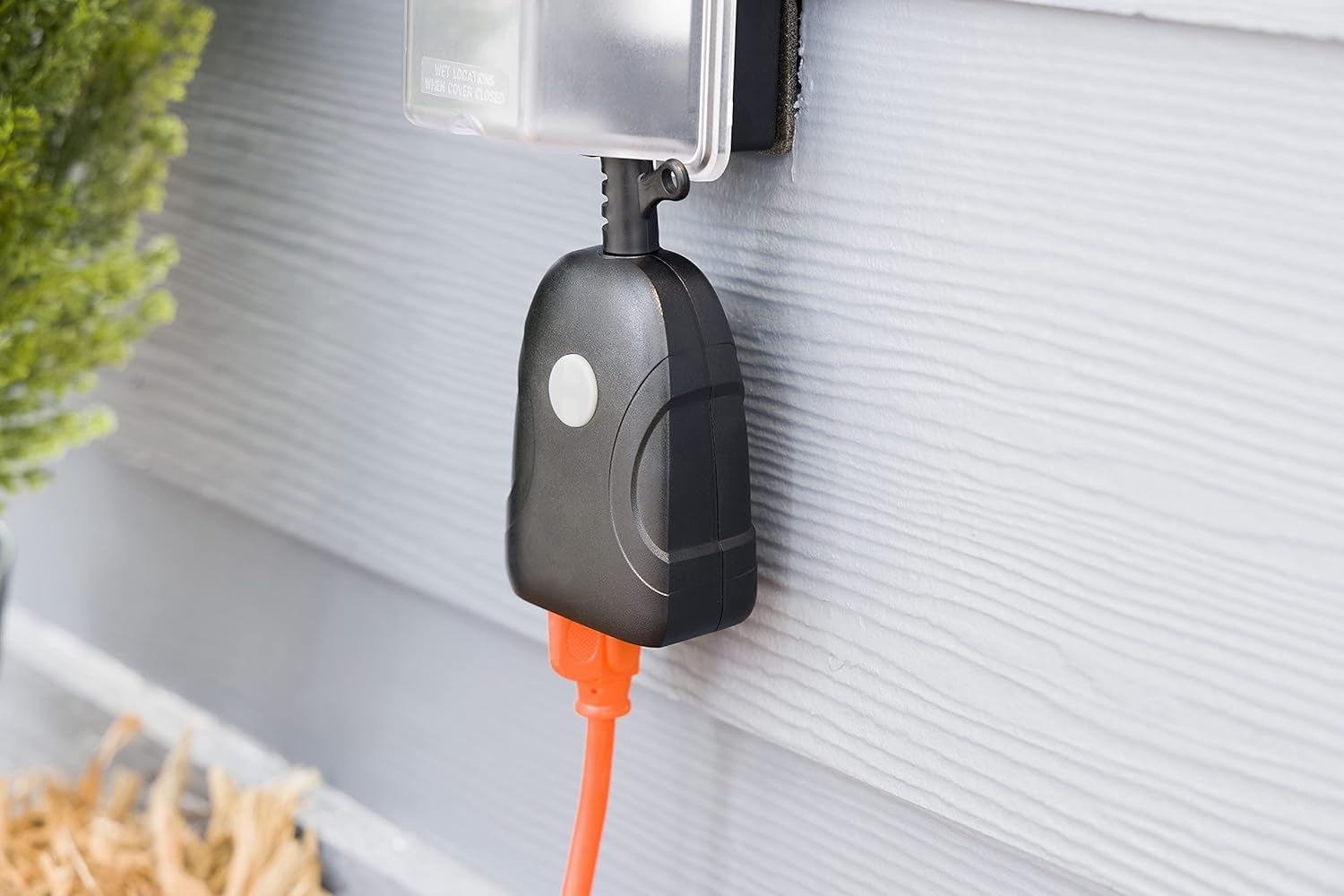
Image: UltraPro Wi-Fi Smart Plug Installed Outdoors. This image shows the UltraPro Wi-Fi smart plug connected to an outdoor electrical outlet, protected by a weather-resistant cover, demonstrating its suitability for outdoor use.
Operating Instructions
1. Manual Control
The UltraPro Wi-Fi Smart Plug has a manual/program button. Press this button to toggle the power to the connected string lights ON or OFF. The indicator LED will change from solid blue (ON) to status red (OFF) or vice versa.
2. App Control (UltraPro App)
Once paired with the UltraPro app, you can control your string lights remotely:
- ON/OFF Control: Tap the device icon in the app to turn the lights on or off.
- Scheduling: Set daily or weekly schedules for automatic ON/OFF times.
- Countdown Timer: Utilize the custom countdown timer feature to automatically turn off the lights after a set duration.
- Location-Based Control: The app can self-adjust to your area, potentially offering sunrise/sunset automation.
- Alerts and Do-Not-Disturb: Configure personalized monitoring without inconvenient interruptions.

Image: UltraPro App Programming Interface. This image displays the user interface of the UltraPro app, showing options for setting one-step ON/OFF times, daily or weekly schedules, a custom countdown timer, and features that self-adjust to the user's local area.
3. Voice Control
The UltraPro Wi-Fi Smart Plug is compatible with Amazon Alexa and Google Assistant. No additional hub is required.
- Link Account: In your Alexa or Google Home app, link your UltraPro account.
- Discover Devices: Allow the voice assistant to discover your new device.
- Voice Commands: Use commands such as:
- "Alexa, turn on [Device Name]"
- "Hey Google, turn off [Device Name]"
Maintenance
- Cleaning: Disconnect from power before cleaning. Wipe the lights and plug with a soft, damp cloth. Do not use harsh chemicals or abrasive cleaners.
- Bulb Replacement: The LED bulbs are designed for long life and are not user-replaceable. They are shatter-resistant polycarbonate.
- Storage: If storing the lights for an extended period, coil them neatly and store in a cool, dry place away from direct sunlight.
- Weather Protection: While weather-resistant, ensure outdoor outlets are properly covered and protected from extreme weather conditions.
Troubleshooting
| Problem | Possible Cause | Solution |
|---|---|---|
| Lights do not turn on. | No power to the plug; plug not fully inserted; Wi-Fi plug is off. | Check power outlet; ensure plug is fully inserted; press manual button on plug or use app to turn on. |
| Wi-Fi plug not connecting to network. | Incorrect Wi-Fi password; connecting to 5GHz network; plug too far from router. | Verify Wi-Fi password; ensure you are connecting to a 2.4GHz network; move plug closer to router or use a Wi-Fi extender. |
| Voice control not working. | UltraPro account not linked; device not discovered by voice assistant. | Ensure UltraPro account is linked in Alexa/Google Home app; ask voice assistant to discover devices. |
| Lights flicker or dim. | Loose connection; power fluctuation. | Check all connections; ensure stable power supply. |
If troubleshooting steps do not resolve the issue, please contact customer support.
Specifications
- Brand: Enbrighten
- Model: LED Bistro String Lights with UltraPro Wi-Fi Plug
- Light Source Type: LED
- Number of Light Sources: 12 bulbs
- String Length: 24 feet
- Bulb Material: Shatter-resistant Polycarbonate
- Light Color: Warm White (2200K)
- Power Source: Corded Electric
- Indoor/Outdoor Usage: Yes
- Water Resistance Level: Water Resistant
- Wi-Fi Compatibility: 2.4GHz networks only
- Control Method: Voice (Alexa, Google Assistant), UltraPro App, Manual Button
- Linkable: Up to 750 feet
- ETL Rated: Yes, for permanent installation
Warranty and Support
For warranty information or technical support, please visit the official Enbrighten website or contact their customer service department. Keep your purchase receipt as proof of purchase for warranty claims.
Online Support: www.enbrighten.com/support
Contact Information: Refer to the product packaging or the Enbrighten website for the most current contact details.


