
Clarion XR5520
Clarion XR5520 Class D 5-Channel 800W Car Audio Amplifier Instruction Manual
Model: XR5520 | Brand: Clarion
1. Introduction
This instruction manual provides essential information for the proper installation, operation, and maintenance of your Clarion XR5520 Class D 5-Channel 800W Car Audio Amplifier. Please read this manual thoroughly before attempting installation or operation to ensure optimal performance and safety. Keep this manual for future reference.
Safety Information
- Always disconnect the vehicle's negative battery terminal before beginning any electrical work.
- Ensure all wiring is properly routed and secured to prevent damage or short circuits.
- Do not install the amplifier in locations exposed to direct sunlight, excessive heat, moisture, or dust.
- Use appropriate gauge wiring for power and ground connections as specified in the installation section.
- Consult a professional car audio installer if you are unsure about any part of the installation process.
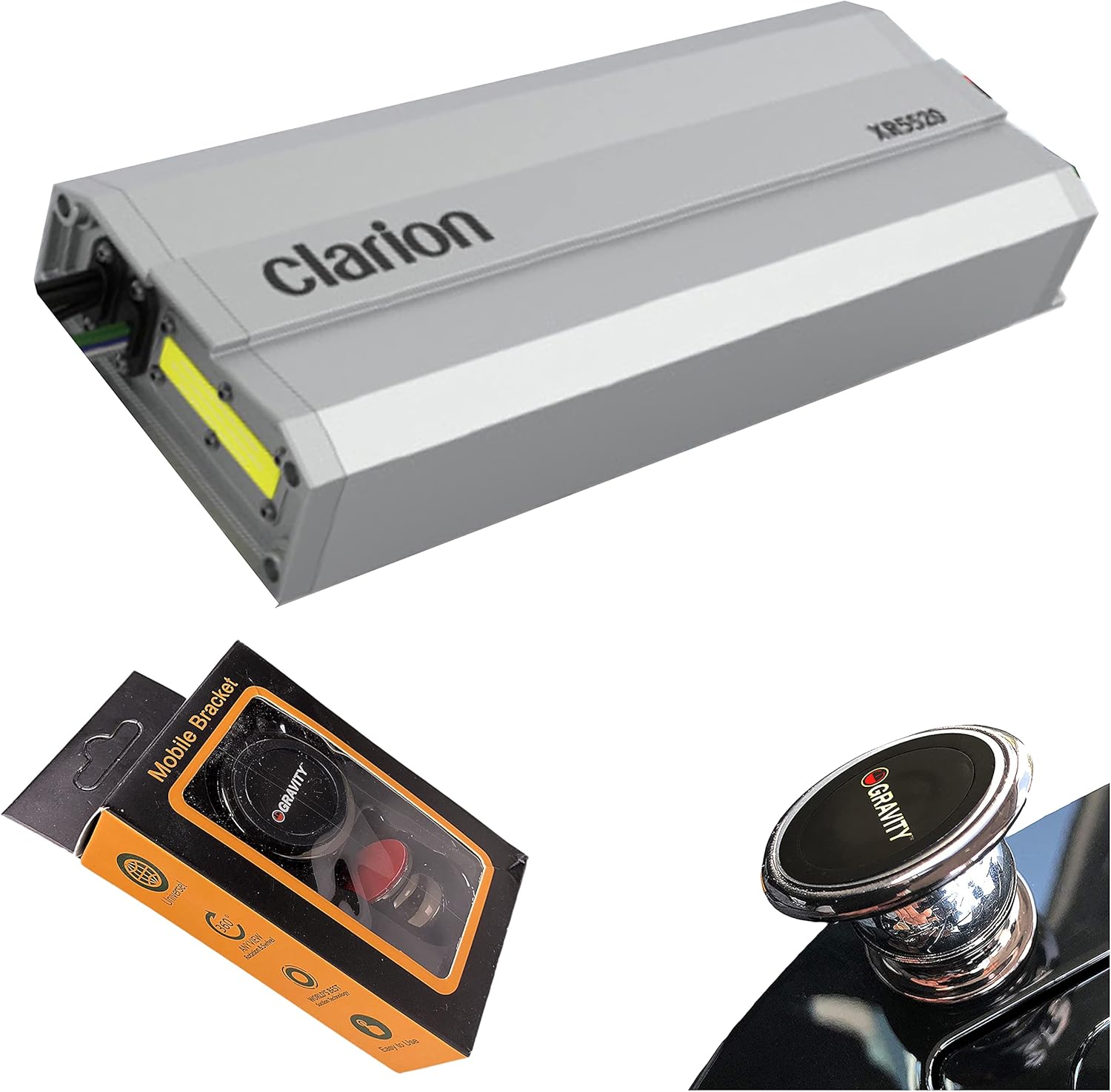
Image 1.1: The Clarion XR5520 amplifier shown alongside the included Gravity Magnet Phone Holder.
2. Key Features
The Clarion XR5520 amplifier is designed to enhance your vehicle's audio system with robust power and versatile connectivity. Key features include:
- 800 Watts Maximum Music Power output.
- 5-Channel configuration for comprehensive audio system integration.
- Continuous Power Output:
- 95 Watts x 4 Channels + 320 Watts x 1 at 2-Ohms.
- 55 Watts x 4 Channels + 200 Watts x 1 at 4-Ohms.
- Bridged Power Output: 180 Watts x 2 Channels at 4-Ohms (bridged) + 200 Watts x 1 at 4-Ohms.
- Selectable Bass Boost Control for enhanced low-frequency response.
- Nickel Plated RCA Connectors for reliable signal transfer.
- Durable metal construction.
3. What's in the Box
Upon unpacking, please verify that all items are present:
- Clarion XR5520 Class D 5-Channel 800W Car Audio Amplifier
- Gravity Magnet Phone Holder
- Instruction Manual (this document)
- Mounting hardware (screws, etc. - specific items may vary)
- Wiring harness (power, speaker, signal - specific items may vary)
4. Installation and Setup
Proper installation is crucial for the performance and longevity of your amplifier. Follow these steps carefully.
4.1 Mounting Location
Choose a mounting location that is dry, well-ventilated, and protected from direct heat, moisture, and dust. Ensure sufficient space around the amplifier for air circulation. Avoid mounting on surfaces that vibrate excessively.
4.2 Wiring Connections
Refer to the diagram below for typical wiring connections. Always use appropriate gauge wiring for power, ground, and speaker connections.

Image 4.1: Overview of the Clarion XR5520 amplifier with various input and output connections.
Power and Ground Wiring
- Power (BATT+): Connect a heavy-gauge wire (e.g., 8 AWG or 4 AWG depending on total power draw) directly from the vehicle's positive battery terminal to the amplifier's BATT+ terminal. Install an in-line fuse holder within 18 inches (45 cm) of the battery.
- Ground (GND): Connect a heavy-gauge wire of the same size as the power wire from the amplifier's GND terminal to a clean, unpainted metal surface on the vehicle's chassis. Ensure a solid electrical connection.
- Remote (REM): Connect a thinner wire (e.g., 18 AWG) from the amplifier's REM terminal to the remote turn-on output of your head unit. This wire turns the amplifier on and off with the head unit.
Signal Input (RCA)
Connect RCA cables from your head unit's pre-amp outputs to the corresponding RCA input jacks on the amplifier. Ensure correct channel matching (Front L/R, Rear L/R, Subwoofer).
Speaker Output Wiring
Connect speaker wires from the amplifier's speaker output terminals to your speakers. Pay close attention to polarity (+ and -) for each speaker. For bridged operation, refer to the specific bridging instructions provided with your amplifier's detailed wiring diagram (not included in this general manual).
5. Operation and Controls
Once installed, adjust the amplifier settings for optimal audio performance.
5.1 Gain Control (Input Level)
The gain control matches the amplifier's input sensitivity to the output level of your head unit. Start with the gain set to minimum. Play a familiar track at about 75% of your head unit's maximum volume. Slowly increase the amplifier's gain until you hear distortion, then back it off slightly. This ensures a clean signal without clipping.
5.2 Crossover Settings
The XR5520 features built-in crossovers to direct specific frequency ranges to the appropriate speakers.
- High-Pass Filter (HPF): Used for full-range speakers (front/rear channels) to block low frequencies that they cannot reproduce effectively, preventing distortion and improving clarity.
- Low-Pass Filter (LPF): Used for the subwoofer channel to block high frequencies, ensuring the subwoofer only reproduces bass.
Adjust the crossover frequencies according to your speaker specifications and listening preferences.
5.3 Bass Boost Control
The selectable bass boost control allows you to increase the output level of specific low frequencies. Use this feature sparingly and adjust carefully to avoid distortion or damage to your subwoofer.
6. Maintenance
To ensure the longevity and optimal performance of your Clarion XR5520 amplifier, follow these simple maintenance guidelines:
- Cleaning: Periodically wipe the amplifier's exterior with a soft, dry cloth. Do not use harsh chemicals or abrasive cleaners.
- Ventilation: Ensure that the amplifier's cooling fins are free from obstructions to allow for proper heat dissipation.
- Connections: Occasionally check all wiring connections for tightness and corrosion. Loose connections can lead to poor performance or damage.
7. Troubleshooting
If you experience issues with your amplifier, consult this section before seeking professional assistance.
| Problem | Possible Cause | Solution |
|---|---|---|
| No Power / Amplifier does not turn on |
|
|
| No Sound Output |
|
|
| Distorted Sound |
|
|
| Amplifier goes into Protection Mode |
|
|
8. Specifications
Technical specifications for the Clarion XR5520 Class D 5-Channel 800W Car Audio Amplifier:
| Feature | Specification |
|---|---|
| Brand | Clarion |
| Model Number | XR5520 |
| Number of Channels | 5 |
| Output Power (Maximum) | 800 Watts |
| Continuous Power (2-Ohms) | 95 Watts x 4 Channels + 320 Watts x 1 |
| Continuous Power (4-Ohms) | 55 Watts x 4 Channels + 200 Watts x 1 |
| Bridged Power (4-Ohms) | 180 Watts x 2 Channels + 200 Watts x 1 |
| Mounting Type | Surface Mount |
| Material | Metal |
| Item Weight | 6.16 pounds |
| Package Dimensions | 16 x 15 x 3.39 inches |
| UPC | 789591809390 |
9. Warranty and Support
For warranty information and technical support, please refer to the warranty card included with your product or visit the official Clarion website. Keep your purchase receipt as proof of purchase for any warranty claims.
If you require further assistance or have questions not covered in this manual, please contact Clarion customer support.
Related documentsXR5520


Ask a question about this manual
Ask about setup, troubleshooting, compatibility, parts, safety, or missing instructions. Manuals+ will review the question and use this page’s manual context to help answer it.