
1. Introduction
Thank you for choosing a Whirlpool appliance. This user manual provides essential information for the safe and efficient use of your new WB70E 972 X Freestanding Refrigerator-Freezer. Please read these instructions carefully before installation and use, and keep them for future reference.
2. Safety Information
Your safety and the safety of others are paramount. This manual contains important safety messages that must be read and observed at all times.
- Ensure the appliance is properly grounded.
- Do not use electrical adapters or extension cords.
- Keep ventilation openings clear of obstruction.
- Do not damage the refrigerant circuit.
- Do not use mechanical devices or other means to accelerate the defrosting process, other than those recommended by the manufacturer.
- This appliance is not intended for use by persons (including children) with reduced physical, sensory or mental capabilities, or lack of experience and knowledge, unless they have been given supervision or instruction concerning use of the appliance by a person responsible for their safety.
- Children should be supervised to ensure that they do not play with the appliance.
3. Setup and Installation
3.1 Unpacking
Remove all packaging materials. Ensure no parts are missing or damaged. Keep packaging materials out of reach of children.
3.2 Placement
Place the refrigerator-freezer on a firm, level floor. Avoid direct sunlight and heat sources (e.g., radiators, cookers). Ensure adequate ventilation around the appliance. Maintain a minimum distance of 5 cm from walls and other furniture to allow for proper air circulation.
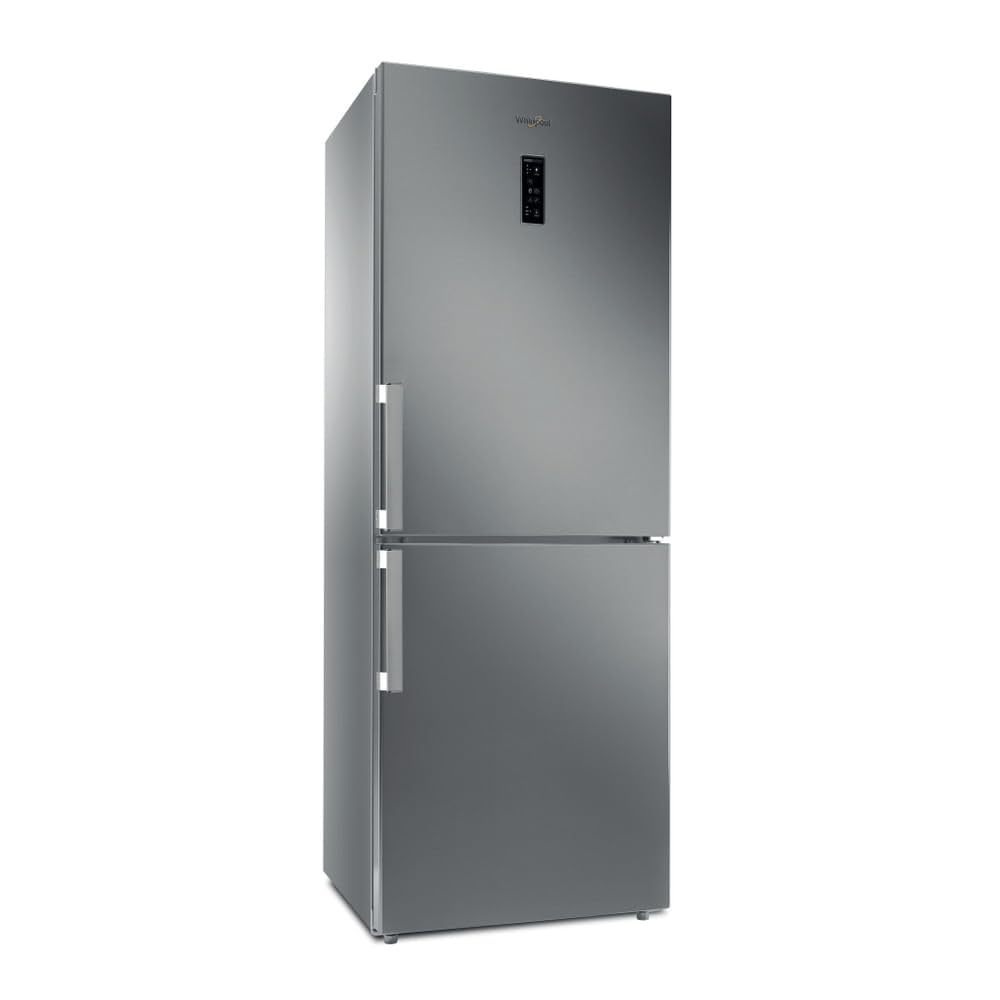
Figure 1: Front view of the Whirlpool WB70E 972 X Refrigerator-Freezer.
3.3 Leveling
Adjust the front feet to level the appliance. This prevents vibrations and ensures proper door closure.
3.4 Electrical Connection
Connect the appliance to a properly grounded electrical outlet. The voltage and frequency must match the specifications on the rating plate inside the appliance. Do not use multi-plugs or extension cords.
3.5 Initial Startup
After installation, wait at least 2-4 hours before plugging in the appliance to allow the refrigerant to settle. Once plugged in, set the temperature controls and allow the appliance to cool for several hours before loading food.

Figure 2: Installation diagram with recommended clearances.
4. Operating Instructions
4.1 Control Panel
The control panel, typically located on the top front of the refrigerator door, allows you to adjust temperature settings and activate special functions. Refer to the specific icons on your appliance for detailed functions.
4.2 Temperature Settings
The refrigerator and freezer compartments have adjustable temperature controls. Recommended settings are usually +4°C for the refrigerator and -18°C for the freezer. Adjust as needed based on ambient temperature and food load.
4.3 Food Storage Guidelines
- Refrigerator Compartment: Store fresh foods such as fruits, vegetables, dairy products, and cooked meals. Use the crisper drawers for produce.
- Freezer Compartment: Suitable for long-term storage of frozen foods. Do not place hot food directly into the freezer.
- Ensure food is properly wrapped or sealed to prevent drying out and odor transfer.

Figure 3: Interior layout of the refrigerator and freezer compartments.

Figure 4: Detailed view of the refrigerator's adjustable shelves and crisper drawer.
4.4 No Frost System
This appliance features a No Frost system, which prevents ice build-up in the freezer compartment, eliminating the need for manual defrosting. This system also helps maintain a more consistent temperature throughout the refrigerator.
5. Maintenance and Cleaning
5.1 Cleaning the Interior
Unplug the appliance before cleaning. Clean the interior regularly with a solution of warm water and mild detergent. Rinse thoroughly and dry completely. Do not use abrasive cleaners or sharp objects.
5.2 Cleaning the Exterior
Wipe the exterior surfaces with a soft cloth dampened with water and a mild detergent. For stainless steel surfaces, use a specialized stainless steel cleaner and polish in the direction of the grain.
5.3 Door Seals
Check the door seals regularly for cleanliness and damage. Clean them with warm water and ensure they are dry. Damaged seals can lead to inefficient operation.
5.4 Power Outage
In case of a power outage, keep the doors closed to maintain the internal temperature for as long as possible. Avoid opening the doors unnecessarily.
6. Troubleshooting
Before contacting service, check the following common issues and solutions:
| Problem | Possible Cause | Solution |
|---|---|---|
| Appliance does not operate | No power supply | Check if the plug is inserted correctly and the circuit breaker is on. |
| Temperature is not cold enough | Door opened too frequently; large amount of warm food added; poor ventilation; temperature setting too high | Reduce door openings; allow food to cool before storing; ensure proper ventilation; adjust temperature setting lower. |
| Unusual noises | Appliance not level; objects touching the back wall; compressor noise | Level the appliance; ensure nothing is touching the back; compressor noise is normal during operation. |
| Water on the floor | Drain hole blocked; drip tray overflowing | Clear the drain hole; check and empty the drip tray if accessible. |
If the problem persists after checking these points, please contact customer service.
7. Specifications
| Feature | Specification |
|---|---|
| Brand | Whirlpool |
| Model Number | WB70E 972 X |
| Capacity | 462 Liters |
| Configuration | Bottom Freezer |
| Color | Metallic (Stainless Steel) |
| Installation Type | Freestanding |
| Number of Doors | 2 |
| Defrost System | No Frost |
| Adjustable Temperature Control | Yes |
| Product Dimensions (L x W x H) | 2.79 x 24.64 x 16.51 cm (approximate, check actual product for precise measurements) |
| Item Weight | 88 Kilograms |
8. Warranty and Support
This Whirlpool appliance comes with a manufacturer's warranty. Please refer to the warranty card included with your purchase for specific terms and conditions, including the warranty period and coverage details. Keep your proof of purchase for warranty claims.
For technical assistance, spare parts, or to report a fault, please contact Whirlpool customer service. Contact details can typically be found on the Whirlpool website or in the documentation provided with your appliance.


