
Introduction
Thank you for choosing the AGARO HD-1120 Professional Hair Dryer. This manual provides essential information for the safe and effective use, maintenance, and troubleshooting of your new hair dryer. Please read these instructions carefully before use and retain them for future reference.

Image: AGARO HD-1120 Professional Hair Dryer with its sleek design.
Safety Information
To ensure safe operation, always adhere to the following precautions:
- Keep away from children.
- Do not use near water or in wet environments.
- Ensure the power supply matches the voltage specified on the appliance.
- Always unplug the appliance after use and before cleaning.
- Do not operate if the cord or plug is damaged.
- The hair dryer features a built-in auto shut-off mechanism to protect against overheating. If the dryer shuts off, unplug it and allow it to cool before resuming use.
- This product requires a 16A plug for safe operation due to its 2000W power. Ensure you use a compatible 16 Amp socket.

Image: Close-up of the 16 Amp ISI standard plug, highlighting its safety features for high-power devices.
Product Components
Your AGARO HD-1120 Hair Dryer comes with the following components:
- AGARO HD-1120 Hair Dryer Unit
- Concentrator Nozzle: For precise styling and targeted airflow.
- Diffuser Nozzle: To enhance natural curls and waves, adding volume.
- Comb Attachment: For quick straightening and detangling during drying.
- Power Cord (2.5m length) with 16A Plug
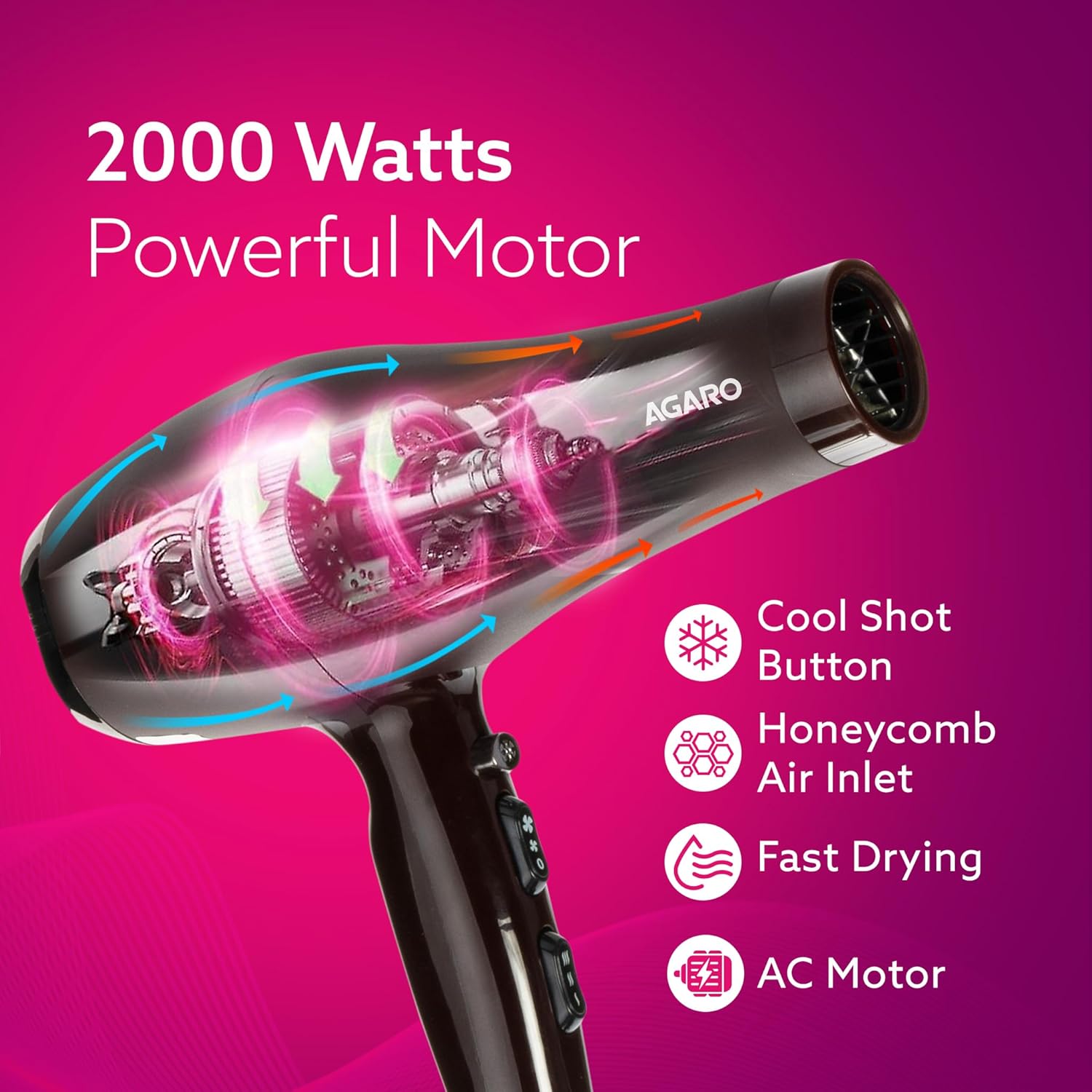
Image: The AGARO HD-1120 hair dryer shown with its included comb, concentrator nozzle, and diffuser nozzle.
Setup
- Unpacking: Carefully remove all components from the packaging.
- Attachment Selection: Choose the desired attachment (concentrator, diffuser, or comb) based on your styling needs. Align the attachment with the front nozzle of the hair dryer and push it firmly until it clicks into place.
- Power Connection: Ensure the hair dryer is switched off. Plug the 16A power cord into a compatible 16 Amp wall socket.
Operating Instructions
The AGARO HD-1120 features intuitive controls for customized styling.
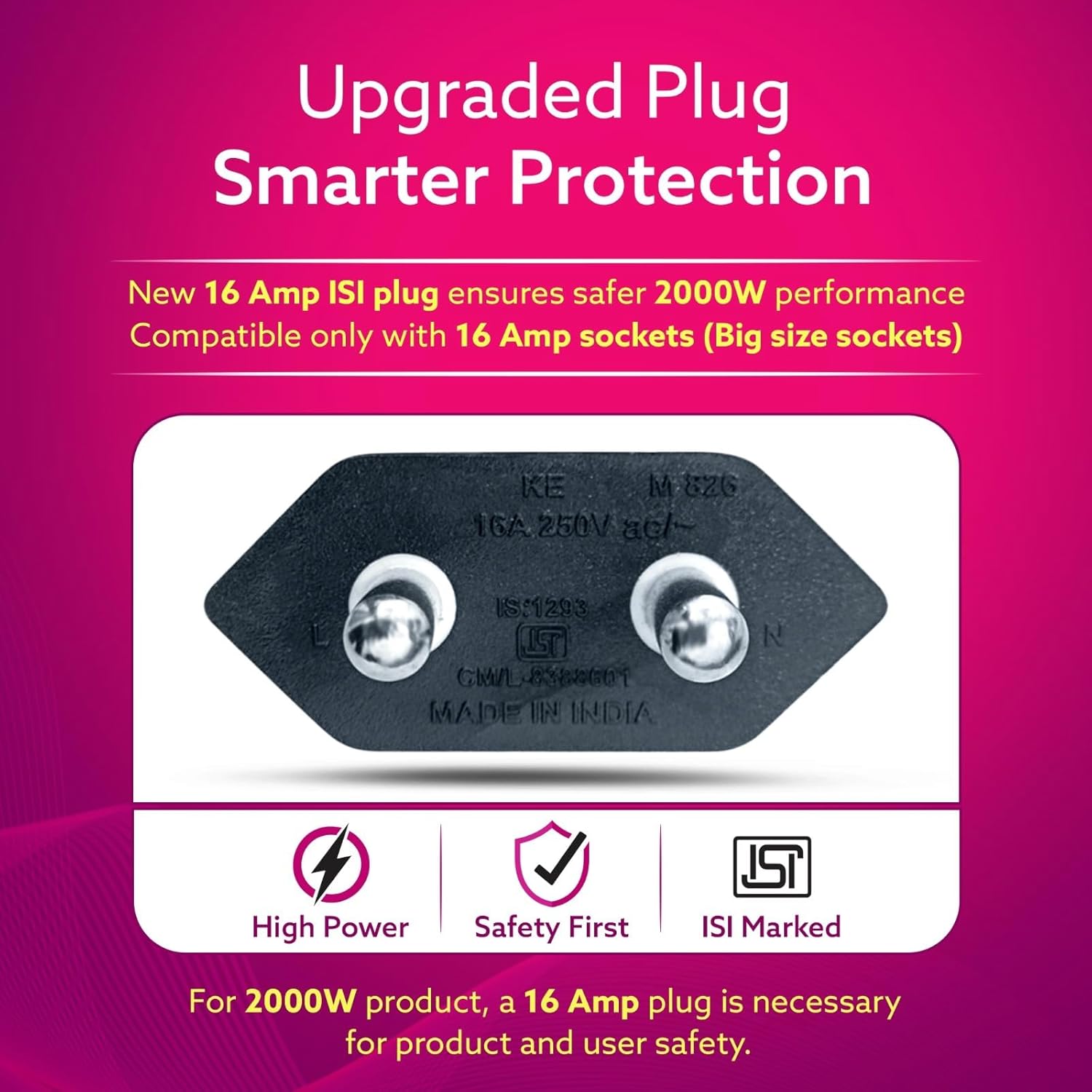
Image: Detailed view of the hair dryer's control panel, showing the cool shot button, speed settings, and temperature settings.
- Power On/Off: Slide the Power/Speed Switch to the desired speed setting (Low Speed or High Speed) to turn on the dryer. Slide to '0' for Power Off.
- Speed Settings:
- Low Speed: For gentle drying and styling.
- High Speed: For fast drying.
- Temperature Settings: Use the Temperature Switch to select your preferred heat level.
- Low Temperature: For delicate or fine hair.
- Medium Temperature: For normal hair.
- High Temperature: For thick or coarse hair, and for quick drying.
- Cool Shot Function: Press and hold the Cool Shot Button to deliver a burst of cool air. This helps to set your hairstyle and add shine. Release the button to return to the selected heat setting.
Maintenance
Regular maintenance ensures optimal performance and extends the life of your hair dryer.
- Cleaning the Air Inlet Filter: The hair dryer features a honeycomb air inlet designed to prevent hair tangling. Periodically check and clean the rear air inlet filter to remove any accumulated dust or hair.
- Ensure the dryer is unplugged and cool.
- Gently wipe the filter with a soft, dry cloth or use a small brush to remove debris.
- General Cleaning: Wipe the exterior of the hair dryer with a soft, damp cloth. Do not use abrasive cleaners or solvents.
- Storage: Store the hair dryer in a cool, dry place, away from moisture. Do not wrap the power cord tightly around the appliance, as this can damage the cord. Use the hanging loop for convenient storage.
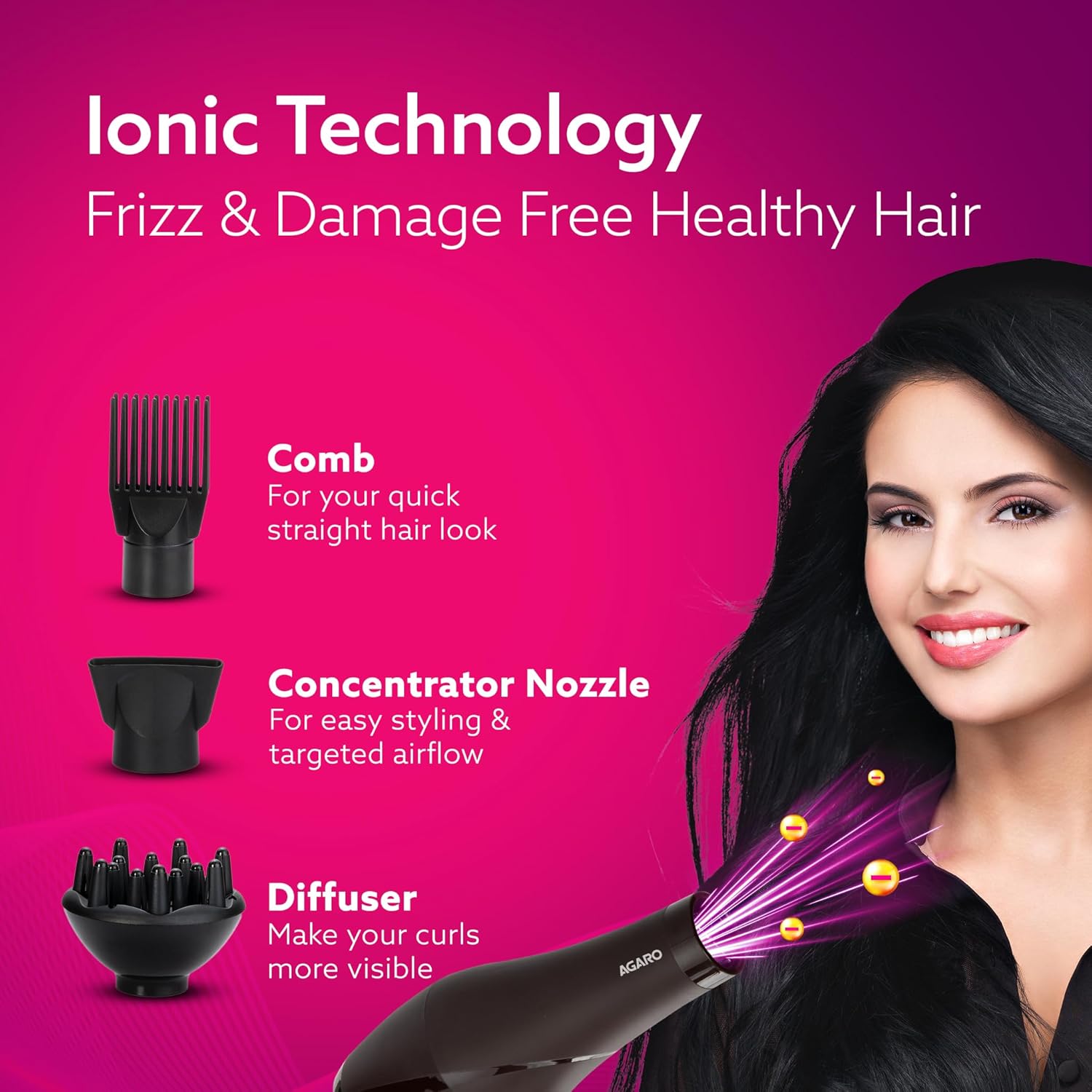
Image: Close-up of the honeycomb air inlet, designed to prevent hair tangling and facilitate cleaning.
Troubleshooting
If you encounter issues with your hair dryer, refer to the following common solutions:
| Problem | Possible Cause | Solution |
|---|---|---|
| Hair dryer does not turn on. | No power supply; faulty plug/cord; internal issue. | Check if the plug is securely inserted into a working 16A socket. Inspect the power cord for damage. If damaged, do not use and contact customer support. |
| Hair dryer stops working during use (overheating). | Overheating protection activated; blocked air inlet/outlet. | Unplug the dryer and allow it to cool down for at least 10-15 minutes. Clean the air inlet filter. Ensure air outlets are not blocked. |
| Weak airflow or unusual noise. | Blocked air inlet filter; internal debris. | Clean the air inlet filter as described in the Maintenance section. If the problem persists, contact customer support. |
If the issue is not resolved by the above steps, please contact AGARO customer support.
Specifications
| Model Name | HD-1120 |
| Wattage | 2000 Watts |
| Voltage | 230 Volts |
| Power Source | Corded Electric |
| Number of Speed Settings | 2 |
| Number of Temperature Settings | 3 |
| Cable Length | 2.5 Metres |
| Special Features | Automatic Shut-Off, Cool Shot Button, Hanging Loop, Ionic Technology, Overheat Protection |
| Included Components | Comb, Concentrator, Diffuser |
| Item Weight | 1.02 kg (1020 Grams) |
| Product Dimensions (LxWxH) | 25.4 x 10 x 27.7 Centimeters |
| Country of Origin | China |
Warranty and Support
Your AGARO HD-1120 Hair Dryer comes with a 2-Year Warranty from the date of purchase. This warranty covers manufacturing defects only.
For any queries, concerns, or warranty claims, please contact AGARO Customer Support:
- Email: info@uclindia.com
- Customer Support Number: 9821486487
- Timings: 10:00 AM to 6:00 PM (IST), Monday - Saturday (Excluding Holidays)
- Manufacturer: Purplestar Manufacturing Private Limited, Gurgaon, Haryana, 122052
- Importer: Universal Corporation Limited, 4/1 Middleton street, Sikkim Commerce house, Kolkata-71


