
1. Introduction
Thank you for choosing the Comfee CFEW60-124 Washing Machine. This manual provides essential information for the safe and efficient operation, installation, and maintenance of your appliance. Please read it thoroughly before first use and keep it for future reference.
2. Safety Information
Always follow basic safety precautions when using electrical appliances to reduce the risk of fire, electric shock, or injury to persons.
- Ensure the washing machine is properly grounded.
- Do not allow children to play on or in the appliance.
- Unplug the appliance before cleaning or performing any maintenance.
- Do not install or store the appliance where it will be exposed to temperatures below freezing or weather conditions.
- Do not wash items that have been previously cleaned in, washed in, soaked in, or spotted with gasoline, dry-cleaning solvents, or other flammable or explosive substances.
3. Product Overview
The Comfee CFEW60-124 is a 6KG Slim Line washing machine designed for efficient and space-saving laundry care. It features a 1200 RPM spin speed and various wash programs.
Key Features:
- 6 kg Capacity: Suitable for small to medium households.
- Energy Efficiency Class D: Efficient energy consumption.
- 1200 RPM Spin Speed: Effective water extraction for faster drying.
- Ultra Slim Design: Only 400 mm depth, saving space without compromising capacity or washing performance.
- Drum Cleaning Program: Cleans the inner and outer drum with 90°C hot water and a high-speed spin to thoroughly remove stains. Includes a reminder function every 25 washes.
- Diverse Temperature Options: Five different temperatures (Cold, 20°C, 40°C, 60°C, 90°C) for various fabric care needs.
- Quick Wash Cycles: 15min, 30min, and 45min options for lightly soiled garments, saving time and energy.
- Cold Wash Function: Reduces color fading and protects delicate fabrics.
- Time Delay: Allows you to set the end time of the wash cycle in advance.
Product Views:


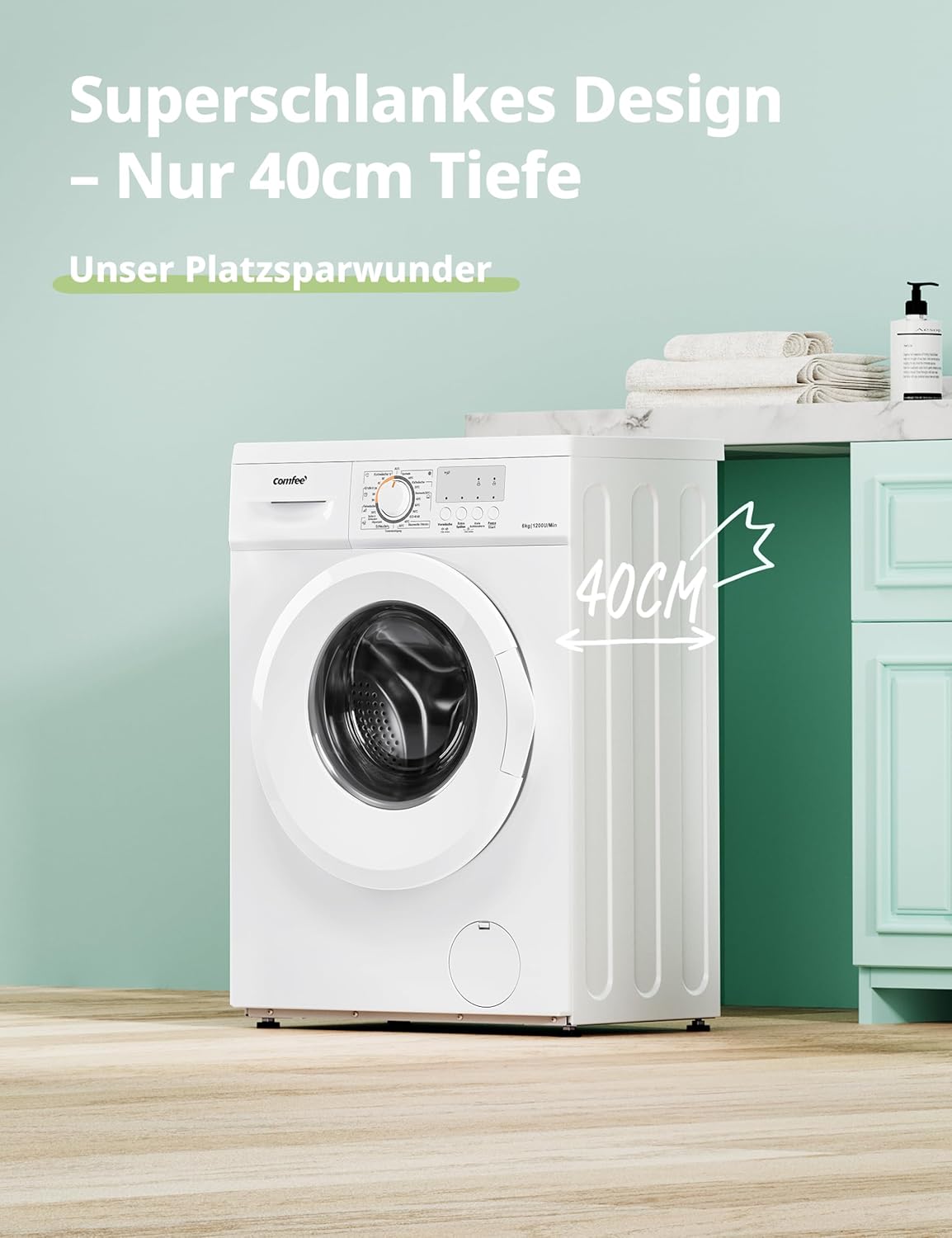


4. Setup
4.1 Unpacking and Transport Bolt Removal
Carefully unpack the washing machine. Before operating, it is crucial to remove all transport bolts located at the rear of the appliance. These bolts secure the drum during transit and must be removed to prevent damage during operation. Store the bolts for future transport if needed.
4.2 Positioning and Leveling
Place the washing machine on a firm, level surface. Adjust the leveling feet at the bottom of the appliance to ensure it is perfectly stable and does not wobble. Proper leveling reduces vibration and noise during operation.
4.3 Water Connection
- Connect the water inlet hose to a cold water tap with a 3/4-inch thread. Ensure the connection is tight to prevent leaks.
- Position the drain hose into a standpipe or over the edge of a sink, ensuring it is securely fixed to prevent displacement during draining.
4.4 Electrical Connection
Connect the power cord to a properly grounded electrical outlet. The appliance operates on 240V. Do not use extension cords or adapters.
5. Operating Instructions
5.1 Control Panel Overview
The control panel consists of a program selector dial, function buttons, and a display (if applicable) for cycle information.
5.2 Loading Laundry
Open the washing machine door and load laundry loosely into the drum, ensuring not to exceed the maximum 6 kg capacity. Overloading can affect washing performance and cause damage.
5.3 Adding Detergent and Additives
Pull out the detergent dispenser drawer (refer to Figure 3.5). Add appropriate amounts of detergent to the main wash compartment and fabric softener to its designated compartment. If using pre-wash, add detergent to the pre-wash compartment.
5.4 Program Selection
Turn the program selector dial to choose the desired wash program based on fabric type and soil level. Available programs include:
- Cotton 90°C: For heavily soiled cottons, effectively removes bacteria and germs.
- Various Temperature Options: Select Cold, 20°C, 40°C, 60°C, or 90°C depending on your laundry needs. Cold wash protects colors, 40°C helps dissolve stains.
- Quick Wash (15/30/45 min): Ideal for lightly soiled items or small loads.
- Drum Cleaning: A dedicated program for maintaining the machine's hygiene.


5.5 Special Functions
- Time Delay: Press the 'Time Delay' button to set a delayed start for your wash cycle (e.g., 3, 6, or 9 hours).
- Extra Rinse: Activates an additional rinse cycle to ensure thorough removal of detergent residues, ideal for sensitive skin.
- Pre-Wash: Adds an initial wash cycle before the main program for heavily soiled items.
- Child Lock: To activate or deactivate, press and hold the 'Pre-Wash' and 'Extra Rinse' buttons simultaneously for 3 seconds. This locks the control panel to prevent accidental changes.


5.6 Starting a Cycle
Once laundry, detergent, and program settings are selected, press the 'Start/Pause' button to begin the wash cycle.
6. Maintenance
Regular maintenance ensures the longevity and optimal performance of your washing machine.
6.1 Drum Cleaning Program
The washing machine features a dedicated drum cleaning program. It uses 90°C hot water and a high-speed spin to effectively remove dirt and residue from both the outer and inner drum without the need for cleaning agents. It is recommended to run this self-cleaning program at least once a month, or when prompted by the reminder function (every 25 washes).

6.2 Cleaning the Detergent Dispenser
Periodically remove and clean the detergent dispenser drawer to prevent residue buildup. Rinse it under running water and use a brush if necessary.
6.3 Cleaning the Filter
Locate the drain pump filter, usually at the bottom front of the machine. Open the cover, drain any residual water, and carefully remove and clean the filter of any lint or small objects. Reinsert and secure the filter and cover.
7. Troubleshooting
Before contacting customer service, please check the following common issues:
| Problem | Possible Cause | Solution |
|---|---|---|
| Machine does not start | No power; Door not closed; Program not selected. | Check power supply; Close door firmly; Select a program and press Start. |
| Water not filling | Water tap closed; Inlet hose kinked; Water pressure too low. | Open water tap; Straighten hose; Check water supply. |
| Machine vibrates excessively | Transport bolts not removed; Machine not level; Uneven load. | Remove transport bolts; Adjust leveling feet; Redistribute laundry in drum. |
| Water not draining | Drain hose kinked or blocked; Drain pump filter blocked. | Check and clear drain hose; Clean drain pump filter. |
8. Specifications
Detailed technical specifications for the Comfee CFEW60-124 Washing Machine.
| Specification | Value |
|---|---|
| Manufacturer | Comfee (Midea) |
| Model Identifier | CFEW60-124 |
| Product Dimensions (D x W x H) | 40 x 60 x 85 cm |
| Weight | 55 Kilograms |
| Rated Capacity | 6 Kilograms |
| Energy Efficiency Class | D |
| Weighted Annual Energy Consumption | 64 kWh per 100 cycles |
| Maximum Spin Speed | 1200 Revolutions per Minute |
| Airborne Acoustical Noise Emission | 80 dB |
| Installation Type | Freestanding |
| Color | White |
| Door Opening | Front-loader |
| Voltage | 240 Volt |
| Wattage | 240 Watt |
| Included Components | Washing machine body, Motor |
For detailed energy information, please refer to the official EU EPREL database: https://eprel.ec.europa.eu/qr/366300

9. Warranty and Support
For warranty information and customer support, please refer to the documentation provided with your purchase or contact Comfee customer service. Ensure you have your model number (CFEW60-124) and purchase details ready when seeking support.
You can visit the official Comfee store for more information: Comfee Store


