
Introduction
Thank you for choosing the Elecameier Warm and Cool Mist Humidifier. This ultrasonic humidifier is designed to enhance your indoor environment by providing optimal humidity levels, offering both warm and cool mist options, and featuring an essential oil tray for aromatherapy. Please read this manual thoroughly before operation to ensure safe and efficient use of your device.
Important Safety Information
To reduce the risk of electric shock, fire, or injury, always follow basic safety precautions when using electrical appliances. This appliance is for household use only.
- Always place the humidifier on a firm, flat, water-resistant surface.
- Do not place the humidifier near heat sources such as stoves, radiators, or direct sunlight.
- Use only clean, cool tap water or distilled water. Distilled water is recommended to prevent white dust buildup.
- Do not add essential oils directly into the water tank. Use the designated essential oil tray.
- Unplug the humidifier before filling, cleaning, or moving it.
- Keep out of reach of children and pets.
- Do not block air vents.
- Ensure the power cord is not damaged or placed under heavy objects.
- The humidifier features an automatic shut-off when water runs out.
Package Contents
- Elecameier Air Humidifier (Model 90802)
- User Manual
- Remote Control
- 2 Essential Oil Replacement Pads
- Demineralization Filter (pre-installed or separate)
Product Overview
The Elecameier Warm and Cool Mist Humidifier is designed for optimal performance and aesthetic appeal. Key features include:
- Warm and Cool Mist: Provides both mist types for year-round comfort.
- Three Mist Modes: Adjustable mist levels (Low, Medium, High) to suit your humidity needs.
- Remote Control: Conveniently adjust settings from a distance.
- Whisper Quiet Operation: Operates at less than 25dB, ideal for bedrooms and nurseries.
- Auto Shut-off: Automatically turns off when water runs out for safety.
- Essential Oil Tray: Integrated tray for diffusing your favorite essential oils.
- Elegant Design: Modern aesthetic that complements various home decors.

Figure 1: Warm and Cool Mist Functionality

Figure 2: Humidifier Dimensions and Nozzle Options
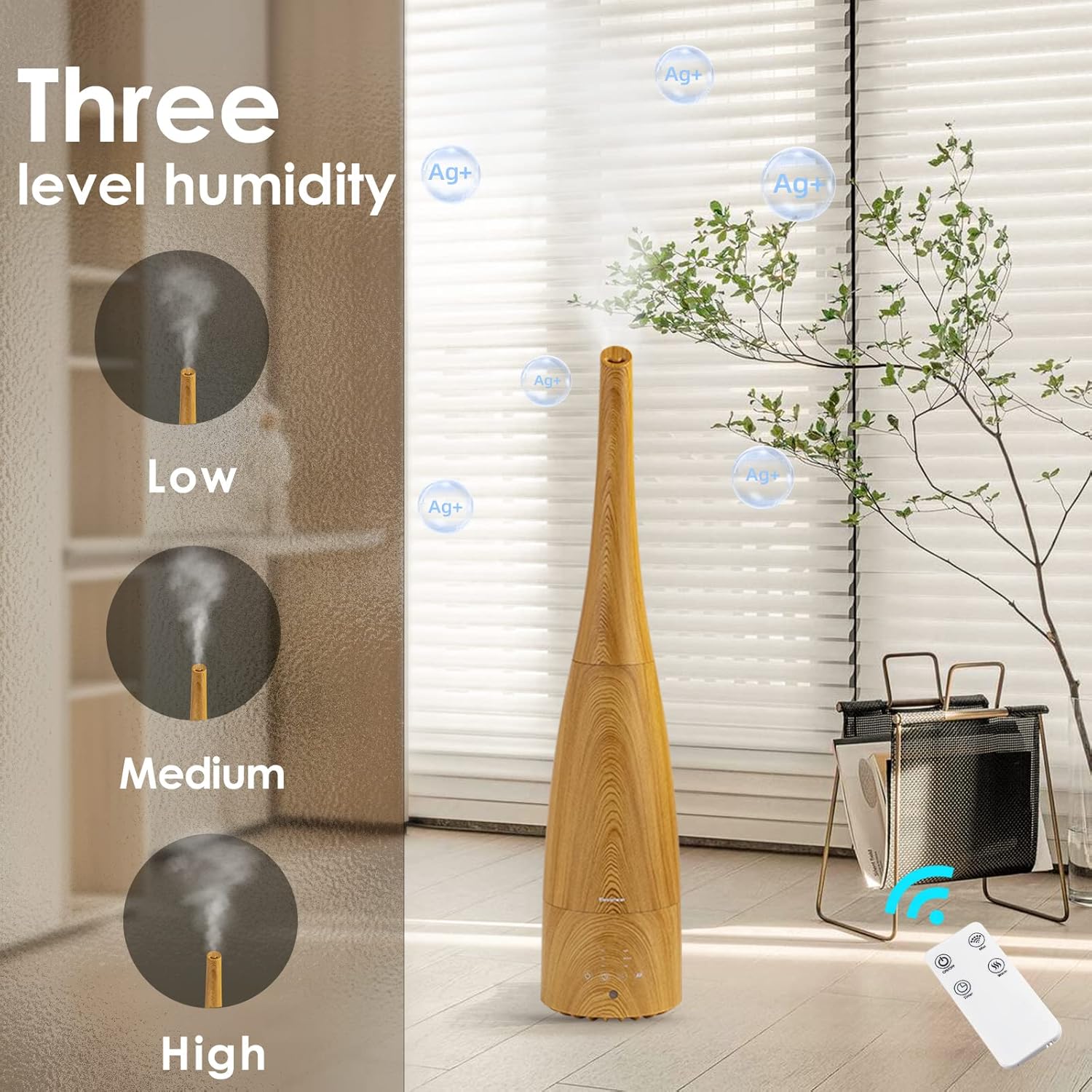
Figure 3: Essential Oil Diffuser Tray
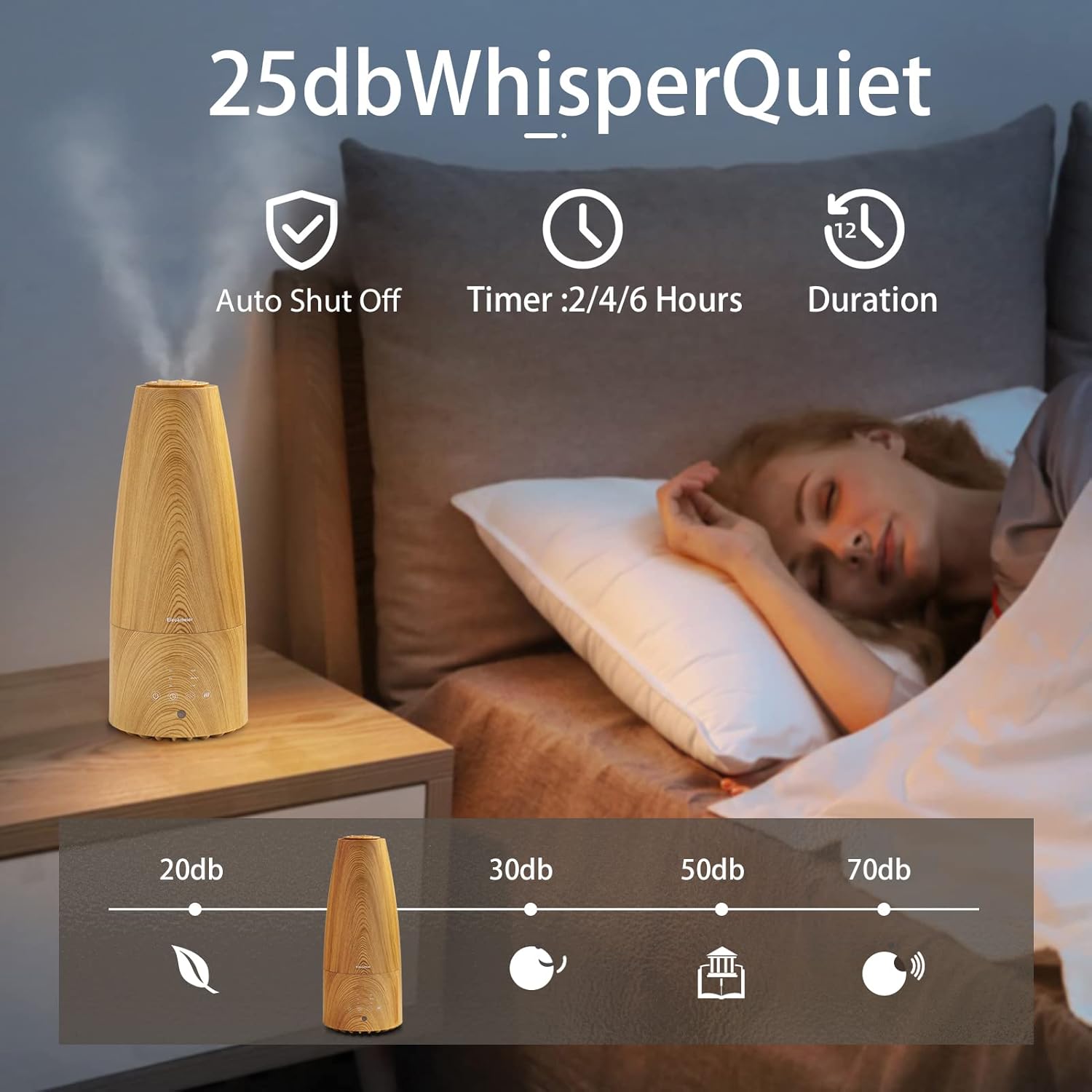
Figure 4: Whisper Quiet Operation

Figure 5: Three Mist Level Settings
Setup
1. Unpacking and Placement
- Remove all packaging materials.
- Place the humidifier on a flat, stable surface away from direct sunlight, heat sources, and electronic devices.
2. Filling the Water Tank
- Remove the top cover and the water tank from the base.
- Unscrew the demineralization filter cap at the bottom of the water tank.
- Fill the water tank with clean, cool water. Distilled water is highly recommended to minimize mineral buildup and white dust.
- Securely screw the demineralization filter cap back onto the tank.
- Place the filled water tank back onto the humidifier base, ensuring it is properly seated.
- Choose your preferred mist nozzle (short or tall) and place it on top of the water tank.

Figure 6: Filling the Water Tank

Figure 7: Demineralization Filter
3. Adding Essential Oils (Optional)
- Locate the essential oil tray on the side of the humidifier base.
- Pull out the tray and add a few drops of your desired essential oil onto the provided pad.
- Slide the tray back into the humidifier. Do not add essential oils directly into the water tank.
Figure 8: Essential Oil Tray
Operating Instructions
The humidifier can be operated using the touch control panel on the base or the included remote control.
Control Panel / Remote Functions:
- Power On/Off: Press the power button (⏻) to turn the unit on or off.
- Mist Level: Press the mist button (⁘) repeatedly to cycle through Low, Medium, and High mist output settings.
- Warm/Cool Mist: Press the warm mist button (♨) to activate or deactivate the warm mist function. Allow 5-10 minutes for warm mist to reach optimal temperature.
- Timer: Press the timer button (⏱) to set the operating time for 2, 4, or 6 hours. The unit will automatically shut off after the selected time.
Using the Remote Control:
Ensure the plastic tab is removed from the remote control's battery compartment before first use. The remote mirrors the functions of the control panel buttons.
Video 1: Demonstration of Warm and Cool Mist Humidifier Features by Elecameier.

Figure 9: Humidifier Control Panel

Figure 10: Remote Control
Maintenance
Regular cleaning is essential to maintain optimal performance and hygiene of your humidifier. Failure to clean regularly may lead to mineral buildup, mold growth, and reduced mist output.
Daily Maintenance:
- Unplug the unit.
- Empty any remaining water from the tank and base.
- Rinse the water tank and base with fresh water.
- Wipe all surfaces dry with a clean cloth.
Weekly Cleaning:
- Unplug the humidifier and disassemble all parts (top cover, water tank, mist nozzle).
- Descaling the Water Tank and Base: Fill the water tank and base with a mixture of equal parts white vinegar and water. Let it soak for 30 minutes to an hour.
- Use a soft brush or cloth to gently scrub away any mineral deposits.
- Rinse all components thoroughly with clean water until the vinegar smell is gone.
- Wipe all surfaces dry before reassembling.
Demineralization Filter:
The demineralization filter helps reduce white dust. Replace it periodically based on water hardness and usage. Refer to the filter's specific instructions for replacement frequency.
Troubleshooting
| Problem | Possible Cause | Solution |
|---|---|---|
| No mist or low mist output. | Low water level; mineral buildup; mist nozzle blocked. | Refill water tank; clean the transducer and water tank; ensure mist nozzle is clear. |
| White dust around the humidifier. | Hard water minerals. | Use distilled water; replace demineralization filter. |
| Remote control not working. | Battery tab not removed; dead battery; obstruction. | Remove plastic tab from battery compartment; replace battery; ensure clear line of sight to humidifier. |
| Water leaking from the unit. | Water tank cap not secured; unit not on a level surface. | Ensure water tank cap is tightly screwed; place unit on a stable, level surface. |
| Warm mist is not hot. | Warm mist takes time to heat up; mist cools as it travels. | Allow 5-10 minutes for the warm mist function to fully activate. The mist will not be scalding hot. |
Specifications
| Feature | Detail |
|---|---|
| Brand | Elecameier |
| Model Name | 90802 |
| Operation Mode | Ultrasonic |
| Special Feature | Remote Control |
| Color | light wood |
| Product Dimensions | 5.8"D x 5.8"W x 27"H |
| Item Weight | 2.64 pounds (1.2 Kilograms) |
| Room Type | Bedroom, Nursery, Room |
| Voltage | 120 Volts |
| Wattage | 75 watts |
| Capacity | 2.3 Liters |
| Certifications | FCC certified, ETL listed, IC certified |
Warranty and Support
For warranty information or technical support, please refer to the contact details provided on the product packaging or visit the official Elecameier website. Keep your purchase receipt as proof of purchase.