
1. Introduction
The EverBrite LED Puck Lights (Model E007070) provide versatile lighting solutions for various indoor spaces. This 6-pack of wireless, battery-powered lights features 12 RGB color options, touch and remote control, and timing functions for convenience and energy saving. Each light delivers 80 lumens of illumination and comes with necessary accessories for immediate use.
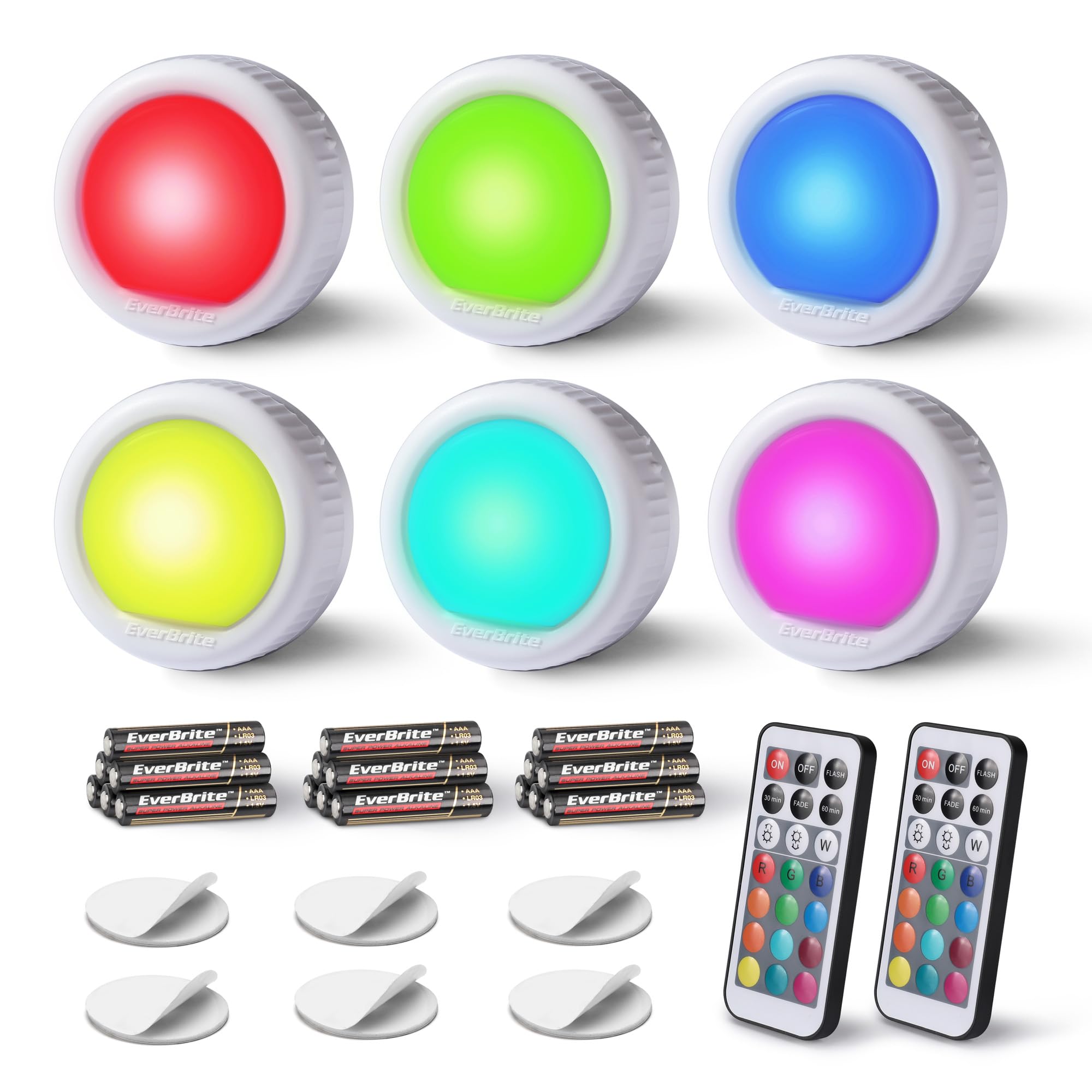
Figure 1: EverBrite LED Puck Lights package contents.
2. Setup
2.1 Battery Installation
- Open the Battery Cover: Gently twist the back cover of the puck light counter-clockwise to open it.
- Insert Batteries: Insert three AAA batteries (included) into the battery compartment, ensuring correct polarity (+/-).
- Close the Cover: Align the cover with the base and twist clockwise until it locks securely.

Figure 2: Battery installation and mounting steps.
2.2 Mounting the Lights
- Prepare Surface: Ensure the desired mounting surface is clean, dry, and smooth.
- Apply Adhesive: Peel off the protective film from one side of the included double-sided adhesive tape and firmly press it onto the back of the puck light.
- Mount Light: Peel off the protective film from the other side of the adhesive tape and press the light firmly onto the chosen surface.
The adhesive tapes provide a strong hold, making them suitable for various surfaces without the need for drilling.
3. Operation
3.1 Touch Control
To operate the light manually, press the center dome of the puck light:
- First Touch: Turns the light ON to bright white.
- Subsequent Touches: Cycles through preset colors (red, green, blue) and then turns OFF.

Figure 3: Touch and remote control options with preset colors.
3.2 Remote Control
The included remote control allows for comprehensive management of the puck lights from up to 20 feet away. Ensure the remote is pointed towards the lights for optimal response.

Figure 4: Remote control functions.
- ON/OFF: Press the ON button to turn all connected lights on, and OFF to turn them off.
- Brightness Adjustment: Use the ☼ (increase brightness) and ☽ (decrease brightness) buttons to adjust the intensity of the light in single color mode.
- White Light (W): Press the W button for a bright white light.
- Color Selection: Choose from 12 RGB colors using the dedicated color buttons on the remote.
- Flash Mode: Press FLASH to make 7 colors flash gradually. The remote can control the flash speed.
- Fade Mode: Press FADE to make 7 colors dimmable gradually. The remote can control the fade speed.
- Timer Functions:
- 30 min: Sets the lights to turn off automatically after 30 minutes.
- 60 min: Sets the lights to turn off automatically after 60 minutes.

Figure 5: Brightness and color spectrum control.

Figure 6: Timing function for energy saving and convenience.

Figure 7: Flash and Fade modes for ambiance.
4. Maintenance
4.1 Battery Replacement
When the light output diminishes or the remote control becomes unresponsive, it is time to replace the batteries. Follow the battery installation steps in Section 2.1. It is recommended to replace all three AAA batteries simultaneously for optimal performance.
4.2 Cleaning
Wipe the surface of the puck lights with a soft, dry cloth. Do not use abrasive cleaners or immerse the lights in water, as they are not waterproof.
5. Troubleshooting
| Problem | Possible Cause | Solution |
|---|---|---|
| Light does not turn on. | Batteries are dead or incorrectly installed. | Replace batteries, ensuring correct polarity. |
| Remote control is unresponsive. | Remote battery is dead; remote is not aimed at the light; interference. | Replace remote battery. Ensure direct line of sight to the light. Minimize potential interference from other IR devices. |
| Lights fall off mounting surface. | Adhesive tape not applied correctly or surface is unsuitable. | Ensure surface is clean and dry before applying adhesive. Use new adhesive tapes if necessary. |
| Short battery life. | Frequent use of flash/fade modes or continuous operation. | Utilize timer functions (30/60 min) to conserve battery life. Reduce use of dynamic color modes if extended battery life is desired. |
6. Specifications
- Model Number: E007070
- Brand: EverBrite
- Light Source Type: LED
- Power Source: Battery Powered (3x AAA per light)
- Lumen Output: 80 Lumens
- Color Options: 12 RGB Colors, White
- Control Method: Remote, Touch
- Connectivity Technology: IR (Infrared)
- Product Dimensions: 5.51"D x 5.31"W x 3.35"H (for the pack)
- Item Weight: 0.51 Kilograms (for the pack)
- Material: Plastic
- Mounting Type: Stick-on (Adhesive Tapes Included)
- Indoor/Outdoor Usage: Indoor Only
- Water Resistance Level: Not Water Resistant
- Included Components: 6x Tap Lights, 18x AAA Batteries, 6x Adhesive Tapes, 1x Remote Control
7. Product Demonstration
Watch this video for a creative application of the EverBrite LED Puck Lights, demonstrating their use in Halloween pumpkin decorations and showcasing color changes via touch and remote control.
Video 1: Halloween & EverBrite Puck Lights demonstration by GreatStar Tools.
8. Warranty & Support
For warranty information, technical support, or any inquiries regarding your EverBrite LED Puck Lights, please contact the manufacturer, GreatStar Tools, directly through their official channels or the retailer where the product was purchased.
Please retain your proof of purchase for any warranty claims.