
1. Introduction
Thank you for choosing the AEG 10832 Energy Station. This device is a versatile portable power source designed to provide jump-starting capabilities, air compression, and power for various electronic devices. To ensure safe and efficient operation, please read this manual thoroughly before first use and retain it for future reference.
2. Safety Information
WARNING: Failure to follow these safety instructions may result in electric shock, fire, and/or serious injury.
- Always wear eye protection and protective clothing when working with batteries.
- Ensure adequate ventilation when charging or operating the unit.
- Do not expose the unit to rain or wet conditions.
- Keep children and unauthorized persons away from the unit during operation.
- Avoid creating sparks near the battery. Do not smoke or allow open flames near the unit.
- Ensure all connections are secure before operating.
- Do not attempt to jump-start a frozen battery.
- If battery acid comes into contact with skin or eyes, flush immediately with water and seek medical attention.
3. Product Overview
The AEG 10832 Energy Station combines multiple functions into a single portable unit. Familiarize yourself with its components:

Figure 3.1: Front view of the AEG 10832 Energy Station, highlighting its capabilities as a power source for external devices, 10 bar compressor, 200W voltage converter, and 1250A jump starter.

Figure 3.2: The LCD display shows the charge status, compressor pressure, and overall operating status of the unit.

Figure 3.3: The rear of the unit features convenient cable management for the jump starter cables.
Key Components:
- Control Panel: Centralized interface for managing functions.
- LCD Display: Provides real-time information on battery charge, compressor pressure, and operational status.
- Jump Start Cables: Heavy-duty cables with fully insulated clamps for vehicle jump-starting.
- Air Compressor Hose: For inflating tires and other inflatables.
- USB Ports (4x): 5V/2.4A output per port for charging mobile devices.
- 12V Car Connections (2x): 10A output for powering 12V accessories.
- 220V AC Outlet: Integrated 200W voltage converter for powering AC devices.
- LED Lighting: Integrated light with standard and S.O.S. emergency functions.
4. Setup and Initial Charging
Before using your AEG 10832 Energy Station for the first time, it is essential to fully charge its internal battery.
4.1 Initial Charging
- Locate the charging port on the unit.
- Connect the provided AC charging adapter to the unit and then to a standard wall outlet.
- The LCD display will indicate the charging status. Allow the unit to charge until the display shows 100% or a full charge indicator. This may take up to 22 hours for the first charge.
- Once fully charged, disconnect the charging adapter.
The unit contains a replaceable 12V AGM battery. While the unit may require some assembly (e.g., connecting the battery internally), it typically comes with the battery pre-installed or easily accessible for connection.

Figure 4.1: The unit features a replaceable 12V AGM battery with an 18 Ah capacity, accessible for maintenance or replacement.
5. Operating Instructions
5.1 Jump Starting a Vehicle
The AEG 10832 Energy Station provides a powerful 1250 A jump start current, suitable for various vehicle types, including those with larger engines.
- Ensure the vehicle's ignition and all accessories are turned off.
- Connect the red (positive, +) clamp to the positive terminal of the vehicle's battery.
- Connect the black (negative, -) clamp to a clean, unpainted metal part of the vehicle's chassis, away from the battery and fuel lines. Do not connect directly to the negative battery terminal.
- Turn the main switch on the Energy Station to the "JUMP START" position.
- Attempt to start the vehicle. If it does not start after 5-10 seconds, wait at least 1 minute before trying again.
- Once the vehicle starts, immediately turn the main switch on the Energy Station to "OFF".
- Disconnect the black (negative) clamp first, then the red (positive) clamp.

Figure 5.1: The unit features fully insulated pole clamps for safe connection during jump-starting.

Figure 5.2: The 1250 A starting power is sufficient for jump-starting larger engines.
5.2 Using the Air Compressor
The integrated compressor can inflate tires and other items up to 10 bar (150 psi) and features a pressure pre-selection with auto-stop.
- Connect the compressor hose to the item you wish to inflate (e.g., tire valve).
- Turn the main switch on the Energy Station to the "ON" position.
- Use the control panel to set the desired pressure (e.g., in BAR or PSI). The LCD display will show the current pressure.
- Start the compressor. It will automatically stop once the pre-selected pressure is reached.
- Turn the main switch to "OFF" and disconnect the hose.

Figure 5.3: The compressor features pressure pre-selection and an auto-stop function for precise inflation up to 10 bar (150 psi).
5.3 Using as a Power Bank (USB & 12V)
The Energy Station can charge or power external devices via its USB ports and 12V car connections.
- USB Ports: Connect your mobile phones, tablets, or other USB-powered devices to any of the four 5V/2.4A USB ports. Turn the main switch to "ON" to activate.
- 12V Car Connections: Plug in 12V accessories (e.g., portable coolers, car vacuums) into the two 12V/10A sockets. Turn the main switch to "ON" to activate.

Figure 5.4: The unit provides 4 USB ports, each delivering 5V and 2.4A, serving as a power source for external devices.
5.4 Using the 220V AC Inverter
The integrated 200W voltage converter provides a 220V AC outlet for powering small household appliances.
- Ensure the device you wish to power does not exceed 200W.
- Plug your device into the 220V AC outlet on the Energy Station.
- Turn the main switch to "ON" and activate the AC output if a separate button is present.
- After use, turn off the AC output and the main switch, then disconnect your device.

Figure 5.5: The 200W voltage converter (220V AC) is ideal for charging and operating small electrical and electronic devices like cool boxes or fans.
5.5 Using the LED Light
The built-in LED light provides illumination and an S.O.S. emergency function.
- Turn the main switch to "ON".
- Press the light button on the control panel to cycle through light modes (e.g., On, S.O.S. flashing, Off).
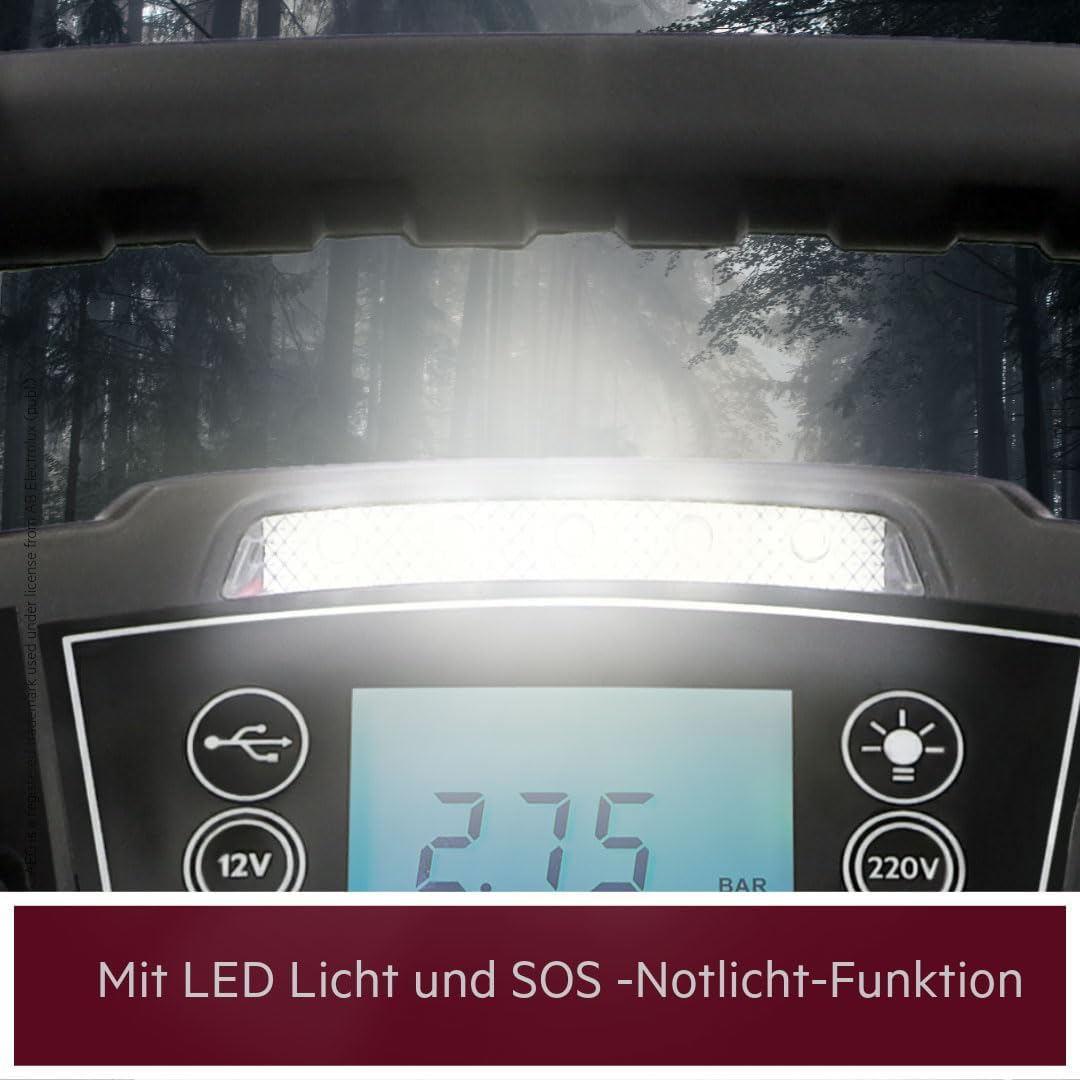
Figure 5.6: The integrated LED light includes an S.O.S. emergency light function for visibility in dark conditions.
6. Maintenance
Regular maintenance ensures the longevity and optimal performance of your Energy Station.
6.1 Battery Charging
- For optimal battery life, recharge the unit after every use, especially after jump-starting or extensive compressor use.
- If the unit is not used frequently, recharge it every 3 months to maintain the battery's health.
- Always charge the unit in a well-ventilated area.
6.2 Cleaning and Storage
- Clean the exterior of the unit with a soft, damp cloth. Do not use harsh chemicals or abrasive cleaners.
- Ensure the jump start clamps are clean and free of corrosion.
- Store the unit in a cool, dry place, away from direct sunlight and extreme temperatures.
- Keep the unit out of reach of children.
7. Troubleshooting
If you encounter issues with your AEG 10832 Energy Station, refer to the following common problems and solutions:
| Problem | Possible Cause | Solution |
|---|---|---|
| Unit does not turn on or has low power. | Internal battery is depleted. | Recharge the unit fully. |
| Vehicle does not jump start. | Incorrect clamp connection; vehicle battery severely discharged; unit battery low. | Check clamp connections (positive to positive, negative to chassis); ensure unit is fully charged; allow more time between attempts. |
| Compressor does not inflate or stops prematurely. | Hose not securely connected; desired pressure already reached; unit battery low. | Ensure hose is tightly connected; check set pressure on LCD; recharge unit. |
| USB ports or 12V outlets not providing power. | Unit not turned on; unit battery low. | Ensure main switch is in "ON" position; recharge unit. |
If the problem persists after attempting these solutions, please contact customer support.
8. Specifications
| Feature | Specification |
|---|---|
| Model Number | 10832 |
| Jump Start Peak Amperage | 1250 Amps |
| Internal Battery Type | 12V / 18Ah AGM (Lead Acid) |
| Compressor Max Pressure | 10 bar / 150 psi |
| USB Output | 4x 5V / 2.4A |
| 12V DC Output | 2x 12V / 10A |
| AC Inverter Output | 220V AC / 200W |
| Product Dimensions (L x W x H) | 34.5 x 26 x 35.5 cm |
| Item Weight | 9.03 Kilograms |
| Color | Black, Red |
9. Warranty and Support
The AEG 10832 Energy Station comes with a manufacturer's warranty. For specific warranty terms and conditions, please refer to the warranty card included with your purchase or visit the official AEG website. For technical support, spare parts, or service inquiries, please contact AEG customer service through their official channels.
