
1. Product Overview
The TFCFL 35L Aquarium Chiller is a compact and efficient water cooling system designed to maintain a stable temperature in aquariums up to 35 liters. It features an intelligent controller for precise temperature management and a built-in fan for rapid heat dissipation, ensuring a healthy environment for aquatic life.
2. Key Features
- Fast Cooling: Electronically temperature controlled with a circulation pump flow up to 3 L/min and a built-in fan for rapid cooling.
- Precise Control: Equipped with an intelligent microcomputer controller for accurate water temperature monitoring and maintenance.
- Large Cooling Capacity: Capable of cooling up to 30L (7.93 GAL) of water, suitable for various aquaculture needs.
- High Quality Construction: Made from durable plastic material, offering good impact, wear, and corrosion resistance for long-term use.
- Easy Temperature Control: Adjustable temperature range of 10-40°C, with simple button controls for setting desired temperatures.
3. Included Components
Please verify that all components are present before beginning installation:
- 1 x TFCFL Aquarium Water Chiller Unit
- 1 x Power Adapter
- 1 x Power Line
- 1 x 2-meter Length Hose
- 1 x Water Pump
- 2 x Hose Buckles

Figure 3.1: Overview of all included components.

Figure 3.2: Power adapter, water pump, and power line.

Figure 3.3: Hose, hose buckles, and connector.
4. Setup Instructions
- Positioning the Chiller: Place the chiller unit on a stable, flat surface near your aquarium. Ensure there is adequate ventilation around the unit.
- Connect the Water Pump: Attach one end of the provided hose to the outlet of the water pump. Secure it with one of the hose buckles.
- Connect to Chiller Inlet: Connect the other end of the hose from the pump to the chiller's water inlet port (typically marked 'IN' or an arrow pointing inwards). Secure with the second hose buckle.
- Connect Chiller Outlet to Aquarium: Attach a separate hose (not included, or use the remaining length if sufficient) from the chiller's water outlet port (typically marked 'OUT' or an arrow pointing outwards) back into your aquarium. Ensure the hose is submerged in the aquarium water.
- Install Temperature Probe: Insert the temperature probe into your aquarium water. Ensure it is fully submerged and positioned away from direct water flow for accurate readings.
- Power Connection: Connect the power adapter to the chiller unit and then plug the power line into a standard 110V electrical outlet.

Figure 4.1: Front view of the chiller unit.

Figure 4.2: Rear view of the chiller unit with ports.
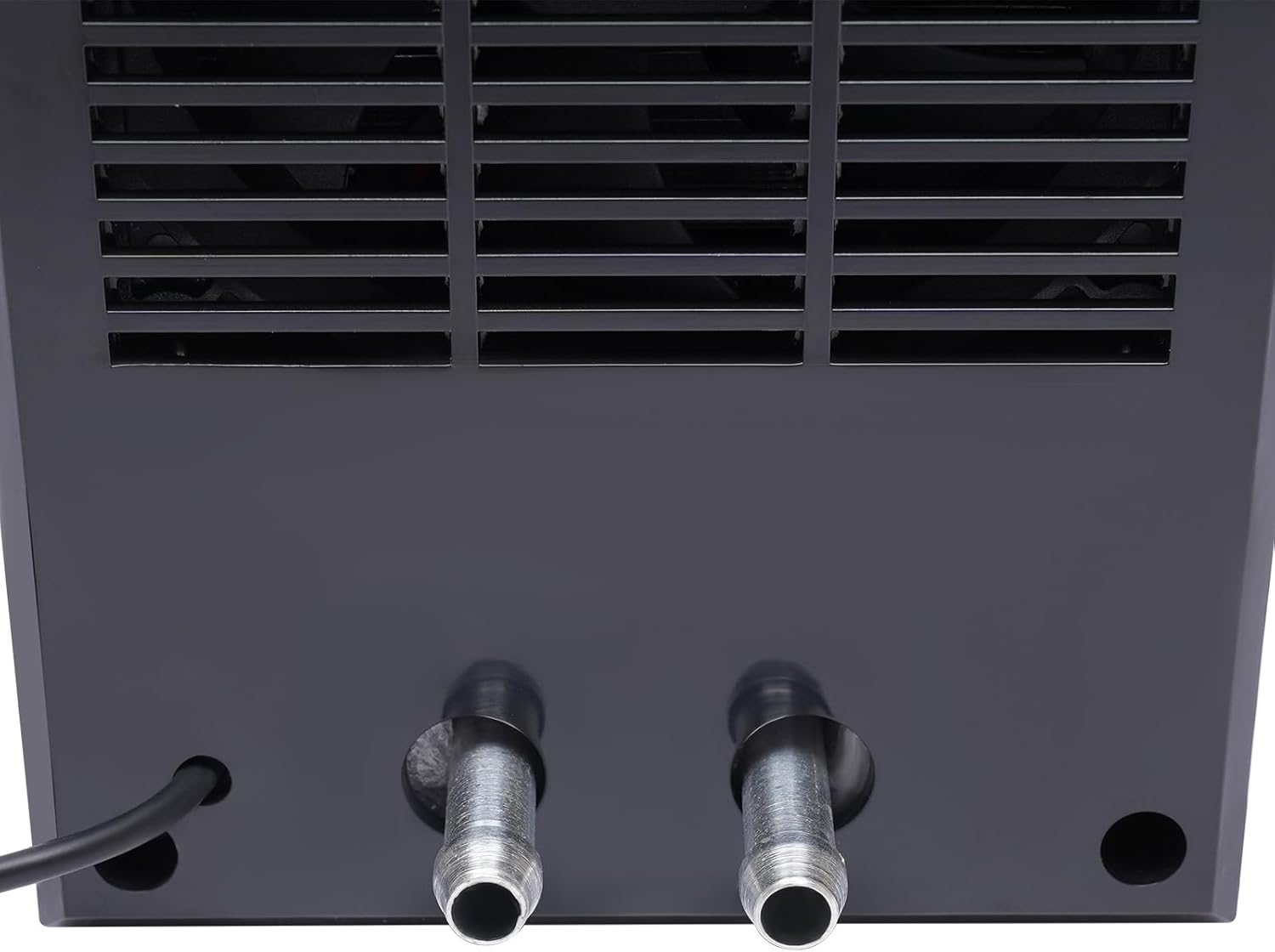
Figure 4.3: Close-up of hose connections.

Figure 4.4: Temperature probe.
5. Operating Instructions: Temperature Control
The chiller features an intuitive LCD display and control buttons for setting and monitoring the water temperature.

Figure 5.1: Chiller control panel.
- Power On: Once connected to power, the unit will turn on and the LCD display will illuminate.
- View Current Temperature: The main display shows the current measured water temperature.
- Set Desired Temperature:
- Press the SET button once. The target temperature value will start flashing.
- Use the + (plus) and - (minus) buttons to adjust the target temperature to your desired value (range 10-40°C).
- Press the ENTER button to confirm and save the new temperature setting. The display will stop flashing.
- Automatic Operation: The chiller will automatically activate cooling when the measured water temperature rises above your set target temperature and will stop when the target temperature is reached.
Official Product Video: How to Set the Temperature
This video demonstrates the step-by-step process of setting the desired water temperature on the TFCFL Aquarium Chiller's control panel. It shows how to use the SET, ENTER, plus (+), and minus (-) buttons to adjust the temperature settings.
6. Maintenance
- Regular Cleaning: Periodically clean the chiller's air intake and exhaust vents to ensure proper airflow and prevent overheating. Use a soft brush or vacuum cleaner.
- Hose and Connection Check: Regularly inspect hoses and connections for any signs of leaks, kinks, or blockages. Ensure all connections are secure.
- Water Pump Maintenance: Clean the water pump regularly to prevent debris buildup, which can reduce flow rate and efficiency. Refer to your water pump's specific instructions for cleaning.
- Temperature Probe Cleaning: Gently clean the temperature probe to remove any algae or mineral buildup that might affect its accuracy.
- Storage: If storing the unit for an extended period, drain all water from the chiller and hoses, clean thoroughly, and store in a dry, cool place.
7. Troubleshooting
| Problem | Possible Cause | Solution |
|---|---|---|
| Chiller not cooling / Water not getting cold enough |
|
|
| Water freezing at output / Ice formation |
|
|
| Display not working / No power |
|
|
| Unusual noise from chiller |
|
|
8. Product Specifications
| Brand | TFCFL |
| Model Number | BI-WWHZBY-243-JHIN |
| Color | Silver & Black |
| Material | Plastic |
| Product Dimensions (L x W x H) | 4.41" x 4.41" x 7.56" (11.2 x 11.2 x 19.2 cm) |
| Item Weight | 4.2 Pounds |
| Power Source | Corded Electric |
| Voltage | 110 Volts (DC) |
| Wattage | 100 watts |
| Maximum Flow Rate | 3 Liters Per Minute |
| Temperature Control Range | 10-40°C |
| Cooling Capacity | Up to 35L (7.93 GAL) |
| Manufacturer | Upthehill |
| Country of Origin | China |

Figure 8.1: Product Dimensions.
9. Warranty and Support
For warranty information or technical support, please refer to the product packaging or contact the manufacturer directly. Keep your purchase receipt for any warranty claims.