
1. Setup
1.1 Time Setting
To set the time on your Fossil Windfield BQ2589 watch:
- Pull the crown (center knob) out to position 2.
- Turn the crown clockwise or counter-clockwise to move the hour and minute hands to the desired time.
- Once the correct time is set, push the crown back into position 1 (normal operating position).

Image: Side view of the Fossil Windfield BQ2589 watch, illustrating the crown and pushers used for time and chronograph adjustments.
1.2 Date Setting
To set the date on your Fossil Windfield BQ2589 watch:
- Pull the crown out to position 1 (first click).
- Turn the crown clockwise to advance the date. If the date advances past the current day, pull the crown out to position 2 and advance the time past midnight to correct the date.
- Once the correct date is displayed, push the crown back into position 0 (normal operating position).
1.3 Band Adjustment
The stainless steel band can be adjusted by adding or removing links. This procedure typically requires specialized tools and is best performed by a professional jeweler or watch repair service to prevent damage to the watch or band.
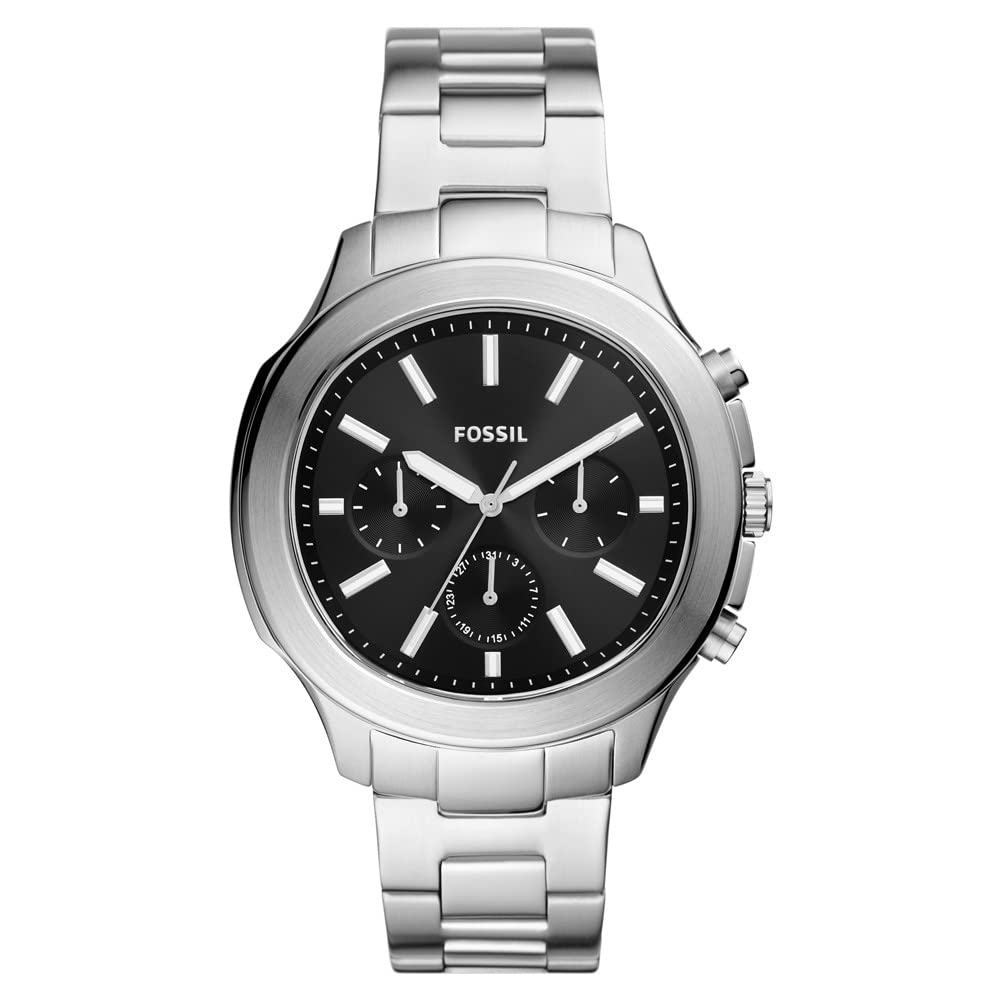
Image: Rear view of the Fossil Windfield BQ2589 watch, showcasing the stainless steel band and deployment clasp mechanism.
2. Operating the Watch
2.1 Basic Timekeeping
Your Fossil Windfield BQ2589 watch is a quartz movement timepiece, providing accurate time display with hour, minute, and second hands. Ensure the crown is fully pushed in for normal operation and water resistance.

Image: Front view of the Fossil Windfield BQ2589 watch, displaying the main dial, hour markers, and chronograph sub-dials.
2.2 Chronograph Function
The chronograph function allows you to measure elapsed time. Your watch features three pushers: two on the side of the case (above and below the crown) and the crown itself.
- Start: Press the top pusher to start the chronograph. The chronograph second hand will begin to move.
- Stop: Press the top pusher again to stop the chronograph. The elapsed time will be indicated by the chronograph hands.
- Reset: After stopping the chronograph, press the bottom pusher to reset all chronograph hands to their zero positions.
The sub-dials on your watch display different units of time for the chronograph, such as seconds, minutes, and sometimes hours, depending on the specific movement.
2.3 Water Resistance
This watch has a water resistance depth of 50 meters (5 ATM). This means it is suitable for short periods of recreational swimming, but not for diving or snorkeling. Do not operate the crown or pushers while the watch is wet or submerged, as this can compromise the water resistance.
3. Maintenance
3.1 Cleaning
To maintain the appearance of your watch:
- Wipe the case and crystal with a soft, dry cloth.
- For the stainless steel band, use a soft brush and mild soapy water to clean, then rinse thoroughly with clean water and dry immediately with a soft cloth. Ensure the crown is pushed in before cleaning.
- Avoid using harsh chemicals or abrasive materials, as these can damage the watch's finish.
3.2 Battery Replacement
The watch is powered by one Lithium Ion battery (included). When the watch stops running, it indicates that the battery needs replacement. Battery replacement should be performed by a qualified watch technician to ensure proper sealing and maintain water resistance.
3.3 Storage
When not wearing your watch, store it in a cool, dry place, away from direct sunlight, extreme temperatures, and strong magnetic fields. The original watch box is ideal for storage.
4. Troubleshooting
4.1 Watch Not Running
- Check if the crown is fully pushed in. If it is pulled out, the watch will not run.
- The battery may be depleted. Refer to section 3.2 for battery replacement.
4.2 Incorrect Time/Date
- Refer to sections 1.1 and 1.2 for instructions on setting the time and date.
- Ensure the crown is fully pushed in after setting to prevent accidental changes.
4.3 Water Intrusion
- If moisture appears inside the watch, immediately take it to a professional watch repair service. Do not attempt to open the watch yourself.
- Always ensure the crown is fully pushed in before exposing the watch to water. Avoid operating pushers or crown underwater.
5. Specifications
| Model Number | BQ2589 |
| Brand | Fossil |
| Movement Type | Quartz |
| Display Type | Analogue |
| Case Diameter | 45 Millimetres |
| Case Thickness | 13 Millimetres |
| Band Material | Stainless Steel |
| Water Resistance Depth | 50 Metres (5 ATM) |
| Battery Type | 1 Lithium Ion (included) |
| Special Feature | Chronograph |
6. Warranty and Support
6.1 Manufacturer Warranty
Your Fossil Windfield BQ2589 watch comes with a manufacturer's warranty. Please refer to the warranty documentation included with your purchase for specific terms, conditions, and duration of coverage. The warranty typically covers manufacturing defects.
6.2 Customer Support
For further assistance, service, or warranty claims, please contact Fossil customer support. Contact information can usually be found on the official Fossil website or in the warranty booklet provided with your watch.