
Tesoorda AJ100
Tesoorda LED Flame Speaker User Manual
Model: AJ100
Introduction
The Tesoorda LED Flame Speaker is a versatile device combining a portable Bluetooth speaker with an LED flame effect lamp. Designed for both indoor and outdoor use, it offers clear sound performance and an atmospheric lighting experience. This manual provides essential information for the safe and effective operation of your speaker.
Safety Information
- Do not immerse the speaker in water. While it is IP65 waterproof, it is not designed for submersion.
- Keep the device away from extreme temperatures, direct sunlight, and heat sources.
- Do not disassemble, repair, or modify the speaker. This may void the warranty and pose safety risks.
- Use only the provided Type-C USB cable for charging.
- Keep out of reach of children.
Package Contents
- 1x Tesoorda LED Flame Speaker
- 1x Type-C USB Charging Cable
- 1x User Manual
Product Overview
Familiarize yourself with the main components and controls of your Tesoorda LED Flame Speaker.
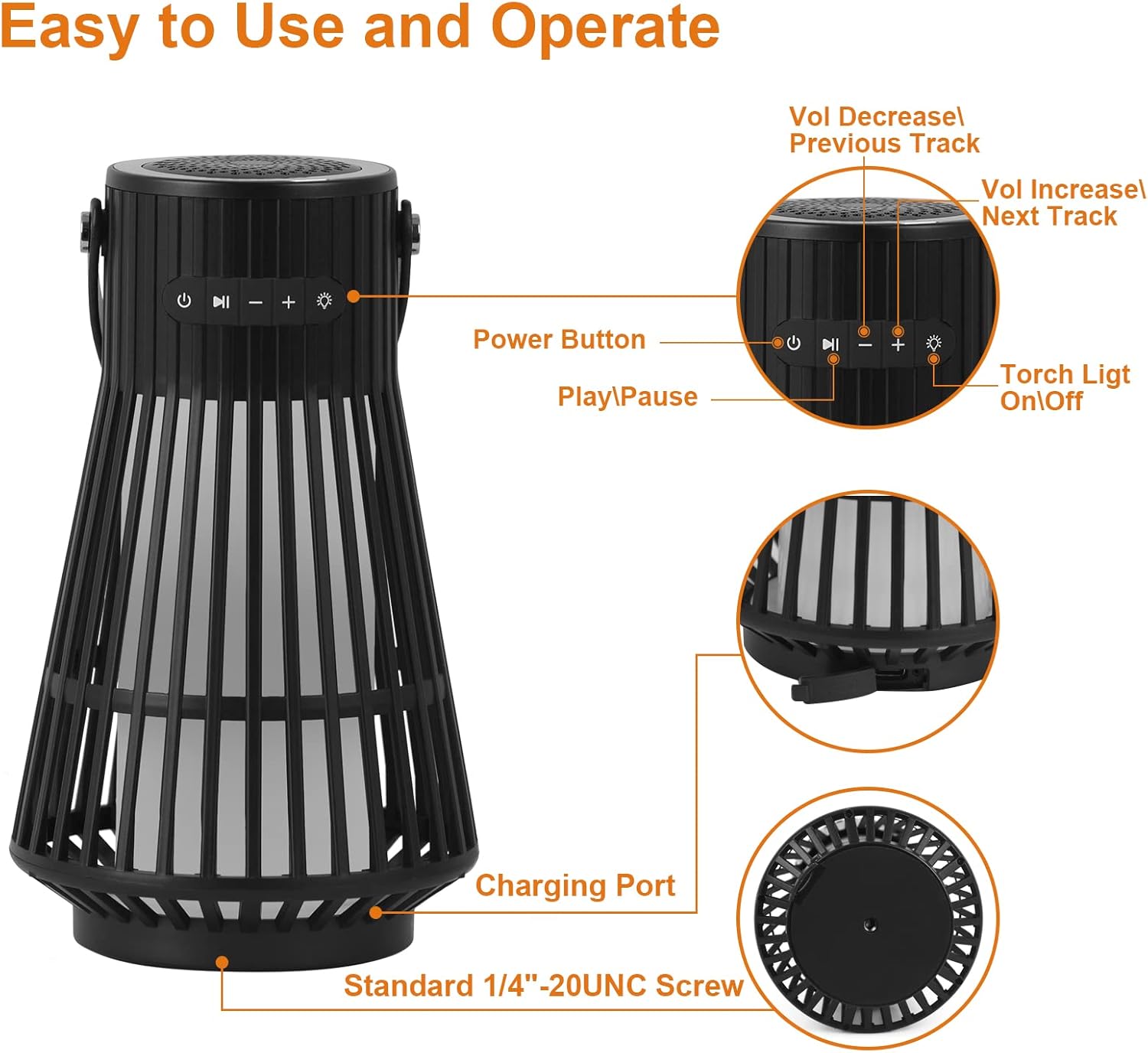
Figure 1: Speaker Controls and Ports. This image illustrates the power button, play/pause button, volume decrease/previous track button, volume increase/next track button, torch light on/off button, charging port, and standard 1/4"-20UNC screw mount.
- Power Button: Press and hold to power on/off.
- Play/Pause Button: Press to play or pause music.
- Volume Down/Previous Track: Press to decrease volume. Hold to go to the previous track.
- Volume Up/Next Track: Press to increase volume. Hold to go to the next track.
- Light Mode Button: Press to cycle through flame effect and solid light modes.
- Charging Port: Type-C USB port for charging the speaker.
- Handle: Faux leather strap for easy carrying or hanging.
Setup
1. Charging the Speaker
Before first use, fully charge the speaker. Connect the provided Type-C USB cable to the speaker's charging port and the other end to a USB power adapter (not included). The charging indicator light will show charging status.
2. Powering On/Off
Press and hold the Power Button (⏻) for 3 seconds to turn the speaker on or off. A voice prompt will indicate the power status.
3. Bluetooth Pairing (Single Speaker)
- Turn on the speaker. It will automatically enter Bluetooth pairing mode, indicated by a flashing blue LED.
- On your device (smartphone, tablet, etc.), enable Bluetooth and search for available devices.
- Select "AJ100" from the list of devices.
- Once connected, the blue LED will stop flashing, and a voice prompt will confirm the connection.
4. True Wireless Stereo (TWS) Pairing (Two Speakers)
For a superior stereo sound experience, you can pair two Tesoorda LED Flame Speakers together.
- Ensure both speakers are turned off and fully charged.
- Turn on both speakers.
- On one of the speakers, quickly press the Power Button (⏻) twice. You will hear a "didi" sound, indicating they are attempting to pair with each other.
- Once successfully paired, a voice prompt will confirm the TWS connection. The LED on the primary speaker will flash blue, while the secondary speaker's LED will be solid blue.
- Now, connect your device to the primary speaker ("AJ100") via Bluetooth as described in step 3 above.
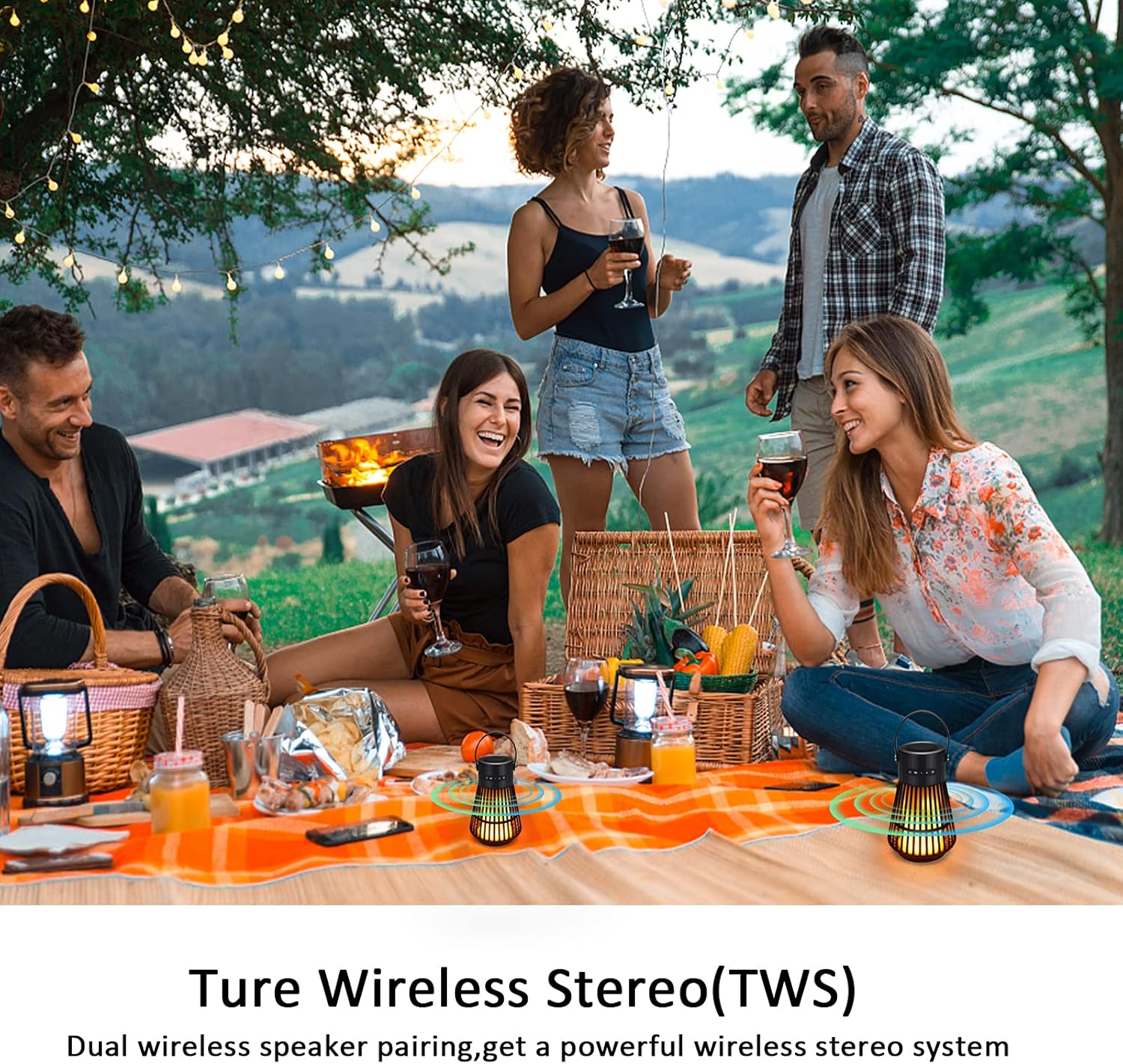
Figure 2: True Wireless Stereo (TWS) Setup. This image shows two speakers providing a wider sound experience.
Operating Instructions
1. Music Playback
- Play/Pause: Press the Play/Pause button.
- Volume Adjustment: Press the '+' button to increase volume, and the '-' button to decrease volume.
- Next/Previous Track: Hold the '+' button for the next track, and hold the '-' button for the previous track.
2. Light Modes
The speaker features two distinct lighting modes: a vivid flame effect and a steady night light.
- Press the Light Mode button (light bulb icon) once for the LED Flickering Flame Mode. This mode simulates a realistic dancing flame.
- Press the Light Mode button a second time for the LED Night Light Mode, which provides a steady, warm light.
- Press the Light Mode button a third time to turn off the light.

Figure 3: Dual Lighting Modes. The top image shows the flame mode in an outdoor setting, and the bottom image shows the night light mode indoors.
3. Placement and Usage
The Tesoorda LED Flame Speaker is designed for versatile use.
- Use the integrated faux leather strap to hang the speaker or carry it easily.
- Its IP65 waterproof rating makes it suitable for outdoor environments, such as patios, gardens, and poolside areas. Avoid full submersion.
- The speaker can also be placed on any flat surface for ambient lighting and sound.

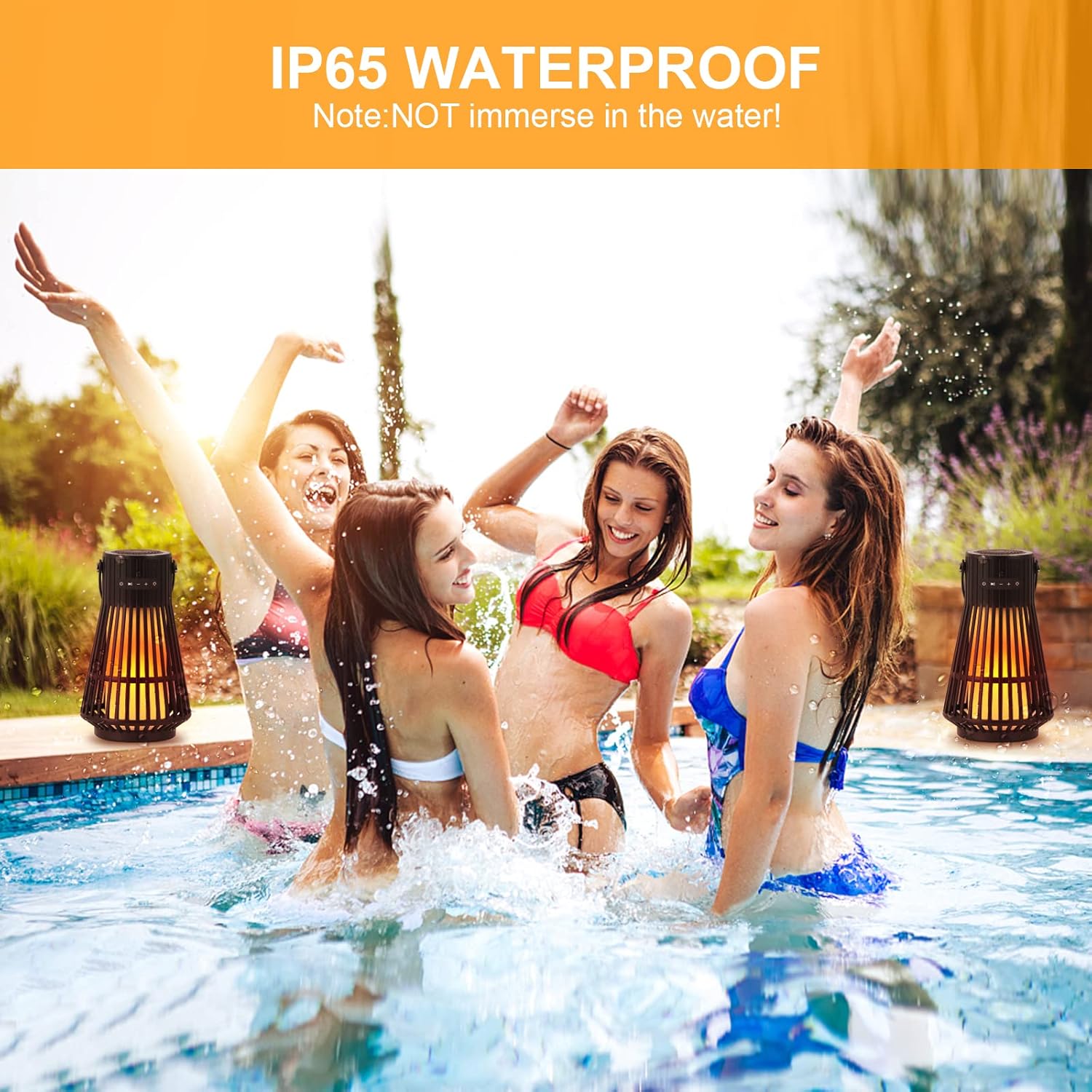
Figure 4: Versatile Outdoor Use. The speaker functions as a portable lantern and is suitable for poolside enjoyment due to its water resistance.
Maintenance
- Clean the speaker with a soft, dry cloth. Do not use abrasive cleaners or solvents.
- Store the speaker in a cool, dry place when not in use for extended periods.
- Ensure the charging port cover is securely closed when not charging to maintain water resistance.
Troubleshooting
| Problem | Possible Cause | Solution |
|---|---|---|
| Speaker does not turn on. | Low battery. | Charge the speaker fully. |
| Cannot pair via Bluetooth. | Speaker is not in pairing mode; device Bluetooth is off; speaker is too far from device. | Ensure speaker is in pairing mode (flashing blue LED). Turn on device Bluetooth. Move speaker closer to device (within 10 meters). |
| No sound or low volume. | Volume too low on speaker or device; speaker not connected. | Increase volume on both speaker and device. Re-pair the speaker with your device. |
| TWS pairing fails. | Incorrect pairing procedure; speakers too far apart. | Ensure both speakers are off before starting TWS pairing. Follow TWS pairing steps carefully. Keep speakers close during pairing. |
Specifications
| Feature | Detail |
|---|---|
| Brand | Tesoorda |
| Model Name | Outdoor LED Flame Speaker (AJ100) |
| Material | Plastic or Metal, Faux Leather, Lithium Polymer |
| Speaker Type | Outdoor |
| Special Feature | Portable, Stereo Pairing |
| Recommended Uses | Indoor/Outdoor |
| Compatible Devices | Smartphone, Tablet, Laptop, Desktop |
| Product Dimensions | 5"D x 5"W x 8"H |
| Item Weight | 0.44 Kilograms (15.5 ounces) |
| Water Resistance Level | IP65 Waterproof |
| Wireless Communication Technology | Bluetooth 5.0 |
| Bluetooth Range | 10 Meters |
| Speaker Maximum Output Power | 5 Watts |
| Audio Output Mode | Stereo |
| Power Source | Battery Powered (3600mAh Rechargeable Battery) |
| Playtime | Up to 18 hours |
Warranty and Support
Tesoorda is committed to providing high-quality products and ensuring customer satisfaction. For any issues or inquiries regarding your LED Flame Speaker, please contact our customer support team. We are dedicated to resolving any problems as soon as possible.
Please refer to the product packaging or the official Tesoorda website for specific warranty details and contact information.
Related documentsAJ100

Ask a question about this manual
Ask about setup, troubleshooting, compatibility, parts, safety, or missing instructions. Manuals+ will review the question and use this page’s manual context to help answer it.